

How long can a Zillow listing video be, and can your logo appear on it? Both questions have short answers. For a Zillow Showcase listing, Zillow's Showcase media guidance (cited in the table notes below) sets one video of 120 seconds or less, uploaded by the listing's media provider through Zillow's Aryeo platform, with no persistent agent or brokerage logos, watermarks or ads. Exact file format and size limits have to be confirmed on Zillow's upload page on the day you upload.
Neither answer decides whether a video ever plays on a listing. That decision belongs to delivery. A file can meet every published spec and still never reach the carousel, because Zillow runs two separate routes and they don't accept the same package.
Showcase is the route that puts a video inside the media carousel. Your local MLS is the route that carries video to Zillow through the listing feed, and it writes its own rules on length, branding and format. Treat them as two systems with two checklists. Specs get a video accepted at upload; the route and the uploader decide whether buyers ever see it.
Summary
Create an AI Video Tours from PhotosTry it For Free
Which Zillow Video Requirements Apply Right Now?
Three rulebooks apply, and they overlap on fewer points than most agents assume. The table is the quick reference; the notes under it explain which column governs your listing.
Table notes: the Showcase limits reflect Zillow's Showcase media guidance updated in 2026 (Roomotion's Zillow listing video guide) and the late-September 2025 Showcase change that added a single carousel video (reel-e's comparison of Zillow and MLS video rules). The Premier Agent walkthrough column is an earlier mobile-video specification: 2 minutes, 720p-capable phone hardware and horizontal orientation. Treat it as background for older Zillow walkthrough guidance, then confirm current upload limits on the page where the file is submitted.
The Showcase column is the route Zillow describes publicly for carousel video. The clip has to stay focused on the property, may carry personal branding, and can't carry persistent logos, watermarks or ads. Keep the opening useful because the media carousel is built for quick browsing. A slow drone reveal with a title card spends the most valuable seconds on something other than the property.
The Premier Agent column describes a spec Zillow published for mobile walkthroughs shot on a phone. It's historical rather than a description of Showcase, but two habits carried forward: keep the video short, and shoot horizontally. That helps production planning, yet it does not decide distribution. Showcase and MLS are separate delivery paths, so the route and the uploader matter as much as the file specs.
The MLS column is where agents who read only Zillow's pages get caught. Your MLS sets duration, hosting, branding and technical limits, and Showcase rules don't loosen any of them. A video that fits Zillow's carousel rules can still need a different cut for the MLS feed, especially when branding or hosting requirements differ.
| Requirement | Zillow Showcase | Premier Agent walkthrough (earlier spec) | MLS-syndicated video |
|---|---|---|---|
| Maximum length | 120 seconds | 2 minutes | Set by your local MLS |
| Videos per listing | One video at a time | One walkthrough, recordable in short segments rather than a single take | Set by your local MLS |
| Who uploads | The listing's media provider, through Zillow's Aryeo platform | The agent, recording on a phone | Per your MLS feed rules |
| Orientation | Horizontal, to fill the carousel frame | Landscape | Per your MLS rules |
| Branding | Persistent agent or brokerage logos, watermarks and ads prohibited | Listing marketing details barred on video walkthroughs under Zillow's Listings Quality Policy | Per your MLS rules |
| File format and size | Confirm on Zillow's upload page the day you upload | Captured on 720p-capable phone hardware; confirm the current size cap at upload | Per your MLS rules |
The Showcase column is the route Zillow describes publicly for carousel video. The clip has to stay focused on the property, may carry personal branding, and can't carry persistent logos, watermarks or ads. Keep the opening useful because the media carousel is built for quick browsing. A slow drone reveal with a title card spends the most valuable seconds on something other than the property.
The Premier Agent column describes a spec Zillow published for mobile walkthroughs shot on a phone. It's historical rather than a description of Showcase, but two habits carried forward: keep the video short, and shoot horizontally. That helps production planning, yet it does not decide distribution. Showcase and MLS are separate delivery paths, so the route and the uploader matter as much as the file specs.
The MLS column is where agents who read only Zillow's pages get caught. Your MLS sets duration, hosting, branding and technical limits, and Showcase rules don't loosen any of them. A video that fits Zillow's carousel rules can still need a different cut for the MLS feed, especially when branding or hosting requirements differ.
Practical rule: find the row that matches your listing before you edit anything. The Showcase and MLS columns disagree on length, uploader and branding, and no single export satisfies both by accident.File format and size are the two cells nobody should quote from memory. Zillow's upload page is the authority on the day you upload, and a stale blog spec is the most common reason a file bounces. Build the edit around the delivery route first, then export to the receiving system's current limits.
Which Upload Path and MLS Rules Apply to This Listing?
A file can pass every length and branding rule and still never appear, because eligibility depends on the route it travels and the person who delivers it.
Two delivery paths exist, and they answer to different authorities. Showcase video arrives as an actual file, not a link or an embed, and it reaches Zillow through the media provider who produced the listing's photo package. That's the operational bottleneck most guides skip. An agent can produce a clean, compliant edit and still have no way to use it, because the photographer who controls the media package never received or delivered the video file.
Path A, the listing is enrolled in Showcase. The video is a file handed to the media provider, who uploads it. Your job is to deliver a finished cut that meets the property-focus and branding rules, then confirm with the provider that it was accepted. Plan for this at the shoot or the same day the photos arrive, because adding a video after the media package closes means going back to the provider.
Path B, the video reaches Zillow through the MLS feed. Local rules set duration, hosting, branding and technical limits, and display varies by feed. Some MLSs pass a video link through cleanly, some accept only specific formats, and some don't forward video at all. Read up on how MLS video fields actually work before you promise a client anything.
Six questions settle the route:
Record the date and source for each answer, because these rules get revised. The payoff is distribution, and distribution is where the money argument sits. When you're listing a Destin home or condo with Dream Destin Realty, or any listing where the buyer is out of state, the video question is really a delivery question: where will it play, and who can get it there. A compliant file sitting on your hard drive markets nothing.
Two delivery paths exist, and they answer to different authorities. Showcase video arrives as an actual file, not a link or an embed, and it reaches Zillow through the media provider who produced the listing's photo package. That's the operational bottleneck most guides skip. An agent can produce a clean, compliant edit and still have no way to use it, because the photographer who controls the media package never received or delivered the video file.
Path A, the listing is enrolled in Showcase. The video is a file handed to the media provider, who uploads it. Your job is to deliver a finished cut that meets the property-focus and branding rules, then confirm with the provider that it was accepted. Plan for this at the shoot or the same day the photos arrive, because adding a video after the media package closes means going back to the provider.
Path B, the video reaches Zillow through the MLS feed. Local rules set duration, hosting, branding and technical limits, and display varies by feed. Some MLSs pass a video link through cleanly, some accept only specific formats, and some don't forward video at all. Read up on how MLS video fields actually work before you promise a client anything.
Six questions settle the route:
- Is this listing enrolled in Showcase? A yes moves you to the provider route.
- Who created the media? If a photographer shot the package, that person controls the upload.
- Who is authorized to upload? For Showcase, the agent has no general upload field of their own.
- Is the video a local file? A link or embed does not satisfy the file-delivery route.
- Does your MLS accept listing video in its feed, and on what terms?
- Does your MLS require an unbranded cut, or disclosure of AI-edited or virtually staged images? Some platforms, MLSs and local rules require that disclosure, and an AI-generated video isn't automatically compliant with them.
Record the date and source for each answer, because these rules get revised. The payoff is distribution, and distribution is where the money argument sits. When you're listing a Destin home or condo with Dream Destin Realty, or any listing where the buyer is out of state, the video question is really a delivery question: where will it play, and who can get it there. A compliant file sitting on your hard drive markets nothing.
Can You Brand a Listing Video for Zillow and Social?
Persistent agent or brokerage logos, watermarks and advertising are barred from Zillow listing media. That is the default rule for anything uploaded as a listing photo or video walkthrough. The narrower exception is personal branding inside a Showcase video, which is allowed only within the limits set out in Zillow's Listings Quality Policy and media guidance, so the safe reading is: property-first and unbranded everywhere, with branding appearing only where that guidance explicitly permits it.
The assumption worth challenging is that a small logo in the corner is fine. It isn't. The rule targets how the marketing information appears, not how big it is, and "otherwise" covers the animated lower-third and the end card as squarely as a watermark across the frame. The policy also limits listing advertising to specified parties: the contracted exclusive listing agent, the property owner, or an applicable rental manager.
A four-step split fixes this without much extra work:
Decide the rules once and write them down, because consistency across a brokerage's listings is where most branding mistakes start. Branding guidelines that survive a compliance review is the place to begin.
The assumption worth challenging is that a small logo in the corner is fine. It isn't. The rule targets how the marketing information appears, not how big it is, and "otherwise" covers the animated lower-third and the end card as squarely as a watermark across the frame. The policy also limits listing advertising to specified parties: the contracted exclusive listing agent, the property owner, or an applicable rental manager.
A four-step split fixes this without much extra work:
- Build an unbranded master. Property-first, no logo, no contact strip, no end card.
- Cut a branded vertical version with logo, colors and captions for social.
- Keep the unbranded file for Zillow and MLS uploads. An unbranded version is the one that clears both.
- Read your local MLS branding rule before posting. Some are stricter than Zillow.
Decide the rules once and write them down, because consistency across a brokerage's listings is where most branding mistakes start. Branding guidelines that survive a compliance review is the place to begin.
If a logo or a phone number is visible anywhere in the file going to Zillow, expect it to be a problem.
How Do You Build a Compliant Listing Video From Photos?
Build the listing video from the photos you already have, then order them like a buyer walking through the property. Exterior first, main living areas next, bedrooms and amenities after that, ending on the strongest feature. One clean master project gives you room to export for Zillow, the MLS and social without rebuilding the same edit three times.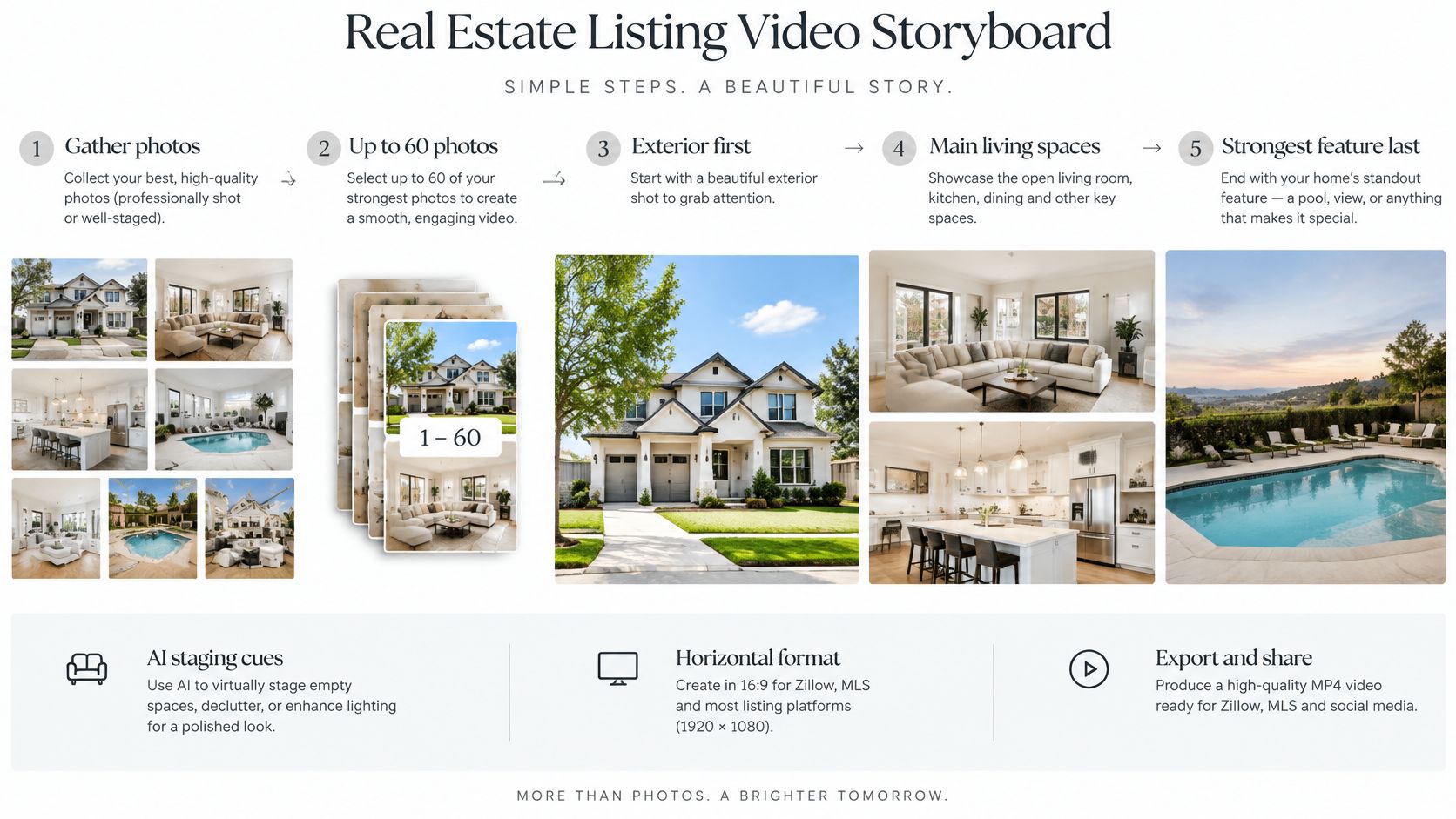
If you'd rather start from a script than a blank storyboard, the real estate video script generator drafts one from the listing details, and turning listing photos into a video without a shoot covers the photo selection step in more depth. The first video is free with no credit card, so you can run the full build on one live listing before committing to anything.
- Gather and order the photos. Use up to 60 photos per video in AI real estate video maker. Keep the sequence property-first, with each room placed where a buyer would realistically encounter it.
- Audit the details. Every retained photo must belong to the property and be useful, the address, price, room counts and area units must match the current listing record, and the selected agent and contact details must be correct. Errors here survive into the final render, including captions and voiceover.
- Set the length for the Showcase cut. Keep it at 120 seconds or less, property-focused, with personal branding off. This is the version that has to satisfy listing-media expectations, not entertain a social audience.
- If you're adding phone clips, shoot in segments. Zillow's earlier Premier Agent walkthrough spec allowed recording in short segments instead of one continuous take, capped the video at two minutes, and called for horizontal orientation on a phone rather than a tablet (Zillow's video walkthrough announcement). Separate exterior, living-area, kitchen, bedroom and amenity clips assemble into a horizontal edit cleanly.
- Choose the right motion and script. Photo motion, virtual staging, AI transitions and drone-style clips can all work when they keep the property readable. Use a script drawn from listing details, then choose AI voiceover, voice cloning or the agent's own audio. A wrong price or room count is more damaging than plain motion.
- Check compliance before export. Some platforms, MLSs and local rules require disclosure of AI-edited or virtually staged images. A video made with VideoTour.ai is not automatically compliant with them, so check the route for this listing before publishing.
- Preview the whole thing before exporting. Watch the full cut at normal speed. Fix room order, captions, branding and music before they become part of a file you send to a listing, an MLS or a client.
- Save one master project and plan two cuts. Keep an unbranded master for listing delivery and a branded cut for social. That split protects the Zillow and MLS file while still giving agents something useful for reach and recognition.
If you'd rather start from a script than a blank storyboard, the real estate video script generator drafts one from the listing details, and turning listing photos into a video without a shoot covers the photo selection step in more depth. The first video is free with no credit card, so you can run the full build on one live listing before committing to anything.
Which Export Format Should You Use for Each Channel?
One project should produce two working files: an unbranded horizontal export for Zillow and the MLS, and a branded vertical cut for Reels, TikTok and Shorts. Everything else is a variation on those two, based on where the file is going and who is uploading it.
Branding follows the channel. Zillow listing media has to stay free of agent and brokerage marketing, so the logo and contact details belong on the social cut. An MLS may also require an unbranded version, so prepare that from the same project instead of trying to strip branding later.
Shape follows the frame. A vertical file forced into a wide listing slot loses the top and bottom of each room, which is the cropping complaint agents blame on the platform. The RenderIO breakdown of widescreen framing explains why 16:9 became the default for player windows. Use a wide export where the listing media player controls the frame, and a vertical or square export where the social feed controls it.
VideoTour.ai exports HD files at 720p and 1080p, so keep the 1080p file as the master and let the platform compress from there. If you're weighing codecs and bitrates for that master, choosing an HD video format for listing uploads covers which settings hold up after re-encoding. You can choose a vertical, wide or square shape for the property video, then download the finished file to a computer or phone for each channel.
Two habits prevent mix-ups. Name files by channel and branding, such as zillow-unbranded-horizontal and social-branded-vertical, so the wrong version doesn't get uploaded at 9pm. Check Zillow's upload page and your local MLS rules before assuming an export is accepted anywhere automatically. For a playable Facebook or Instagram feed post, upload the downloaded MP4, because pasting a hosted viewing link doesn't upload the video.
| Channel | Shape | Branding | Export to use |
|---|---|---|---|
| Zillow Showcase | Horizontal (wide) | Unbranded | Unbranded horizontal export, 120 seconds or less |
| MLS feed | Horizontal (wide) | Unbranded | Unbranded horizontal export, checked against local MLS rules |
| Instagram Reels, TikTok, YouTube Shorts | Vertical | Branded | Branded vertical cut from the same upload |
| Facebook or Instagram feed post | Vertical or square | Branded | Downloaded MP4 uploaded as a file |
| Website or property page | Wide | Per your site | Ready-made embed or viewing link |
Shape follows the frame. A vertical file forced into a wide listing slot loses the top and bottom of each room, which is the cropping complaint agents blame on the platform. The RenderIO breakdown of widescreen framing explains why 16:9 became the default for player windows. Use a wide export where the listing media player controls the frame, and a vertical or square export where the social feed controls it.
VideoTour.ai exports HD files at 720p and 1080p, so keep the 1080p file as the master and let the platform compress from there. If you're weighing codecs and bitrates for that master, choosing an HD video format for listing uploads covers which settings hold up after re-encoding. You can choose a vertical, wide or square shape for the property video, then download the finished file to a computer or phone for each channel.
Two habits prevent mix-ups. Name files by channel and branding, such as zillow-unbranded-horizontal and social-branded-vertical, so the wrong version doesn't get uploaded at 9pm. Check Zillow's upload page and your local MLS rules before assuming an export is accepted anywhere automatically. For a playable Facebook or Instagram feed post, upload the downloaded MP4, because pasting a hosted viewing link doesn't upload the video.
Before you upload: two files ready, one wide and unbranded, one vertical and branded, both cut from the same master.
How Do You Upload or Link a Video to Zillow?
The upload is a handoff, not a button in your listing editor. For Showcase you send the finished file to the media provider; for the MLS you follow the feed's own process.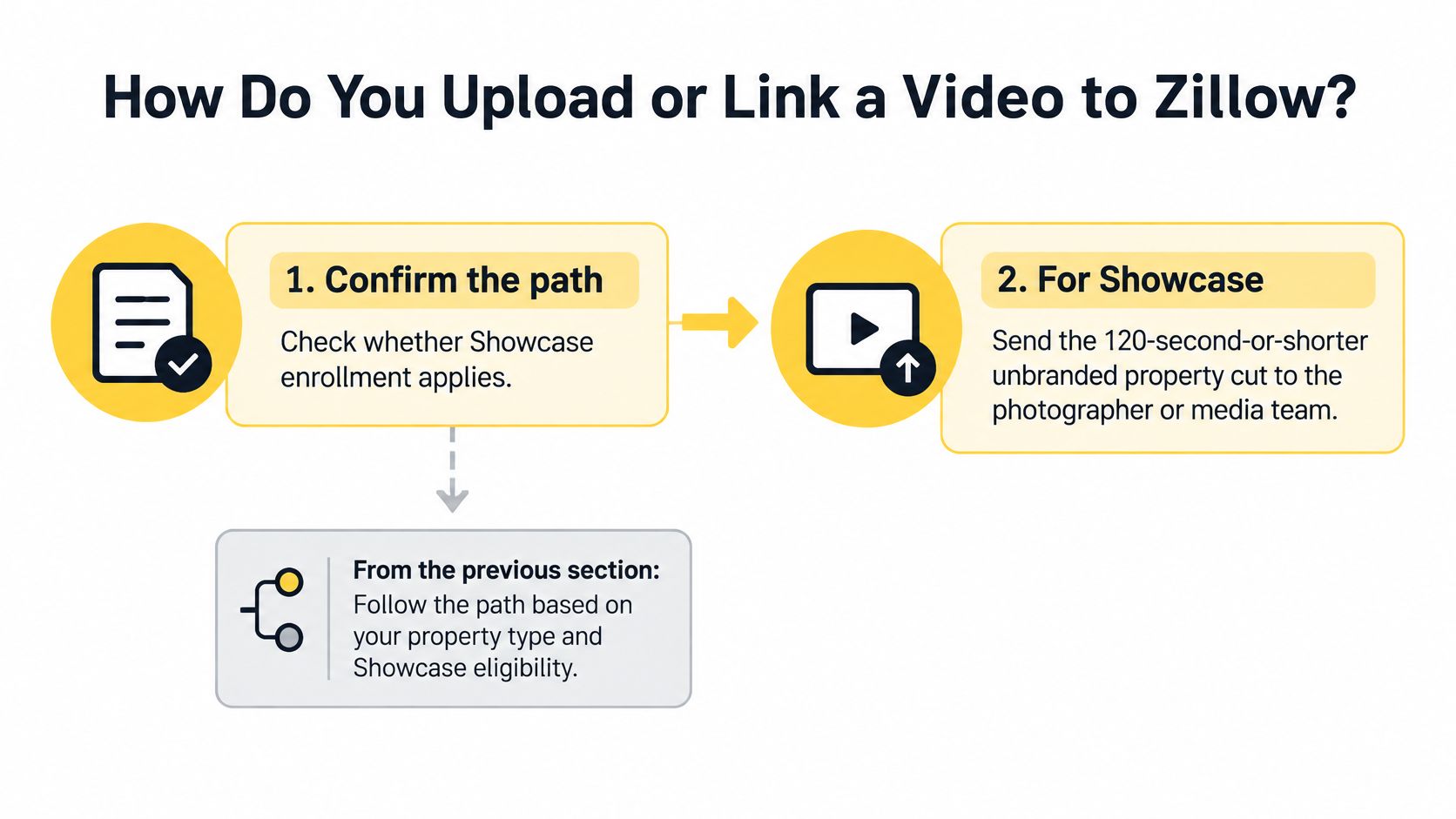
- Confirm the path. Check whether Showcase enrollment applies to this listing before you touch the file.
- For Showcase, hand the file to the photographer. Zillow's Showcase guidance calls for one video per listing, 120 seconds maximum, uploaded by the same photographer who supplied the listing's other media through Aryeo, not by the agent through a general upload path (Zillow Showcase editing guide).
- Ask for confirmation, then check the live listing. Zillow may flag or remove videos that aren't listing-relevant, so look at the carousel after publishing instead of assuming the job is done.
- For the MLS, use the feed process. Send the unbranded horizontal file the way your MLS accepts listing video, and confirm the hosting method it requires.
- Send everything else to its own channel. The vertical cut goes to social as an uploaded MP4, and the viewing link or embed is for your website and property pages.
Before you walk away: file ready, uploader confirmed, path confirmed, live listing checked.
Why Do Listing Videos Get Rejected, Ignored or Cropped?
Three problems account for most of it: a vertical or square file in a horizontal slot, agent branding where it isn't allowed, and a file that's too long or too heavy to process. A fourth, the video that uploads cleanly and never appears, is a delivery problem rather than a file problem.
Work the diagnosis in that order: branding, then aspect ratio, then length and size, then delivery path. Branding is first because it's the one an agent controls completely and the one that gets a video pulled rather than merely resized. Delivery path is last because it's the only cause that requires someone else to act, so you want the file ruled out before you email the photographer.
If the symptom is a stretched or badly framed picture, how an aspect ratio change affects a finished video explains what to re-export and what can't be rescued in post.
Old specs are the most common cause of a wrong number. Any guide that quotes a maximum file size without a date should be verified against Zillow's upload page before you export, because the platform re-encodes and updates limits without announcing it on the pages agents read.
| Symptom | Likely cause | Fix |
|---|---|---|
| Edges of the picture cut off | Vertical or square file placed in a horizontal listing slot | Re-export the unbranded wide version and upload that file |
| Agent or brokerage logo flagged or removed | Branded cut used on Zillow listing media | Use the unbranded export for Zillow and keep branding for social |
| Upload fails or stalls | File too large, or longer than 120 seconds for Showcase | Trim to a property-first cut and compress to 1080p HD |
| Video never appears in the carousel | Listing not enrolled, or file not delivered by the media provider | Confirm the Showcase path and the uploader with the media provider |
If the symptom is a stretched or badly framed picture, how an aspect ratio change affects a finished video explains what to re-export and what can't be rescued in post.
Old specs are the most common cause of a wrong number. Any guide that quotes a maximum file size without a date should be verified against Zillow's upload page before you export, because the platform re-encodes and updates limits without announcing it on the pages agents read.
What Else Do Agents Ask About Zillow Video Requirements?
Can I upload a video to Zillow myself?
For Showcase, no. The file goes through the listing's media provider via Aryeo, so confirm the path and the uploader before you build anything.Is a hosted link or embed enough?
Not for Showcase, which requires a file rather than a link or embed. A viewing link is fine for your own website and property pages.What length should I use?
120 seconds or less for a Showcase carousel video. MLS limits are set locally, so check the feed rules separately.Can my logo appear?
Not on Zillow listing media. The Listings Quality Policy bars agent names, company names, logos, phone numbers and email addresses on listing photos and video walkthroughs.Which export should I use?
The unbranded horizontal file for Zillow and the MLS, and the branded vertical cut for Reels, TikTok and Shorts, both from the same master project.Does a VideoTour.ai export meet Zillow or MLS rules automatically?
No. Check Zillow's upload page on the day you upload and confirm your local MLS rules, including any disclosure requirement for AI-edited or virtually staged images.VideoTour.ai turns the photos you already have into a listing video you can cut twice: an unbranded horizontal file for Zillow and the MLS, and a branded vertical version for Reels, TikTok and Shorts. The first video is free with no credit card, so you can test the full build on one listing before you commit to a plan. Visit VideoTour.ai and start with the photos from your next listing.