
01
Upload your logo
A PNG or JPG is all it takes. Nothing to install, nothing to set up.
Turn your logo into a polished animation you can use as an intro or outro on every property video. No video editor needed.





Listing content created by professionals from leading real estate brands


Three steps, once. After that your animation is saved and ready on every listing you create.
A PNG or JPG is all it takes. Nothing to install, nothing to set up.
Pick from 10+ AI logo animation templates, or describe the look you want.
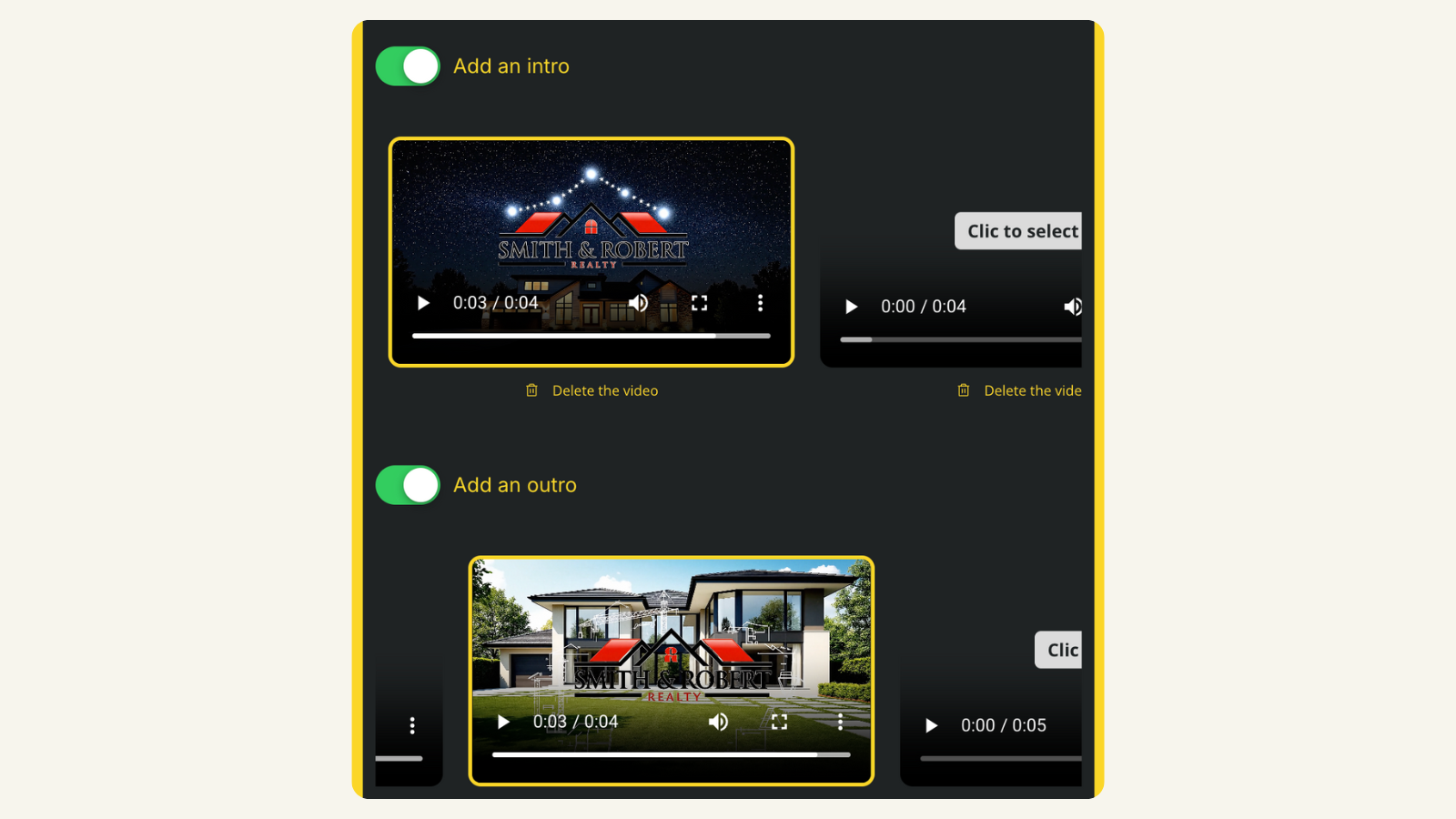
Select it as your intro, your outro, or both, in one click.
Choose the animation that best fits your brand and preview it before creating your video.
Light points draw your logo above a modern home.
Your logo appears through a cinematic light effect.
A drone-style path leads into your logo.
Architectural lines build your logo on screen.
Property images come together to reveal your logo.
The outline of a home transforms into your logo.
See how to upload your logo, animate it, save it, and add it to a property video.
Annual prices shown below. Monthly billing is also available.
$2.90 per video
$1.47 per video
$0.49 per video
Create a first property video and test a simple branding clip before choosing a paid plan for ongoing listing production.
Create my first video
It is super easy and convenient, especially if you do not have a videographer. VideoTour.ai has been a game changer.

I uploaded our logo once and now every listing video opens with it. People recognise our posts before they read the caption.

I keep the logo intro on the social version and switch it off for the MLS copy. Two versions, one click.
I do a lot of high-end homes and new builds. These videos are fast, simple, and they work.

It stopped being an editing job. We pick the intro and outro from the library and the video is done.

The same logo clip works for the Reel, the tour and the square post. I stopped rebuilding it for every format.
Customer feedback includes original recordings and product-specific comments. Results vary by source logo, selected animation and final review.
Got a question? We have answers.
It turns your real estate logo into a short animated video clip that you can use at the beginning or end of your listing videos.
No. Save the animation once and select it again when you create future property videos.
You can upload a PNG or JPG. SVG files are not supported in the current logo workflow, so convert a vector logo to a high-resolution PNG before uploading.
Yes. Choose the intro, the outro, or both for each video.
Yes. Leave the animation off whenever you need an unbranded version. Local MLS rules vary, so verify the final file and destination requirements before publishing.
You can create vertical 9:16, horizontal 16:9, and square 1:1 animations.
Yes. Sound is optional.
No. Create the animation, add it to the listing video, and review the finished result inside VideoTour.ai.
Upload your logo, choose an animation, and save it for the listings that come next.