
Plan for 1 to 3 minutes on MLS and Zillow, 15 to 60 seconds on Instagram Reels, TikTok and YouTube Shorts, and 1 to 3 minutes for a full YouTube tour. One property needs several runtimes, not one, and every version can come from the same photo set. The rest of the decision is about making each cut honest.
You have 34 listing photos, a signed agreement, and a broker preview on Thursday. The instinct is to build one 90-second horizontal video, load it to the MLS, then push the same file to Reels and call the box ticked. That single file does two jobs badly. On the MLS it's fine. In a vertical feed it's a letterboxed rectangle that gets swiped before the second room appears.
Duration isn't a creative decision. It's a distribution decision. Each channel puts a different viewer in front of the same house with a different reason for watching, and real estate listing video length is really the question of which viewer you're serving at that moment.
Summary
Create an AI Video Tours from PhotosTry it For Free
How Long Should a Listing Video Be on Each Channel
About 60 to 120 seconds on the MLS and the listing portals, 15 to 60 seconds on Reels, TikTok and Shorts, 30 to 90 seconds on Facebook, and 90 to 180 seconds for a full YouTube tour.
Those ranges come from platform-by-platform industry guidance rather than one universal number. Reel-E's breakdown of real estate video length places MLS and listing-site tours at roughly 60 to 120 seconds, Instagram Reels and TikTok at 30 to 60 seconds, Facebook at 30 to 90 seconds, and YouTube at 90 to 180 seconds, on the reasoning that portal visitors need enough time to read a layout while short-form feeds punish anything that overstays.
Two ceilings matter more than the recommendations themselves. Zillow Showcase caps uploaded video at 120 seconds and requires a listing-focused file, and MLS boards set their own rules on length and branding, frequently demanding unbranded cuts, as VideoTour.ai's guide to MLS video rules sets out. Check the current portal specs against Zillow video requirements before you build anything, because these rules change without notice.
The pattern underneath the table is simple. MLS visitors are evaluating a home. Social scrollers are meeting one. The same property therefore needs a long cut that explains room sequence and a short cut that earns attention, and treating them as one video is where most listing campaigns lose their reach.
Those ranges come from platform-by-platform industry guidance rather than one universal number. Reel-E's breakdown of real estate video length places MLS and listing-site tours at roughly 60 to 120 seconds, Instagram Reels and TikTok at 30 to 60 seconds, Facebook at 30 to 90 seconds, and YouTube at 90 to 180 seconds, on the reasoning that portal visitors need enough time to read a layout while short-form feeds punish anything that overstays.
| Channel | Recommended length | Viewer intent | Length ceiling worth respecting | Job in the listing campaign |
|---|---|---|---|---|
| MLS (unbranded tour) | 60 to 120 seconds, up to about 3 minutes | Actively evaluating the home | Set by your local MLS; check before upload | Replaces the photo gallery with a walkable overview |
| Zillow and listing portals | 60 to 120 seconds, up to about 3 minutes | Comparing saved homes | Zillow Showcase caps uploaded video at 120 seconds | Answers the layout question before a showing |
| Instagram Reels | 15 to 60 seconds, with 16.2 seconds cited as the average real estate Reel | Scrolling, meeting the property | Under 60 seconds to protect completion | Reach and saves built on one hook or standout feature |
| TikTok | 15 to 60 seconds | Cold, entertainment-leaning | Under 60 seconds | Discovery, profile visits, direct messages |
| YouTube Shorts | 15 to 60 seconds | Fast swipe feed | Under 60 seconds | Top-of-funnel reach for the listing |
| Facebook (organic) | 30 to 90 seconds | Local, high-intent neighbors | 60 seconds organic; shorter for paid | Local awareness and shares |
| YouTube (full tour) | 90 to 180 seconds | Deliberate property exploration | No platform ceiling; agent attention is the limit | Searchable, evergreen property detail |
The pattern underneath the table is simple. MLS visitors are evaluating a home. Social scrollers are meeting one. The same property therefore needs a long cut that explains room sequence and a short cut that earns attention, and treating them as one video is where most listing campaigns lose their reach.
Practical rule: a 2-minute unbranded tour and a 30 to 60-second vertical edit are one project with two outputs, not two projects.The guidance also warns against treating organic and paid creative identically. A 60-second organic Facebook tour can hold a local audience of neighbors and past clients, while paid feed creative needs to be shorter to survive rapid scrolling.
One Photo Set and Four Videos
Pick and order the photos once, confirm the listing facts, then export a horizontal tour for MLS and YouTube and a vertical cut for Reels, TikTok and Shorts from that single upload.
Most agents assume a video needs a shoot. It doesn't. A photo-based generator turns the images already delivered by the photographer into motion, narration and captions, which means the main constraint is photo selection, not render time or editing skill.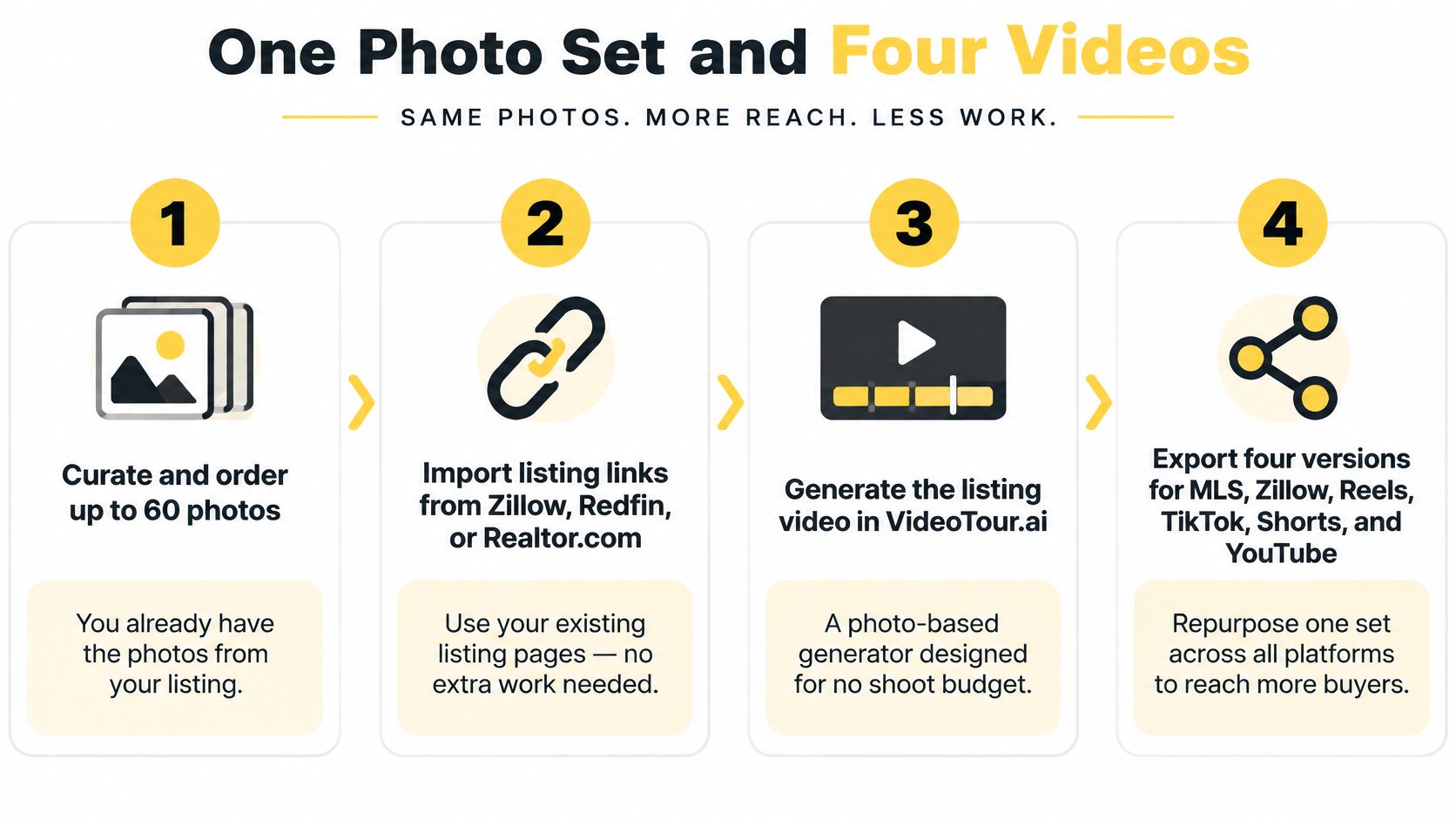 The tool doing this work is an AI real estate video maker that generates from photos rather than footage, with music, transitions and branding applied per property. If you want the fuller walkthrough of that process, this guide on how to make a real estate video from photos covers the photo ordering in more depth.
A realistic session ends with a 90 to 120-second MLS tour and a 30 to 45-second vertical edit from the same upload. That's the runtime portfolio in practice, and it takes one pass through the photo set rather than two.
Most agents assume a video needs a shoot. It doesn't. A photo-based generator turns the images already delivered by the photographer into motion, narration and captions, which means the main constraint is photo selection, not render time or editing skill.
- Curate and order the photos. Lead with the exterior, then the primary living space, then the kitchen, because those three frames do the heaviest lifting in the first ten seconds. Each listing video can hold up to 60 photos, so you have room to build a full walkthrough without padding.
- Check the listing facts. Every retained photo must belong to the property and earn its place, and the address, price, room counts and area units must match the current listing. Select the right agent and contact details too, since a wrong phone number on a tour is worse than no tour.
- Choose the shape for each output. Horizontal 16:9 for the MLS and YouTube, vertical 9:16 for Reels, TikTok and Shorts, square for feed posts. Building one shape and cropping later loses ceilings and floors.
- Set narration, captions and music once. Decide on the voice and the on-screen wording before you generate, then trim runtime per output rather than rebuilding the creative from scratch.
- Generate a longer unbranded tour for the MLS or portal, plus a short vertical cut for social. An unbranded version can be prepared when your board requires it, and you should still confirm your local rules before publishing.
- Review before download. Watch the whole cut for a stray photo from another listing, a stale price, or a room labelled wrongly.
The tool doing this work is an AI real estate video maker that generates from photos rather than footage, with music, transitions and branding applied per property. If you want the fuller walkthrough of that process, this guide on how to make a real estate video from photos covers the photo ordering in more depth.A realistic session ends with a 90 to 120-second MLS tour and a 30 to 45-second vertical edit from the same upload. That's the runtime portfolio in practice, and it takes one pass through the photo set rather than two.
What to Cut First When the Tour Runs Long
A long tour rarely has too many rooms. It has too many frames per room. Work down this order and stop when you hit your target length:
The trade-off is real and worth stating plainly. A short reel maximizes reach but can drop room sequence, corridor connections and accessibility detail. A longer tour explains how rooms flow into each other and reduces wasted showings from buyers who misread the floor plan. View counts alone prove neither outcome, and marketing coverage of the subject is candid that claimed inquiry lifts for listings with video often circulate without published methodology, while survey data summarized in that same coverage shows sellers' agents still rate photos above video by a wide margin (industry summary of real estate video statistics).
If you'd rather trim an existing horizontal tour than rebuild it, browse short-form video clipping options that cut a long file into vertical segments. Inside your editing pass, shorten individual shots rather than deleting entire rooms: shaving two seconds off ten photos recovers twenty seconds while every room survives, and the scene timing walkthrough shows where those per-shot savings come from.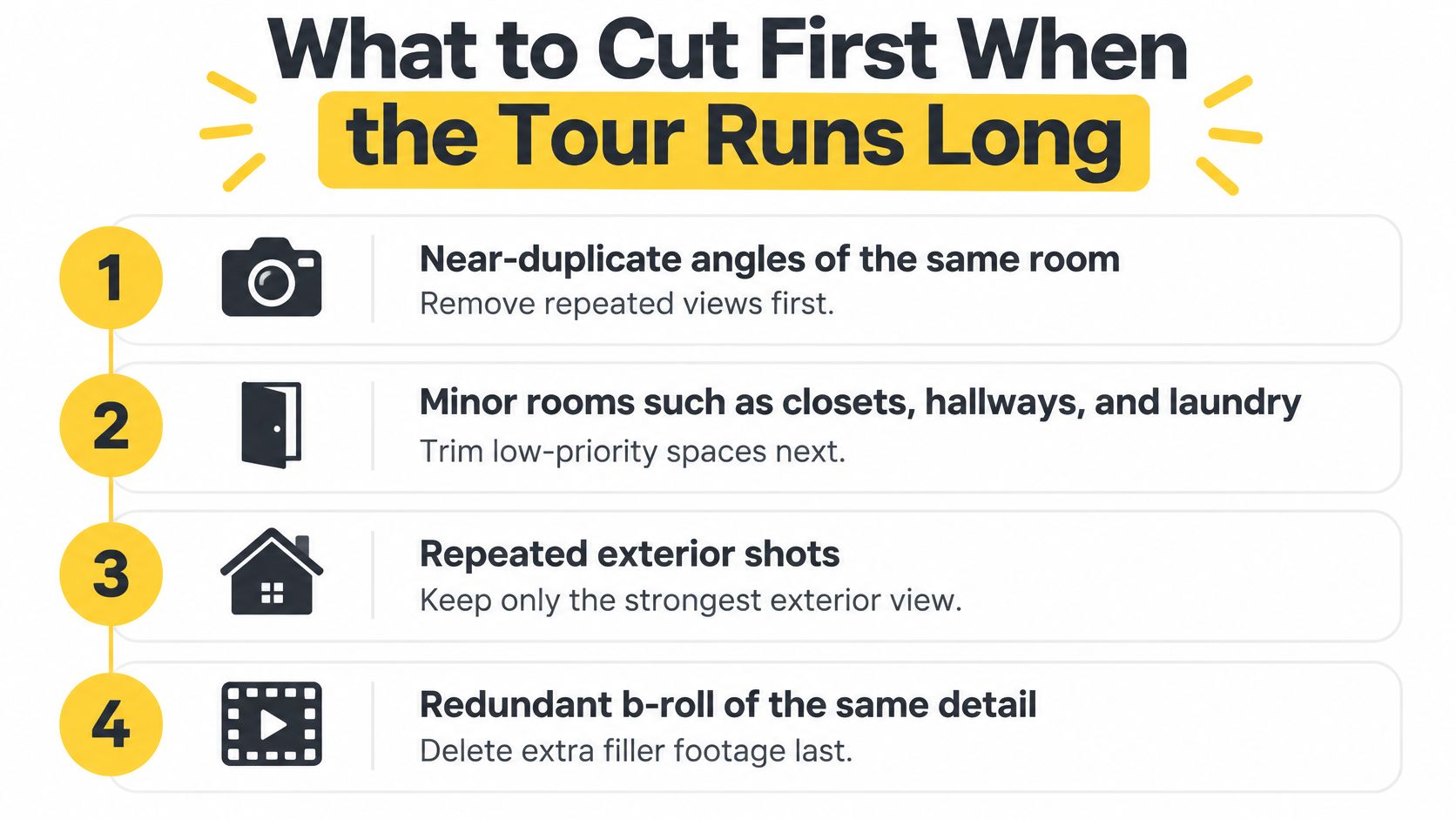 One error to avoid: never cut so hard that the video misrepresents the home. Motion effects, virtual staging, day-to-night transitions and voiceover all raise attention, and they also blur what is physically present. Label enhancements clearly so a buyer walking into the showing sees the house they were promised. Before you generate, confirm every retained photo belongs to the property and is worth keeping, and that the address, price and room counts match the current listing. A shorter cut is only a better cut when everything left in it is true.
- Near-duplicate angles of the same room. Two shots of the kitchen from almost the same spot add seconds without adding information.
- Minor rooms. Closets, hallways, laundry rooms and garages rarely change a buyer's decision. Drop them before you touch a bedroom.
- Repeated exterior shots. Keep the strongest front elevation and one rear or yard view. Four angles of the same facade is filler.
- Redundant b-roll of fixtures and finishes. The fourth close-up of a faucet earns nothing. Delete it last because it's the least harmful cut.
The trade-off is real and worth stating plainly. A short reel maximizes reach but can drop room sequence, corridor connections and accessibility detail. A longer tour explains how rooms flow into each other and reduces wasted showings from buyers who misread the floor plan. View counts alone prove neither outcome, and marketing coverage of the subject is candid that claimed inquiry lifts for listings with video often circulate without published methodology, while survey data summarized in that same coverage shows sellers' agents still rate photos above video by a wide margin (industry summary of real estate video statistics).
Cut time from low-information frames, not from rooms a buyer needs to evaluate.Say an agent has a four-bedroom colonial and a Thursday deadline. The Reels cut runs 45 seconds and shows exterior, kitchen, primary suite, one secondary bedroom and the yard. The MLS version runs 110 seconds and keeps the full sequence, including the hallway that connects the two wings, because that hallway is the thing buyers keep asking about at showings. Same photos, same session, different jobs. The reel doesn't lie about the home; it just omits. The tour doesn't pad; it explains.
If you'd rather trim an existing horizontal tour than rebuild it, browse short-form video clipping options that cut a long file into vertical segments. Inside your editing pass, shorten individual shots rather than deleting entire rooms: shaving two seconds off ten photos recovers twenty seconds while every room survives, and the scene timing walkthrough shows where those per-shot savings come from.
One error to avoid: never cut so hard that the video misrepresents the home. Motion effects, virtual staging, day-to-night transitions and voiceover all raise attention, and they also blur what is physically present. Label enhancements clearly so a buyer walking into the showing sees the house they were promised. Before you generate, confirm every retained photo belongs to the property and is worth keeping, and that the address, price and room counts match the current listing. A shorter cut is only a better cut when everything left in it is true.The First Three Seconds of a Listing Video
A buyer scrolling a vertical feed gives a listing about three seconds. Price or the standout feature, plus the location, has to be on screen and in the voiceover before a logo, a music swell, or a slow lawn pan spends that window.
Two openers built for a vertical cut: "Four bed in Round Rock, $525,000, pool" over the exterior, and "Corner unit, skyline view, $410,000" over the primary room. Same photo upload can still feed a longer MLS tour. The short cut refuses to spend its opening on anything the buyer cannot use.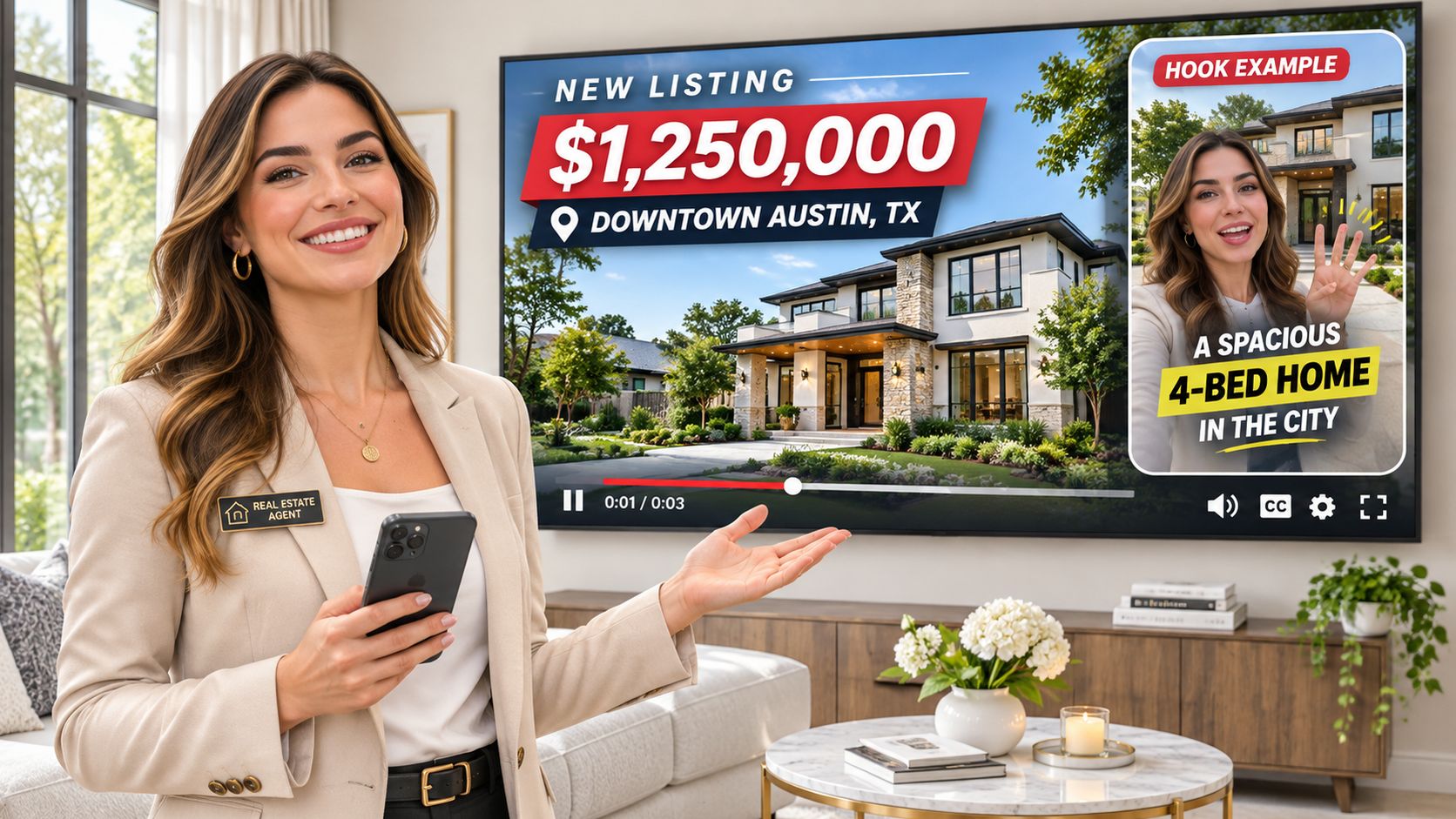 The MLS tour can open slower. Start on the exterior and leave the price in the listing record, because that viewer already clicked the address. The social cut cannot. Research cited in Gaugius's collection of real estate video statistics reports an average real estate Instagram Reel length of 16.2 seconds, a fraction of the 60 to 120 seconds an MLS tour gets.
That length changes photo order. Front-load the exterior, the primary living space, the price or location, and one contact prompt. Stop giving every image equal time. What you shorten is dwell on low-information frames. What you keep in those first three seconds is the fact a buyer would otherwise have to hunt for: price, place, and the feature that distinguishes the house. Large-scale data cited in Wistia's guidance on optimal video length reports an average engagement rate of about 52% for videos under one minute, with viewers typically watching roughly half the runtime. A 45 to 60-second edit that lands its hook early works with that behavior.
Burn the price, the location, and the call to action into the frame. A lot of feed viewing happens muted, so a spoken hook that never appears as text is easy to miss. Keep one call to action per cut: "DM for a showing," "save this listing," or "link in bio for the full tour." The other two can wait for a different export from the same photos.
Voiceover is a branding choice as well as a timing one. Recorded audio from the agent sounds local. Voice cloning keeps that voice consistent across listings without a new take for every property. If every opener sounds the same, read hook tactics from Social Media Scheduler and rewrite the first line until price or the hook feature is audible and visible before second three.
If a viewer still does not know the price or the hook by then, the cut is not ready. For pacing and export settings on the vertical version, use this walkthrough on how to create a Reel for Instagram.
Two openers built for a vertical cut: "Four bed in Round Rock, $525,000, pool" over the exterior, and "Corner unit, skyline view, $410,000" over the primary room. Same photo upload can still feed a longer MLS tour. The short cut refuses to spend its opening on anything the buyer cannot use.
The MLS tour can open slower. Start on the exterior and leave the price in the listing record, because that viewer already clicked the address. The social cut cannot. Research cited in Gaugius's collection of real estate video statistics reports an average real estate Instagram Reel length of 16.2 seconds, a fraction of the 60 to 120 seconds an MLS tour gets.That length changes photo order. Front-load the exterior, the primary living space, the price or location, and one contact prompt. Stop giving every image equal time. What you shorten is dwell on low-information frames. What you keep in those first three seconds is the fact a buyer would otherwise have to hunt for: price, place, and the feature that distinguishes the house. Large-scale data cited in Wistia's guidance on optimal video length reports an average engagement rate of about 52% for videos under one minute, with viewers typically watching roughly half the runtime. A 45 to 60-second edit that lands its hook early works with that behavior.
| Statistic | Value | Source |
|---|---|---|
| Average real estate Instagram Reel length | 16.2 seconds | Gaugius real estate video statistics |
| Average engagement rate, videos under one minute | About 52% | Wistia data |
| Sellers' agents rating photos more important or much more important | 88%, against 47% for video | NAR-related survey |
Voiceover is a branding choice as well as a timing one. Recorded audio from the agent sounds local. Voice cloning keeps that voice consistent across listings without a new take for every property. If every opener sounds the same, read hook tactics from Social Media Scheduler and rewrite the first line until price or the hook feature is audible and visible before second three.
If a viewer still does not know the price or the hook by then, the cut is not ready. For pacing and export settings on the vertical version, use this walkthrough on how to create a Reel for Instagram.
Listing Video Tools That Fit These Runtimes
A Tuesday photo drop should become a set of runtimes, not one file you trim until the clock looks right. The long tour keeps address, price, bed and bath counts, and room order. A 30-second reel keeps price and one differentiator. A square cut keeps those same facts in fewer frames. Shortening is a cut order. It is not a new description of the house.
Judge a tool on three things: whether it exports several runtimes and aspect ratios from one upload, whether it produces an unbranded version for MLS use, and what each finished listing video costs. A polished editor that makes you rebuild the same property three times loses to a plain generator that exports horizontal and vertical cuts from a single session.
Editing suites give control. Photo-based generators give volume and speed per listing. If you shoot on a gimbal and enjoy the edit, CapCut and a licensed music library will take you far. If you list twelve homes a quarter and the photographer delivers stills on Tuesday, control is not the bottleneck. The bottleneck is getting a long tour and the shorter cuts out before the listing goes live, without dropping price or room counts on the way down.
VideoTour.ai sits at the lowest cost per listing video of the dedicated real estate tools here. One generation turns up to 60 photos into 720p or 1080p HD tours, reels, and square formats, with voice cloning, AI avatars, and AI staging in the same tool. Specialist competitors often land near $15 or more per video. Current plans are on the VideoTour.ai pricing page. For a closer look at phone-first options, this roundup of video apps for realtors goes further. I would rather pay for a tool that keeps the listing facts intact on every shorter cut than save minutes in an editor and ship a reel that no longer matches the tour.
Judge a tool on three things: whether it exports several runtimes and aspect ratios from one upload, whether it produces an unbranded version for MLS use, and what each finished listing video costs. A polished editor that makes you rebuild the same property three times loses to a plain generator that exports horizontal and vertical cuts from a single session.
| Tool | Best use | Pricing |
|---|---|---|
| VideoTour.ai | Photo-based HD tours from up to 60 photos, started from a listing URL, with an unbranded MLS version and shorter social cuts from the same photos | First video free, no credit card; $29/month billed yearly or $39 billed monthly for 10 videos (about $2.90 to $3.90 per video); Agency $59/month for 40 videos (about $1.47 each) |
| Nodalview | Video inside a wider property-marketing and photography suite | Personalized plans with video credits |
| Momenzo | Guided phone filming when you want a shoot without an editor | Plan pricing quoted at signup |
| CapCut | Free or low-cost editing for Reels and captioned social cuts, with you doing the assembly | Free tier plus low-cost paid plans |
| Canva | Video and graphics for one campaign, with less automation for long tours | Free tier plus paid plans billed monthly or yearly |
VideoTour.ai sits at the lowest cost per listing video of the dedicated real estate tools here. One generation turns up to 60 photos into 720p or 1080p HD tours, reels, and square formats, with voice cloning, AI avatars, and AI staging in the same tool. Specialist competitors often land near $15 or more per video. Current plans are on the VideoTour.ai pricing page. For a closer look at phone-first options, this roundup of video apps for realtors goes further. I would rather pay for a tool that keeps the listing facts intact on every shorter cut than save minutes in an editor and ship a reel that no longer matches the tour.
Which runtime should I start with for each property?
Start at 60 to 120 seconds on the MLS and 15 to 60 seconds on social, then shift within those bands by property type and by how many distinct spaces a buyer needs to see. Think of duration as a portfolio, not a single number: one photo upload should yield a long tour and a short cut, and the short cut earns its brevity by compressing, never by dropping rooms or losing the price, layout and address the buyer came for.
The matched pairs below are the working defaults I'd hand a new agent:
The decision rule underneath: under four main spaces, start at 60 to 90 seconds on the MLS. Four or more, start at 90 to 120 and cut from the least informative rooms first. Whatever you trim from the social version, the property facts stay intact: every retained photo belongs to the home, and the address, price and room counts match the current listing in both cuts. Shorter never means less accurate.
Enhancements change usable runtime. Voice cloning and AI avatars need narration time the photos don't fill, AI staging and day-to-night shots need a beat to register, and captions keep a 30-second cut legible without sound. VideoTour.ai turns the listing photos you already have into consistent, ready-to-post videos in minutes, without another shoot or editing timeline, which is what makes running two cuts per property realistic rather than aspirational.
For the next listing you take, open the photo set tonight, order it exterior first, and generate both cuts in one session. The first video is free with no credit card, so there's nothing to budget before you see whether the short cut holds up.
The matched pairs below are the working defaults I'd hand a new agent:
- Small urban condo or studio, 60 to 90 seconds MLS and 15 to 20 seconds social. The viewer needs the layout and one differentiator. There aren't enough rooms to justify more.
- Suburban family home, 90 to 120 seconds MLS and 30 to 45 seconds social. Buyers here are checking room flow, yard size and how the house lives day to day.
- Luxury listing, 120 seconds MLS or landing page and 30 to 60 seconds social. Slow the pacing on the long cut and save architectural detail for it. The social version sells one feeling.
- Rentals and short-term rentals, 60 to 90 seconds MLS and 15 to 30 seconds social. Renters decide faster and care about the space and the location more than the finishes, so compress the walkthrough rather than stretching it.
The decision rule underneath: under four main spaces, start at 60 to 90 seconds on the MLS. Four or more, start at 90 to 120 and cut from the least informative rooms first. Whatever you trim from the social version, the property facts stay intact: every retained photo belongs to the home, and the address, price and room counts match the current listing in both cuts. Shorter never means less accurate.
Enhancements change usable runtime. Voice cloning and AI avatars need narration time the photos don't fill, AI staging and day-to-night shots need a beat to register, and captions keep a 30-second cut legible without sound. VideoTour.ai turns the listing photos you already have into consistent, ready-to-post videos in minutes, without another shoot or editing timeline, which is what makes running two cuts per property realistic rather than aspirational.
For each new listing: commit to one MLS tour and one vertical cut from the same upload. Add a longer YouTube version only for properties that will attract search traffic.If you want a broader framework for sequencing those videos across the listing period, Taja AI's real estate video playbook covers the campaign side well.
For the next listing you take, open the photo set tonight, order it exterior first, and generate both cuts in one session. The first video is free with no credit card, so there's nothing to budget before you see whether the short cut holds up.
Frequently asked questions about listing video length
How long should a Zillow listing video be? Plan for 60 to 120 seconds. Zillow Showcase caps uploaded video at 120 seconds, so anything longer won't load there. Confirm the current portal rules before upload.
Is there a legal maximum length for MLS listing videos? No universal limit exists. These runtimes are industry recommendations, and your local MLS rules on length, branding and file specs are what control.
Can one photo set support both a long tour and a short cut? Yes. Order the photos once, exterior first, then generate the horizontal tour and the vertical cut from that same upload. Review both before either goes live. Treating runtime as a portfolio rather than one number is the whole point: the 110-second version and the 45-second version share a photo order, a cover image and a caption set, so the second cut costs minutes, not another afternoon.
Does a shorter cut make a listing less accurate? It can, if it drops rooms or misstates the home. Every shortened cut has information it must preserve: the price, the layout, the room counts, and a clear label on any AI staging or day-to-night edits so buyers know what's physically present. Shorter only works when nothing factual was sacrificed to get there.
Is there data proving shorter videos bring more inquiries? No verified customer data establishes that yet, and the widely repeated 403% inquiry-lift claim has no published methodology. What is documented: listings with videos sell 2x quicker than those without, on average. Test duration on your own listings and watch showing requests, not views.
Can I start a video from a Zillow, Redfin or Realtor.com link? Yes. VideoTour.ai can start from a listing URL or from photos you upload. Before generating, you check the property details, including address, price, room counts and area units, and confirm the selected agent and contact details are correct, so nothing goes live misstating the home.
What does it cost to start? The first video is free with no credit card. Paid plans start at $29/month billed yearly or $39 billed monthly for 10 videos, and the Agency plan is $59 for 40 videos.
VideoTour.ai turns the photos your photographer already delivered into a full runtime portfolio: an MLS tour, a vertical reel and a square cut from one upload, with voice cloning, captions and AI staging built in. If you've been treating listing video length as a single number, upload one photo set and export both cuts tonight. Start free at VideoTour.ai and see how the 45-second version and the 110-second version of the same house compare on saves and showing requests.