
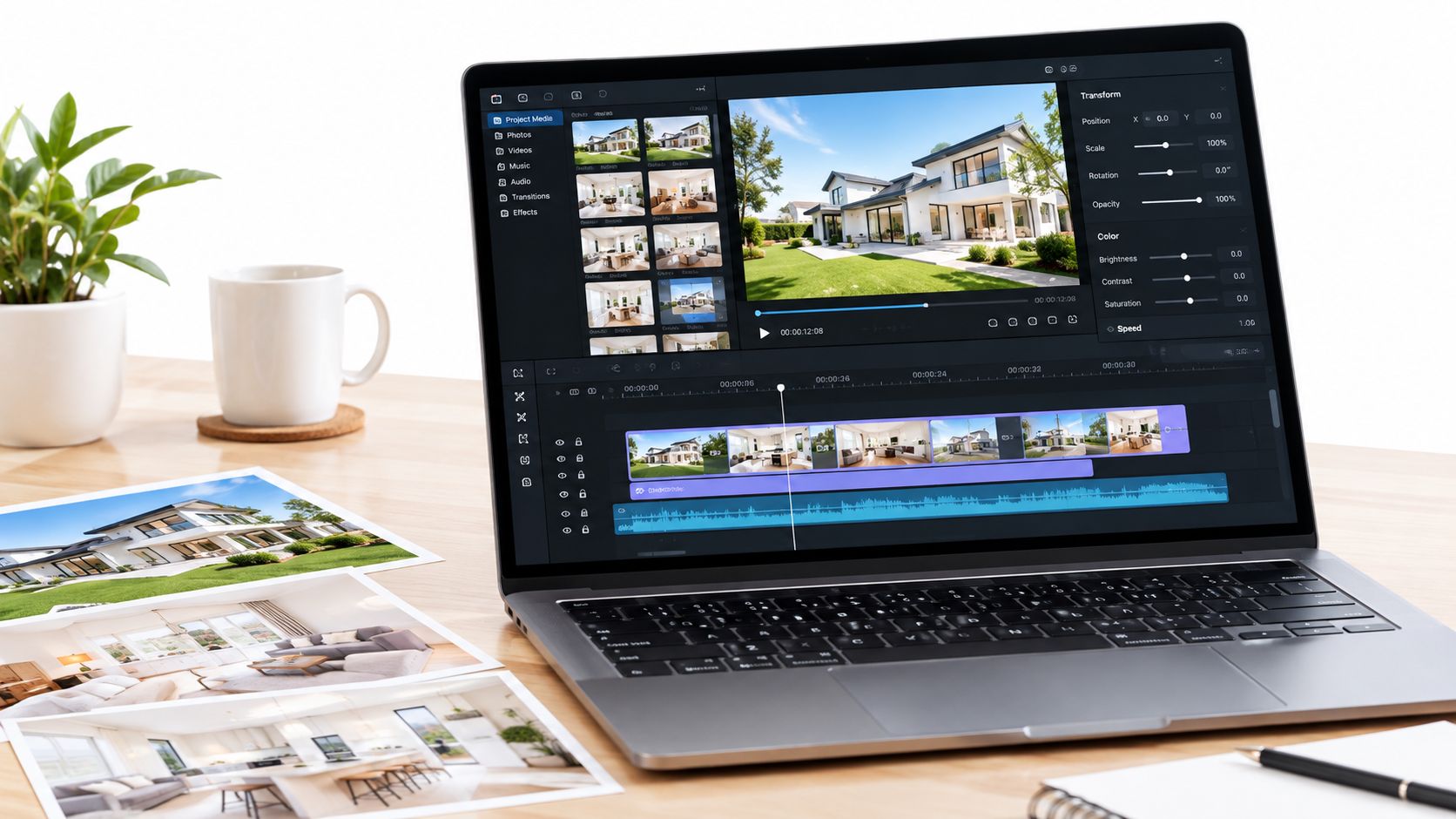
A listing can have beautiful photography, a thoughtful description, and a well-priced home, yet still disappear in a crowded feed. You upload the images, publish the gallery, and watch people scroll past before they've seen the renovated kitchen or the light in the primary bedroom.
That's the problem a photo to video maker is designed to address. Your photos remain the foundation, but video gives those images movement, pacing, captions, and a format that fits how people browse on phones. The right tool isn't just a slideshow generator. It's a decision system for choosing the right sequence, composition, export, and level of disclosure.
That's the problem a photo to video maker is designed to address. Your photos remain the foundation, but video gives those images movement, pacing, captions, and a format that fits how people browse on phones. The right tool isn't just a slideshow generator. It's a decision system for choosing the right sequence, composition, export, and level of disclosure.
Summary
Create an AI Video Tours from PhotosTry it For Free

Why Your Best Listing Photos Are Being Ignored
An agent named Maya has a new suburban listing. The photographer delivered sharp, well-lit images. The kitchen is staged beautifully, the backyard looks spacious, and the floor plan is easy to understand. Maya uploads the gallery to the listing page and shares a few stills on Instagram.
The response is quiet.
The issue isn't necessarily the property or the photography. It may be the gap between the asset Maya owns and the format her audience consumes. DataReportal's April 2025 Global Statshot reported that more than 9 in 10 internet users watched online video each week, excluding subscription streaming services. The same report found that 87.5% of surveyed online adults watched short-form video weekly, with a global midpoint of 4.12 viewing days per week.
That doesn't make video a replacement for photography. It does explain why a static gallery can struggle to earn attention in a mobile-first environment. A vertical property reel can open with the exterior, move through the entryway, reveal the kitchen, and finish with a contact card. The same images become a guided presentation rather than a row of thumbnails.
The response is quiet.
The issue isn't necessarily the property or the photography. It may be the gap between the asset Maya owns and the format her audience consumes. DataReportal's April 2025 Global Statshot reported that more than 9 in 10 internet users watched online video each week, excluding subscription streaming services. The same report found that 87.5% of surveyed online adults watched short-form video weekly, with a global midpoint of 4.12 viewing days per week.
That doesn't make video a replacement for photography. It does explain why a static gallery can struggle to earn attention in a mobile-first environment. A vertical property reel can open with the exterior, move through the entryway, reveal the kitchen, and finish with a contact card. The same images become a guided presentation rather than a row of thumbnails.
The practical promise: turn the photo library you already paid for into a watchable asset, while keeping the original images available for people who need detail.A useful photo to video maker should help you answer four questions:
- What should viewers see first? The sequence should establish the property rather than jump randomly between rooms.
- How should the property move? Gentle pans and zooms can add energy without suggesting details the photo doesn't prove.
- Where will the video appear? Instagram Reels, listing pages, and email may need different compositions.
- What needs review before publishing? Captions, crops, music, branding, MLS rules, and AI alterations all deserve a human check.
What a Photo to Video Maker Actually Does
Think of your photo set as a collection of ingredients. A kitchen doesn't serve flour, vegetables, and spices in separate piles. It combines them in an order, applies heat, adds seasoning, and presents the meal so someone can enjoy it. A photo to video maker performs a similar job with listing images.
First, it arranges the photos into a sequence. A sensible property tour may begin with the exterior, move to the entry, show the main living areas, then cover bedrooms, bathrooms, outdoor space, and important features. The order gives viewers spatial context. A random series of attractive rooms may look polished, but it can leave the viewer unsure how the spaces connect.
Next, the tool adds controlled movement. A slow pan can reveal the width of a living room. A restrained zoom can bring attention to a fireplace or a kitchen island. A tilt may show ceiling height or a tall window. The movement should support the image, not compete with it.
A produced video differs from a basic slideshow here. A slideshow may place photos in a template with a transition between each one. A production-oriented system considers room order, motion, timing, text placement, music, and output format as connected decisions.
Manual editing gives you more frame-by-frame control, but it also requires you to understand timelines, transitions, audio levels, typography, and exports. A tool that automates those decisions reduces the technical burden, provided it still lets you inspect and change the result.
Wide-angle images and panoramas need special care because their proportions don't always fit a standard video frame. If you want to understand the specific process of turning a panorama into video, look for guidance that addresses the source image's geometry rather than treating every photo like a normal rectangle.
The final step is rendering. One timeline should be able to produce separate versions for vertical, square, and horizontal placements. That approach is more reliable than exporting one file and allowing every platform to crop it differently.
First, it arranges the photos into a sequence. A sensible property tour may begin with the exterior, move to the entry, show the main living areas, then cover bedrooms, bathrooms, outdoor space, and important features. The order gives viewers spatial context. A random series of attractive rooms may look polished, but it can leave the viewer unsure how the spaces connect.
Next, the tool adds controlled movement. A slow pan can reveal the width of a living room. A restrained zoom can bring attention to a fireplace or a kitchen island. A tilt may show ceiling height or a tall window. The movement should support the image, not compete with it.
From still images to a guided tour
The maker then assigns duration to each scene and synchronizes transitions with music or narration. It can place captions such as “Open-plan kitchen,” “South-facing patio,” or “Dedicated home office” over the appropriate image. Captions matter because many viewers encounter social video without sound.A produced video differs from a basic slideshow here. A slideshow may place photos in a template with a transition between each one. A production-oriented system considers room order, motion, timing, text placement, music, and output format as connected decisions.
Manual editing gives you more frame-by-frame control, but it also requires you to understand timelines, transitions, audio levels, typography, and exports. A tool that automates those decisions reduces the technical burden, provided it still lets you inspect and change the result.
Wide-angle images and panoramas need special care because their proportions don't always fit a standard video frame. If you want to understand the specific process of turning a panorama into video, look for guidance that addresses the source image's geometry rather than treating every photo like a normal rectangle.
The final step is rendering. One timeline should be able to produce separate versions for vertical, square, and horizontal placements. That approach is more reliable than exporting one file and allowing every platform to crop it differently.
Essential Features to Look For
A production-grade tool should do more than add music to a folder of photos. It should protect the meaning of the image while adapting the presentation to the channel.
Auto-captions are equally important. A short label can explain what viewers are seeing, but captions need readable contrast, safe placement, and accurate wording. Voiceover can add a personal explanation, while licensed music gives the video rhythm without requiring the agent to record audio.
Those settings matter because a crop can cut off a room edge, logo, or caption. A very large file can take longer to upload without improving playback after a platform recompresses it. A good system generates separate compositions instead of forcing one master file into every channel.
Keep room labels and branding in a safe-content zone around the central 80% to 85% of the frame, then check every export manually. If you're comparing tools or workflows, this photo-to-video workflow guide can help you evaluate the process from upload through delivery.
The right feature is the one that protects a buyer outcome. Better sequencing supports understanding. Better captions support comprehension. Better exports make the same photo set usable across discovery and evaluation.
Motion should clarify, not decorate
Look for restrained pan, zoom, and tilt controls, along with transitions that don't distract from architecture. If motion is too fast, viewers may miss the relationship between a kitchen and dining area. If the system invents dramatic depth from a flat image, it may make the home appear different from reality.Auto-captions are equally important. A short label can explain what viewers are seeing, but captions need readable contrast, safe placement, and accurate wording. Voiceover can add a personal explanation, while licensed music gives the video rhythm without requiring the agent to record audio.
Export settings are part of the strategy
For short-form social video, a common target is 1080 × 1920 pixels at a 9:16 aspect ratio. Horizontal publishing commonly uses 1920 × 1080 at 16:9. The social video size guidance from SocialPilot also identifies H.264 video with AAC audio, 30 to 60 frames per second, and approximately 4.5 to 6 Mbps video bitrate as practical export parameters for vertical social video.Those settings matter because a crop can cut off a room edge, logo, or caption. A very large file can take longer to upload without improving playback after a platform recompresses it. A good system generates separate compositions instead of forcing one master file into every channel.
Keep room labels and branding in a safe-content zone around the central 80% to 85% of the frame, then check every export manually. If you're comparing tools or workflows, this photo-to-video workflow guide can help you evaluate the process from upload through delivery.
| Feature | Why It Matters | What Happens Without It |
|---|---|---|
| Controlled motion | Adds energy while preserving room details | Fast or excessive movement makes spaces difficult to understand |
| Logical sequencing | Builds a clear path through the property | Random images feel like disconnected highlights |
| Captions and narration | Communicates key details with or without sound | Viewers may miss features or abandon the video |
| Music controls | Sets pace and supports the property's tone | Poor timing makes transitions feel accidental |
| Vertical, square, and horizontal exports | Matches the destination platform | One crop may remove architecture, text, or branding |
| Brand controls | Keeps fonts, colors, contact details, and logos consistent | Every listing looks like it came from a different business |
| MLS-safe presets | Helps separate listing delivery from social promotion | A social-first edit may include unsuitable music, text, or alterations |
| Preview and revision tools | Lets an agent catch mistakes before publishing | Errors survive because re-editing feels too expensive |
From Photo Set to Published Video
Start with one representative listing, not your entire archive. Suppose the home has a set of exterior, interior, amenity, and detail photos. Upload them, select the property type, and let the system create a first draft.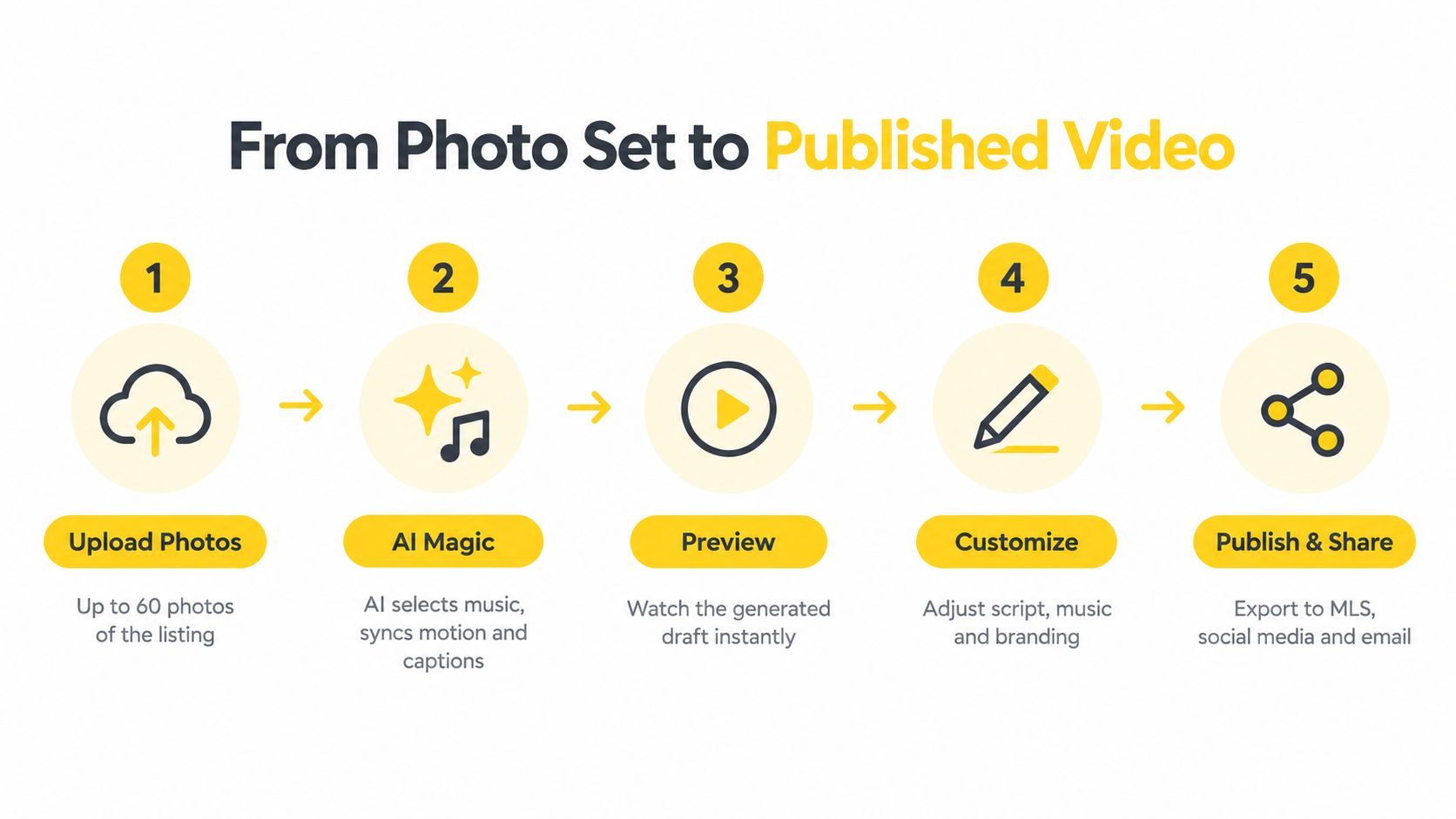 The first render should make a reasonable decision about music, image duration, motion, and captions. Treat it as an editorial draft, not a final verdict. Watch the complete video before changing individual scenes. You may notice that the opening is too slow, the bedroom appears before the exterior establishes the home, or a caption covers an important architectural feature.
Render again and inspect the result on the device where the audience will see it. A caption that's readable on a desktop monitor may be too small on a phone. A horizontal composition may work on a listing page but feel cramped when adapted to vertical social content.
Image optimization also affects the surrounding listing experience. Before embedding large media on a page, use practical guidance to improve user experience with Outrank, especially when a video sits alongside a gallery, floor plan, and contact form.
Download the platform-specific versions only after the preview passes the truth test. The horizontal master can support a listing page or email, while vertical and square versions can serve social placements. The same source photos then support several distribution points without requiring another shoot or a separate editing project.
The first render should make a reasonable decision about music, image duration, motion, and captions. Treat it as an editorial draft, not a final verdict. Watch the complete video before changing individual scenes. You may notice that the opening is too slow, the bedroom appears before the exterior establishes the home, or a caption covers an important architectural feature.The preview and customize loop
Change the image order first. Structure affects comprehension more than decorative effects. Then adjust the script or captions so they describe visible features accurately. If the music feels too energetic for a quiet retreat, choose a calmer track. If the branding dominates the frame, reduce it or move it into a safer area.Render again and inspect the result on the device where the audience will see it. A caption that's readable on a desktop monitor may be too small on a phone. A horizontal composition may work on a listing page but feel cramped when adapted to vertical social content.
Image optimization also affects the surrounding listing experience. Before embedding large media on a page, use practical guidance to improve user experience with Outrank, especially when a video sits alongside a gallery, floor plan, and contact form.
Download the platform-specific versions only after the preview passes the truth test. The horizontal master can support a listing page or email, while vertical and square versions can serve social placements. The same source photos then support several distribution points without requiring another shoot or a separate editing project.
Where Photo Videos Deliver the Most Value
Real estate provides a clear use case because buyers increasingly research homes online. Industry reporting that cites National Association of Realtors research says 41% of recent buyers begin their search online, while 95% use online tools during the process, as reported in this real-estate video statistics compilation.
The same source reports that 54% of buyers watch videos for general real-estate information, and 58% want or expect to see a video of a home viewed online. It also cites a 2024 figure associating listings with video with 403% more inquiries than listings without video. That figure should be read as an association, not proof that video alone caused the difference. Listing quality, price, location, agent behavior, and marketing budgets can all influence inquiries.
The practical conclusion is more modest and more useful. A video gives an existing listing another way to earn attention and explain the property before a buyer decides whether to study the full gallery.
Short-term rental operators face a similar challenge. Guests want to see the kitchen, sleeping arrangements, outdoor space, and setting. A carefully paced video can guide attention toward those details, while the still images remain available for close inspection.
Coworking and commercial property managers can use the same approach for reception areas, meeting rooms, private offices, shared amenities, and available suites. The format changes, but the decision process stays consistent: select an honest order, apply purposeful motion, label the important spaces, and create the right export for the channel.
The strongest business case appears when one photo set supports several outputs. A property team can create a horizontal listing presentation, a vertical social reel, and a shorter email asset without arranging a new filming session for every destination.
The same source reports that 54% of buyers watch videos for general real-estate information, and 58% want or expect to see a video of a home viewed online. It also cites a 2024 figure associating listings with video with 403% more inquiries than listings without video. That figure should be read as an association, not proof that video alone caused the difference. Listing quality, price, location, agent behavior, and marketing budgets can all influence inquiries.
The practical conclusion is more modest and more useful. A video gives an existing listing another way to earn attention and explain the property before a buyer decides whether to study the full gallery.
The same workflow fits adjacent industries
A hotel may already have images of its lobby, rooms, pool, restaurant, and nearby attractions. A short video can turn that library into a social reel, a website introduction, or an email asset that communicates atmosphere faster than a gallery alone.Short-term rental operators face a similar challenge. Guests want to see the kitchen, sleeping arrangements, outdoor space, and setting. A carefully paced video can guide attention toward those details, while the still images remain available for close inspection.
Coworking and commercial property managers can use the same approach for reception areas, meeting rooms, private offices, shared amenities, and available suites. The format changes, but the decision process stays consistent: select an honest order, apply purposeful motion, label the important spaces, and create the right export for the channel.
The strongest business case appears when one photo set supports several outputs. A property team can create a horizontal listing presentation, a vertical social reel, and a shorter email asset without arranging a new filming session for every destination.
Compliance Honesty and When Not to Use Video
Video attracts attention, but attention isn't the same as understanding. Buyers' agents rated photos as much more or more important to clients at 73%, compared with 48% for video and 43% for virtual tours, according to the 2025 reporting on real-estate media preferences. Another cited dataset found that 29% of internet-using buyers considered videos very useful, compared with 83% for photos.
Those figures support a balanced role for video. Use it as a discovery and storytelling layer, not as a replacement for accurate photography, floor plans, measurements, accessibility information, or an in-person or interactive tour.
Don't use a photo video when the motion makes the property harder to judge. Rapid pans can obscure the relationship between rooms. Portrait crops can remove architectural features. Music can cover important narration. AI-generated motion can imply a depth, view, or connection that the original photo doesn't prove.
Rules can differ by jurisdiction, MLS, brokerage, and platform. Keep the original photo, record what changed, and ask whether the final asset could cause a reasonable viewer to perceive the property differently. For MLS-specific questions, review the guidance on commercial use and MLS requirements.
A truthful workflow separates harmless timing, color, and layout adjustments from material alterations. When in doubt, disclose the change and confirm the applicable rule before publishing.
Those figures support a balanced role for video. Use it as a discovery and storytelling layer, not as a replacement for accurate photography, floor plans, measurements, accessibility information, or an in-person or interactive tour.
Don't use a photo video when the motion makes the property harder to judge. Rapid pans can obscure the relationship between rooms. Portrait crops can remove architectural features. Music can cover important narration. AI-generated motion can imply a depth, view, or connection that the original photo doesn't prove.
Preserve the source and classify the edit
Compliance becomes more important when a system removes objects, enhances images, generates visual elements, or creates synthetic movement. California's AB 723, effective January 1, 2026, requires advertisements containing digitally altered images to include a conspicuous disclosure and a link, URL, or QR code to a page that contains and identifies the original unaltered image, as described in this resource on AI and property advertising.Rules can differ by jurisdiction, MLS, brokerage, and platform. Keep the original photo, record what changed, and ask whether the final asset could cause a reasonable viewer to perceive the property differently. For MLS-specific questions, review the guidance on commercial use and MLS requirements.
A truthful workflow separates harmless timing, color, and layout adjustments from material alterations. When in doubt, disclose the change and confirm the applicable rule before publishing.
How VideoTour.ai Solves the Common Pain Points
A listing launch can stall for ordinary reasons: the agent has a complete photo set but no editing time, social content feels flat, branding changes from one property to the next, or each platform requires a separate format. Client feedback adds another delay when a draft cannot be reviewed quickly.
VideoTour.ai treats those problems as connected decisions. It turns listing photos into a video tour with motion, captions, music, transitions, and branding. Users can upload up to 60 photos per listing, preview the draft, adjust it, and create vertical, horizontal, and square versions. The platform reports that 10,000+ business owners have adopted it, but the faster test is whether one draft saves an editing session on a real listing. Its workflow includes a free first video, paid watermark-free HD exports, MLS-safe presets, unlimited revisions, and email delivery of renders. Optional AI credits for premium animations and logo intros roll over and never expire, according to the platform information.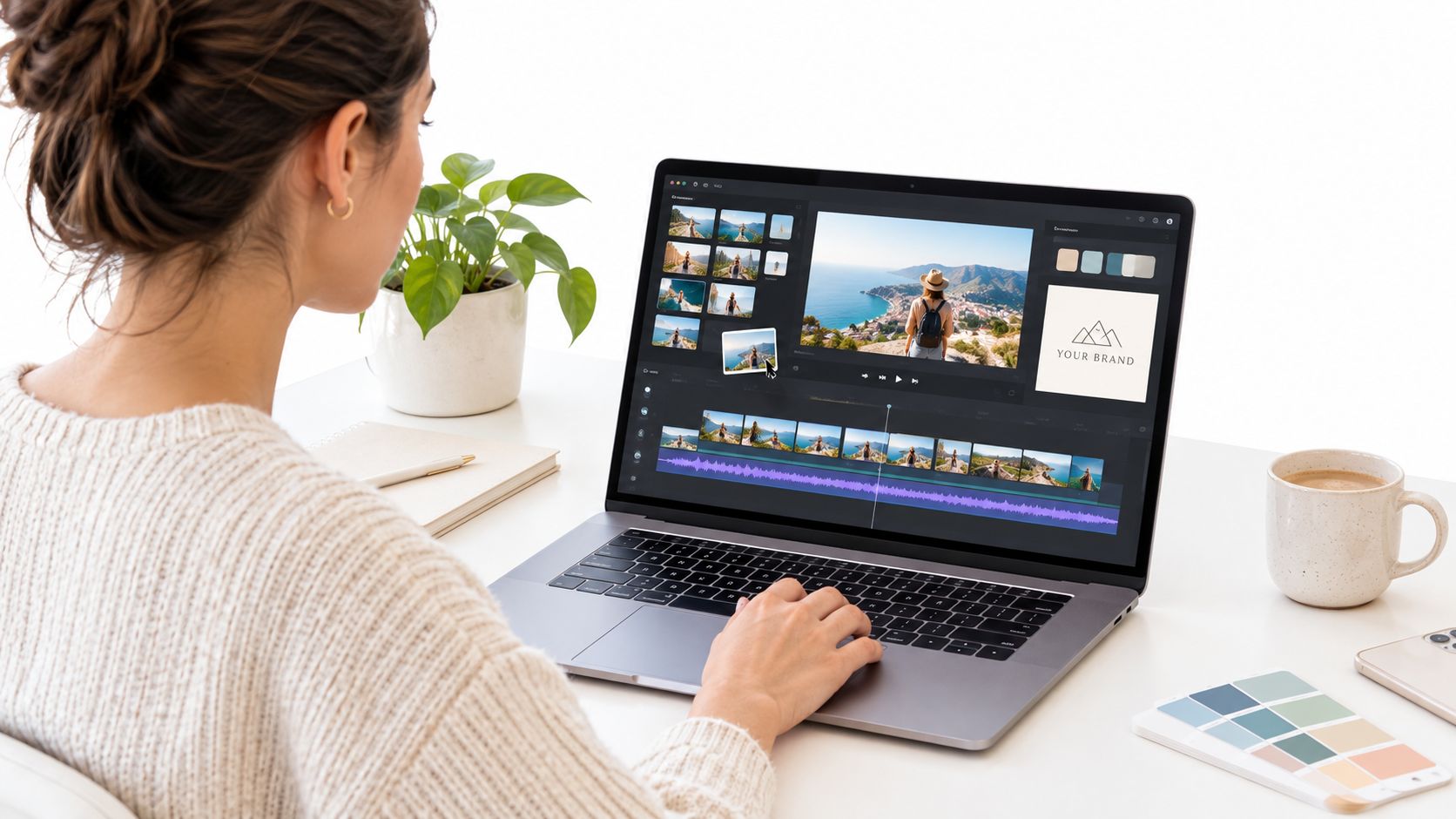 Evaluate the workflow with one real listing. Check the room order, safe-zone captions, music, MLS-safe settings, and each intended export. Speed helps, but a draft earns its place only when it communicates the property accurately on the channel where it will appear.
VideoTour.ai treats those problems as connected decisions. It turns listing photos into a video tour with motion, captions, music, transitions, and branding. Users can upload up to 60 photos per listing, preview the draft, adjust it, and create vertical, horizontal, and square versions. The platform reports that 10,000+ business owners have adopted it, but the faster test is whether one draft saves an editing session on a real listing. Its workflow includes a free first video, paid watermark-free HD exports, MLS-safe presets, unlimited revisions, and email delivery of renders. Optional AI credits for premium animations and logo intros roll over and never expire, according to the platform information.
Matching the tool to the problem
For a solo agent, the useful comparison is the amount of repeated work removed. A photo to video maker should function like a production checklist, helping the agent choose the right output rather than replacing judgment about the property.- Limited production time: Upload existing listing photos instead of scheduling another shoot or building a timeline from scratch.
- Low social engagement: Add motion, captions, and music so a static gallery fits short-form feeds.
- Inconsistent presentation: Reuse fonts, colors, logos, contact details, and caption styles across listings.
- Format confusion: Produce separate vertical, square, and horizontal files instead of relying on one automatic crop.
- Slow client feedback: Review the browser draft, change the script or image order, and re-render without rebuilding the project.
- Budget restrictions: Test the free first video, then decide whether watermark-free HD delivery justifies a paid plan.
Evaluate the workflow with one real listing. Check the room order, safe-zone captions, music, MLS-safe settings, and each intended export. Speed helps, but a draft earns its place only when it communicates the property accurately on the channel where it will appear.Getting Started With Your First Photo Video
Start with a listing that already has a complete, accurate photo library. Choose a maker that supports purposeful motion, captions, branding, separate aspect ratios, preview revisions, and MLS-aware delivery.
Create vertical and horizontal masters from the same timeline. Review the room order, crops, captions, music, and any AI-generated changes. Keep the original images, then check local advertising and disclosure requirements before publishing.
For the mechanics of the first upload, use this guide to create your first video. The low-risk test is simple: use an existing listing, create one draft, publish the appropriate versions where your audience already watches, and compare the response within a week.
Use VideoTour.ai to turn existing property photos into branded video tours with motion, captions, music, and platform-ready exports. Visit VideoTour.ai, create a free first video from a current listing, and use the preview to decide whether the workflow fits your marketing routine.
Create vertical and horizontal masters from the same timeline. Review the room order, crops, captions, music, and any AI-generated changes. Keep the original images, then check local advertising and disclosure requirements before publishing.
For the mechanics of the first upload, use this guide to create your first video. The low-risk test is simple: use an existing listing, create one draft, publish the appropriate versions where your audience already watches, and compare the response within a week.
Use VideoTour.ai to turn existing property photos into branded video tours with motion, captions, music, and platform-ready exports. Visit VideoTour.ai, create a free first video from a current listing, and use the preview to decide whether the workflow fits your marketing routine.