
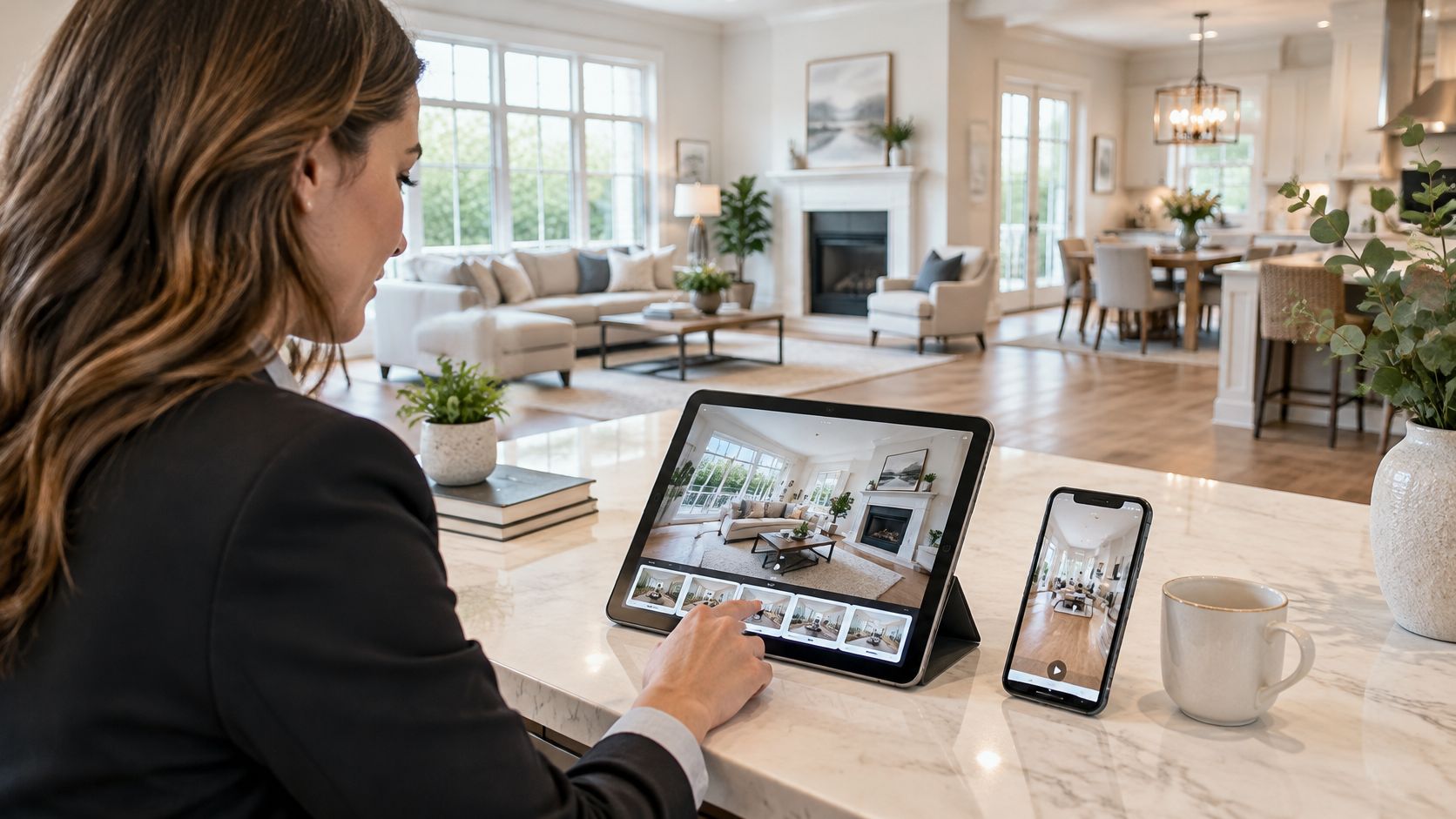
A walkthrough real estate video is a short narrated tour, usually 60–90 seconds, that moves buyers room by room through a listing using existing photos in a deliberate order. Prepare an unbranded version for MLS review and a branded version for social, rather than forcing one edit to do both jobs.
You've got the photographer's gallery, the listing is nearly ready, and you need something better than photos fading over music. Start by mapping the home's route and deciding where each version will appear. Those decisions matter more than a dramatic transition.
Summary
Create an AI Video Tours from PhotosTry it For Free
What a Walkthrough Video Is and Why Buyers Watch
A walkthrough gives buyers a guided route through the property. A photo gallery is a stack of postcards; a good walkthrough is a hallway tour with someone explaining how the spaces connect.
Say your listing has an open kitchen beside the living room, with patio access through the dining area. Showing those spaces together helps a buyer understand the arrangement. Jumping from kitchen to bedroom to exterior, even with attractive animation, doesn't.
The buyer has limited time. The National Association of REALTORS® 2025 Generational Trends report found that buyers typically searched for 10 weeks, viewed a median of seven homes, and that 37% used online video sites as an information source.
A walkthrough has distinct jobs in listing marketing: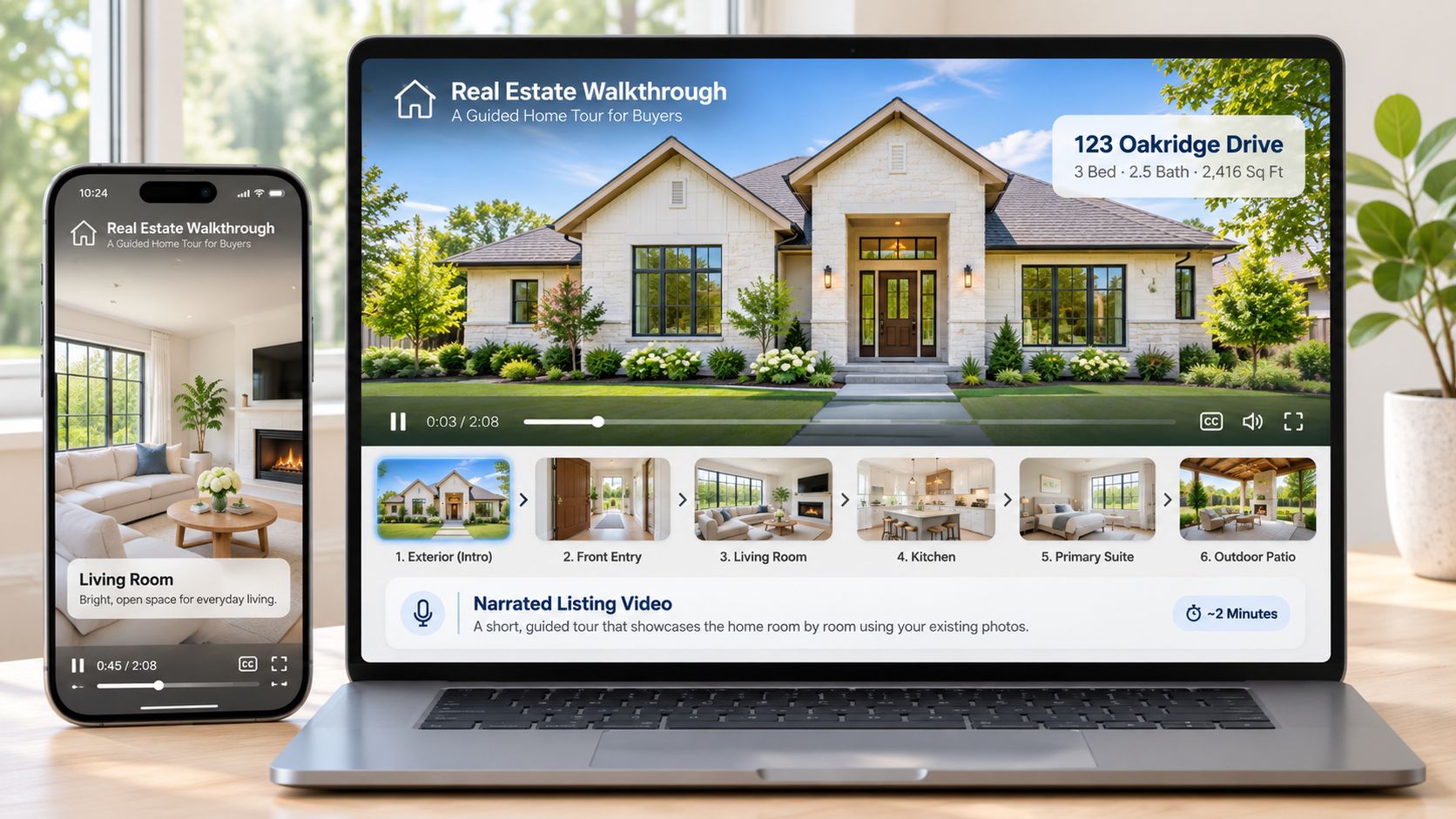
Say your listing has an open kitchen beside the living room, with patio access through the dining area. Showing those spaces together helps a buyer understand the arrangement. Jumping from kitchen to bedroom to exterior, even with attractive animation, doesn't.
The buyer has limited time. The National Association of REALTORS® 2025 Generational Trends report found that buyers typically searched for 10 weeks, viewed a median of seven homes, and that 37% used online video sites as an information source.
A walkthrough has distinct jobs in listing marketing:
- Screen remote buyers: Give relocating buyers enough context to decide whether to request a showing.
- Explain the layout: Identify entrances, transitions, and the relationship between living and private spaces.
- Support distribution: Carry the same property story across the MLS, brokerage website, and social channels.
The layout test: Could someone who's never visited describe how the main rooms connect after watching?
Walkthrough Formats Compared for MLS and Social
Build the property-focused MLS cut first, then create placement-specific edits. These are editorial starting points, not universal platform limits.
Walkthrough versions by placement
The PropertyVideos.ai 2026 engagement analysis reports the strongest inquiry-to-view performance for listing videos in the 60–120-second range, supporting a 60–90-second primary cut. Treat that industry analysis as a planning guide, not a promise that a particular runtime will generate inquiries.
The vertical reel needs a compelling opening image and readable captions. Select fewer photos rather than accelerating the entire tour until viewers can't inspect anything.
The horizontal landing-page version can explain an unusual layout more fully. Extra runtime should answer questions, not repeat the kitchen from nearly identical angles.
A square feed post works as a compact highlight asset. Check that room labels and architectural features survive the reframing.
Use the video aspect-ratio guide when planning the layouts. Re-cut, don't merely crop: a horizontal image may lose the doorway that explains the room when forced into a vertical frame.
Walkthrough versions by placement
| Version | Typical length | Shape | Branding allowed | Best placement |
|---|---|---|---|---|
| Unbranded MLS walkthrough | 60–90 seconds | Horizontal | No name, logo, phone, QR code, or promotional CTA | MLS listing or virtual-tour field, after checking local rules |
| Vertical social reel | Shorter than the MLS cut | Vertical 9:16 | Yes, with logo and captions | Instagram, TikTok, Facebook, YouTube Shorts |
| Horizontal YouTube or landing-page tour | Longer cut, up to about 2 minutes | Horizontal 16:9 | Yes | YouTube, brokerage website, property landing page |
| Square feed post | Short highlight edit | Square 1:1 | Yes | Facebook and Instagram feeds |
Give each version a different job
The MLS walkthrough should make the home understandable. Allow room for entry orientation, useful features, and transitions between spaces.The vertical reel needs a compelling opening image and readable captions. Select fewer photos rather than accelerating the entire tour until viewers can't inspect anything.
The horizontal landing-page version can explain an unusual layout more fully. Extra runtime should answer questions, not repeat the kitchen from nearly identical angles.
A square feed post works as a compact highlight asset. Check that room labels and architectural features survive the reframing.
Use the video aspect-ratio guide when planning the layouts. Re-cut, don't merely crop: a horizontal image may lose the doorway that explains the room when forced into a vertical frame.
What Buyers Find Useful in a Walkthrough
Buyers need usable property information, not motion for its own sake. Keep usefulness ratings separate from rankings of a buyer's favorite feature.
How buyers rate listing media
The photo, floor-plan, video, and Zillow comparisons above appear in Blastrow's listing-media analysis; the 38% virtual-tour rating comes separately from the NAR 2025 Profile of Home Buyers and Sellers. These measures aren't interchangeable, and virtual tours aren't necessarily conventional narrated videos.
Controlled movement can draw attention toward a doorway. Aggressive zooms can obscure scale and leave viewers less certain about the space.
The illustration below is a general visual reference; use the sourced table above for the specific buyer comparisons.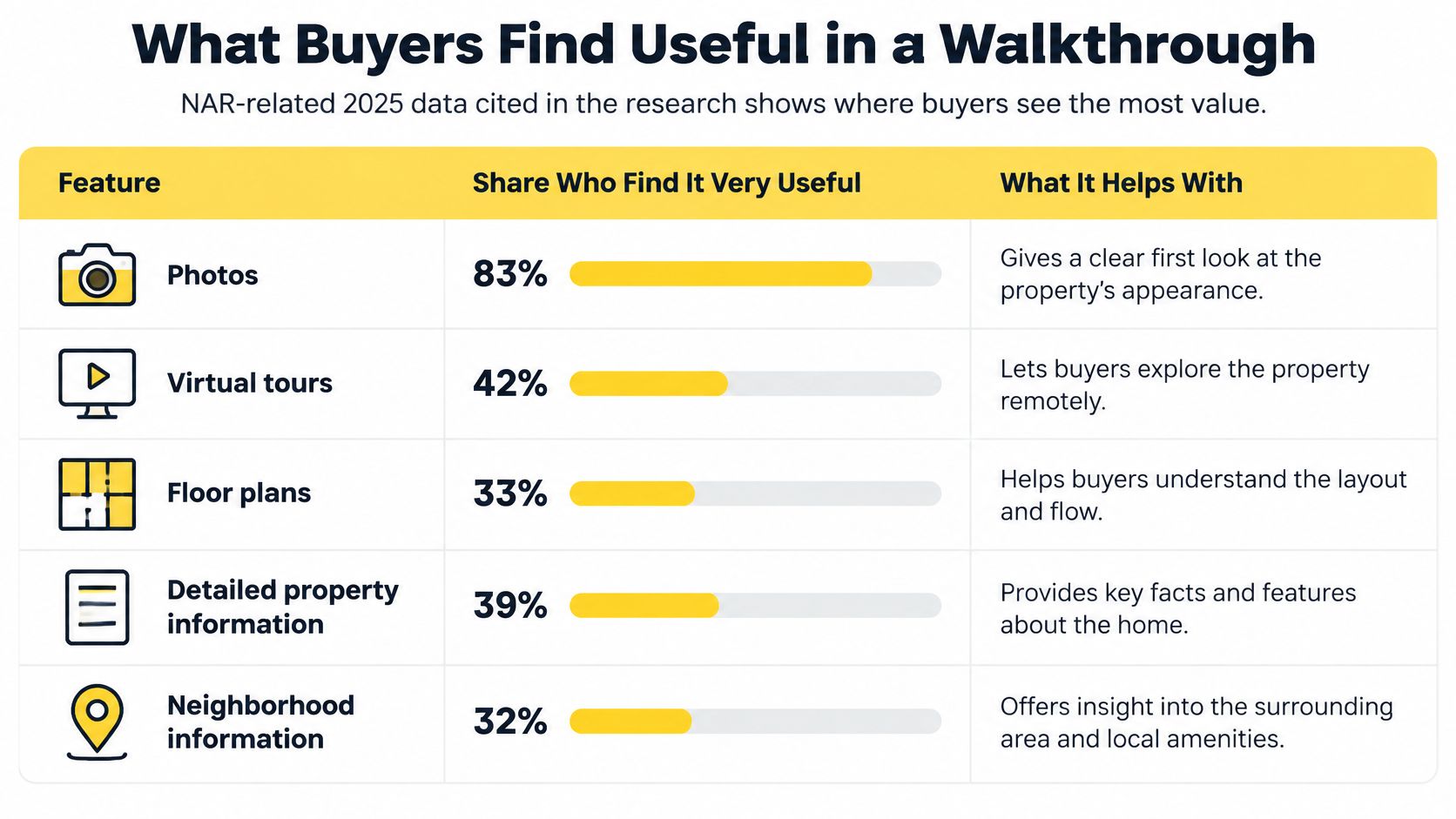 For broader context, consult the real estate video marketing statistics guide. The working rule is straightforward: video shows the route; photos and floor plans remain the detailed reference.
How buyers rate listing media
| Feature | Result | What was measured | Source |
|---|---|---|---|
| Photos | 83% | Rated very useful by online buyers | NAR-related 2025 data |
| Floor plans | 57% | Rated very useful by online buyers | NAR-related 2025 data |
| Virtual tours | 38% | Rated very useful by buyers who used the internet | NAR 2025 Profile |
| Videos | 29% | Rated very useful by online buyers | NAR-related 2025 data |
| Floor plans | 33% ranked first | Prospective buyers' top feature | Zillow 2025 prospective-buyer data |
| High-resolution photos | 26% ranked first | Prospective buyers' top feature | Zillow 2025 prospective-buyer data |
| 3D or virtual tours | 20% ranked first | Prospective buyers' top feature | Zillow 2025 prospective-buyer data |
| Video | 4% ranked first | Prospective buyers' top feature | Zillow 2025 prospective-buyer data |
Make every transition informative
Pair the image with a verified room name and connection. Explain that the kitchen opens to the dining area, or identify where the bedroom corridor begins. Use approximate dimensions only when they come from the listing record, never from guessing at a photograph.Controlled movement can draw attention toward a doorway. Aggressive zooms can obscure scale and leave viewers less certain about the space.
The illustration below is a general visual reference; use the sourced table above for the specific buyer comparisons.
For broader context, consult the real estate video marketing statistics guide. The working rule is straightforward: video shows the route; photos and floor plans remain the detailed reference.The Shot Order That Makes Photos Feel Like a Tour
Follow the route a visitor would reasonably take, adjusting for the actual floor plan. Don't imply that disconnected rooms are adjacent just because their photographs look good together.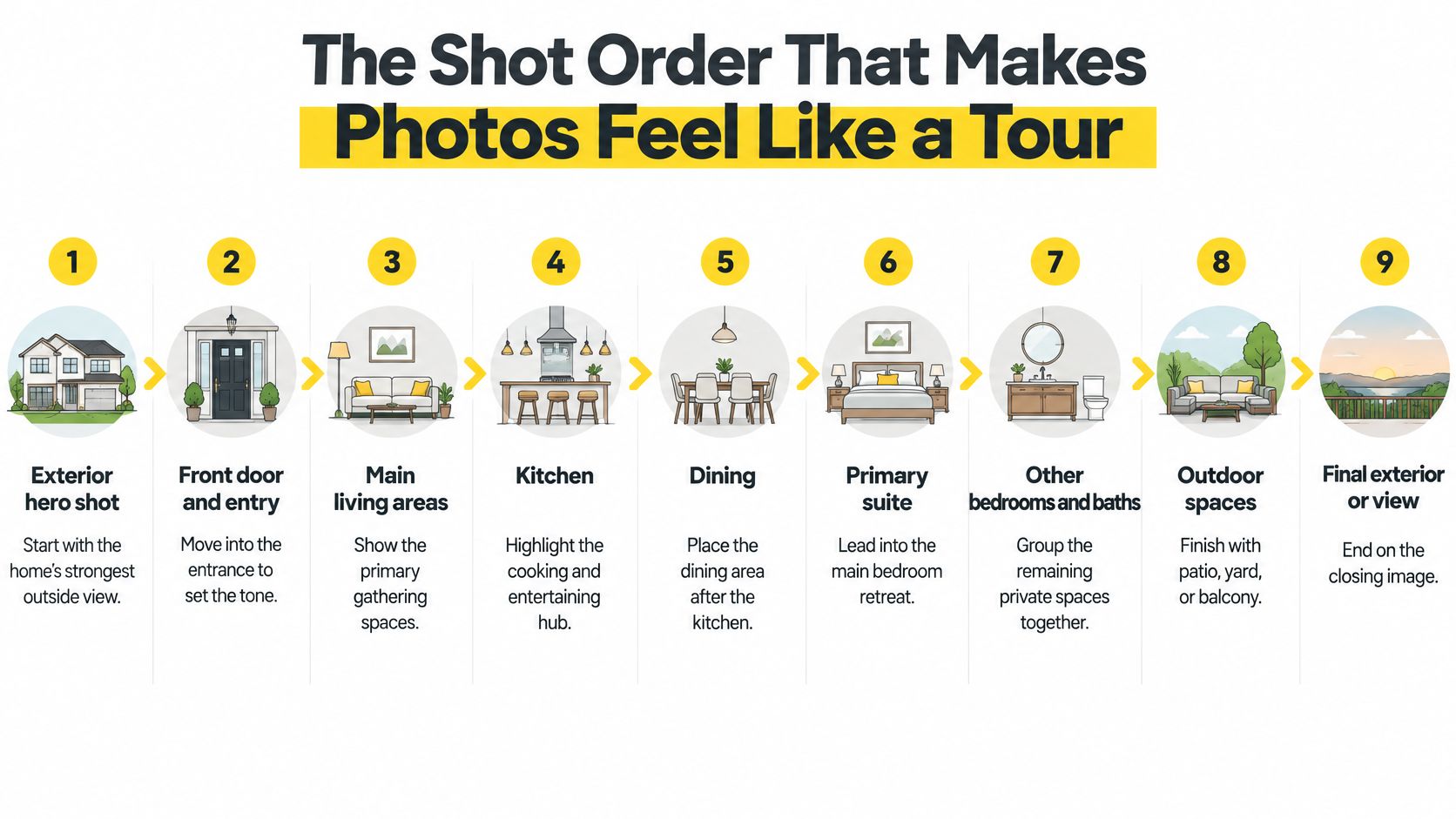
Real Estate Agent Leads' video-marketing guidance emphasizes room relationships, sightlines, scale, and circulation. Still-photo motion can direct attention to those details, but it can't prove a connection absent from the source images or floor plan.
Before photography, handle physical preparation rather than relying on digital cleanup. Canes Cleaners' guidance on hidden dust spots behind appliances is useful when preparing kitchens for close views.
Hypothetical example: An agent reorganizes a mixed gallery so the entry leads into living, kitchen, and dining before bedrooms appear. The visible improvement is orientation, not a verified performance lift.
- Exterior hero shot. Establish the property and its strongest outside view.
- Front door and entry. Show where the buyer enters and what they encounter first.
- Main living areas. Introduce the gathering spaces before moving into details.
- Kitchen. Establish its position and show useful features without repeating every angle.
- Dining. Explain its connection to the kitchen or living area when confirmed.
- Primary suite. Mark the transition into the private portion of the home.
- Other bedrooms. Keep their identities clear, particularly when finishes look similar.
- Other baths. Identify their location without implying an en suite connection that doesn't exist.
- Outdoor spaces. Show patio, yard, balcony, or terrace access in context.
- Final exterior or view. Finish on a memorable property image.
Pace for recognition, not just rhythm
Start with roughly 2–4 seconds per photo on social, allowing longer holds on the MLS tour. Group photos of the same room and give narration enough time to identify a concrete feature.Real Estate Agent Leads' video-marketing guidance emphasizes room relationships, sightlines, scale, and circulation. Still-photo motion can direct attention to those details, but it can't prove a connection absent from the source images or floor plan.
Before photography, handle physical preparation rather than relying on digital cleanup. Canes Cleaners' guidance on hidden dust spots behind appliances is useful when preparing kitchens for close views.
Hypothetical example: An agent reorganizes a mixed gallery so the entry leads into living, kitchen, and dining before bedrooms appear. The visible improvement is orientation, not a verified performance lift.
Random ordering, near-duplicate angles, and disconnected narration make a video feel like a slideshow, regardless of how polished the transitions look.There's no verified customer result establishing that this sequence improves inquiries. Test it against your own listing engagement and showing requests.
MLS Rules and Social Versions to Keep Apart
Media in a primary listing or virtual-tour field generally needs to be unbranded. Don't assume that an export labeled for real estate automatically meets your MLS's requirements.
Phixer's MLS-compliance guidance identifies commonly prohibited elements including an agent's name, brokerage logo, headshot, phone number, email address, website, QR code, and promotional call to action. Local rules determine what belongs in the particular field you're using.
The distinction extends beyond a logo in the corner. Narration can identify the agent. Captions can contain a phone number. A closing frame can turn an otherwise property-focused tour into branded advertising.
Our workflow lets users choose a video tour or a social reel according to where the listing will appear. Consult our commercial-use and MLS guidance, then confirm your local requirements before publishing.
An unbranded MLS viewing link isn't a blanket compliance guarantee. The MLS sets its rules, including what can appear on the hosting page and in the selected listing field.
Phixer's MLS-compliance guidance identifies commonly prohibited elements including an agent's name, brokerage logo, headshot, phone number, email address, website, QR code, and promotional call to action. Local rules determine what belongs in the particular field you're using.
The distinction extends beyond a logo in the corner. Narration can identify the agent. Captions can contain a phone number. A closing frame can turn an otherwise property-focused tour into branded advertising.
Run a pre-upload inspection
- Inspect every frame: Remove identifying graphics, headshots, contact details, and promotional closing cards.
- Listen to the narration: Check for spoken agent names, brokerage references, and requests to contact the agent.
- Check captions and thumbnails: Don't overlook details carried over from the branded social version.
- Open the destination page: Review the viewing experience, not just the downloaded asset.
- Confirm the field rules: Verify the current local requirements for uploaded media and externally hosted tours.
Our workflow lets users choose a video tour or a social reel according to where the listing will appear. Consult our commercial-use and MLS guidance, then confirm your local requirements before publishing.
An unbranded MLS viewing link isn't a blanket compliance guarantee. The MLS sets its rules, including what can appear on the hosting page and in the selected listing field.
How to Build a Walkthrough From Listing Photos
Verify the property facts and route before generating anything. An attractive video with the wrong room label or outdated price creates avoidable work for the listing team.
Use a preparation checklist alongside the photography gallery.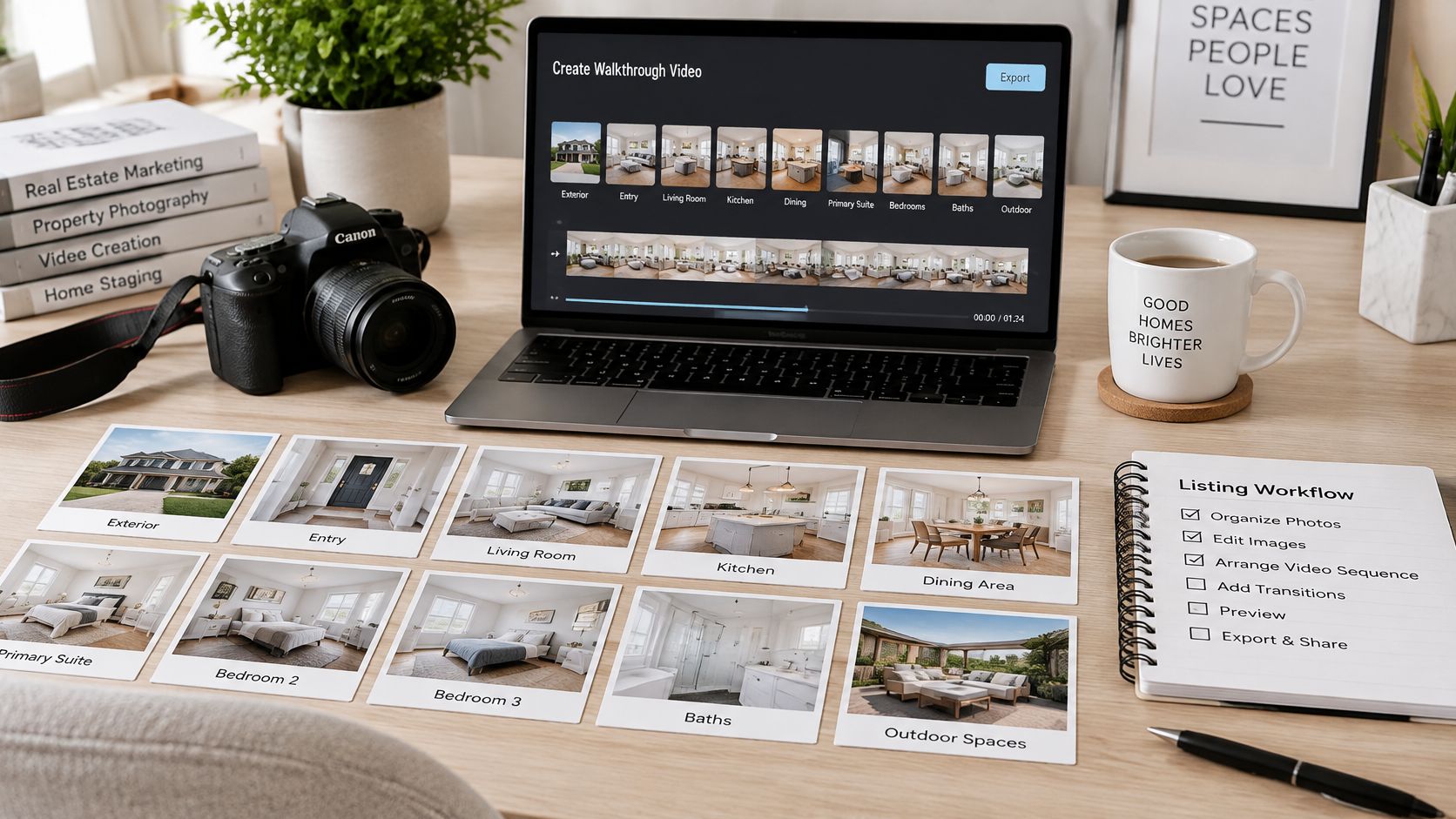
Use the photo-to-video walkthrough procedure alongside the AI real estate video maker when preparing the listing.
This demonstration offers another view of the workflow.
Use a preparation checklist alongside the photography gallery.
- Collect and clean the gallery. Retain only useful images belonging to the property. Our workflow accepts up to 60 photos per video, but including everything isn't the objective.
- Check the listing record. Match the address, current price, room counts, and area units to the MLS. Confirm the selected agent and contact information for the branded deliverable.
- Order and label the rooms. Arrange images into a plausible route and distinguish similar bedrooms. Don't let an automated label turn a flex room into a confirmed bedroom.
- Review the selected path. A Walkthrough Tour may use a selection of uploaded photos. Inspect the included images and route before generation rather than assuming the entire gallery will appear.
- Write from evidence. Use the real estate video script generator to draft narration, then verify every statement. Describe visible storage, confirmed renovations, or documented connections instead of filling time with superlatives.
- Prepare voice, music, and captions. Keep music below narration and check street names, measurements, and prices. Identify stairs, entrances, and parking accurately without declaring the home accessible unless that claim is substantiated.
- Prepare the MLS version first. Keep its presentation property-focused, then build the branded social edit from the selected sequence. Use 720p or 1080p HD output.
- Review on a phone with sound off. Confirm that text remains readable and the route still makes sense. The auto-caption generator can help prepare text, but a person should check its accuracy.
Check comprehension before publishing
ListedReel's listing-video guidance highlights captions, readable labels, and silent-viewing usability. Ask someone unfamiliar with the property to watch without your explanation, then identify any transition they misunderstand.Use the photo-to-video walkthrough procedure alongside the AI real estate video maker when preparing the listing.
This demonstration offers another view of the workflow.
Choosing a Tool and the Cost per Listing Video
Choose around the deliverable and your editing capacity, not the longest feature list. A photographer providing custom footage needs different controls from an agent assembling existing listing photos.
Listing video tools compared on cost and fit
VideoTour.ai's first video is free with no credit card. Independent costs $29/month billed yearly or $39 billed monthly for 10 videos, approximately $2.90 per included video on annual billing; Agency costs $59/month for 40 videos, approximately $1.47 per included video. Confirm the available plans on the pricing page.
That positions VideoTour.ai as the lowest cost per listing video among dedicated listing-video tools with published per-video pricing, not below free general-purpose editors. The calculation assumes you use the included allowance.
For custom filming or campaign production, compare software with a scoped service such as Blu Dragonfly LLC's digital media production services. Use the video tour software comparison to evaluate workflow fit.
Listing video tools compared on cost and fit
| Tool | Best fit | Main trade-off |
|---|---|---|
| VideoTour.ai | Narrated listing videos built from listing photos | Photo-based listing workflow, not filming or custom timeline editing |
| Canva | Video and graphics for the same listing campaign | Lighter video editing than a dedicated editor; per-listing cost not established here |
| CapCut | Reels and captioned social videos | Not built around unbranded property-tour review; per-listing cost not established here |
| DaVinci Resolve | Free editing with advanced color and audio tools | No software fee for the free version, but a steep learning curve |
| Nodalview | Video alongside property photography and tours | Shoot-oriented workflow; per-listing cost not established here |
That positions VideoTour.ai as the lowest cost per listing video among dedicated listing-video tools with published per-video pricing, not below free general-purpose editors. The calculation assumes you use the included allowance.
Count production time too
Canva suits mixed listing campaigns; CapCut favors fast reels. DaVinci Resolve offers deeper control, while Nodalview suits agents combining photography and tours.For custom filming or campaign production, compare software with a scoped service such as Blu Dragonfly LLC's digital media production services. Use the video tour software comparison to evaluate workflow fit.
Divide the subscription by the listing videos you'll actually produce, then add learning, review, and correction time.
Frequently Asked Questions About Walkthrough Videos
How many photos can one video use?
Up to 60 photos per video. Select images that explain the property rather than filling the allowance with duplicates.
Is the output 4K?
No. VideoTour.ai exports 720p or 1080p HD.
Does the MLS version need to be unbranded?
Generally yes for the primary listing or virtual-tour field. Check local rules before upload because neither a video file nor a viewing page is automatically compliant.
Can the walkthrough include an AI avatar or voice cloning?
Yes, VideoTour.ai offers both for branded social or landing-page presentations. Keep identifying avatar content, names, and contact details out of the unbranded MLS version.
Does virtual staging need disclosure?
Yes. Disclose virtual staging or AI enhancement, and avoid alterations or wide-angle distortion that misrepresent the room.
How do I start without paying?
The first video is free with no credit card. Listing details can be imported from a Zillow, Redfin, or Realtor.com link.
Is there verified proof that better shot order lifts clicks or inquiries?
There's no verified customer example or performance dataset establishing that result here. Test the sequence on your listings and distinguish viewing engagement from actual showing requests.
For distribution planning beyond the edit, Helbling Digital Media's guide to SEO and paid media for agents provides context for connecting listing content to search and advertising. Keep the destination page, property details, and next action consistent with the published tour.
VideoTour.ai turns existing listing photos into narrated property videos and social reels, with an unbranded MLS viewing link for review against your local rules. Visit VideoTour.ai, start with your first free video, and check the room-by-room route before preparing your MLS and social versions.