
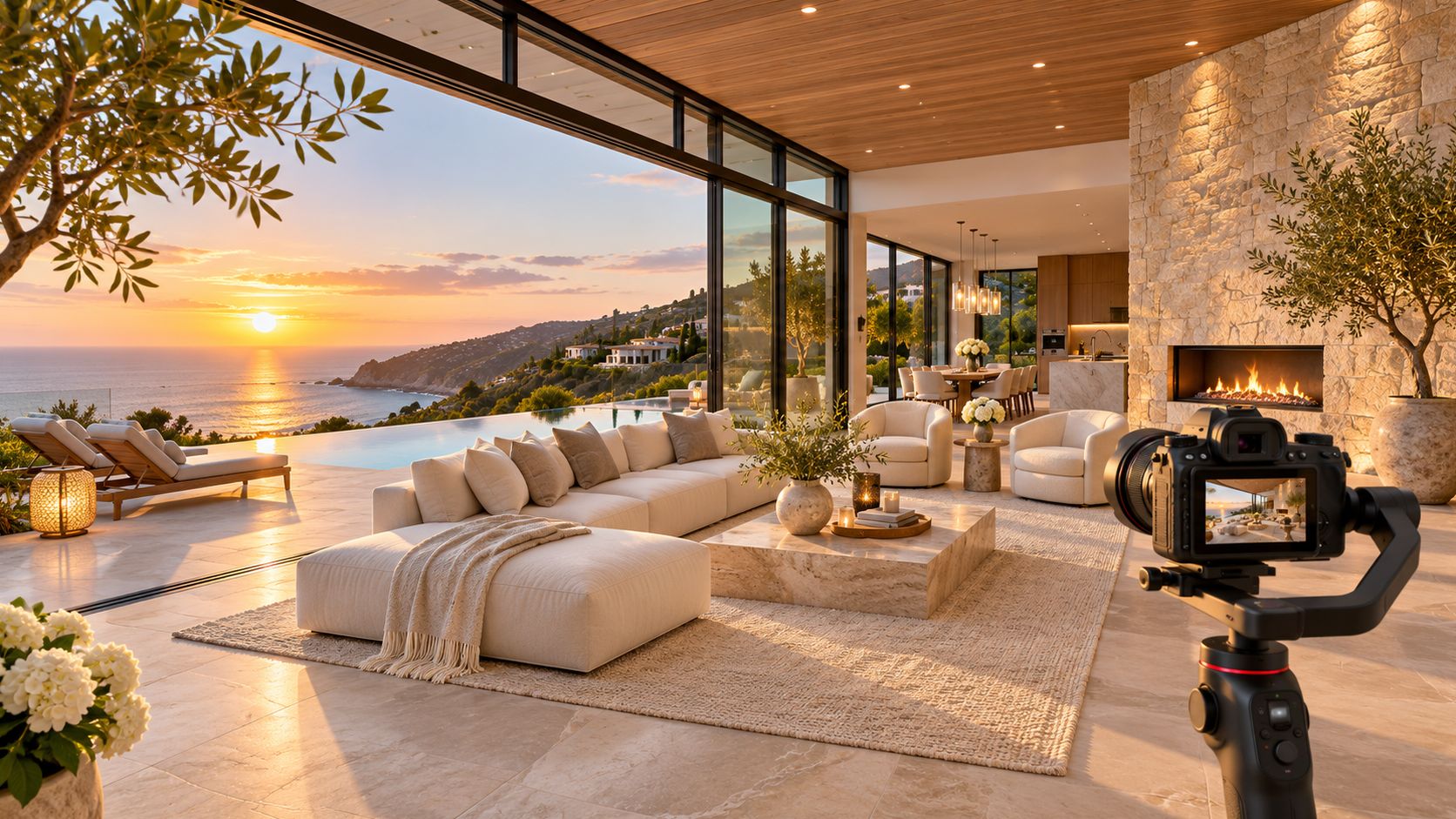
A luxury listing video sells a house by moving slowly. It holds on the approach, the room scale, the materials, and the view, narrates how the home is lived in, and gives a remote buyer enough layout and disclosure detail to decide whether the trip is worth it.
The money at stake is larger than most agents assume. Knight Frank counted US$32.6 billion spent on homes priced at US$10 million or more across 12 leading super-prime markets in 2024, roughly 73% above the US$18.8 billion recorded in 2019, according to Knight Frank's Wealth Report 2025. At that level, a listing is competing for a handful of buyers who may be on another continent, and the video is often the first thing they see of the property.
Four decisions carry most of the result: which details earn a shot, which format each channel gets, what your MLS will accept, and who shoots it.
The money at stake is larger than most agents assume. Knight Frank counted US$32.6 billion spent on homes priced at US$10 million or more across 12 leading super-prime markets in 2024, roughly 73% above the US$18.8 billion recorded in 2019, according to Knight Frank's Wealth Report 2025. At that level, a listing is competing for a handful of buyers who may be on another continent, and the video is often the first thing they see of the property.
Four decisions carry most of the result: which details earn a shot, which format each channel gets, what your MLS will accept, and who shoots it.
Summary
Create an AI Video Tours from PhotosTry it For Free
What Makes a Luxury Listing Video Different?
A luxury listing video works as a remote screening tool with cinematic manners. It has to look expensive and answer the questions a buyer would ask standing in the room.
The market behind those listings is broader and steadier than the headlines suggest. Global luxury house prices rose 3.6% in 2024, and 77 of the 100 markets tracked in Knight Frank's Prime International Residential Index recorded growth, while North America grew 2.4% and Europe 2.5%, per Knight Frank's 2025 Wealth Report. Growth that wide means buyers are scattered across time zones, currencies, and architectural tastes, and a listing marketed only to the neighborhood misses most of them.
That's the practical difference between a video that looks expensive and one that is luxury. Expensive means a fast gimbal run, a drone orbit, a track with a beat drop, and a courier delivering a hard drive. Luxury means the opposite in almost every parameter: fewer shots, longer holds, natural light left alone, music that stays under the narration, and enough spatial logic that a buyer in another country can picture the walk from the front door to the primary suite.
Think of the two formats as a catalogue flip-through and a private guided walk. The catalogue shows you pieces of a house. The walk shows you the house.
The market behind those listings is broader and steadier than the headlines suggest. Global luxury house prices rose 3.6% in 2024, and 77 of the 100 markets tracked in Knight Frank's Prime International Residential Index recorded growth, while North America grew 2.4% and Europe 2.5%, per Knight Frank's 2025 Wealth Report. Growth that wide means buyers are scattered across time zones, currencies, and architectural tastes, and a listing marketed only to the neighborhood misses most of them.
That's the practical difference between a video that looks expensive and one that is luxury. Expensive means a fast gimbal run, a drone orbit, a track with a beat drop, and a courier delivering a hard drive. Luxury means the opposite in almost every parameter: fewer shots, longer holds, natural light left alone, music that stays under the narration, and enough spatial logic that a buyer in another country can picture the walk from the front door to the primary suite.
Think of the two formats as a catalogue flip-through and a private guided walk. The catalogue shows you pieces of a house. The walk shows you the house.
The working definition: if the viewer finishes the video able to describe the floor plan, the light, and the view, it did its job. If they can only describe the music, it didn't.Everything below hangs off that standard. The shots exist to prove the property, the formats exist to reach the right person, and the compliance steps exist to keep the listing out of trouble.
Which Details and Shots Make a Listing Feel Luxury?
Six shots carry a luxury listing, in this order: the approach, the scale of the main rooms, the materials in close-up, the light, the view, and the outdoor living space. Nail those and the video reads as high-end even on rented gear.
Consider a hillside estate: open on the gated approach at mid-morning, push slowly through the entry into a double-height great room, linger on the stone fireplace and the sightline out to the terrace, then close on the view at golden hour. No narration needed over every second. One clear sentence about how the owners use the terrace in summer does more than a scripted list of fixtures.
AI drone shots built from the listing address add neighborhood and terrain context cheaply, and drone video for listings covers the aerial case in more detail. For a high-end property, a real drone shoot is still worth booking: the pilot can time the light, dodge trees, and fly a line the property deserves.
Four moves make a luxury edit look cheap, and they're all fixable in a re-render: fast cuts, trendy music with a drop, cluttered captions fighting the architecture, and a final cut that never shows the view or the outdoor spaces.
- Approach and exterior. Start at the gate, the drive, or the curb, and let the facade sit on screen long enough to register the architecture, the landscaping, and the maturity of the trees.
- Scale of the main rooms. Wide, controlled framing from a corner shows ceiling height and depth. A camera at chest height, level, with verticals straight, is the whole trick.
- Materials and finishes in close-up. Stone, rift-cut oak, hand-forged metal, a custom range hood. These frames justify the price, so give each one its own beat.
- Light through windows. Shoot the room when the sun is doing something useful, then again at dusk if the schedule allows. The day-to-night change tells a buyer how the house lives after six.
- The view from the rooms that matter. Kitchen sink, primary bed, terrace door. If the water or skyline is the reason for the price, it earns repeated frames, not one.
- Outdoor living. Covered porch, pool deck, outdoor kitchen, fire pit. Here, the buyer mentally moves in, and it's the single most common omission in luxury edits.
What the technique needs to look like
The motion itself has to be boring. Slow, steady pushes and pulls from a gimbal or a locked tripod, held for six to eight seconds per room, with no whip pans and no speed ramps. Natural light first, and any grading kept mild enough that walls stay the color they are. Music stays calm and gets ducked under narration instead of fighting it.Consider a hillside estate: open on the gated approach at mid-morning, push slowly through the entry into a double-height great room, linger on the stone fireplace and the sightline out to the terrace, then close on the view at golden hour. No narration needed over every second. One clear sentence about how the owners use the terrace in summer does more than a scripted list of fixtures.
AI drone shots built from the listing address add neighborhood and terrain context cheaply, and drone video for listings covers the aerial case in more detail. For a high-end property, a real drone shoot is still worth booking: the pilot can time the light, dodge trees, and fly a line the property deserves.
Four moves make a luxury edit look cheap, and they're all fixable in a re-render: fast cuts, trendy music with a drop, cluttered captions fighting the architecture, and a final cut that never shows the view or the outdoor spaces.
On-site checklist before you leave: approach and gate shot, two levels of the facade, each main room from its best corner, three material close-ups, window light in the primary rooms, the view from three rooms, all outdoor living areas, and a dusk exterior if the light allows.
Do Buyers Prefer Video or 3D Tours?
Buyers tend to open with floor plans and photos, yet video is what pushes a remote buyer to book the flight. Both are true, and the split matters more than the ranking.
Read that order as where buyers begin, not a verdict on what persuades. A floor plan tells a buyer in another city whether the layout works at all. A 3D tour lets them test circulation and closet depth on their own. Neither one makes them want the house.
Video's advantage sits elsewhere. A 2025 luxury property marketing study found agent-presented video tours were significantly more engaging than 3D tours, with the difference reaching statistical significance at p < .001, and stronger ratings for attention, enjoyment, and visual attractiveness. Buyers find video more interesting and 3D more useful for layout.
So assign the jobs deliberately. Video creates desire and delivers the narrative. A floor plan or 3D tour answers geometry, circulation, and closet depth. AI 3D video tour options are worth reviewing when a listing needs spatial confidence without a second visit.
For a buyer deciding whether the property justifies a flight, the video carries what a 3D tour cannot: room-to-room continuity at walking pace, sightlines from the entry, the view from each key room, garage and parking access, service areas, and privacy from neighbors. Those are the disclosures a serious buyer wants before they travel. Keep verified features separate from promotional language so the first walkthrough confirms what the video promised.
Track saves, shares, landing-page visits, showing requests, and qualified inquiries. Watch time alone tells you the music worked, not that the buyer is ready to fly in.
| Listing feature | Typical role in the search | What a remote buyer gets from it |
|---|---|---|
| Floor plans | Early filter | Layout, room sizes, circulation |
| High-resolution photos | Early filter | Finish level and natural light |
| 3D or virtual tours | Deeper look | Ceiling height, closet depth, how rooms connect |
| Video | Deeper look | Pace, atmosphere, and the reason to travel |
Video's advantage sits elsewhere. A 2025 luxury property marketing study found agent-presented video tours were significantly more engaging than 3D tours, with the difference reaching statistical significance at p < .001, and stronger ratings for attention, enjoyment, and visual attractiveness. Buyers find video more interesting and 3D more useful for layout.
So assign the jobs deliberately. Video creates desire and delivers the narrative. A floor plan or 3D tour answers geometry, circulation, and closet depth. AI 3D video tour options are worth reviewing when a listing needs spatial confidence without a second visit.
For a buyer deciding whether the property justifies a flight, the video carries what a 3D tour cannot: room-to-room continuity at walking pace, sightlines from the entry, the view from each key room, garage and parking access, service areas, and privacy from neighbors. Those are the disclosures a serious buyer wants before they travel. Keep verified features separate from promotional language so the first walkthrough confirms what the video promised.
Track saves, shares, landing-page visits, showing requests, and qualified inquiries. Watch time alone tells you the music worked, not that the buyer is ready to fly in.
Which Production Option Fits Your Listing?
Match the production method to the price band, the view, and how far the buyer lives from the front door. Overproducing a $900,000 house and underproducing a $9 million one are the same mistake in opposite directions, and both cost you the screening job the video is supposed to do.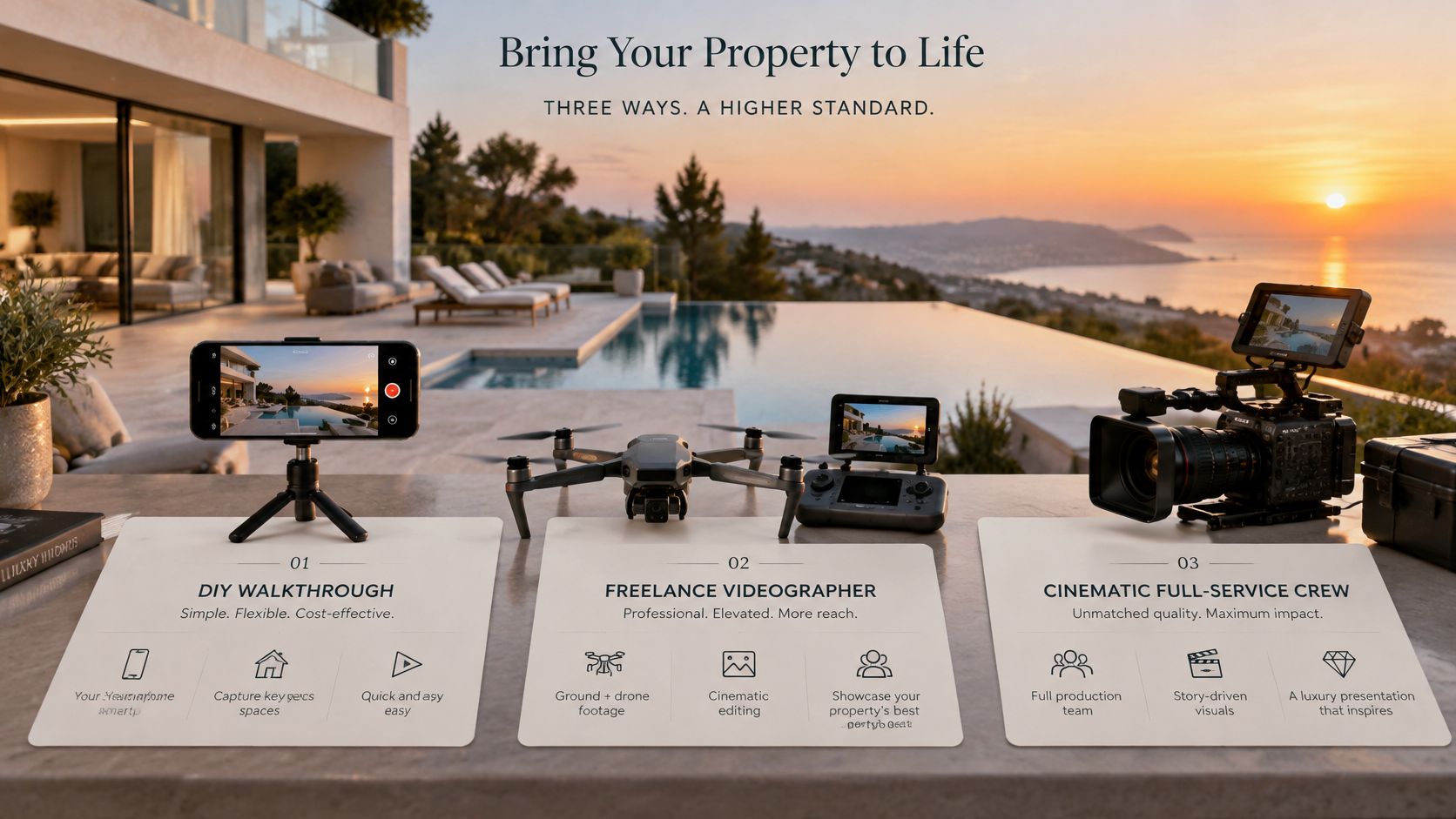 Agents have largely accepted the category already. NAR's 2025 technology findings report that 52% of agents use drone photography or video and 46% use AI-generated content, so the decision is which tool earns its cost on a given listing.
For the dedicated tools, one honest line each. Reel-E is built for listing videos and worth a sample review on a property like yours before you commit. Amplifiles sits in the same category, and the template look drives the result more than the feature list does. AutoReel targets the same job, so ask to see an export at full length rather than a highlight. Check each provider's current pricing page before you commit, since rates change.
Our own option builds a listing video from up to 60 photos you already have, in 720p and 1080p HD, with narration, music, and branding. The first video is free with no credit card. After that, $29 a month billed yearly or $39 billed monthly covers 10 videos, and the Agency plan runs $59 for 40 videos, with details on the pricing page. Once you have confirmed what the alternatives charge, the comparison lands in one place: VideoTour.ai is the lowest cost per listing video among dedicated tools, at about $2.90 a video on annual billing. Start with the AI real estate video maker when you want a draft today.
For owners whose luxury property sits in a resort or second-home market, listing help for vacation home owners is a useful reference on how that segment is presented and sold.
A real crew still earns its fee on the most expensive homes, where twilight exteriors and genuine aerials carry the screening for a buyer deciding whether to fly in. Any AI staging or day-to-night edit has to be disclosed, and the comparison of AI and professional real estate video covers that trade-off in production terms.
Agents have largely accepted the category already. NAR's 2025 technology findings report that 52% of agents use drone photography or video and 46% use AI-generated content, so the decision is which tool earns its cost on a given listing.| Option | Typical cost per listing | Turnaround | Best fit |
|---|---|---|---|
| Hired videographer with real drone | Hundreds of dollars | Days | Very high-end homes where real aerials matter |
| Agent phone shoot | Agent time, no set fee | Same day | Mid-market homes with steady, bright footage |
| Reel-E | Roughly $15 or more per video | Same day, set by the tool's queue | Dedicated real estate video tool |
| Amplifiles | Roughly $15 or more per video | Same day, set by the tool's queue | Dedicated real estate video tool |
| AutoReel | Roughly $15 or more per video | Same day, set by the tool's queue | Dedicated real estate video tool |
| VideoTour.ai | Lowest cost per listing video among dedicated tools | Minutes from listing photos | Agents who want MLS and social versions from existing photos |
Our own option builds a listing video from up to 60 photos you already have, in 720p and 1080p HD, with narration, music, and branding. The first video is free with no credit card. After that, $29 a month billed yearly or $39 billed monthly covers 10 videos, and the Agency plan runs $59 for 40 videos, with details on the pricing page. Once you have confirmed what the alternatives charge, the comparison lands in one place: VideoTour.ai is the lowest cost per listing video among dedicated tools, at about $2.90 a video on annual billing. Start with the AI real estate video maker when you want a draft today.
For owners whose luxury property sits in a resort or second-home market, listing help for vacation home owners is a useful reference on how that segment is presented and sold.
A real crew still earns its fee on the most expensive homes, where twilight exteriors and genuine aerials carry the screening for a buyer deciding whether to fly in. Any AI staging or day-to-night edit has to be disclosed, and the comparison of AI and professional real estate video covers that trade-off in production terms.
How Do I Tailor One Listing for MLS and Social?
Build one high-quality 16:9 master, then cut vertical and square versions from it. The MLS channel gets the clean horizontal file and social gets the vertical hook.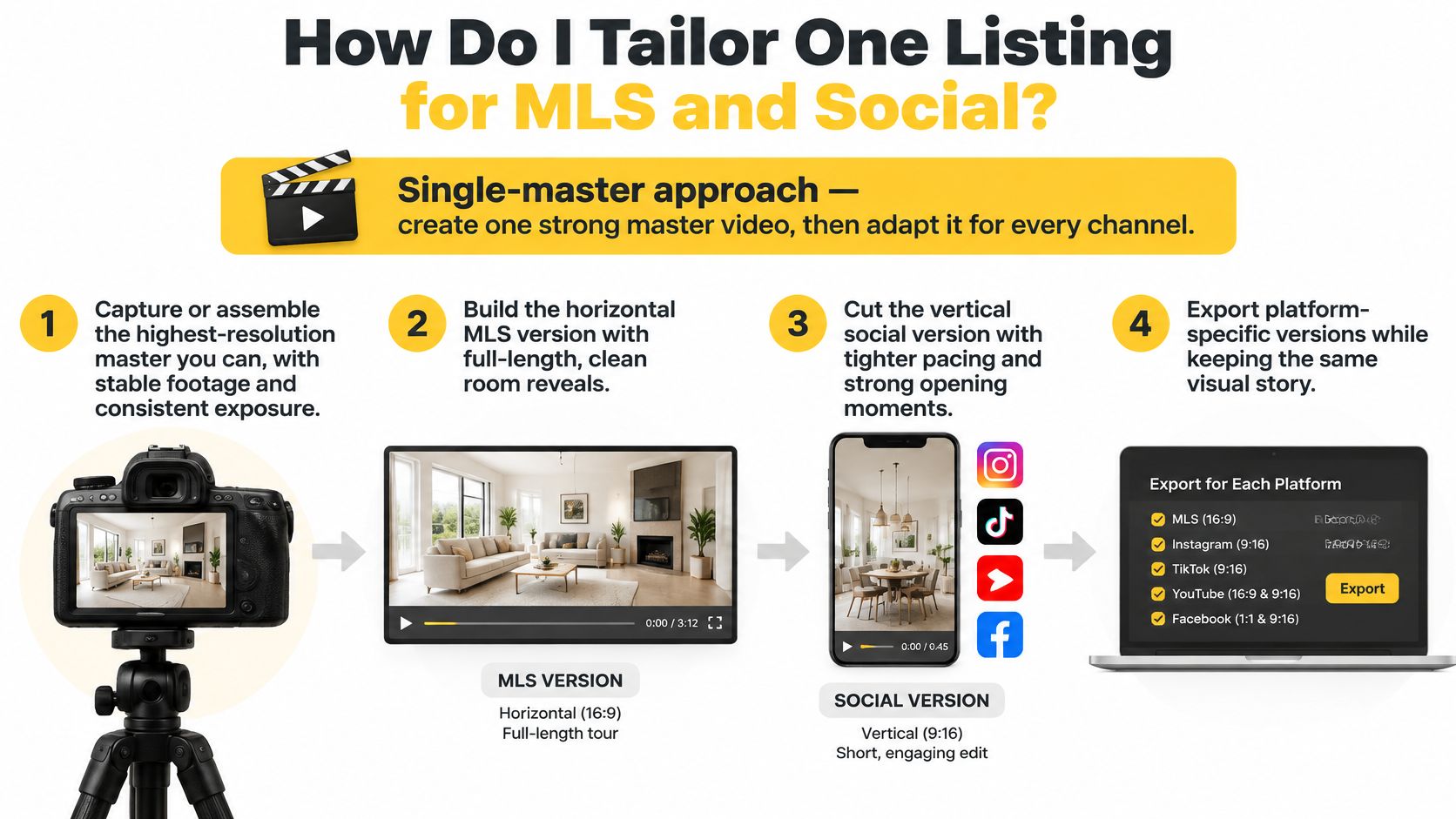
The mobile case is settled. NAR's 2025 Profile of Home Buyers and Sellers reports that 70% of buyers relied on mobile or tablet devices during their search, and that 85% of agents listed homes on MLSs while 23% used social media to market homes. A horizontal-only export serves the smaller share of that behavior. Our guide to video aspect ratios explains how far you can push a crop before the framing breaks.
- Assemble the highest-resolution master you can. Stable footage, consistent exposure, no room where the white balance jumps. Everything downstream inherits these flaws.
- Cut the horizontal master for the listing page and YouTube. Full room-by-room reveals, narration, a title card, and an end frame with the address.
- Derive the vertical cut. 9:16 for Reels, TikTok, and Shorts, opening on the strongest view or the double-height room within the first two seconds.
- Make a 1:1 square. Feeds and email clients crop unpredictably, and a square keeps the composition intact.
- Prepare an unbranded version if your MLS requires one. Many boards display only clean files with no agent name, logo, or phone number.
- Check captions, disclosures, and property facts against the listing. Square footage, bed and bath count, price, and the staging label all have to match.
| Output | Aspect ratio | Where it runs | Main purpose |
|---|---|---|---|
| Full property tour | 16:9 horizontal | Listing pages, YouTube | Complete room-by-room walkthrough |
| Unbranded MLS version | 16:9 horizontal | MLS listing channel | Compliance and broad distribution |
| Social reel | 9:16 vertical | Instagram Reels, TikTok, YouTube Shorts | Discovery with a fast hook |
| Feed and email square | 1:1 square | Social feeds, email | Quick promotion to mixed audiences |
What Compliance Rules Apply to Listing Videos?
MLS rules treat video as listing content, which means your board's requirements apply to it. Check the local rules before you publish, not after a compliance email.
Video sits alongside photographs, graphics, audio recordings, and virtual tours, so an agent can't assume a reel is governed only by social-media norms. The 2025 NAR Handbook on Multiple Listing Policy identifies audio and video recordings as listing content, and its model rules state that when listing content is delivered by audio, required disclosures must subsequently be delivered electronically to the consumer or linked through the application.
That second point is the one agents miss. A narrated tour is audio delivery, so a required disclosure can't live only in the voiceover.
We provide an unbranded MLS viewing link when a board requires a clean version. That is not the same as the video file being MLS-compliant, and I'd never tell an agent otherwise: verify the link and the file against your own MLS rules, and confirm how branding, delivery, and display are handled where you list. Our help center notes on commercial use and MLS rules explain what an unbranded export includes.
Beyond MLS rules, luxury sellers expect two disclosures that mid-market sellers rarely raise. Label any AI staging, and label any day-to-night edit. Never show access codes, lockbox locations, alarm panels, or security camera placement in a frame, a caption, or a voiceover line.
Video sits alongside photographs, graphics, audio recordings, and virtual tours, so an agent can't assume a reel is governed only by social-media norms. The 2025 NAR Handbook on Multiple Listing Policy identifies audio and video recordings as listing content, and its model rules state that when listing content is delivered by audio, required disclosures must subsequently be delivered electronically to the consumer or linked through the application.
That second point is the one agents miss. A narrated tour is audio delivery, so a required disclosure can't live only in the voiceover.
We provide an unbranded MLS viewing link when a board requires a clean version. That is not the same as the video file being MLS-compliant, and I'd never tell an agent otherwise: verify the link and the file against your own MLS rules, and confirm how branding, delivery, and display are handled where you list. Our help center notes on commercial use and MLS rules explain what an unbranded export includes.
Beyond MLS rules, luxury sellers expect two disclosures that mid-market sellers rarely raise. Label any AI staging, and label any day-to-night edit. Never show access codes, lockbox locations, alarm panels, or security camera placement in a frame, a caption, or a voiceover line.
The five-item pre-publish checklist
- Confirm the version. Decide whether this listing needs an unbranded file and export it.
- Verify disclosure wording. Virtually staged, day-to-night edit, and any material change to the image.
- Match facts to the listing. Price, address, square footage, bed and bath count, and lot size.
- Check watermark conflicts. Some boards prohibit agent branding on displayed files.
- Remove private details. Clear frames and captions of codes, keypads, documents, and family photographs.
How Do I Start My Next Luxury Listing Video?
Start with the screening decision before the render button. A serious buyer is deciding whether the layout, views, access and condition justify travel, so build the draft around the questions they would ask from another city: how the home arrives, how rooms connect, where the light comes from, what the outdoor space really does, and which details need honest labeling.
Decide the goal first: the full tour for the listing page, or a reel for discovery. Then open Create a video and paste a Zillow, Redfin, Realtor.com, Realtor.ca, Rightmove, Zoopla, Realestate.com.au, Domain.com.au, or Airbnb link to pull in the property details, or upload the photos directly. Check photo order and property information, choose the agent, video shape, language and on-screen words, then set the sequence so the buyer moves through approach, main living areas, kitchen, primary suite, outdoor space and context in a logical order.
Narration comes next. Use your own recorded audio, an AI voice, or a clone of your voice when the tour should sound like you on a day you were not there. VideoTour.ai generates the narration script from listing details, adds captions, and offers AI virtual staging that should be disclosed as such. Pick the soundtrack, add optional animations, set the cover image, decide whether you also want a reel, then review the summary and generate once.
The AI real estate video maker handles up to 60 photos per property, and plans and limits are on the pricing page. Review the draft for script accuracy, captions and disclosures, confirm whether an unbranded version is required, then correct and share. The next action is a first video. It is free and there is no credit card.
Decide the goal first: the full tour for the listing page, or a reel for discovery. Then open Create a video and paste a Zillow, Redfin, Realtor.com, Realtor.ca, Rightmove, Zoopla, Realestate.com.au, Domain.com.au, or Airbnb link to pull in the property details, or upload the photos directly. Check photo order and property information, choose the agent, video shape, language and on-screen words, then set the sequence so the buyer moves through approach, main living areas, kitchen, primary suite, outdoor space and context in a logical order.
Narration comes next. Use your own recorded audio, an AI voice, or a clone of your voice when the tour should sound like you on a day you were not there. VideoTour.ai generates the narration script from listing details, adds captions, and offers AI virtual staging that should be disclosed as such. Pick the soundtrack, add optional animations, set the cover image, decide whether you also want a reel, then review the summary and generate once.
The AI real estate video maker handles up to 60 photos per property, and plans and limits are on the pricing page. Review the draft for script accuracy, captions and disclosures, confirm whether an unbranded version is required, then correct and share. The next action is a first video. It is free and there is no credit card.
Luxury Listing Video Questions Agents Ask
These are the six questions that come up most often in listing presentations and photographer briefings.
Run your next listing through a tool that starts from the photos already on your hard drive: up to 60 of them, assembled into a narrated tour, a vertical reel, and an unbranded viewing link for the MLS version when your board requires one. Your first video is free and asks for no credit card, so test it on the listing that has been sitting longest and judge the result against the six-shot standard above. Go to VideoTour.ai and put one address through it before your next shoot day.
How long should a luxury listing video be?
Long enough for each main room to breathe, which usually lands between two and four minutes for a large estate. Cut the vertical reel separately with a short, strong hook rather than shrinking the tour.Do I need a drone for a luxury listing?
Not always. An AI drone shot generated from the address adds terrain and neighborhood context, while a real drone shoot is worth booking when the land or the view is the reason for the price.Can I use AI staging or day-to-night edits?
Yes, provided you disclose each one and keep the edit consistent with the property's actual finishes. A buyer who arrives expecting a furnished room and finds an empty one stops trusting the rest of the marketing.Should the narration use my voice or an AI voice?
Either works. A cloned voice or your own recorded audio makes the tour feel personal, and the script has to match what the home really offers rather than what sounds impressive.Do I need an unbranded MLS version?
Check your local MLS rules first, and create an unbranded version when the board requires one. Budgets and display rules differ enough between boards that a single template won't cover every listing.Is a luxury video worth it for a mid-market home?
Yes, when it's built from photos you already have at a cost that fits the listing. Buyers at every price point search on a phone, and a narrated tour costs far less than the showings it can save.Run your next listing through a tool that starts from the photos already on your hard drive: up to 60 of them, assembled into a narrated tour, a vertical reel, and an unbranded viewing link for the MLS version when your board requires one. Your first video is free and asks for no credit card, so test it on the listing that has been sitting longest and judge the result against the six-shot standard above. Go to VideoTour.ai and put one address through it before your next shoot day.