
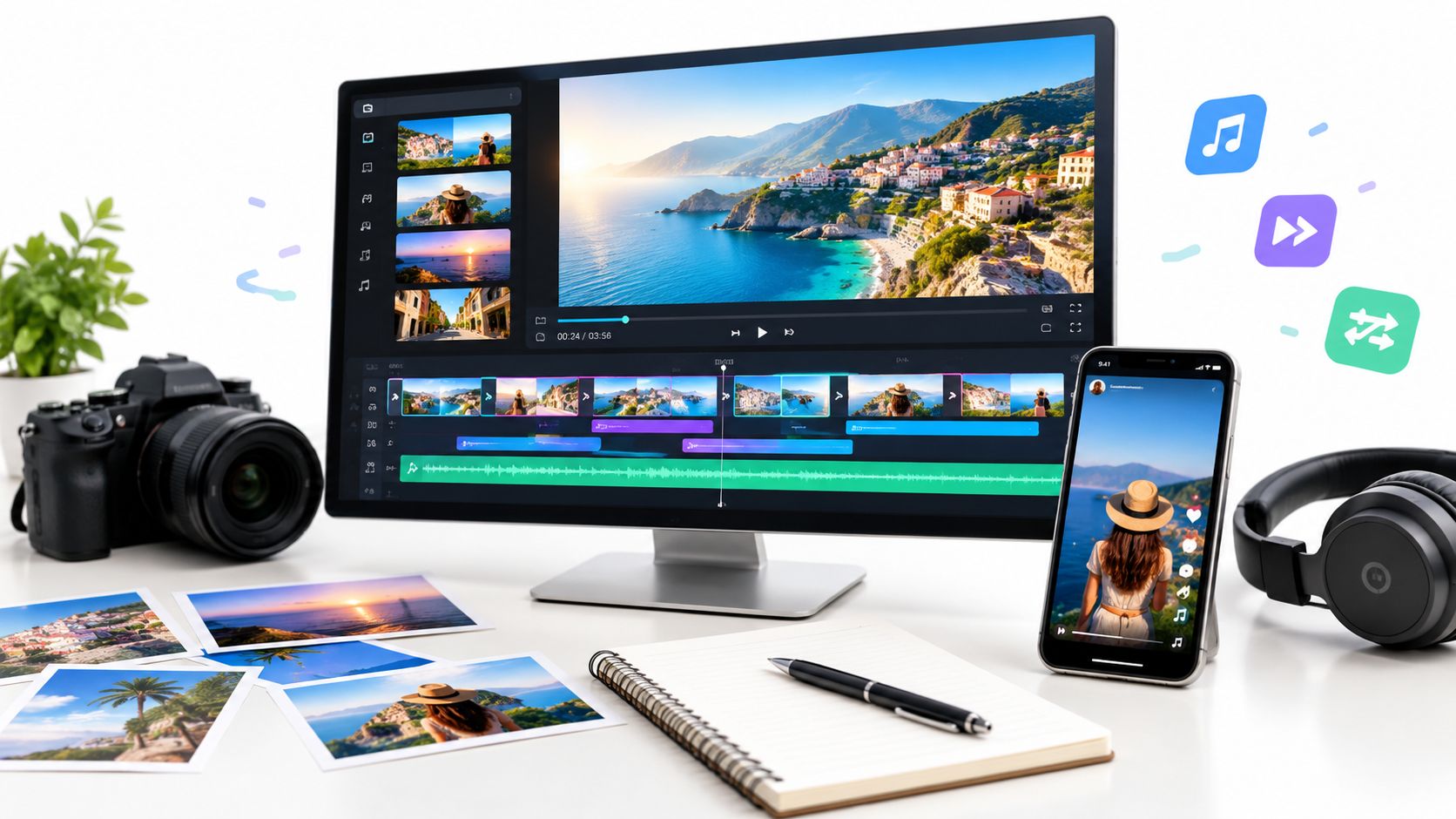
You've got a folder of property photos, a listing deadline approaching, and several possible deliverables in mind. One version needs to work inside a property listing, another needs to feel native to Instagram or TikTok, and a third may need your brokerage's logo, colors, captions, and contact details. You want a polished result, but you don't want to spend hours arranging every image, syncing music, correcting text, and exporting separate formats.
The right slideshow video maker depends on the job. Some tools automate the entire path from photos to listing tour. Others give designers stronger control over layouts, captions, brand systems, revisions, collaboration, or social repurposing. The practical differences show up in workflow speed, photo volume, music timing, caption readability, team review, and platform-ready exports.
This comparison starts with the most property-focused option, then moves through design-led, browser-based, AI-assisted, collaborative, and beginner-friendly tools. The best choice isn't necessarily the editor with the most effects. It's the one that matches how your team produces and publishes listing content.
The right slideshow video maker depends on the job. Some tools automate the entire path from photos to listing tour. Others give designers stronger control over layouts, captions, brand systems, revisions, collaboration, or social repurposing. The practical differences show up in workflow speed, photo volume, music timing, caption readability, team review, and platform-ready exports.
This comparison starts with the most property-focused option, then moves through design-led, browser-based, AI-assisted, collaborative, and beginner-friendly tools. The best choice isn't necessarily the editor with the most effects. It's the one that matches how your team produces and publishes listing content.
Summary
Create an AI Video Tours from PhotosTry it For Free

1. VideoTour.ai
A listing team with a full photo folder and several publishing destinations needs speed more than a complex editing timeline. VideoTour.ai is designed for that assignment: turn property photos into a branded video tour without arranging every element manually. You can upload up to 60 photos per listing, then receive an HD video with motion, captions, music, transitions, and branding. The property-focused workflow avoids building a real estate template from scratch in a general editor. Review the VideoTour.ai property video platform to see how the process is structured.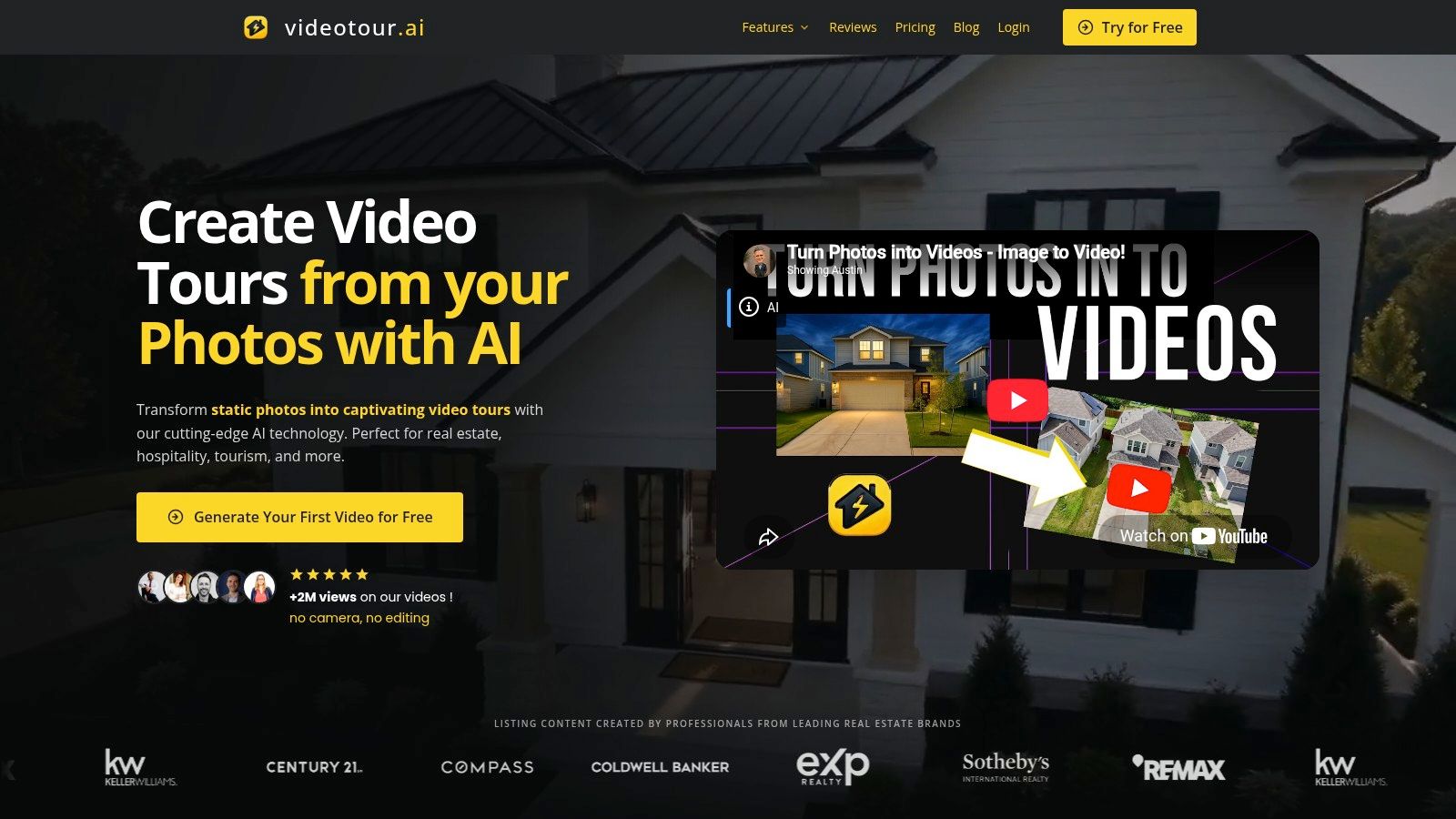 The platform automates pan, zoom, and tilt effects, chooses music, and syncs audio with the visual pacing. Cinematic 3D text, logo intros, AI avatar and voiceover options, and reusable branding support recurring work for agents, brokerages, short-term rental hosts, hotels, and venue marketers. MLS-safe presets plus vertical, horizontal, and square outputs also reduce duplicate editing when one listing must serve multiple channels.
Paid plans remove watermarks and offer larger monthly allowances and team seats. The site lists Free with one trial video, Independent at $29 per month for 10 videos, Agency at $59 per month for 40 videos, and Enterprise at $99 per month for 200 videos. These prices appear on the VideoTour.ai plans page. Compare them with actual listing volume and revision frequency, rather than selecting a plan from feature count alone.
The platform automates pan, zoom, and tilt effects, chooses music, and syncs audio with the visual pacing. Cinematic 3D text, logo intros, AI avatar and voiceover options, and reusable branding support recurring work for agents, brokerages, short-term rental hosts, hotels, and venue marketers. MLS-safe presets plus vertical, horizontal, and square outputs also reduce duplicate editing when one listing must serve multiple channels.Where it saves the most time
The main workflow advantage appears during revisions. Preview the result, then change image order, timing, layout, script, or aspect ratio in the browser and render again without extra download fees. That shortens common review cycles, such as replacing the hero image, changing the contact treatment for a broker, or tightening the opening for a social cut. It is a practical fit when photo volume is high and each listing needs repeated versions.Paid plans remove watermarks and offer larger monthly allowances and team seats. The site lists Free with one trial video, Independent at $29 per month for 10 videos, Agency at $59 per month for 40 videos, and Enterprise at $99 per month for 200 videos. These prices appear on the VideoTour.ai plans page. Compare them with actual listing volume and revision frequency, rather than selecting a plan from feature count alone.
Practical rule: Automation works best with strong, intentionally ordered photos that represent the property accurately. It cannot fix dark, repetitive, poorly framed, or outdated listing images.VideoTour.ai reports adoption by 10,000+ businesses, more than 2 million cumulative video views, and an average rating of 4.8 out of 5 on its website. Treat these as platform-reported figures, not a promise for every listing. The trade-off is creative control. Advanced animations and bespoke cinematic direction may require AI credits or higher plans, while a skilled editor remains better for productions that depend on detailed storytelling and highly specific visual timing.
2. Canva
Canva makes the most sense for teams that treat a slideshow video as part of a broader design system. A brokerage can build a listing reel, open-house announcement, neighborhood graphic, and campaign thumbnail within the same visual environment. Its drag-and-drop editor, video templates, transitions, captions, stock media, and Brand Kit help non-editors produce consistent work without learning a traditional timeline.
The Brand Kit is particularly useful when multiple agents or coordinators create content. Logos, colors, and fonts can guide production, while team roles help keep campaign assets organized. Canva's AI helpers can speed up a first draft, but the strongest use case remains design-led editing, where a marketer wants to control title placement, text hierarchy, overlays, and the relationship between image and brand elements.
For property content, Canva is better at a visually directed campaign cut than a fully automated listing tour. You'll have more freedom to create a graphic opening, add a map-style panel, or build an end card with a call to action. You'll also spend more time making decisions about duration, transitions, and music synchronization than you would with a property-specific generator.
For practical guidance on turning a finished slideshow into an Instagram post, use this guide to creating an Instagram Reel. Canva also connects naturally with bulk creative processes, including Canva bulk upload for ads.
The trade-off is performance on heavy projects. Large media sets can feel sluggish on lower-power machines, and premium stock, media, and effects may require a paid plan. Canva is a strong choice for brand control and accessible design, but it may be slower than an automated property tool when the only goal is to turn listing photos into a finished tour.
The Brand Kit is particularly useful when multiple agents or coordinators create content. Logos, colors, and fonts can guide production, while team roles help keep campaign assets organized. Canva's AI helpers can speed up a first draft, but the strongest use case remains design-led editing, where a marketer wants to control title placement, text hierarchy, overlays, and the relationship between image and brand elements.
For property content, Canva is better at a visually directed campaign cut than a fully automated listing tour. You'll have more freedom to create a graphic opening, add a map-style panel, or build an end card with a call to action. You'll also spend more time making decisions about duration, transitions, and music synchronization than you would with a property-specific generator.
Best workflow fit
Use Canva when your team needs reusable templates and frequent collaboration across social, advertising, and presentation content. The editor supports vertical, square, and horizontal designs, but you should still check every export at the intended platform size. A vertical Reel may need different text spacing and image crops from a horizontal version intended for a broker workflow.For practical guidance on turning a finished slideshow into an Instagram post, use this guide to creating an Instagram Reel. Canva also connects naturally with bulk creative processes, including Canva bulk upload for ads.
The trade-off is performance on heavy projects. Large media sets can feel sluggish on lower-power machines, and premium stock, media, and effects may require a paid plan. Canva is a strong choice for brand control and accessible design, but it may be slower than an automated property tool when the only goal is to turn listing photos into a finished tour.
3. Adobe Express
Adobe Express is a good middle ground for agencies that already operate inside Adobe's ecosystem but don't want every short listing video to pass through a full professional editing application. Its templates support slideshow-style videos with captions, transitions, music, and social layouts. Adobe fonts, stock assets, brand controls, libraries, and team administration make the platform more suitable for governed production than a basic one-off editor.
The strongest use case is a branded property spotlight. A marketing team can establish approved fonts, colors, logos, and layout conventions, then let different users create quick videos without drifting too far from the organization's visual standards. Cross-device access through web and mobile apps also helps when a coordinator needs to make a quick edit away from a desktop.
The editor gives you more brand governance than many beginner tools, but it doesn't replace a full nonlinear editor when you need detailed sound design, complex compositing, or precise timeline work. Some advanced features, premium media, and heavier AI or stock usage sit behind Premium, Teams, or higher plan levels.
For a brokerage with several contributors, Adobe Express is often more valuable as a controlled content environment than as the fastest possible photo-to-video generator. It works well for listing teasers, agent announcements, open-house campaigns, and repeatable social designs. It's less compelling when you want a near-finished property tour immediately after uploading a photo set.
The strongest use case is a branded property spotlight. A marketing team can establish approved fonts, colors, logos, and layout conventions, then let different users create quick videos without drifting too far from the organization's visual standards. Cross-device access through web and mobile apps also helps when a coordinator needs to make a quick edit away from a desktop.
What Adobe Express does better
Adobe Express fits agencies that need a connection between fast production and established creative workflows. Adobe Stock and Firefly generative AI can expand the available visual toolkit, although teams should still review every generated or selected asset for suitability, licensing, and factual relevance to the property. A slideshow should support the listing, not introduce stock imagery that viewers could mistake for the actual unit.The editor gives you more brand governance than many beginner tools, but it doesn't replace a full nonlinear editor when you need detailed sound design, complex compositing, or precise timeline work. Some advanced features, premium media, and heavier AI or stock usage sit behind Premium, Teams, or higher plan levels.
For a brokerage with several contributors, Adobe Express is often more valuable as a controlled content environment than as the fastest possible photo-to-video generator. It works well for listing teasers, agent announcements, open-house campaigns, and repeatable social designs. It's less compelling when you want a near-finished property tour immediately after uploading a photo set.
4. Kapwing
Kapwing is built for the part of the workflow that often follows the first export: resizing, captioning, editing, and repurposing a video for different channels. Its dedicated slideshow maker can turn photos into a sequence, while timeline controls let you adjust image durations in bulk. That combination gives it a useful balance between a quick draft and hands-on correction.
For a real estate marketer, Kapwing works well when one source project needs several versions. You might create a property walkthrough, shorten it for a vertical social cut, add subtitles for silent viewing, and revise the text without starting over. Built-in subtitles, text-to-speech, resizers, and repurposing utilities make those secondary tasks less fragmented.
The cost is attention. You'll still need to review the pacing, trim awkward transitions, verify captions, and make sure text isn't hidden by platform interface elements. Browser performance can also vary with very large media sets. Certain exports and AI tools may require paid plans or credits, so recurring production teams should track which features consume those allowances.
Kapwing is a practical choice for social teams that publish across several platforms and need one browser workspace for editing utilities. It's less efficient when the main requirement is automatic property presentation with minimal intervention. In that case, its flexibility can become additional work rather than a benefit.
For a real estate marketer, Kapwing works well when one source project needs several versions. You might create a property walkthrough, shorten it for a vertical social cut, add subtitles for silent viewing, and revise the text without starting over. Built-in subtitles, text-to-speech, resizers, and repurposing utilities make those secondary tasks less fragmented.
The control versus speed trade-off
Kapwing gives you more editorial control than a purely automated slideshow maker. You can decide exactly when a room image appears, how long a feature caption remains visible, and where narration sits in relation to the visuals. That's valuable for mixed photo and video projects, especially when a listing includes a short agent introduction or a neighborhood clip.The cost is attention. You'll still need to review the pacing, trim awkward transitions, verify captions, and make sure text isn't hidden by platform interface elements. Browser performance can also vary with very large media sets. Certain exports and AI tools may require paid plans or credits, so recurring production teams should track which features consume those allowances.
Kapwing is a practical choice for social teams that publish across several platforms and need one browser workspace for editing utilities. It's less efficient when the main requirement is automatic property presentation with minimal intervention. In that case, its flexibility can become additional work rather than a benefit.
5. InVideo
InVideo is useful when the slideshow needs to become a narrated social clip rather than a silent sequence of listing images. Its template-led editor combines traditional timeline work with AI assistance, stock integrations, captions, voice options, and, on eligible plans, AI avatars. That makes it suitable for agents or marketing teams that want to add an explanation, promotional hook, or presenter-style introduction without recording every version themselves.
A typical workflow might begin with property photos, continue with a template, and then add a voiceover describing the home's layout or location. The AI can help accelerate the first draft, but the script still needs human review. It should use only verified property details, and the final video should make clear which visuals show the actual listing rather than generic supporting material.
The platform's greatest strength is speed through templates. You can create consistent promotional clips without building every scene from an empty timeline. The limitation is that higher-tier capabilities can become expensive for frequent AI production, and automated narration can sound generic if the script, voice, or pacing isn't refined.
Use InVideo when the content brief includes narration, stock, or AI-presenter elements. For straightforward listing tours where photos, music, captions, and brand treatment are enough, a property-focused generator or simpler slideshow editor may create fewer decisions and a cleaner production path. Teams comparing business use cases can also review this video maker guide for businesses.
A typical workflow might begin with property photos, continue with a template, and then add a voiceover describing the home's layout or location. The AI can help accelerate the first draft, but the script still needs human review. It should use only verified property details, and the final video should make clear which visuals show the actual listing rather than generic supporting material.
Watch the credit model
InVideo's AI generation system uses credits across certain features. That can be convenient for occasional experiments, but it adds budgeting complexity for heavy users. Teams producing many listing variations should monitor credit consumption before committing to avatar, voice, or other AI-assisted elements across every project.The platform's greatest strength is speed through templates. You can create consistent promotional clips without building every scene from an empty timeline. The limitation is that higher-tier capabilities can become expensive for frequent AI production, and automated narration can sound generic if the script, voice, or pacing isn't refined.
Use InVideo when the content brief includes narration, stock, or AI-presenter elements. For straightforward listing tours where photos, music, captions, and brand treatment are enough, a property-focused generator or simpler slideshow editor may create fewer decisions and a cleaner production path. Teams comparing business use cases can also review this video maker guide for businesses.
6. VEED
VEED stands out when captions and localization matter as much as the slideshow itself. A property marketer can combine photos, text overlays, subtitles, translations, and branded versions in one browser-based workflow. That's especially useful for agencies serving multiple markets, multilingual audiences, or platforms where viewers frequently watch without sound.
The editor supports slideshow workflows, while its AI features extend into text-to-video, avatars, and other assisted production tools. Brand kits and collaboration become more valuable on higher tiers, and API options provide a path for larger teams that want to connect video production with broader automation.
VEED is a strong choice for repurposing one slideshow into several language or audience versions. It also suits teams that need fast text corrections after review. Its weaker point is cost planning for heavier usage. The free plan is limited, paid tiers carry more of the production workload, and AI credit limits require deliberate allocation.
Choose VEED when the listing video needs readable captions, translated versions, or repeated text updates. If you're producing a simple music-synced tour for one channel, its broader caption and AI toolkit may be more than you need. If localization is central to the campaign, however, the extra workflow control can justify the complexity.
The editor supports slideshow workflows, while its AI features extend into text-to-video, avatars, and other assisted production tools. Brand kits and collaboration become more valuable on higher tiers, and API options provide a path for larger teams that want to connect video production with broader automation.
Why captions change the edit
Captions aren't just a transcription layer. They affect how long each image stays on screen, where the viewer's attention goes, and whether a room remains visible long enough to understand its context. VEED gives teams tools for subtitle creation and translation, but human review remains essential. Names, measurements, neighborhood references, and property features can be misread by automated systems.VEED is a strong choice for repurposing one slideshow into several language or audience versions. It also suits teams that need fast text corrections after review. Its weaker point is cost planning for heavier usage. The free plan is limited, paid tiers carry more of the production workload, and AI credit limits require deliberate allocation.
Choose VEED when the listing video needs readable captions, translated versions, or repeated text updates. If you're producing a simple music-synced tour for one channel, its broader caption and AI toolkit may be more than you need. If localization is central to the campaign, however, the extra workflow control can justify the complexity.
7. Microsoft Clipchamp
Microsoft Clipchamp is a sensible option for teams already organized around Microsoft accounts, OneDrive, and Microsoft 365. Its drag-and-drop timeline is approachable for photo slideshows, and the workflow feels familiar to users who need to assemble a quick property update rather than learn a professional editing suite.
The platform offers free 1080p exports, while 4K output and premium stock are available through Microsoft 365 plans, as described on the Microsoft Clipchamp website. That makes it practical for a basic listing teaser, internal property update, or social draft when the team already has the necessary account structure and storage.
The Microsoft integration is the main reason to choose it. Files can remain connected to an organization's existing storage habits, which reduces friction for teams that don't want another isolated workspace. It's less attractive for a design-heavy brokerage that needs a deep template system or advanced brand administration.
The template library is smaller than those of design-centric competitors, and several brand, stock, and 4K capabilities require Microsoft 365 Personal or Family access. Clipchamp is therefore a good utility editor, not the strongest specialist platform. Pick it for straightforward assembly, familiar identity management, and simple exports. Pick another tool when the project depends on advanced branding, extensive AI generation, or property-specific automation.
The platform offers free 1080p exports, while 4K output and premium stock are available through Microsoft 365 plans, as described on the Microsoft Clipchamp website. That makes it practical for a basic listing teaser, internal property update, or social draft when the team already has the necessary account structure and storage.
Keep the production simple
Clipchamp works best when the creative brief is short and clear. Import photos from OneDrive, place them on the timeline, add a logo and captions, choose music, and check the timing before export. Its AI subtitle and voiceover tools can help with accessibility and narration, but they still need review for pronunciation, factual accuracy, and tone.The Microsoft integration is the main reason to choose it. Files can remain connected to an organization's existing storage habits, which reduces friction for teams that don't want another isolated workspace. It's less attractive for a design-heavy brokerage that needs a deep template system or advanced brand administration.
The template library is smaller than those of design-centric competitors, and several brand, stock, and 4K capabilities require Microsoft 365 Personal or Family access. Clipchamp is therefore a good utility editor, not the strongest specialist platform. Pick it for straightforward assembly, familiar identity management, and simple exports. Pick another tool when the project depends on advanced branding, extensive AI generation, or property-specific automation.
8. Animoto
Animoto is designed around a straightforward promise: combine photos and clips with styles, text, and licensed music to create a polished video without a complex editing process. It remains a good fit for non-editors who need a property highlight, event announcement, or short promotional sequence and don't want to manage a deep timeline.
Its step-by-step workflow helps users choose a visual style, add images, place text overlays, stamp a logo, and prepare social-oriented exports. Real estate-friendly templates and business-focused layouts make it easier to start with an appropriate structure instead of designing every frame from scratch.
The limitations appear when the edit becomes complex. Animoto gives less detailed control than a full nonlinear editor, so precise timing, unusual transitions, layered graphics, or intricate narration may feel constrained. Stock integrations and the best asset options sit on paid tiers, and “unlimited video creation” across plans should still be evaluated alongside the plan's export and asset terms on the Animoto platform.
Use Animoto for repeatable property highlights and uncomplicated social videos. If you're turning photos into a more strategic funnel asset, with different lengths, platform crops, captions, and multiple revision rounds, a tool with stronger timeline or repurposing controls may serve you better. For a quick overview of photo-based creation workflows, see this photo-to-video app guide.
Its step-by-step workflow helps users choose a visual style, add images, place text overlays, stamp a logo, and prepare social-oriented exports. Real estate-friendly templates and business-focused layouts make it easier to start with an appropriate structure instead of designing every frame from scratch.
Best for dependable music-synced output
Animoto is strongest when music provides the pacing and the visual sequence needs only light direction. It can turn a set of room photos into an attractive tour quickly, especially when the team values consistency over custom motion design. Licensed music is an important consideration for recurring marketing production, because teams should confirm that the selected track is permitted for the intended account and publishing context.The limitations appear when the edit becomes complex. Animoto gives less detailed control than a full nonlinear editor, so precise timing, unusual transitions, layered graphics, or intricate narration may feel constrained. Stock integrations and the best asset options sit on paid tiers, and “unlimited video creation” across plans should still be evaluated alongside the plan's export and asset terms on the Animoto platform.
Use Animoto for repeatable property highlights and uncomplicated social videos. If you're turning photos into a more strategic funnel asset, with different lengths, platform crops, captions, and multiple revision rounds, a tool with stronger timeline or repurposing controls may serve you better. For a quick overview of photo-based creation workflows, see this photo-to-video app guide.
9. Biteable
Biteable is best suited to business communication where a slideshow supports an announcement, update, or campaign message. Its templates, auto-captions, voiceover options, branded themes, and review tools make it useful for agency teams producing recurring social updates, internal communications, property announcements, and short promotional pieces.
The collaboration workflow is one of its practical strengths. A marketing lead can prepare a draft, another team member can review it, and the group can maintain branded themes across repeated updates. That matters when the output needs approval before publishing, especially for brokerages with centralized marketing standards.
The main limitation is customization. Compared with a full editor, heavier creative changes can feel restricted. The best assets and features are available on higher tiers, which means agencies should assess not just the template appeal but also how many people need to review, edit, and publish.
Choose Biteable when communication and collaboration are central. Choose Animoto or FlexClip when the assignment is a simple music-led photo sequence. Choose Canva or Adobe Express when the team needs a larger design system. Biteable's value comes from helping a group produce and approve business content, not from replacing a property-specific video workflow.
The collaboration workflow is one of its practical strengths. A marketing lead can prepare a draft, another team member can review it, and the group can maintain branded themes across repeated updates. That matters when the output needs approval before publishing, especially for brokerages with centralized marketing standards.
Where it fits in property marketing
Biteable works well for an “available now” announcement, open-house reminder, new development update, or short property campaign that combines photos with a clear message. Its screen and self-recording tools can also support an agent introduction or internal explanation. The platform is less focused on automated listing-tour production, so users should expect to make more editorial decisions about sequence and pacing.The main limitation is customization. Compared with a full editor, heavier creative changes can feel restricted. The best assets and features are available on higher tiers, which means agencies should assess not just the template appeal but also how many people need to review, edit, and publish.
Choose Biteable when communication and collaboration are central. Choose Animoto or FlexClip when the assignment is a simple music-led photo sequence. Choose Canva or Adobe Express when the team needs a larger design system. Biteable's value comes from helping a group produce and approve business content, not from replacing a property-specific video workflow.
10. FlexClip
FlexClip is a practical choice for quick, uncomplicated photo-to-video work. Its slideshow maker includes text, transitions, music, voiceover recording, timing controls, stock assets, and aspect-ratio presets for vertical, square, and horizontal outputs. A solo agent can assemble a listing teaser without facing the complexity of a professional editor.
The platform is especially useful when narration matters but AI automation isn't the main requirement. You can record a voiceover, adjust its timing, and align it with a sequence of room photos. That supports a simple walkthrough, rental promotion, venue highlight, or agent-led introduction.
For a recurring property workflow, establish a small set of reusable rules before editing. Decide which image opens the video, where the logo appears, how captions are positioned, and which aspect ratio you'll use for each destination. FlexClip can execute that process efficiently, but it won't automatically make those strategic choices for you.
Pick FlexClip for straightforward photo sequences, narrated tours, and fast social teasers. It's less suitable for large brokerage teams that need deep governance, detailed review history, or highly automated listing production. Its advantage is accessibility, and that can be enough when the brief is clear and the source photos are already strong.
The platform is especially useful when narration matters but AI automation isn't the main requirement. You can record a voiceover, adjust its timing, and align it with a sequence of room photos. That supports a simple walkthrough, rental promotion, venue highlight, or agent-led introduction.
What you give up for simplicity
FlexClip's low learning curve is also its boundary. Advanced editing and detailed branding options are more limited than those in professional or design-focused suites. Lower tiers may include watermarks and asset restrictions, so check the export conditions before building a campaign around premium stock or branded delivery.For a recurring property workflow, establish a small set of reusable rules before editing. Decide which image opens the video, where the logo appears, how captions are positioned, and which aspect ratio you'll use for each destination. FlexClip can execute that process efficiently, but it won't automatically make those strategic choices for you.
Pick FlexClip for straightforward photo sequences, narrated tours, and fast social teasers. It's less suitable for large brokerage teams that need deep governance, detailed review history, or highly automated listing production. Its advantage is accessibility, and that can be enough when the brief is clear and the source photos are already strong.
Top 10 Slideshow Video Makers, Feature Comparison
| Product | Core features | UX & Quality (★) | Price & Value (💰) | Target audience (👥) | Unique selling points (✨) |
|---|---|---|---|---|---|
| VideoTour.ai 🏆 | Photo → HD video tours, MLS‑safe presets, multi‑aspect, auto-edit, captions, music sync, AI avatars, drone & 3D text | ★ 4.8/5 · 10k+ businesses · fast (minutes) previews & re-renders | 💰 Free trial; Independent $29/mo (10), Agency $59/mo (40), Enterprise $99/mo (200); unlimited revisions; rollover AI credits | 👥 Real estate agents, brokerages, STRs, hotels, venue marketers | ✨ MLS‑compliant presets, auto music sync, non‑expiring AI credits, unlimited re‑renders/downloads, no camera required |
| Canva | Drag‑drop slideshow/video editor, templates, Brand Kit, multi‑aspect exports | ★ Very user‑friendly · huge template library | 💰 Free tier; Pro adds premium assets & Brand Kit (paid) | 👥 Agents, marketing teams, brokerages needing quick branded assets | ✨ Massive template library, Brand Kit, collaboration |
| Adobe Express | Template‑driven slideshows, captions, Adobe Stock/Firefly integration, brand controls | ★ Polished, brand‑safe · good cross‑device syncing | 💰 Free tier; Premium/Teams for stock, fonts & admin features | 👥 Agencies and teams using Adobe workflows | ✨ Adobe Stock + Firefly, strong brand governance |
| Kapwing | Slideshow maker, timeline controls, subtitles, TTS, resizing tools | ★ Balanced ease & control · good subtitle tools | 💰 Free limited; paid plans / credits for premium exports & AI | 👥 Social creators, small agencies, repurposing workflows | ✨ Built‑in subtitles/TTS, efficient repurposing utilities |
| InVideo | Templates + timeline editor, stock, AI avatars/voice, credits system | ★ Fast template workflow; voices & avatars available | 💰 Free/paid tiers; credits for AI features | 👥 Marketers & agencies needing quick narrated reels | ✨ AI avatars/voice options; credit‑based advanced generation |
| VEED | Editor with slideshow flows, strong captions & translations, API options | ★ Excellent captioning & localization | 💰 Free limited; paid tiers + credit limits for AI | 👥 Teams doing multi‑market listings & localization | ✨ Subtitles, translations, API for automation |
| Microsoft Clipchamp | Timeline editor, templates, OneDrive integration, free 1080p exports | ★ Beginner‑friendly · smooth MS integration | 💰 Free 1080p; 4K & premium stock via Microsoft 365 | 👥 Microsoft‑centric teams & beginners | ✨ OneDrive/Microsoft account integration; easy 1080p exports |
| Animoto | Step‑by‑step slideshow tool, licensed music, business templates, unlimited videos | ★ Very approachable for non‑editors | 💰 Paid plans; unlimited videos on paid tiers | 👥 Small businesses, agents wanting quick polished reels | ✨ Licensed music, business‑oriented templates, unlimited creation |
| Biteable | Template‑led slideshow maker, captions, review/collab tools, built‑in recording | ★ Efficient for recurring social & internal comms | 💰 Free limited; paid tiers for branding & assets | 👥 Marketing teams, agencies, internal comms | ✨ Collaboration/review flows, easy repeatable templates |
| FlexClip | Slideshow maker, voiceover, music sync, aspect presets, stock assets | ★ Low learning curve · fast assembly | 💰 Free tier; paid plans remove watermarks & add assets | 👥 Solo agents and small teams needing quick reels | ✨ Simple voiceover & timing controls, fast output |
Match the Maker to Your Publishing Workflow
The best slideshow video maker is the one that removes the bottleneck in your production process. If your team starts with property photos and needs a polished tour, VideoTour.ai is the most direct choice. Its property-focused automation, MLS-safe presets, fast renders, unlimited revisions, and vertical, horizontal, and square outputs address the practical demands of listing production. It also supports branding, captions, music, motion, voiceover, and team workflows without requiring a manual edit for every variation.
Choose Canva or Adobe Express when design governance matters most. Canva is particularly strong for teams building reusable social and campaign templates across many content types. Adobe Express fits agencies already invested in Adobe fonts, stock, libraries, and administrative controls. Both are better suited to design-led brand systems than to fully automatic property tours.
Choose Kapwing or VEED when repurposing is the central task. Kapwing provides a useful balance of timeline control, bulk photo duration changes, resizing, captions, and text-to-speech. VEED is the stronger option when subtitles, translation, localization, and repeated text revisions drive the workflow. For narrated, AI-assisted clips, InVideo offers templates, voice options, stock, and avatar capabilities, but its credit system requires careful planning.
Clipchamp makes sense for Microsoft-centered teams that want OneDrive integration, a familiar account structure, and straightforward editing. Animoto is a dependable choice for approachable, music-synced slideshows with limited complexity. FlexClip suits solo users and small teams that need simple photo sequences or recorded voiceovers. Biteable is the better fit for collaborative business updates, announcements, and review-heavy communication.
Short-form strategy should influence the edit, not just the export button. Recent 2026 benchmarking reports that short-form video outperforms long-form by about 2.5 times on engagement, while platform preferences differ. TikTok often favors 15 to 30 second clips for engagement, yet 120 to 180 second clips can produce substantially higher median views, according to 2026 short-form video benchmarking. Treat those findings as directional guidance, not a universal property-marketing formula. A fast vertical reel may support reach, while a longer narrated showcase may serve consideration, and a wide version may still be necessary for listing or broker workflows.
Before publishing, run the same quality check every time:
For property marketers, the adoption gap remains important. About 26% of agents currently use video, while 38% cite cost as the main barrier, and listings with video are reported to receive 403% more inquiries than listings without video in the cited independent real-estate video marketing data from Reel-e.ai. The commercial lesson is practical. A tool that lowers the effort of producing a credible, shareable listing video may be more valuable than one that offers the largest effects library.
If you're comparing creative tools for a wider real estate workflow, review the related design and content features alongside your video requirements. The right decision becomes clearer when you map each tool to photo volume, revision frequency, approval ownership, caption needs, brand rules, and export destinations.
VideoTour.ai turns up to 60 property photos into branded, share-ready video tours with automated motion, captions, music, and MLS-safe output, plus unlimited in-browser revisions on its plans. If that matches your listing and social production needs, visit VideoTour.ai to create your first property video and test the workflow with your own photos.
Choose Canva or Adobe Express when design governance matters most. Canva is particularly strong for teams building reusable social and campaign templates across many content types. Adobe Express fits agencies already invested in Adobe fonts, stock, libraries, and administrative controls. Both are better suited to design-led brand systems than to fully automatic property tours.
Choose Kapwing or VEED when repurposing is the central task. Kapwing provides a useful balance of timeline control, bulk photo duration changes, resizing, captions, and text-to-speech. VEED is the stronger option when subtitles, translation, localization, and repeated text revisions drive the workflow. For narrated, AI-assisted clips, InVideo offers templates, voice options, stock, and avatar capabilities, but its credit system requires careful planning.
Clipchamp makes sense for Microsoft-centered teams that want OneDrive integration, a familiar account structure, and straightforward editing. Animoto is a dependable choice for approachable, music-synced slideshows with limited complexity. FlexClip suits solo users and small teams that need simple photo sequences or recorded voiceovers. Biteable is the better fit for collaborative business updates, announcements, and review-heavy communication.
Short-form strategy should influence the edit, not just the export button. Recent 2026 benchmarking reports that short-form video outperforms long-form by about 2.5 times on engagement, while platform preferences differ. TikTok often favors 15 to 30 second clips for engagement, yet 120 to 180 second clips can produce substantially higher median views, according to 2026 short-form video benchmarking. Treat those findings as directional guidance, not a universal property-marketing formula. A fast vertical reel may support reach, while a longer narrated showcase may serve consideration, and a wide version may still be necessary for listing or broker workflows.
Before publishing, run the same quality check every time:
- Photo quality: Remove outdated, duplicated, dark, or misleading images before uploading.
- Aspect ratio: Create the format required by the destination, then check crops and safe text placement.
- Caption readability: Review spelling, timing, contrast, and whether platform controls will cover the text.
- Music licensing: Confirm that the selected track is cleared for the account and intended commercial use.
- Branding: Check logo size, contact details, fonts, colors, and the consistency of the final card.
- Export resolution: Confirm that the downloaded file meets the destination's requirements and looks clean on a phone.
- Test upload: Upload privately or use a draft post first to verify playback, captions, audio, cropping, and thumbnail appearance.
For property marketers, the adoption gap remains important. About 26% of agents currently use video, while 38% cite cost as the main barrier, and listings with video are reported to receive 403% more inquiries than listings without video in the cited independent real-estate video marketing data from Reel-e.ai. The commercial lesson is practical. A tool that lowers the effort of producing a credible, shareable listing video may be more valuable than one that offers the largest effects library.
If you're comparing creative tools for a wider real estate workflow, review the related design and content features alongside your video requirements. The right decision becomes clearer when you map each tool to photo volume, revision frequency, approval ownership, caption needs, brand rules, and export destinations.
VideoTour.ai turns up to 60 property photos into branded, share-ready video tours with automated motion, captions, music, and MLS-safe output, plus unlimited in-browser revisions on its plans. If that matches your listing and social production needs, visit VideoTour.ai to create your first property video and test the workflow with your own photos.