
The most popular advice about a listing presentation video is to make it more cinematic. That's often the wrong priority. Buyers need to understand the home, and sellers need to see a credible marketing plan, not a sequence of dramatic transitions that makes ordinary rooms look like filmed footage.
A useful video stays tied to the property's photographs and documented facts. It gives someone watching on a phone enough context to decide whether to request a showing, while giving the agent something concrete to demonstrate at the seller appointment.
A useful video stays tied to the property's photographs and documented facts. It gives someone watching on a phone enough context to decide whether to request a showing, while giving the agent something concrete to demonstrate at the seller appointment.
Summary
Create an AI Video Tours from PhotosTry it For Free

Scene Order and Hold Times That Screen a Home
A listing presentation video isn't a pitch deck, and it isn't a replacement for still photos. Treat it as a moving path through the property, with a separate seller-facing version that explains how you'll market the home.
Start outside, establish the entrance, and move through the living spaces before showing bedrooms, bathrooms, and the strongest distinguishing feature. Finish with useful orientation and a clear showing request. Don't open with your logo while the buyer waits to discover what you're selling.
Scene order and hold times
Include a genuine neighborhood or view photograph when it adds orientation. Label an off-property image clearly so viewers don't mistake a nearby park for the backyard.
The trade-off is runtime. A home with several bedrooms and bathrooms won't fit this complete schedule into a very short teaser. Shorten the scope, not the reading time: make a teaser that directs viewers to the complete presentation rather than flashing unreadable frames.
The seller version can include explanation between property sequences. Use that extra space to explain distribution, factual review, and inquiry handling, not to invent additional selling points.
Before scripting, freeze the sequence on a page with a photo filename beside each scene. For a practical way to organize those instructions, use shot lists explained by LesFM to distinguish the scene, the required image, and the intended movement.
Start outside, establish the entrance, and move through the living spaces before showing bedrooms, bathrooms, and the strongest distinguishing feature. Finish with useful orientation and a clear showing request. Don't open with your logo while the buyer waits to discover what you're selling.
Build an orientation path
Use the following as a proposed editing schedule, not a requirement to squeeze every property into the same runtime. The hold times are working choices for this example; add time when the home needs more explanation.Scene order and hold times
| Scene | Hold | Frame must show | On-screen text |
|---|---|---|---|
| 1. Curb and street | 3–4 sec | Front elevation, approach, and parking or street context | Address or neighborhood name |
| 2. Entry | 2–3 sec | Door, foyer, and first interior sightline | No claim beyond what is visible |
| 3. Main living | 3–4 sec | Primary gathering space and natural light | Room label |
| 4. Kitchen | 3–4 sec | Work triangle, counters, and appliance line | Room label only if it matches the MLS |
| 5. Bedrooms | 2–3 sec each | Primary first, then other bedrooms without skipping a listed room | Bed count only if it matches the listing |
| 6. Baths | 2–3 sec each | Each full or half bath that is marketed | Bath count only if it matches the listing |
| 7. Standout amenity | 4–6 sec | Yard, view, garage, or the feature that differentiates the home | Feature name, not a superlative |
| 8. Floor plan or lot | 5–8 sec | Plan or lot diagram large enough to read on a phone | Square footage only if it matches the MLS |
| 9. Close | 3–4 sec | Agent or team mark and a single next step | Book a showing or call |
The trade-off is runtime. A home with several bedrooms and bathrooms won't fit this complete schedule into a very short teaser. Shorten the scope, not the reading time: make a teaser that directs viewers to the complete presentation rather than flashing unreadable frames.
Give the opening a job
Among people who completed a transaction between July 2024 and June 2025, the typical buyer searched for 10 weeks, and 52% found the home they purchased online, according to NAR's 2025 Profile of Home Buyers and Sellers. Your opening therefore belongs to the buyer's screening process, not just your branding exercise.The seller version can include explanation between property sequences. Use that extra space to explain distribution, factual review, and inquiry handling, not to invent additional selling points.
Before scripting, freeze the sequence on a page with a photo filename beside each scene. For a practical way to organize those instructions, use shot lists explained by LesFM to distinguish the scene, the required image, and the intended movement.
How to Script the Listing Presentation Video
Start with the question a buyer needs answered: What does this home offer that makes a showing worthwhile? An adjective list won't answer it. Neither will a narration that reads the entire MLS description over unrelated pictures.
The script should connect a documented feature to an image that helps someone understand it. Keep your broader seller pitch in the appointment materials; a realtor listing presentation needs pricing, service, and decision-making context that doesn't belong in a public property clip.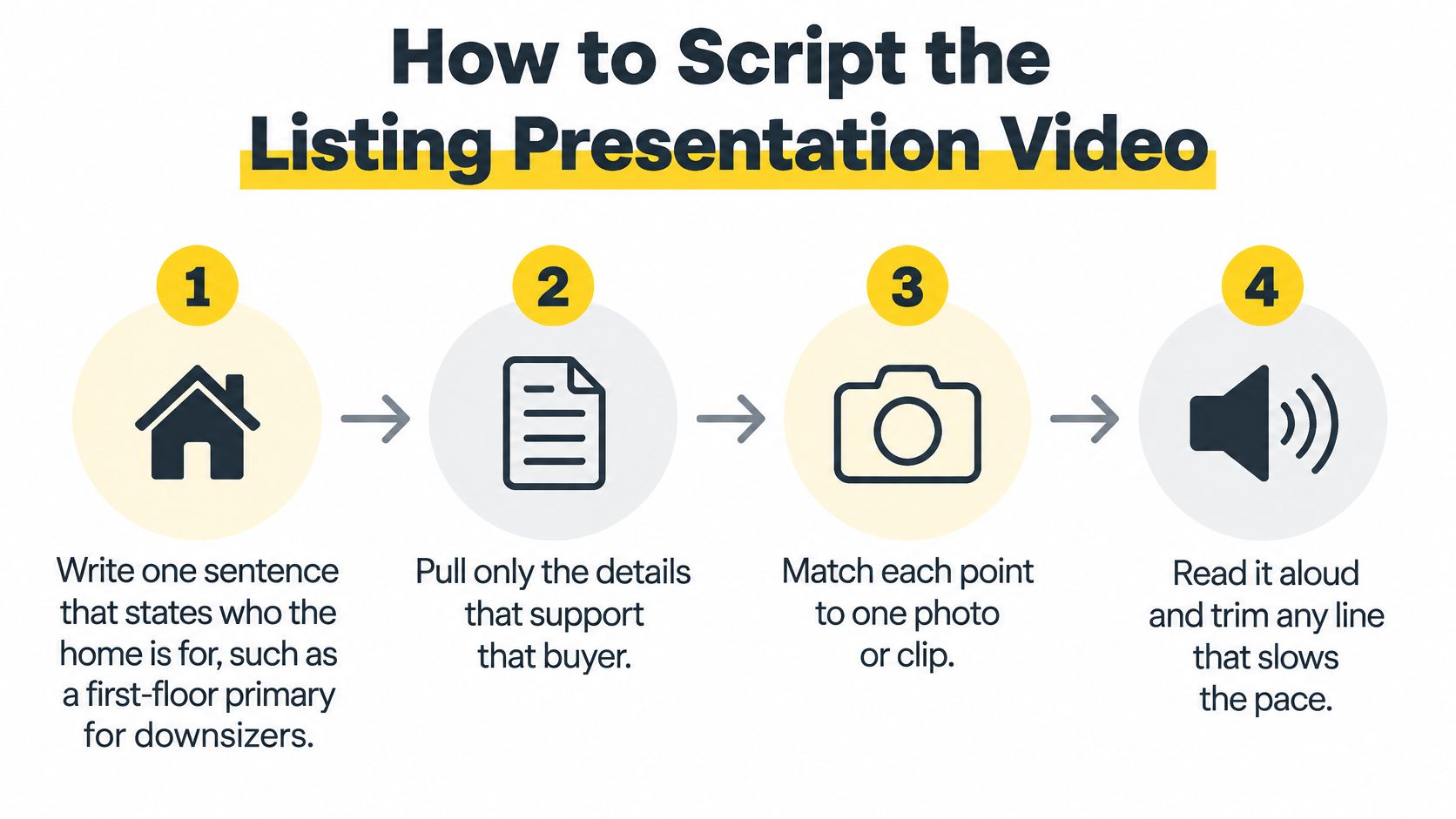
There's no need to call it luxurious. Likewise, move-in ready is a condition claim, not a harmless substitute for attractive.
The script should connect a documented feature to an image that helps someone understand it. Keep your broader seller pitch in the appointment materials; a realtor listing presentation needs pricing, service, and decision-making context that doesn't belong in a public property clip.
Make the script usable by an editor
- Write the practical premise. Identify the feature that shapes how someone could use the home, such as a main-level primary bedroom or a separate office. Write about the layout rather than prescribing who belongs there. Cut vague openings about an exceptional lifestyle.
- Pull documented facts. Use the MLS and seller disclosures to gather bedroom and bathroom counts, approximate size, parking, lot details, and a supported improvement. If the records disagree, resolve the discrepancy before drafting. Cut any upgrade claim supported only by an assumption about how new something looks.
- Assign each statement to a picture. Put the kitchen claim beside the kitchen image and the parking detail beside a frame that shows access. A statement without a useful visual may belong on the property page instead. Cut narration that keeps discussing the yard after the video has moved into a bathroom.
- Draft short text cards. Give each card a single purpose, such as identifying a room or stating a feature. Use high contrast and leave breathing room around the words. Cut strings of adjectives that compete with the photograph.
- Read the voiceover aloud. Use a calm delivery that leaves space for viewers to inspect the room. If you have to rush, remove words rather than speeding up the recording. Cut ceremonial phrases such as an invitation to discover an opportunity.
- Put the request at the end. The public version should ask for a showing; the seller-facing explanation can ask for approval of the marketing plan. Don't interrupt the property sequence with competing requests to follow, subscribe, call, and download.
- Separate documentation from judgment. Mark factual statements in the working script and identify opinion separately. Remove anything that sounds like a promise about sale price, buyer competition, or time on market.
Replace adjectives with visible proof
Say you're scripting a hypothetical ranch with a documented single-level layout and an updated kitchen. The opening can explain that the living areas and bedrooms share the same level, then let the kitchen photograph support the next statement.There's no need to call it luxurious. Likewise, move-in ready is a condition claim, not a harmless substitute for attractive.
Script test: If the photograph doesn't help a viewer understand the sentence, change the picture or cut the sentence.Hand the editor a compact script sheet containing the scene name, image filename, on-screen text, narration, and any disclosure. Keep pronunciation notes and supporting records outside the public copy, but available to whoever approves the finished file.
Produce the Cut from the Photos You Have
Bad photography doesn't become accurate or useful because it moves. Fix the source images before spending time on transitions, music, or presenter clips.
NAR's 2025 buyer research reports that 83% of internet-using buyers considered listing photos “very useful,” compared with 29% for videos, as summarized in its buyer research and generational reporting. That's a reason to protect the photo set, not treat it as disposable material for an effect.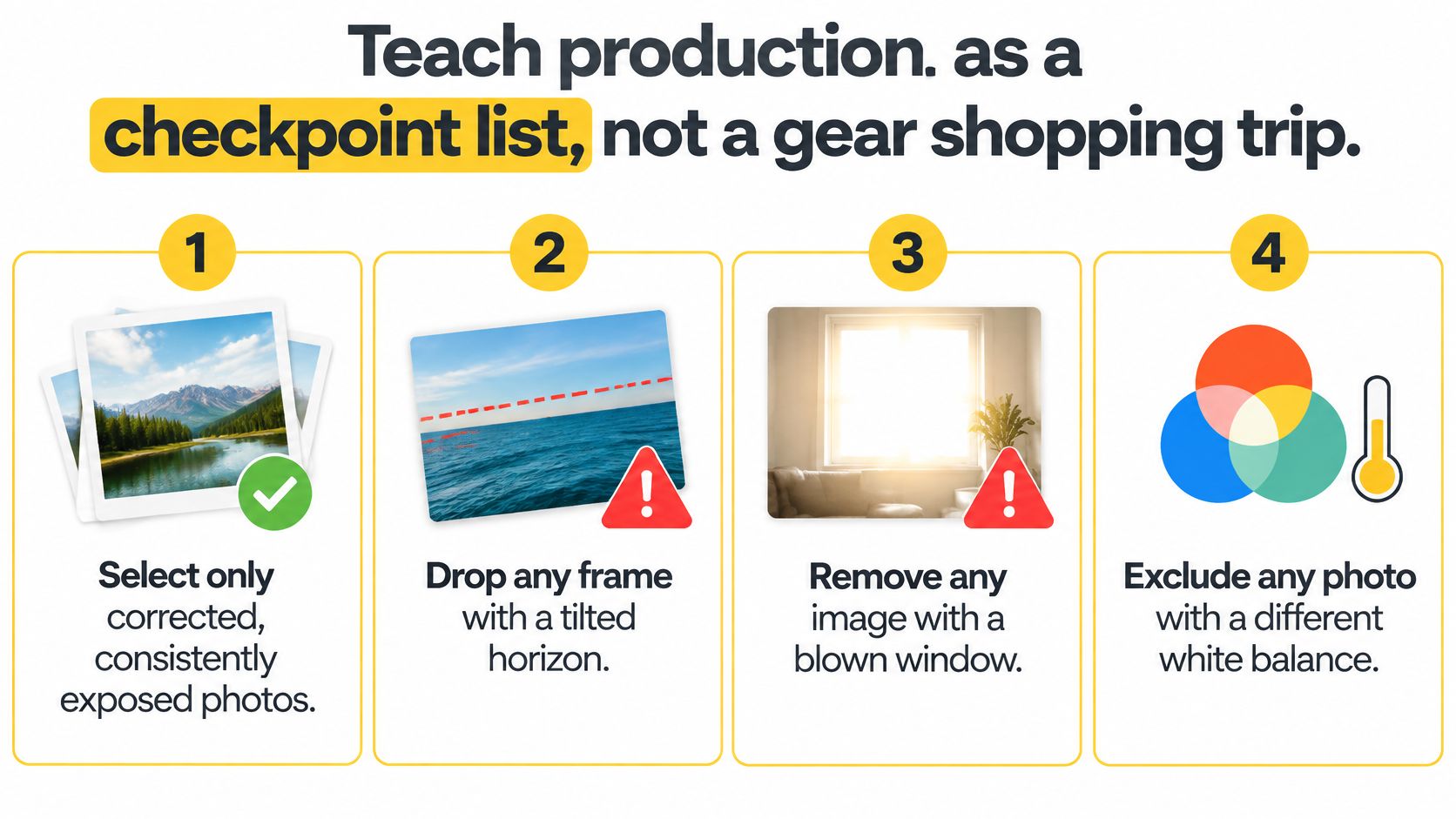 Work through the production checks in order:
Keep a revision log that records changed images, corrected wording, and approval status. No publishing until another person has checked the rendered claims against the listing, including details that changed after the first draft.
NAR's 2025 buyer research reports that 83% of internet-using buyers considered listing photos “very useful,” compared with 29% for videos, as summarized in its buyer research and generational reporting. That's a reason to protect the photo set, not treat it as disposable material for an effect.
Check the source images before rendering
Use the photography checkpoint before assembling the timeline.Work through the production checks in order:- Select consistent photographs. Correct exposure and white balance without changing the property's condition. Reject tilted horizons, unreadable windows, and color shifts that make adjoining rooms look unrelated. Confirm you have permission to reuse the photographs in video.
- Assemble the actual route. Use doorways and recurring architectural details to maintain orientation. Don't rearrange rooms because alternating bright and dark photographs feels more dramatic. Where the connection isn't visible, use a truthful room label instead of implying continuity.
- Apply restrained movement. Pan toward a useful detail or zoom gently enough to preserve room context. Keep walls, windows, and fixtures stable. A fabricated aerial move needs a label identifying it as animation, not a suggestion that a drone documented the property.
- Place facts deliberately. Put room labels and material details on screen where the relevant image appears. Don't let narration guess at flooring material, appliance age, or renovation scope.
- Mix audio for comprehension. Lower the music beneath speech and listen through ordinary phone speakers. Use rights-cleared tracks and retain the license information with the project. A song being available online doesn't establish permission for property marketing.
- Limit the presenter introduction. A seller-facing introduction can explain the purpose of the sample, then return attention to the property. Don't make buyers sit through an agent biography before seeing the rooms.
- Audit the finished claims. Compare both the narration and overlays with the current listing record. Check the rendered file, not just the script, because an old text layer can survive an otherwise correct revision.
Don't let effects conceal missing information
An automated crop may remove the doorway that explains the room. A slow zoom may end before viewers see an important feature. Review the beginning and end of every movement, especially when the original photograph is wide.A good motion pass helps someone inspect a photograph. It doesn't pretend the photograph contains another camera angle.Don't attach unsupported inquiry multipliers to the finished asset. A polished export isn't evidence that video caused more buyer demand.
Keep a revision log that records changed images, corrected wording, and approval status. No publishing until another person has checked the rendered claims against the listing, including details that changed after the first draft.
Branding and Disclosure Without Fake Footage
A cinematic effect can make a listing less trustworthy when viewers can't tell what was photographed and what was generated. Branding should establish a consistent identity. It shouldn't make a visualization look like documentation.
Start by separating decorative editing from material alteration. Captions, music, a logo treatment, and gentle movement across an unchanged photograph generally serve presentation; virtual furniture, reconstructed rooms, invented scenery, and generated camera travel can change what viewers believe exists.
A clear editing workflow makes those decisions easier to review.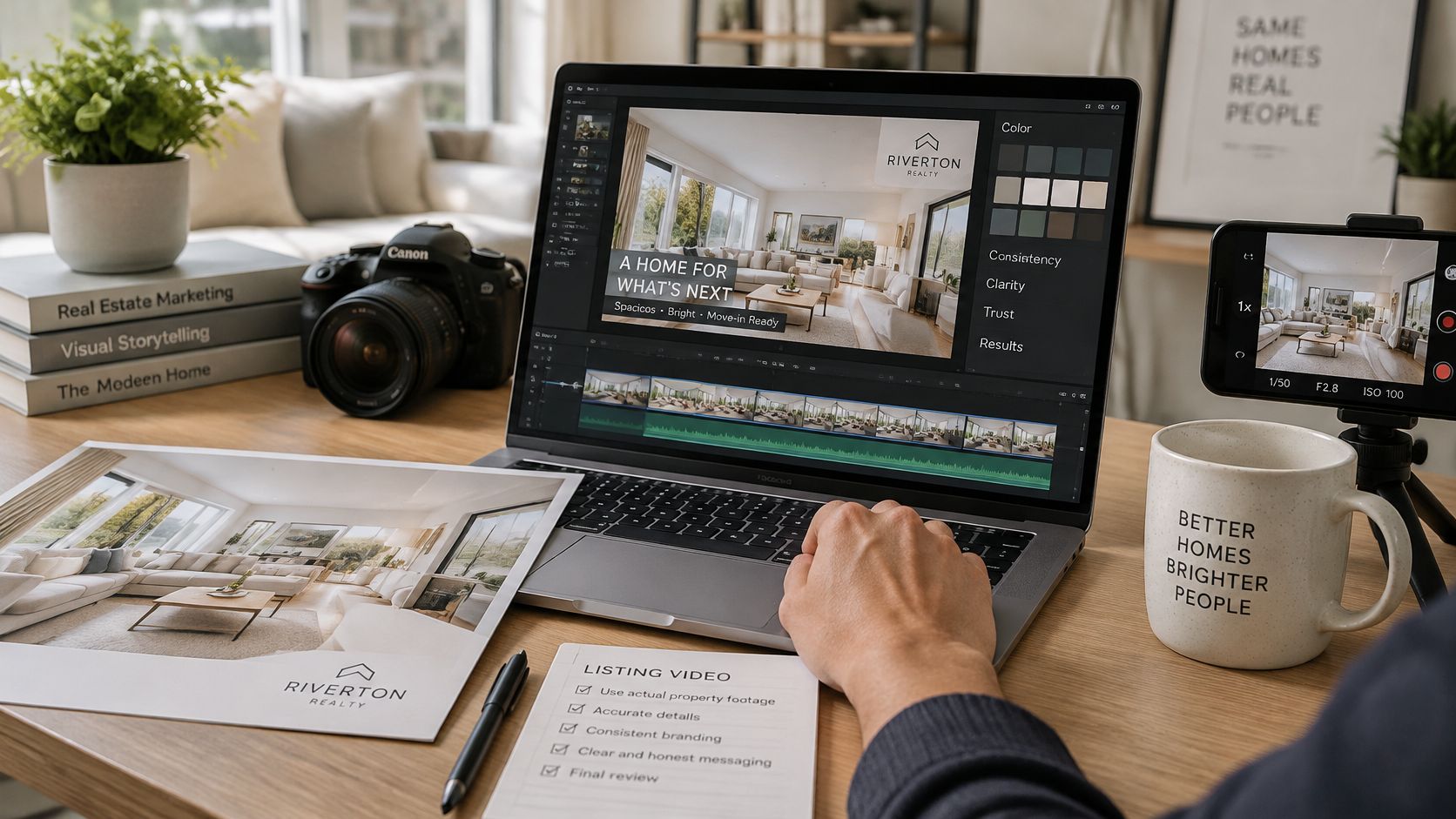
Use complementary disclosure placements:
Use consistent typography, logo placement, and end-card styling across listings. A written set of branding guidelines helps an editor preserve that consistency without improvising new treatments for every home. Label the file appropriately before the seller receives it, and keep sale-timeline promises off the end card.
Start by separating decorative editing from material alteration. Captions, music, a logo treatment, and gentle movement across an unchanged photograph generally serve presentation; virtual furniture, reconstructed rooms, invented scenery, and generated camera travel can change what viewers believe exists.
Classify the effect before approving it
The distinction isn't just whether software used AI. Ask what the viewer is likely to infer from the result.- Presentation-only editing. A crop, restrained exposure correction, or room label can make an existing photograph easier to understand. Review it anyway: aggressive brightening can conceal condition, and a crop can omit something important.
- Changed property appearance. Virtual staging, removed objects, altered finishes, or rebuilt architectural details require closer review and an appropriate alteration disclosure. Don't treat a missing defect as a decorative improvement.
- Simulated capture. An aerial-looking reveal or generated transition between rooms can imply an actual camera journey. Identify the simulation even when the underlying source photograph is genuine.
A clear editing workflow makes those decisions easier to review.
Put the explanation where viewers encounter it
For photo animation, a useful plain-language line is Photo-based motion, not a filmed walkthrough. For virtual staging or generated aerial effects, identify the specific alteration rather than hiding it beneath a broad technology label.Use complementary disclosure placements:
- Inside the video. Make the explanation readable and associate it with the affected scene when needed.
- In the social caption. Repeat the relevant distinction so someone sharing the post has useful context.
- In permitted MLS media notes. Add the required explanation and access to originals through the board's approved process.
More cinematic is a trust loss if the viewer can't tell documentation from visualization.Keep original photographs, edited versions, the script, and the export date together. Record which source image produced each altered scene so the brokerage can explain the changes without reconstructing the project.
Use consistent typography, logo placement, and end-card styling across listings. A written set of branding guidelines helps an editor preserve that consistency without improvising new treatments for every home. Label the file appropriately before the seller receives it, and keep sale-timeline promises off the end card.
Export Sizes and the Pre-Publish Check
Build for the placement where the buyer will watch, then inspect every adaptation separately. A vertical file isn't just a horizontal video with its sides removed.
Google Ads' video guidance recommends 9:16 at 1080×1920 pixels for Shorts, identifies five seconds as a minimum for certain video assets, and notes that videos under ten seconds are ineligible for YouTube in-stream serving. Those are placement constraints, not evidence that an extremely short logo animation makes a useful listing video.
Export specs by placement
Keep the photograph order and factual overlays consistent across versions. Reposition text for the frame rather than letting automatic reframing decide where it lands.
Compose captions within a central safe area, then test them in the destination app. Platform controls and caption expansions can cover text that looked perfectly clear in the editor.
For resolution terminology and delivery preparation, keep an HD specifications reference with the team's export instructions. If you're delegating the work, Moonb's guide to video editing services can help you evaluate outside editing support, but your handoff still needs an explicit factual-review owner.
Then run the release check:
When a post underperforms, change a single variable per test: opening image, thumbnail, caption treatment, or duration. If everything changes together, you won't know which edit helped. Record the placement and audience alongside the result rather than comparing unlike uploads.
Google Ads' video guidance recommends 9:16 at 1080×1920 pixels for Shorts, identifies five seconds as a minimum for certain video assets, and notes that videos under ten seconds are ineligible for YouTube in-stream serving. Those are placement constraints, not evidence that an extremely short logo animation makes a useful listing video.
Prepare the placement files
Use these export settings as the delivery checklist, with the Google duration restrictions applied only to the relevant advertising placements.Export specs by placement
| Placement | Aspect | Pixels | Use | Watch-out |
|---|---|---|---|---|
| Reels, TikTok, Shorts | 9:16 | 1080×1920 | Public mobile feed | Text under interface buttons |
| Listing page and YouTube | 16:9 | 1920×1080 | Property site and seller meeting | Vertical crop that cuts the house |
| Square feed | 1:1 | 1080×1080 | Feeds that still prefer square | Amenities cut off at the sides |
| YouTube in-stream | 16:9 | 1920×1080 | Paid or in-stream placements | Under 10 seconds is ineligible |
| Some Google video assets | 9:16 or 16:9 | 1080×1920 or 1920×1080 | Ads that require a minimum duration | Shorter than 5 seconds is rejected |
Compose captions within a central safe area, then test them in the destination app. Platform controls and caption expansions can cover text that looked perfectly clear in the editor.
For resolution terminology and delivery preparation, keep an HD specifications reference with the team's export instructions. If you're delegating the work, Moonb's guide to video editing services can help you evaluate outside editing support, but your handoff still needs an explicit factual-review owner.
Review the actual file on a phone
Watch the opening and closing without pausing. The opening should establish the property immediately; the ending should remain visible long enough to understand the next step.Then run the release check:
- Resolution and aspect ratio. Confirm the exported file matches the intended placement and hasn't been stretched.
- Caption legibility. Check contrast over bright windows, pale walls, and detailed backgrounds.
- Audio balance and rights. Confirm speech remains intelligible and the music license covers the use.
- Listing wording. Inspect the rendered address, room labels, measurements, and contact details.
- Disclosure visibility. Make sure required explanations survived the reframe and export.
- Crop integrity. Check that the frame hasn't concealed a defect, removed a relevant feature, or distorted room proportions.
When a post underperforms, change a single variable per test: opening image, thumbnail, caption treatment, or duration. If everything changes together, you won't know which edit helped. Record the placement and audience alongside the result rather than comparing unlike uploads.
Send the Seller Cut Before You Post
Take the listing already in your pipeline and prepare the seller review copy before scheduling public distribution. Use the current approved photo set, read the narration aloud, and remove any sentence that forces an unnatural delivery.
Export the horizontal review file first. During the appointment, play the seller-facing explanation and the public property cut as separate assets, then identify the documented claims and any simulated motion.
Our workflow at VideoTour.ai is to import a link or photos, make it yours, then share your listing. We turn existing listing photographs into consistent, ready-to-post videos in minutes without another shoot or editing timeline, and an unbranded version can be prepared when an MLS requires it.
After approval, a social media scheduler such as iHatePosting can help organize distribution. Keep the approved caption, disclosure, and matching file together so scheduling doesn't separate them.
Metrics to track after posting
Showing requests are the outcome worth watching, with qualified inquiries helping explain whether the video attracted suitable interest. Use completion and watch time to diagnose the edit, not as substitutes for buyer action.
Compare results with photo-only listings over the same period, while noting differences in price, property, and promotion. That comparison supports decisions; it doesn't isolate video's causal effect. Don't post until the seller has seen the same facts the public will see.
VideoTour.ai turns your existing listing photos into ready-to-share videos with motion, captions, music, and branding. Visit VideoTour.ai to build your next listing presentation video, review the facts and disclosures, and send the seller an approval copy before publishing.
Export the horizontal review file first. During the appointment, play the seller-facing explanation and the public property cut as separate assets, then identify the documented claims and any simulated motion.
Ask for factual approval
Ask the seller to review room descriptions, improvements, omissions, and wording, not just choose background music. Resolve corrections against the listing documents, and prepare an unbranded file when the MLS requires it.Our workflow at VideoTour.ai is to import a link or photos, make it yours, then share your listing. We turn existing listing photographs into consistent, ready-to-post videos in minutes without another shoot or editing timeline, and an unbranded version can be prepared when an MLS requires it.
After approval, a social media scheduler such as iHatePosting can help organize distribution. Keep the approved caption, disclosure, and matching file together so scheduling doesn't separate them.
Metrics to track after posting
| Metric | What it shows | Source |
|---|---|---|
| Completion rate | Share of viewers who reach the final card | Platform analytics |
| Average watch time | How long viewers stay per play | Platform analytics |
| Qualified inquiries | Questions that name the home plus a timeline or budget | CRM or inbox log |
| Saves | Viewers who keep the listing for later | Platform analytics |
| Showing requests | Appointments booked after viewing | CRM log |
Compare results with photo-only listings over the same period, while noting differences in price, property, and promotion. That comparison supports decisions; it doesn't isolate video's causal effect. Don't post until the seller has seen the same facts the public will see.
VideoTour.ai turns your existing listing photos into ready-to-share videos with motion, captions, music, and branding. Visit VideoTour.ai to build your next listing presentation video, review the facts and disclosures, and send the seller an approval copy before publishing.