
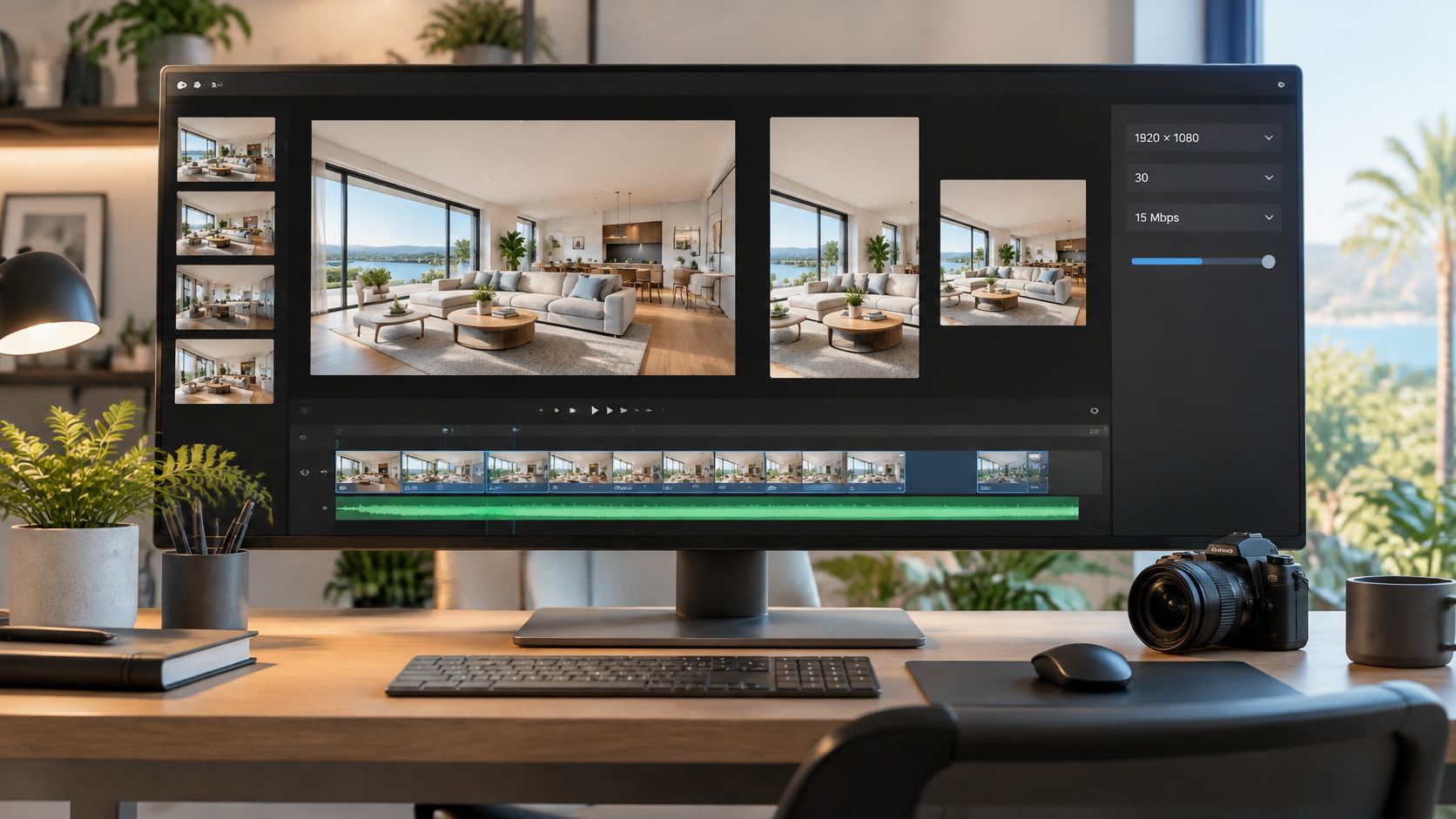
When can a 1080p listing video look worse than a 720p version? When the export preserves the larger pixel grid but doesn't give the picture enough data to keep its detail. That's the gap in treating “Full HD” as a quality guarantee.
Useful HD specs describe a repeatable delivery file, not just a resolution badge. For property tours, the practical question is which combination keeps rooms clear, motion steady, and listing text readable after an MLS upload or social platform re-encode. Start with a high-quality master, then choose delivery files for the places buyers will watch.
Useful HD specs describe a repeatable delivery file, not just a resolution badge. For property tours, the practical question is which combination keeps rooms clear, motion steady, and listing text readable after an MLS upload or social platform re-encode. Start with a high-quality master, then choose delivery files for the places buyers will watch.
Summary
Create an AI Video Tours from PhotosTry it For Free

What HD Specs Actually Measure
High definition measures image detail relative to standard-definition television. The principal formats are 1280 × 720, commonly called 720p, and 1920 × 1080, called 1080i or 1080p, depending on scanning. A 720p frame contains 921,600 pixels, while a 1080p frame contains 2,073,600 pixels, or 2.25 times as many pixels per frame. Older television systems used approximately 480 effective vertical lines for NTSC and 576 for PAL, making HD a substantial increase in spatial resolution, as detailed in Scan's explanation of HDTV formats.
Those dimensions describe the picture grid. They don't tell you whether the original photograph was sharp, how heavily the export was compressed, or what happened when a platform processed the upload.
For a listing agent, that distinction matters. A larger grid gives cabinetry, exterior textures, window frames, and signage more room for detail, but it can't guarantee that the delivered file retains that detail.
Read the resolution label as a starting description, not a verdict:
The smaller tier remains genuine HD. It can be a deliberate delivery choice for mobile viewing or bandwidth-conscious sharing, rather than evidence that someone selected an inferior export by mistake.
Those dimensions describe the picture grid. They don't tell you whether the original photograph was sharp, how heavily the export was compressed, or what happened when a platform processed the upload.
For a listing agent, that distinction matters. A larger grid gives cabinetry, exterior textures, window frames, and signage more room for detail, but it can't guarantee that the delivered file retains that detail.
What the letters and frame shape mean
The p means progressive scanning, which displays the complete frame sequentially. The i means interlaced scanning: a 1080i picture transmits its lines as alternating fields rather than presenting the complete frame together. HD also established the widescreen shape associated with modern television, replacing the squarer shape of older systems.Read the resolution label as a starting description, not a verdict:
- Pixel dimensions tell you how many picture samples the frame contains.
- Scanning tells you how the picture updates.
- Aspect ratio tells you the intended frame shape.
- Encoding settings determine how much of the available detail survives delivery.
Why both HD tiers still have a job
For property interiors and larger displays, the higher-resolution tier offers more scope to preserve fine architectural information. It's a sensible master format when the source photographs support it.The smaller tier remains genuine HD. It can be a deliberate delivery choice for mobile viewing or bandwidth-conscious sharing, rather than evidence that someone selected an inferior export by mistake.
Practical rule: Choose resolution for the detail you need, then judge quality in the delivered picture. Don't approve a file just because its export button says Full HD.A useful specification therefore needs more than width and height. It needs the settings that explain how the picture will be rendered, compressed, packaged, and played.
HD Spec Categories for Fast Lookup
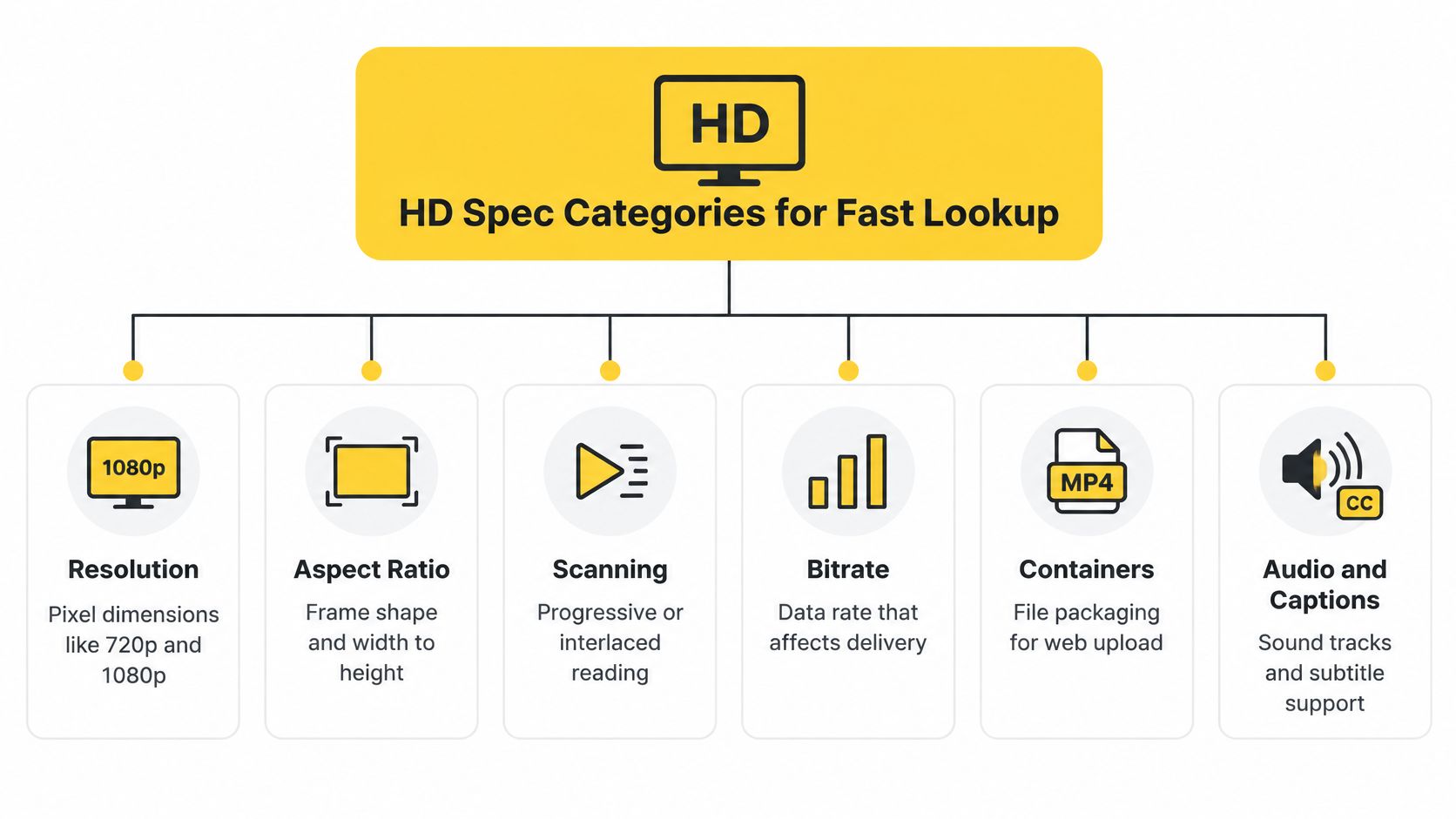
Ask two people whether a listing video is “HD” and you can get two different answers. One checks the resolution label; the other checks whether the picture survived delivery. A complete export specification settles that disagreement by splitting the question into separate fields, each tied to a different failure: a stretched room points to aspect ratio, smeared lettering to encoding.
The fields sort into a short working reference:
HDTV broadcasting began in Japan in 1989 with the MUSE/Hi-Vision system. Digital 720p and 1080i delivery followed in the late 1990s and early 2000s, progressive consumer delivery matured afterward, and adoption spread worldwide by the late 2000s, according to that same history. The lasting result is a shared vocabulary: a category written on one side of a handoff means the same thing on the other.
The fields also differ in consequence. Resolution names the available detail, while bitrate and codec decide how much of that detail survives each megabyte. A low-bitrate 1080p file can look worse than a well-encoded 720p file, which is why the master export and the platform delivery file are separate choices: the master keeps a generous data allowance for archiving and future crops, and the delivery file is sized for where it will play.
Destination research is a different document. A team weighing a new channel might consult Podmuse's guide to promoting video podcasts on Spotify for platform fit, while the spec sheet stays attached to the edit itself.
The distinction is useful: content planning decides what to publish; HD specs document what to deliver.
The fields sort into a short working reference:
| Category | Question it answers |
|---|---|
| Resolution and scanning | How many samples the frame grid holds, and whether complete frames or alternating fields are delivered |
| Aspect ratio | The relationship between frame width and height |
| Frame rate | How frequently frames appear during playback |
| Color | How the project represents and exports its colors |
| Bitrate and codec | The data allowance and the compression method that spends it |
| Container, audio and captions | The file package and how timed text travels with it |
Why these fields belong together
The categories share a root in a common broadcast standard. ITU-R Recommendation BT.709, first published in 1990, set out HDTV production and international program-exchange parameters covering color primaries, transfer characteristics, and luminance and chrominance conversion. Its 1993 revision added the 1080-line foundation: 1,920 samples per active line and frame rates of 24, 25, 30, 50, and 60 frames per second, accommodating cinema timing and different broadcast regions, as described in the IEEE's HDTV technical overview.HDTV broadcasting began in Japan in 1989 with the MUSE/Hi-Vision system. Digital 720p and 1080i delivery followed in the late 1990s and early 2000s, progressive consumer delivery matured afterward, and adoption spread worldwide by the late 2000s, according to that same history. The lasting result is a shared vocabulary: a category written on one side of a handoff means the same thing on the other.
The fields also differ in consequence. Resolution names the available detail, while bitrate and codec decide how much of that detail survives each megabyte. A low-bitrate 1080p file can look worse than a well-encoded 720p file, which is why the master export and the platform delivery file are separate choices: the master keeps a generous data allowance for archiving and future crops, and the delivery file is sized for where it will play.
Turn the categories into a handoff
“Please send the HD version” forces an editor to guess. A spec request names the pieces instead: picture format, timing, color settings, encoding profile, and caption treatment. With those fields written down, anyone can reproduce the file without guessing which export preset was used.Destination research is a different document. A team weighing a new channel might consult Podmuse's guide to promoting video podcasts on Spotify for platform fit, while the spec sheet stays attached to the edit itself.
The distinction is useful: content planning decides what to publish; HD specs document what to deliver.
Resolution Aspect Ratio and Scanning
A room can have the correct resolution and still look wrong if someone changes its proportions. It can also look clean when paused but develop distracting edges during motion. Resolution, aspect ratio, and scanning need to be checked together because they describe different parts of the picture.
The familiar HD grids establish the available spatial detail. Fine cabinetry lines, window mullions, siding, and small listing text give you useful places to compare the higher-resolution and lower-resolution exports.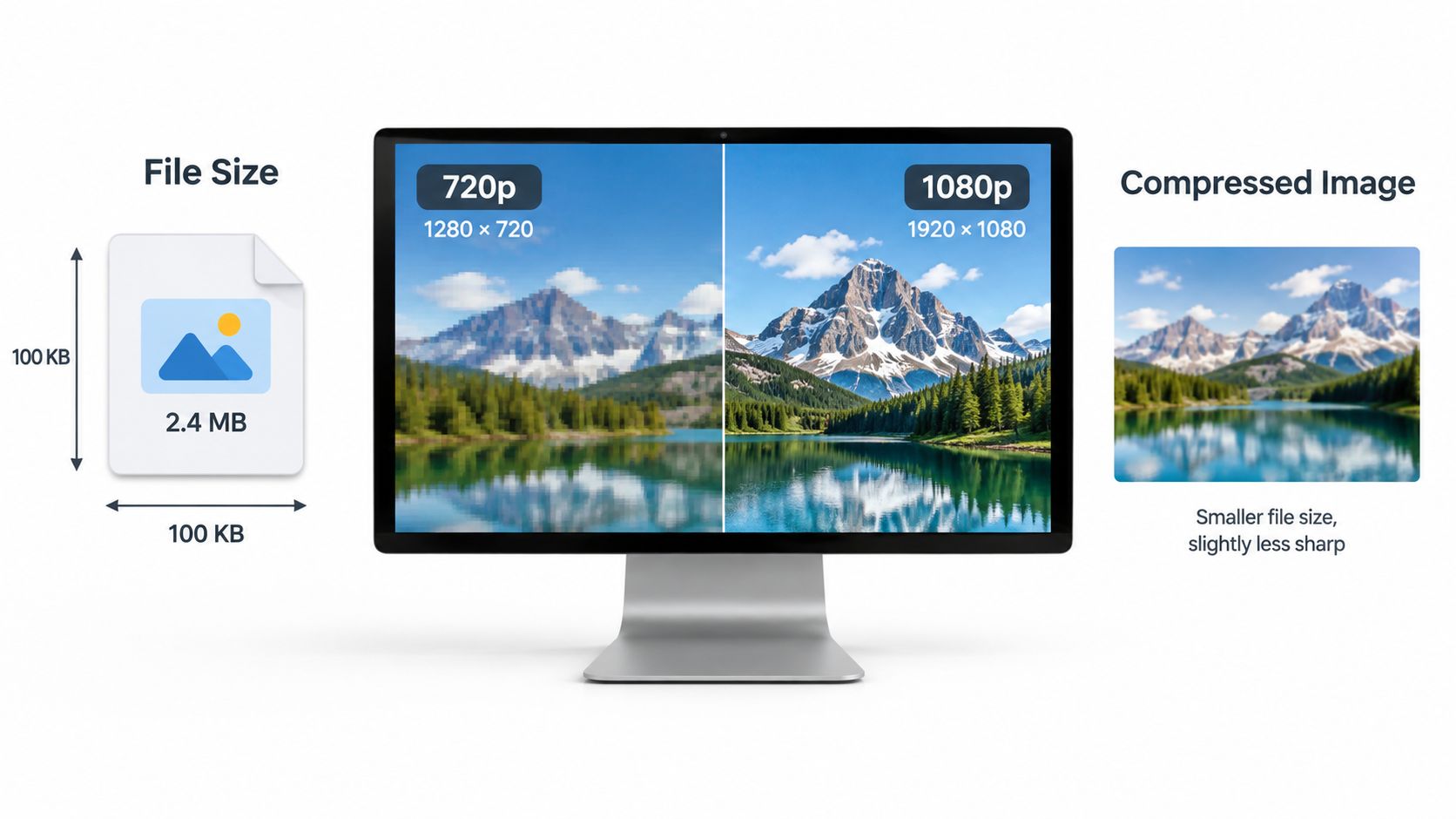 Treat a comparison image as an illustration of available detail, not proof that every larger file will look sharper. The actual result still depends on source quality and encoding.
A vertical social cut isn't another name for HD. It's a different composition that needs a deliberate crop or reframe.
For practical framing decisions, the publisher's video aspect ratio guide provides a relevant companion reference. Creators working with music-led edits can also find the right music video format through AIMVG, treating frame shape as a separate decision from resolution.
For a square derivative, inspect the frame again. The crop may need a different center so it doesn't cut through an important fixture.
The acceptance test is visual: rooms retain their proportions, the intended subject stays visible, and moving edges remain clean.
The familiar HD grids establish the available spatial detail. Fine cabinetry lines, window mullions, siding, and small listing text give you useful places to compare the higher-resolution and lower-resolution exports.
Treat a comparison image as an illustration of available detail, not proof that every larger file will look sharper. The actual result still depends on source quality and encoding.Preserve room proportions
Square pixels mean each picture sample has equal horizontal and vertical proportions. Aspect ratio describes the shape of the complete frame. In a correctly configured widescreen project, those settings work together so a doorway doesn't look unnaturally narrow or a living room unusually wide.A vertical social cut isn't another name for HD. It's a different composition that needs a deliberate crop or reframe.
For practical framing decisions, the publisher's video aspect ratio guide provides a relevant companion reference. Creators working with music-led edits can also find the right music video format through AIMVG, treating frame shape as a separate decision from resolution.
Reframe the subject rather than squeeze the image
Consider a horizontal master showing a kitchen island, pendant lights, and a caption near the edge. When making a vertical derivative, keep the island and essential room features in view, then reposition the caption inside the new composition.For a square derivative, inspect the frame again. The crop may need a different center so it doesn't cut through an important fixture.
- Keep proportions intact. Don't stretch the horizontal image to fill a tall canvas.
- Reposition text. A caption that fits the master may sit outside the derivative.
- Review the whole move. A crop can look correct at the start of a pan and lose the subject before the shot ends.
The acceptance test is visual: rooms retain their proportions, the intended subject stays visible, and moving edges remain clean.
Frame Rate Color and the HD Master
The master file is the high-quality reference from which you make destination-specific versions. It should preserve the approved picture, timing, color, and graphics before you make lighter or differently framed delivery files.
Write a master specification before rendering. For a standards-aligned project, use the established widescreen HD picture format with square pixels, progressive scanning, and BT.709 for standard dynamic range, following the principles in YouTube's official upload encoding recommendations.
The important operational decision is consistency. Keep the authored frame rate through the rendering pipeline unless the destination requires a change.
Changing rates unnecessarily can introduce duplicated frames, uneven cadence, or judder. A slow push toward a fireplace can reveal that problem even when the original photograph is completely sharp.
Keep logos, agent names, and captions inside title-safe margins. The goal is to leave comfortable space around important graphics rather than relying on every player to show the extreme edges exactly as expected.
A practical project record should include the approved resolution, pixel shape, aspect ratio, frame rate, scan type, color space, and graphics treatment. Add the encoding profile when you create the delivery file. That written record lets another editor reproduce the result and helps you identify which setting changed when a revised export looks different.
Write a master specification before rendering. For a standards-aligned project, use the established widescreen HD picture format with square pixels, progressive scanning, and BT.709 for standard dynamic range, following the principles in YouTube's official upload encoding recommendations.
Choose timing deliberately
For photo-based property tours, progressive 25 or 30 fps is a practical baseline. Supported progressive choices also include 24, 50, and 60 fps, alongside 1000/1001 variants such as 23.976, 29.97, and 59.94 fps, within the standards-aligned workflow described by the encoding guidance above.The important operational decision is consistency. Keep the authored frame rate through the rendering pipeline unless the destination requires a change.
Changing rates unnecessarily can introduce duplicated frames, uneven cadence, or judder. A slow push toward a fireplace can reveal that problem even when the original photograph is completely sharp.
- Set the project rate before approving motion. Review pans and zooms at the rate you intend to export.
- Preserve fractional rates when applicable. Don't substitute a nearby whole-number setting casually.
- Review playback, not just still frames. Timing defects may disappear when the player is paused.
Keep color and graphics predictable
Use the same SDR color-management approach from image preparation through export. A repeatable workflow is easier to inspect than a collection of files whose color settings change between stages.Keep logos, agent names, and captions inside title-safe margins. The goal is to leave comfortable space around important graphics rather than relying on every player to show the extreme edges exactly as expected.
The master is the reference you protect. A social crop is a version you adapt.Render the approved progressive master, then make derivative compositions deliberately. Don't flatten the horizontal composition into a tall frame and assume the room still reads correctly.
A practical project record should include the approved resolution, pixel shape, aspect ratio, frame rate, scan type, color space, and graphics treatment. Add the encoding profile when you create the delivery file. That written record lets another editor reproduce the result and helps you identify which setting changed when a revised export looks different.
Bitrate and Codec Quality per Megabyte
A 1080p export squeezed into too little data can look worse on a phone than a well-encoded 720p file. Resolution says nothing about that on its own. Two other settings decide how much of the picture survives.
Bitrate is the amount of data allocated to the video over time. Codec is the method used to compress and reconstruct that video. Resolution describes how many pixels need representing; bitrate and codec determine how well the export represents them.
Common guidance places 1080p around 5–10 Mbps and 720p around 2.5–5 Mbps. Treat those as starting ranges, not quality guarantees. An unusually low-bitrate larger export can show blocking, banding, and blurred text, while a carefully encoded smaller export can stay cleaner on a phone, as discussed in this social video specification guide.
H.264 is a sensible compatibility default. Newer codecs can reduce file size, but platform support for them is less consistent. A smaller export helps nobody if the receiving platform handles it poorly.
The web reference targets below use the official YouTube encoding guidance cited in the master-settings discussion. They are upload references; individual MLS and social platforms set their own rules.
For a photo tour, a variable-bitrate export around the relevant web reference is a practical starting point. Keep the high-quality master separate rather than treating that upload target as an archival ceiling.
Watch the address lettering after the social re-encode. Then inspect window views, fine architectural edges, and smooth wall gradients during the pan.
Bitrate is the amount of data allocated to the video over time. Codec is the method used to compress and reconstruct that video. Resolution describes how many pixels need representing; bitrate and codec determine how well the export represents them.
Common guidance places 1080p around 5–10 Mbps and 720p around 2.5–5 Mbps. Treat those as starting ranges, not quality guarantees. An unusually low-bitrate larger export can show blocking, banding, and blurred text, while a carefully encoded smaller export can stay cleaner on a phone, as discussed in this social video specification guide.
Compare complete combinations
A useful comparison holds the source tour, codec, and frame rate steady. Change the resolution and data allowance deliberately, then inspect the versions after the destination has processed them.H.264 is a sensible compatibility default. Newer codecs can reduce file size, but platform support for them is less consistent. A smaller export helps nobody if the receiving platform handles it poorly.
The web reference targets below use the official YouTube encoding guidance cited in the master-settings discussion. They are upload references; individual MLS and social platforms set their own rules.
Matched HD Delivery Targets
| Delivery role | Resolution | Frame rate | Target bitrate | Why it is used |
|---|---|---|---|---|
| Retained master | Full HD | Match the project | N/A (archival master) | Preserves detail rather than forcing a small file, and provides the approved source for later derivatives |
| Standard-rate web delivery | 1080p | 24–30 fps | About 8 Mbps | Official upload reference for standard-rate HD |
| Higher-rate web delivery | 1080p | 48–60 fps | About 12 Mbps | Official upload reference for higher-rate HD |
| Bandwidth-conscious derivative | 720p | Match the project | About 2.5–5 Mbps | Reduces the delivery burden when detail remains acceptable |
| Constrained larger export | 1080p | Match the comparison file | Well below the 8 Mbps web reference | A test candidate showing that a larger label does not guarantee a better result |
Judge what survives the upload
Take the same H.264 tour at the same authored rate. Compare a healthy larger export, an unusually constrained larger export, and a well-encoded smaller version.Watch the address lettering after the social re-encode. Then inspect window views, fine architectural edges, and smooth wall gradients during the pan.
- Blocking breaks areas into visible chunks.
- Banding turns smooth tonal changes into visible steps.
- Text blur makes listing information harder to read.
Delivery decision: Keep the version that preserves useful listing information after upload, not the version with the most impressive filename.
Containers Audio and Caption Specs
The container is the file package, not the compression method. For a broadly compatible web upload, MP4 packages the selected video and audio tracks. H.264 describes the video encoding inside that package.
Use the progressive, source-matched, SDR workflow established in the master specification. Apply the appropriate bitrate from the delivery comparison rather than reopening the resolution decision every time you choose a filename.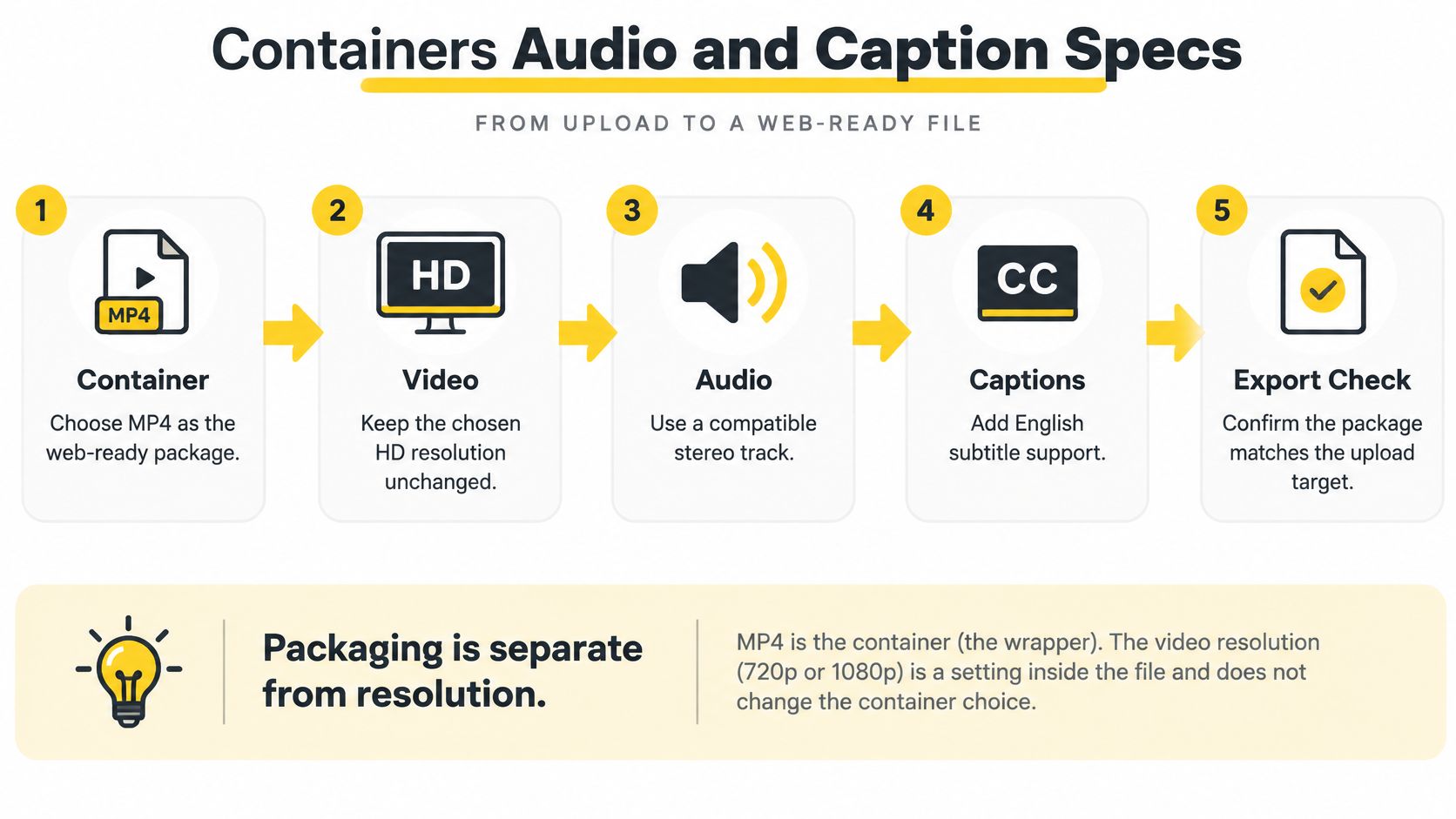
Listen to the rendered file, not only the editor preview. Confirm that the intended voice and music are present and that the correct revision was exported.
If a source is interlaced, deinterlace it before web delivery. The final package should contain the approved progressive picture rather than leave the player to resolve interlaced material.
The publisher's guide to choosing a video format is a useful workflow reference when selecting the final download package.
Don't confuse captions with every piece of text that appears in a property video. Captions convey speech and relevant sound; an address card, room label, or branded end screen may be a separate graphic decision.
Use the progressive, source-matched, SDR workflow established in the master specification. Apply the appropriate bitrate from the delivery comparison rather than reopening the resolution decision every time you choose a filename.
Package sound as deliberately as picture
The practical audio recipe is AAC-LC at 48 kHz, following the official encoding guidance already cited. Apply the same delivery check whether the soundtrack contains agent narration, generated voice, uploaded music, or a combination.Listen to the rendered file, not only the editor preview. Confirm that the intended voice and music are present and that the correct revision was exported.
If a source is interlaced, deinterlace it before web delivery. The final package should contain the approved progressive picture rather than leave the player to resolve interlaced material.
The publisher's guide to choosing a video format is a useful workflow reference when selecting the final download package.
Decide whether captions remain separate
WebVTT keeps timed text separate from the video pixels. Prefer it when the destination supports a sidecar caption track, because the text can remain available for accessibility, player styling, and alternate-language versions. The W3C's guidance on captions for media explains the role of captions and text alternatives in accessible playback.Don't confuse captions with every piece of text that appears in a property video. Captions convey speech and relevant sound; an address card, room label, or branded end screen may be a separate graphic decision.
- For a website or supported video player, retain captions as a separate track. Keep essential visual labels in the composition when viewers need them regardless of caption settings.
- For a social destination that can't reliably retain sidecar text, burn the essential caption content into the derivative and inspect its position.
- For revisions, preserve the editable text. Burned-in wording can't be restyled independently from the rendered picture.
Cross References for MLS and Social HD
A destination-specific export is a set of connected decisions. Changing frame shape affects crop and graphics placement; changing frame rate affects the appropriate data allowance; choosing burned-in captions affects what you can revise later.
Use those relationships to diagnose problems before changing unrelated settings.
MLS requirements should be checked locally. A watermark-free file and an MLS-oriented preset can help prepare the deliverable, but don't assume every listing service has identical branding, upload, or presentation rules.
For social versions, preserve the master and adjust the derivative. The publisher's guide to creating an Instagram Reel provides a destination-specific workflow reference. Teams preparing paid placements can also consult Rapid Ads' video export guidance for media buyers rather than assuming an organic post and an advertising placement accept the same presentation.
The publisher's platform turns uploaded property photographs into downloadable HD tours, with controls for script, image order, timing, layout, and aspect ratio. Its social and MLS-oriented presets combine photographic motion with captions, music, and branding, while multiple-ratio renders let users prepare separate destinations from the same project.
Use those relationships to diagnose problems before changing unrelated settings.
Match the destination to the right fields
| Destination | Start with | Inspect before publishing |
|---|---|---|
| MLS listing | Progressive widescreen HD delivery | Local listing rules, branding restrictions, safe graphics placement, and clean motion |
| Instagram, TikTok, and YouTube Shorts | A deliberately reframed social derivative | Subject position, readable text, caption behavior, and the processed upload |
| Property website | Higher-quality progressive delivery with supported sidecar captions | Playback, caption availability, room detail, and the intended soundtrack |
For social versions, preserve the master and adjust the derivative. The publisher's guide to creating an Instagram Reel provides a destination-specific workflow reference. Teams preparing paid placements can also consult Rapid Ads' video export guidance for media buyers rather than assuming an organic post and an advertising placement accept the same presentation.
Choose a workflow that supports corrections
A conventional editing project gives an editor direct control over these fields. A photo-to-video workflow is another option when the source material is an existing listing gallery rather than a camera shoot.The publisher's platform turns uploaded property photographs into downloadable HD tours, with controls for script, image order, timing, layout, and aspect ratio. Its social and MLS-oriented presets combine photographic motion with captions, music, and branding, while multiple-ratio renders let users prepare separate destinations from the same project.
- Change framing when the room is cropped poorly. Don't try to fix composition by increasing bitrate.
- Change encoding when uploaded detail breaks apart. Don't assume a new aspect ratio will solve compression artifacts.
- Change caption treatment when the destination drops timed text. Don't rebuild the entire tour unnecessarily.
HD Specs Quick Reference and Next Export
Keep a compact export sheet beside the project. Use the established settings below as references, then apply the receiving platform's actual requirements before rendering.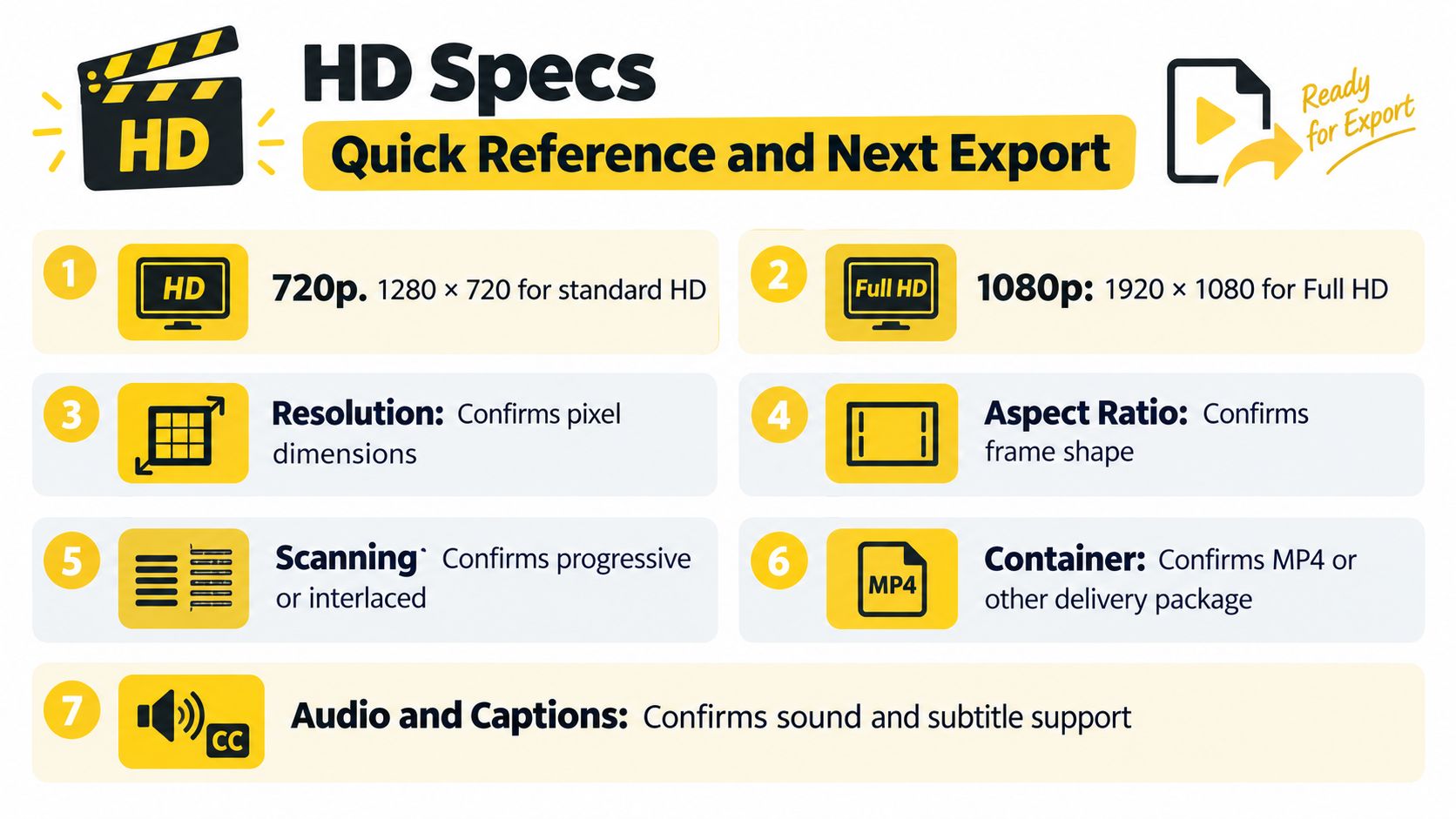
VideoTour.ai converts existing listing photos into editable HD property tours, with horizontal and social versions available from the same project. Visit VideoTour.ai to start with a free first video, preview the framing and captions, and choose a paid plan when you need watermark-free HD downloads.
Picture and master reference
The pixel counts and dimensions below refer to the HD format definitions; timing and color follow the master specification.- 720p: 1280 × 720, containing 921,600 pixels per frame.
- 1080p: 1920 × 1080, containing 2,073,600 pixels per frame.
- Scanning: Prefer progressive delivery and deinterlace interlaced sources before export.
- Frame shape: Keep the 16:9 master and deliberately reframe vertical or square derivatives.
- Photo-tour timing: Progressive 25 or 30 fps is the practical baseline. Preserve the approved project rate.
- Color: Use BT.709 for SDR throughout the workflow.
Delivery package reference
These settings refer to the matched delivery targets and container, audio, and caption package.- Video package: H.264 in MP4 for broad playback compatibility.
- Standard-rate web target: About 8 Mbps for 1080p at 24–30 fps.
- Higher-rate web target: About 12 Mbps for 1080p at 48–60 fps.
- Audio: AAC-LC at 48 kHz.
- Captions: WebVTT when supported; burn in essential text when the destination requires it.
Pass or fail before publication
Don't finish the check at the download stage. Upload the destination file, wait for processing, and review the version a buyer will see.- Text passes when the address and essential listing information remain readable.
- Motion passes when there's no combing and no judder introduced by an unnecessary rate conversion.
- Graphics pass when the logo and captions remain comfortably inside the intended frame.
- Composition passes when important room features stay visible throughout each move.
- File management passes when the social derivative is separate from the retained master.
VideoTour.ai converts existing listing photos into editable HD property tours, with horizontal and social versions available from the same project. Visit VideoTour.ai to start with a free first video, preview the framing and captions, and choose a paid plan when you need watermark-free HD downloads.