

You're probably here because you've already seen the easy version. Upload a photo, paste a script, pick a voice, click generate. A few minutes later, you get something that looks surprisingly good in a product demo and noticeably worse when you try to publish it.
That gap is the subject.
If you want to learn how to make an AI avatar that holds up in a campaign, the hard part usually isn't the button clicks. It's the decisions before generation: what kind of avatar you need, whether you have the rights to use the face and voice, how strong your source material is, and how much cleanup you'll need once the avatar starts talking.
I've found the same pattern over and over. Quick avatars are easy to make. Usable avatars are planned. The difference shows up in lip sync, eye behavior, pacing, multilingual delivery, and whether the final clip still feels credible after the third or fourth watch.
That gap is the subject.
If you want to learn how to make an AI avatar that holds up in a campaign, the hard part usually isn't the button clicks. It's the decisions before generation: what kind of avatar you need, whether you have the rights to use the face and voice, how strong your source material is, and how much cleanup you'll need once the avatar starts talking.
I've found the same pattern over and over. Quick avatars are easy to make. Usable avatars are planned. The difference shows up in lip sync, eye behavior, pacing, multilingual delivery, and whether the final clip still feels credible after the third or fourth watch.
Summary
Create an AI Video Tours from PhotosTry it For Free

Why AI Avatars Matter Right Now
A lot of people searching for how to make an AI avatar aren't experimenting for fun. They need more video output than their current process can support. That usually means social clips, training content, listing videos, explainers, or recurring brand messages that have to go out without scheduling a camera day every time.
The category itself has grown far beyond novelty. One 2026 market estimate places the AI avatar market at USD 14.5 billion in 2026, with a projection to about USD 167.3 billion by 2035 and a 31.2% CAGR over that period, while saying North America held 41.8% of the market in 2026, or roughly USD 6.06 billion according to Globe Market Research's AI avatar market report. That matters because it reflects a production shift. Teams aren't treating avatars as one-off experiments anymore. They're building repeatable content around them.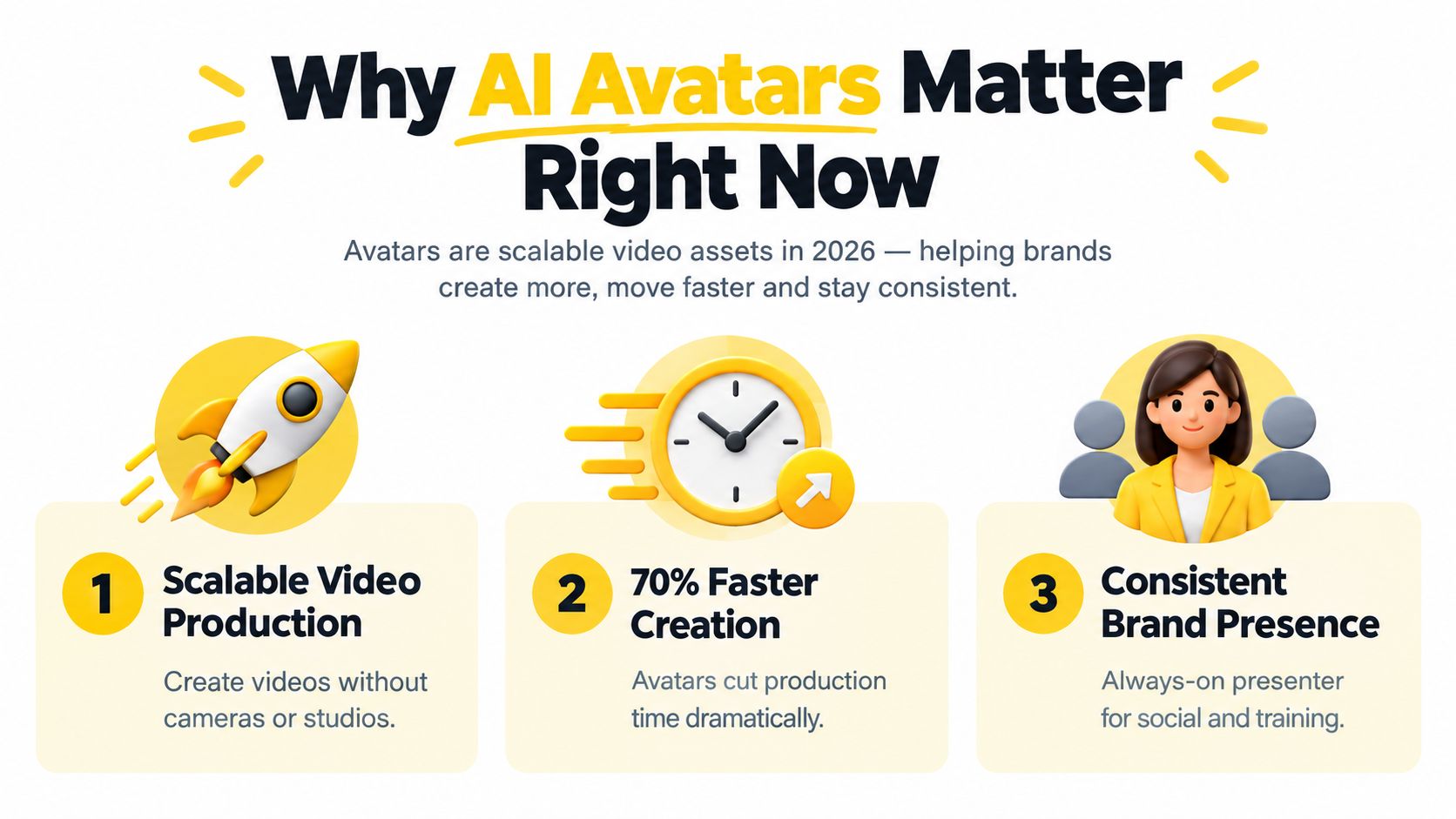
A bad avatar fails in familiar ways:
The category itself has grown far beyond novelty. One 2026 market estimate places the AI avatar market at USD 14.5 billion in 2026, with a projection to about USD 167.3 billion by 2035 and a 31.2% CAGR over that period, while saying North America held 41.8% of the market in 2026, or roughly USD 6.06 billion according to Globe Market Research's AI avatar market report. That matters because it reflects a production shift. Teams aren't treating avatars as one-off experiments anymore. They're building repeatable content around them.
Where avatars help and where they fail
A good avatar can handle recurring intros, market updates, product walk-throughs, internal training, and short-form social narration. In real estate, for example, it can pair naturally with visual-first marketing workflows like these real estate social media marketing ideas, where the presenter is there to guide attention instead of carrying the whole video alone.A bad avatar fails in familiar ways:
- The mouth leads the performance: Lip motion looks technically synced but emotionally empty.
- The script sounds written, not spoken: Long clauses expose the synthetic rhythm fast.
- The face looks right only in short bursts: The longer the clip runs, the more small errors stack up.
- The viewer starts questioning authenticity: That's especially relevant if your audience is already alert to manipulated media and actively learning about detecting deepfake videos online.
Practical rule: If the avatar looks good muted for a few seconds but falls apart when audio starts, the problem usually began in the script or voice pacing, not the render.There's a lot an avatar can do well. But “fast” and “publishable” aren't the same thing.
Choosing Your Avatar Type and Tool Path
The first wrong turn happens early. People pick a tool before they pick an avatar type. That usually locks them into the wrong workflow.
Recent market forecasts also point in the same direction. One 2026 report estimated the category at USD 12.90 billion in 2026 and forecast USD 142.62 billion by 2035, while another estimated USD 8.4 billion in 2026 and USD 93.4 billion by 2035, as summarized in GM Insights coverage of the AI avatars market. The useful takeaway isn't just the size. It's that platforms are being built for repeat production, which is why tool choice now matters much more than it did when avatars were mostly novelty outputs.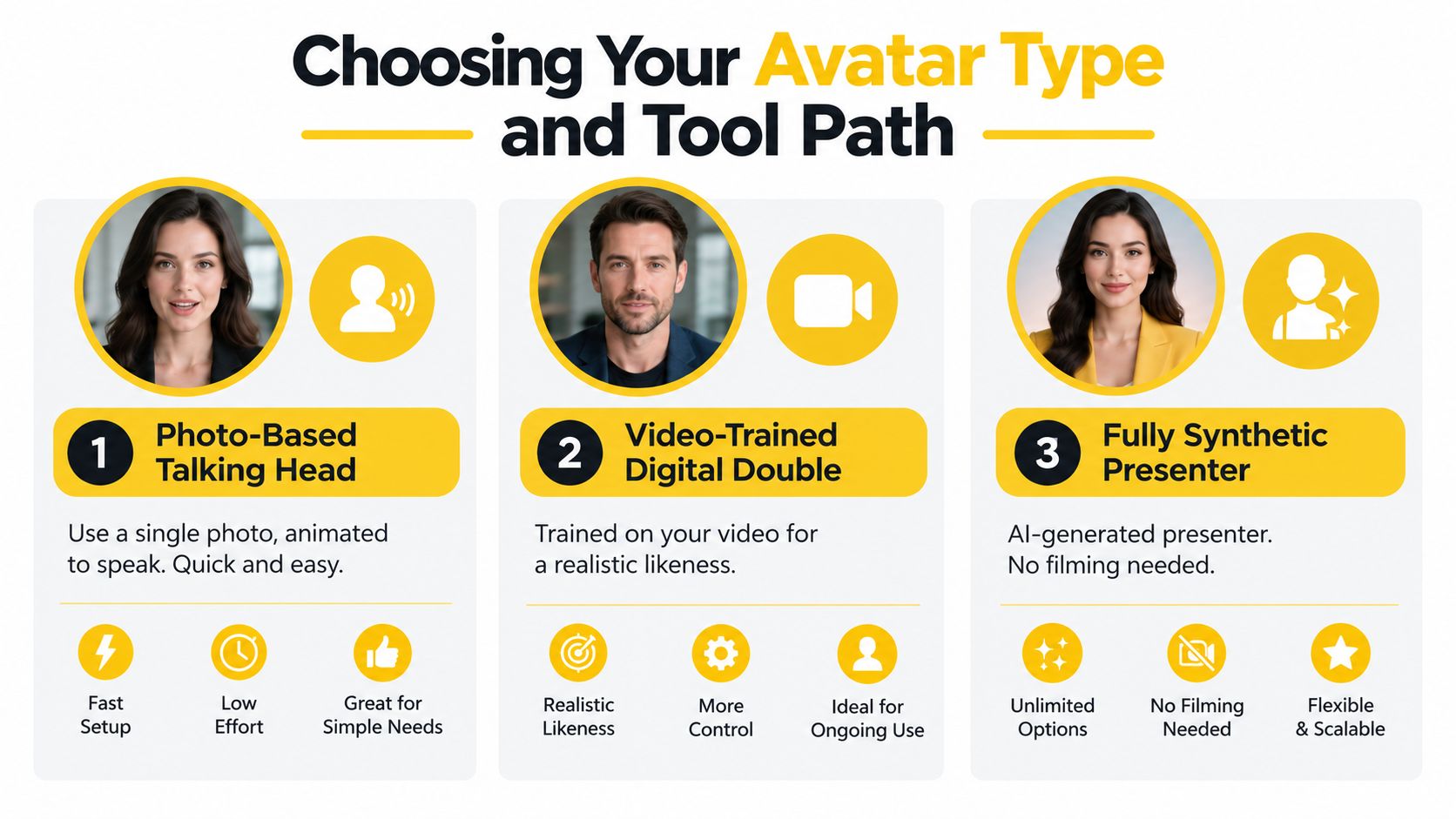
Use these filters:
Recent market forecasts also point in the same direction. One 2026 report estimated the category at USD 12.90 billion in 2026 and forecast USD 142.62 billion by 2035, while another estimated USD 8.4 billion in 2026 and USD 93.4 billion by 2035, as summarized in GM Insights coverage of the AI avatars market. The useful takeaway isn't just the size. It's that platforms are being built for repeat production, which is why tool choice now matters much more than it did when avatars were mostly novelty outputs.
The three paths that matter
Some projects only need a face that can talk. Others need a recognizable person with stable delivery. Others don't need a real likeness at all.| Avatar Type | Best For | Input Needed | Trade Off |
|---|---|---|---|
| Photo-Based Talking Head | Fast social clips, simple explainers, lightweight narration | One clear front-facing image, script, voice | Fastest path, but often less expressive over longer segments |
| Video-Trained Digital Double | Brand spokesperson content, repeat campaigns, stronger likeness | A training video or source recordings, script, voice | Better realism, but more prep and stronger consent requirements |
| Fully Synthetic Presenter | Scalable business content where no real person is required | Script and selected presenter style | Flexible and efficient, but less personal if your brand relies on real identity |
How to decide quickly
If your main goal is speed, a photo-based talking head is usually enough. If your audience already knows the presenter, a video-trained digital double tends to hold up better because small identity errors become obvious fast when viewers know the face. If legal review, multilingual scaling, or frequent revisions matter more than personal likeness, a fully synthetic presenter can be the safer production choice.Use these filters:
- Likeness sensitivity: Are you representing a real founder, agent, trainer, or employee?
- Voice needs: Will text-to-speech work, or do you need cloned or uploaded voice for credibility?
- Localization pressure: Will the same avatar need to perform across multiple languages?
- Editing control: Can you re-time scenes, captions, and layout after generation, or are you stuck redoing everything?
Pick the avatar format based on where the video will break, not where the onboarding feels easiest.
Creating Your AI Avatar From Script to Visual
Most avatar failures start before anyone uploads a face. The script is usually too long, the image is too soft, or the source video was recorded casually and then expected to perform like studio footage.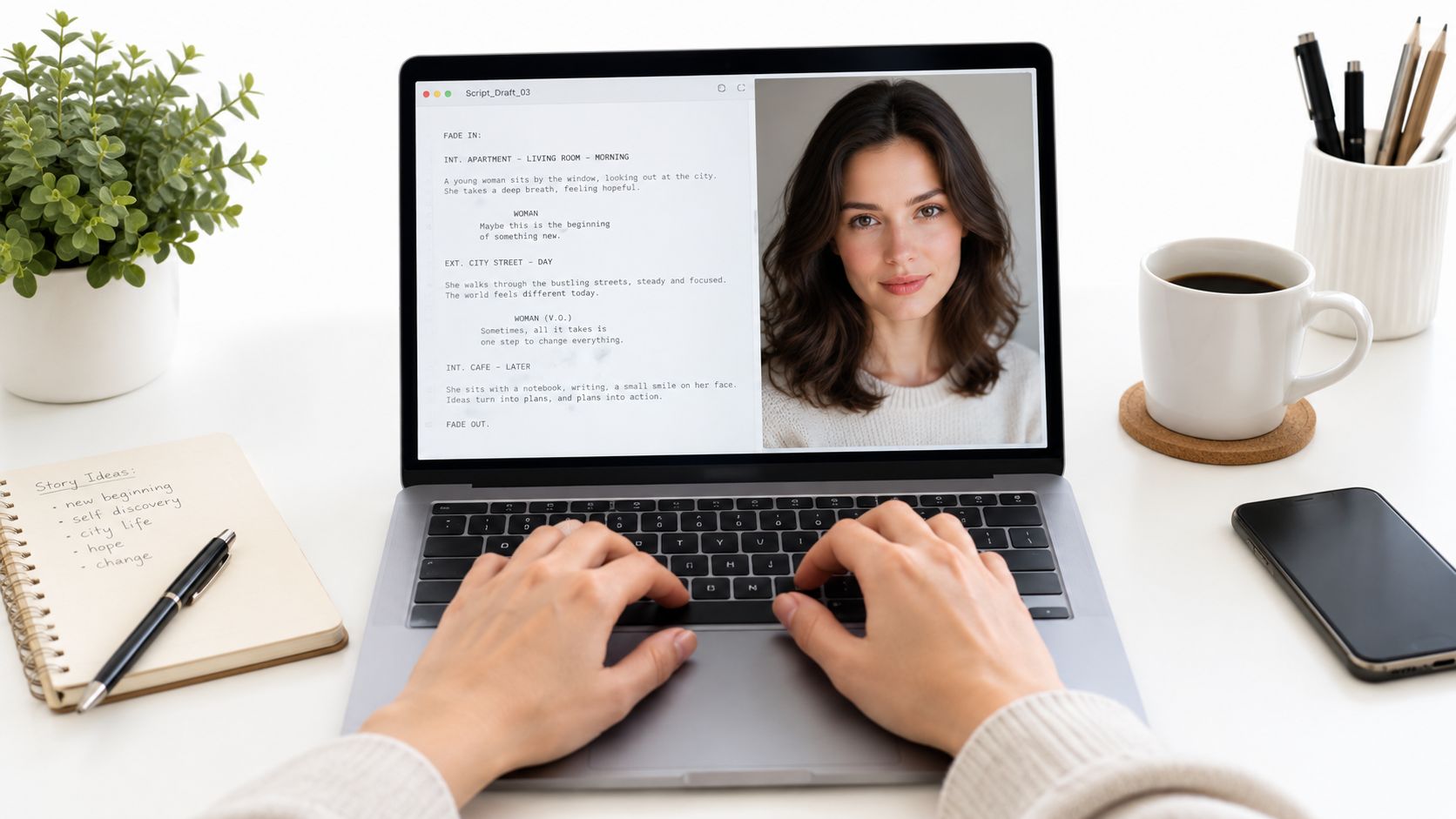
That matches what works in production. Don't write for a page. Write for a mouth.
Use this filter before you render:
For reusable presenter clips, some tools support a workflow where you build and keep a digital presenter for repeat scenes. If you need that kind of setup, a walkthrough like this guide to create a reusable avatar is useful because it reflects the operational question: are you making one clip or building a repeatable asset?
Here's where one factual distinction matters. VideoTour.ai is one option in this category. It supports talking avatar videos and reusable visual workflows alongside photo-based video creation, which makes it relevant when the avatar is only one scene in a broader marketing video rather than the entire output.
Break the script into short performance units. Render those separately. Then review each clip for mouth shape, blink behavior, head stability, and emotional fit. It's much faster to re-render one bad line than to throw out a full take.
A useful example of this workflow in motion is below.
Once you have good segments, stitch them in your editor or in-platform timeline. That gives you control over pacing, text overlays, cutaways, and scene transitions without forcing the avatar to carry long continuous speech.
Start with a script that sounds spoken
A practical high-quality workflow begins with a tightly scoped script, a sharp front-facing image or short recording, and short spoken sentences. Guidance on avatar generation also notes that shorter segments generally hold lip sync and facial consistency better, so longer scripts are better split and stitched after generation, as described in this talking-avatar workflow guide.That matches what works in production. Don't write for a page. Write for a mouth.
Use this filter before you render:
- Read it aloud once: If you need to breathe in the middle, split the line.
- Shorten sentence endings: Synthetic delivery often drags at the end of long sentences.
- Cut stacked ideas: One sentence should carry one idea whenever possible.
- Write for emphasis, not density: Spoken clarity beats written completeness.
Source quality decides more than the tool does
A clean front-facing image can work well for simple talking-head outputs, but only if it's clean. That means sharp eyes, even lighting, neutral background, and a natural expression. If the face is cropped oddly, shadowed, filtered, or taken from an angle, the avatar engine has to invent too much.For reusable presenter clips, some tools support a workflow where you build and keep a digital presenter for repeat scenes. If you need that kind of setup, a walkthrough like this guide to create a reusable avatar is useful because it reflects the operational question: are you making one clip or building a repeatable asset?
Here's where one factual distinction matters. VideoTour.ai is one option in this category. It supports talking avatar videos and reusable visual workflows alongside photo-based video creation, which makes it relevant when the avatar is only one scene in a broader marketing video rather than the entire output.
The cleaner your input, the less the model has to guess. Most “AI weirdness” is the system filling in missing information.
Generate in parts, then stitch
This is the part beginners skip because the one-click demos make full scripts look easy. They aren't.Break the script into short performance units. Render those separately. Then review each clip for mouth shape, blink behavior, head stability, and emotional fit. It's much faster to re-render one bad line than to throw out a full take.
A useful example of this workflow in motion is below.
Once you have good segments, stitch them in your editor or in-platform timeline. That gives you control over pacing, text overlays, cutaways, and scene transitions without forcing the avatar to carry long continuous speech.
Syncing Voice and Exporting for Social and Video
Once the face looks credible, audio becomes the bottleneck. A decent-looking avatar with bad voice timing still feels fake.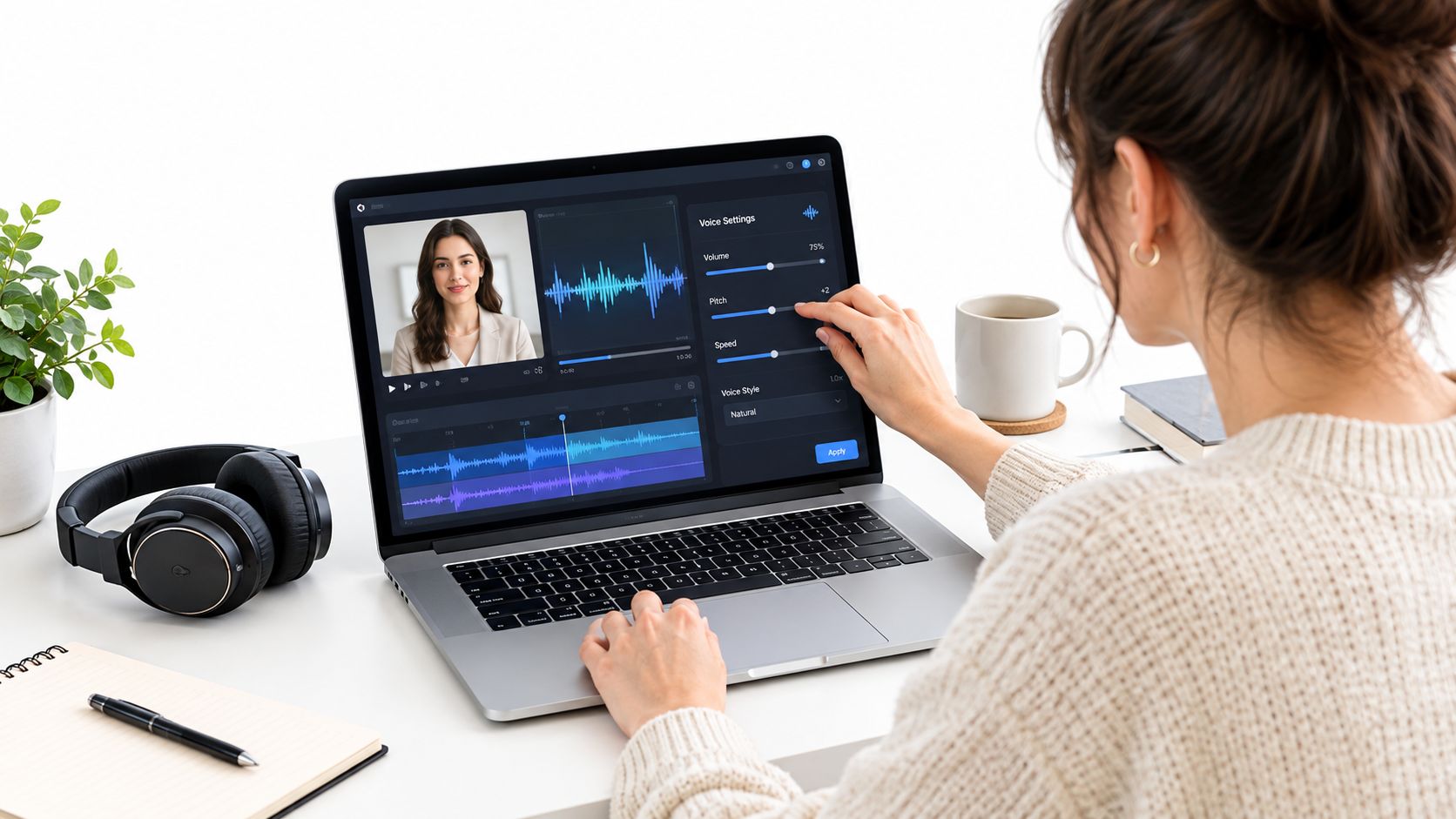
AI text-to-speech is the fastest. It's good for speed, versioning, and multilingual variants. It's weaker when the message depends on personal trust or strong emotional nuance.
Voice cloning works better when the avatar represents a known person and the audience would notice a mismatch. It can preserve familiarity, but it also raises the stakes on consent and likeness rights.
Uploaded voiceover is still the most reliable path when pacing matters. A human-recorded track often gives the avatar better rhythm because the timing is already naturally spoken.
Use a workflow where you can revise timing without rebuilding the entire scene. If your platform supports voice and scene adjustment together, a help guide like sync your voiceover reflects the right mindset: keep the visual, tune the audio, then re-render.
Check these before final export:
A publishable workflow keeps the avatar scene modular. You want to swap aspect ratio, adjust text safe zones, and revise voice pacing without starting over. That's what turns one presenter clip into a reusable asset instead of a one-time render.
Choose the voice path that fits the job
You have three practical options.AI text-to-speech is the fastest. It's good for speed, versioning, and multilingual variants. It's weaker when the message depends on personal trust or strong emotional nuance.
Voice cloning works better when the avatar represents a known person and the audience would notice a mismatch. It can preserve familiarity, but it also raises the stakes on consent and likeness rights.
Uploaded voiceover is still the most reliable path when pacing matters. A human-recorded track often gives the avatar better rhythm because the timing is already naturally spoken.
Fix timing before export
Don't judge sync on words alone. Judge it on phrase endings, pauses, and emphasis. That's where synthetic delivery usually slips.Use a workflow where you can revise timing without rebuilding the entire scene. If your platform supports voice and scene adjustment together, a help guide like sync your voiceover reflects the right mindset: keep the visual, tune the audio, then re-render.
Check these before final export:
- Pause spacing: Tiny pauses make avatars feel more human than nonstop speech.
- Caption timing: Captions should land with the spoken phrase, not chase it.
- Frame composition: A vertical crop can make a perfectly good horizontal avatar feel cramped.
- Scene length: Social cuts usually benefit from tighter intros and faster visual turnover.
Export for the platform, not for your timeline
The same avatar clip won't perform the same way everywhere. Vertical works for Reels, TikTok, and Shorts. Horizontal fits YouTube and site embeds. Square still has a place in certain feeds and paid placements.A publishable workflow keeps the avatar scene modular. You want to swap aspect ratio, adjust text safe zones, and revise voice pacing without starting over. That's what turns one presenter clip into a reusable asset instead of a one-time render.
Fixing Common Avatar Quality and Consent Issues
The most misleading thing about AI avatar tutorials is that they make failure look random. It usually isn't. The same problems come up again and again.
The usual breakdowns look like this:
That means asking practical questions before production:
A clip that looks fine in a preview can still break once it's cropped, compressed, dubbed, or reposted.
Why demo avatars fail in real campaigns
Many beginner guides promise speed, but they also assume better source material than most provide. They may say setup is quick while also recommending multiple high-resolution photos or a baseline video, expression variety, and careful lighting. That tension is exactly the point raised in this guide on how to create AI avatars. Fast creation is real. Reliable quality still depends on inputs.The usual breakdowns look like this:
- Weak source images: Soft focus, beauty filters, side angles, or heavy shadows reduce realism fast.
- Single-take recordings: One casual clip rarely gives enough range for strong multilingual or repeated campaign use.
- Overlong scripts: The avatar starts stable, then drifts as the line runs on.
- Brand mismatch: A polished face with robotic cadence still feels off-brand.
Most avatars don't fail because the software is broken. They fail because the production brief was too casual.
Consent is not optional
This is the part too many walkthroughs skip. If you're using a real person's face or voice commercially, you need informed permission and clear internal rules for use. Neutral ethics literature on avatar and identity systems emphasizes informed consent for image and voice training and publication, along with legitimate purpose and respect for privacy and identity, as discussed in this academic ethics source on AI and consent.That means asking practical questions before production:
- Whose likeness is this? Employee, founder, client, actor, or synthetic presenter.
- What was approved? Internal use, public social, paid ads, multilingual reuse, or long-term reuse.
- Was voice use included? Face permission and voice permission shouldn't be treated as the same thing.
- Will viewers need disclosure? In some contexts, transparency matters as much as permission.
Visual review isn't enough
Technical evaluation is also moving beyond simple eyeballing. Research has started using benchmark-style evaluation with standardized test splits and predefined verification trials, and another benchmark on synthetic avatar videos includes 50 videos from 5 commercial providers and 6 attack types to simulate real-world manipulation issues, according to this avatar benchmark research. The practical takeaway is straightforward. If the avatar matters to your brand, review for reliability, not just surface appearance.A clip that looks fine in a preview can still break once it's cropped, compressed, dubbed, or reposted.
Your Next Avatar Video Made Simple
The repeatable version of how to make an AI avatar is much less glamorous than the one-click promise, and much more useful.
Start with a short script that sounds spoken. Use strong source material. Render in short segments. Tune the voice to the visual instead of forcing the visual to carry weak audio. Export for the platform you'll publish on. Then do the permission check before the file leaves your team.
That routine closes the quality gap.
A lot of creators chase realism when they should be chasing reliability. The avatar doesn't need to be perfect. It needs to stay credible across revisions, crops, captions, reposts, and repeated viewing. That usually comes from restraint. Shorter lines. Better lighting. Cleaner voice pacing. Fewer assumptions.
Use this as a working checklist:
If you want to turn photos and presenter scenes into ready-to-share video content without rebuilding the whole edit each time, VideoTour.ai supports talking avatar videos, voiceover workflows, aspect-ratio exports, and fast re-renders as part of a broader video creation process. It's a practical fit when your avatar is only one piece of a social, listing, or brand video and you need to revise quickly without starting from scratch.
Start with a short script that sounds spoken. Use strong source material. Render in short segments. Tune the voice to the visual instead of forcing the visual to carry weak audio. Export for the platform you'll publish on. Then do the permission check before the file leaves your team.
That routine closes the quality gap.
A lot of creators chase realism when they should be chasing reliability. The avatar doesn't need to be perfect. It needs to stay credible across revisions, crops, captions, reposts, and repeated viewing. That usually comes from restraint. Shorter lines. Better lighting. Cleaner voice pacing. Fewer assumptions.
Use this as a working checklist:
- Script first: Write for speech, not for reading.
- Source second: Sharp, front-facing, evenly lit inputs win.
- Segment the performance: Short renders are easier to fix and easier to trust.
- Sync carefully: Audio timing shapes realism more than expected.
- Export intentionally: Build versions for each channel.
- Get permission in writing: Especially for real faces and cloned voices.
If you want to turn photos and presenter scenes into ready-to-share video content without rebuilding the whole edit each time, VideoTour.ai supports talking avatar videos, voiceover workflows, aspect-ratio exports, and fast re-renders as part of a broader video creation process. It's a practical fit when your avatar is only one piece of a social, listing, or brand video and you need to revise quickly without starting from scratch.