
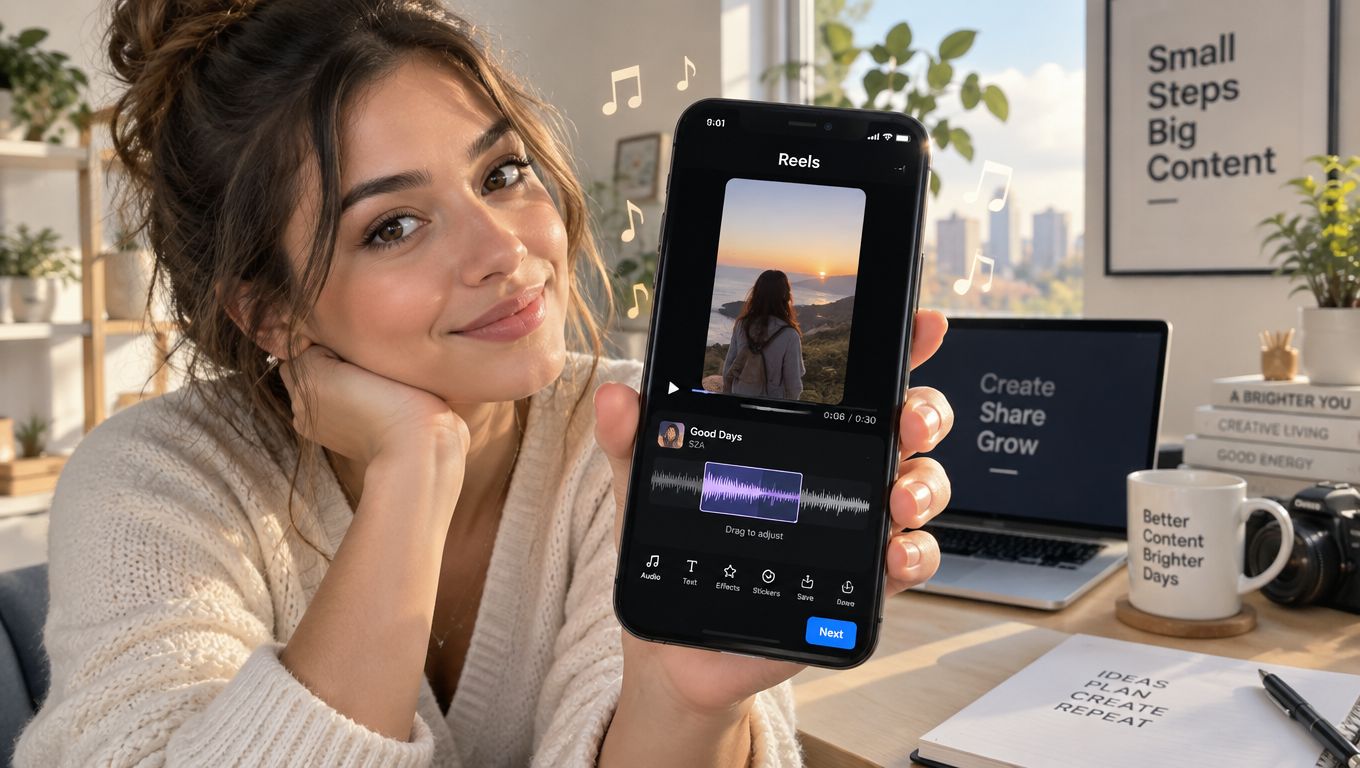
You've got a strong property carousel, a listing that deserves more attention, and a phone full of clips. The problem is that static photos often look interchangeable in a busy Facebook feed. Adding the right music turns a sequence of rooms, details, and exterior shots into a paced story, but the workflow depends on whether you're creating on mobile or uploading from desktop.
Facebook Reels were introduced in the United States in September 2021 and expanded globally in February 2022. Meta later highlighted a June 23, 2022 initiative with more than 200 tracks available through a dedicated audio gallery for Reels and Stories, which shows how central in-app music selection became to the format (Facebook video statistics). For property marketers, learning the native process first gives you a fast way to publish without building a complicated edit.
Facebook Reels were introduced in the United States in September 2021 and expanded globally in February 2022. Meta later highlighted a June 23, 2022 initiative with more than 200 tracks available through a dedicated audio gallery for Reels and Stories, which shows how central in-app music selection became to the format (Facebook video statistics). For property marketers, learning the native process first gives you a fast way to publish without building a complicated edit.
Summary
Create an AI Video Tours from PhotosTry it For Free

The 3-Click Path to Adding Music
For most agents, the quickest answer to how to create a Reel on Facebook with music is the mobile Facebook app. Open the Reel composer, choose your audio before or after recording, and let the app handle the basic synchronization. You don't need an external editor for a straightforward property walkthrough.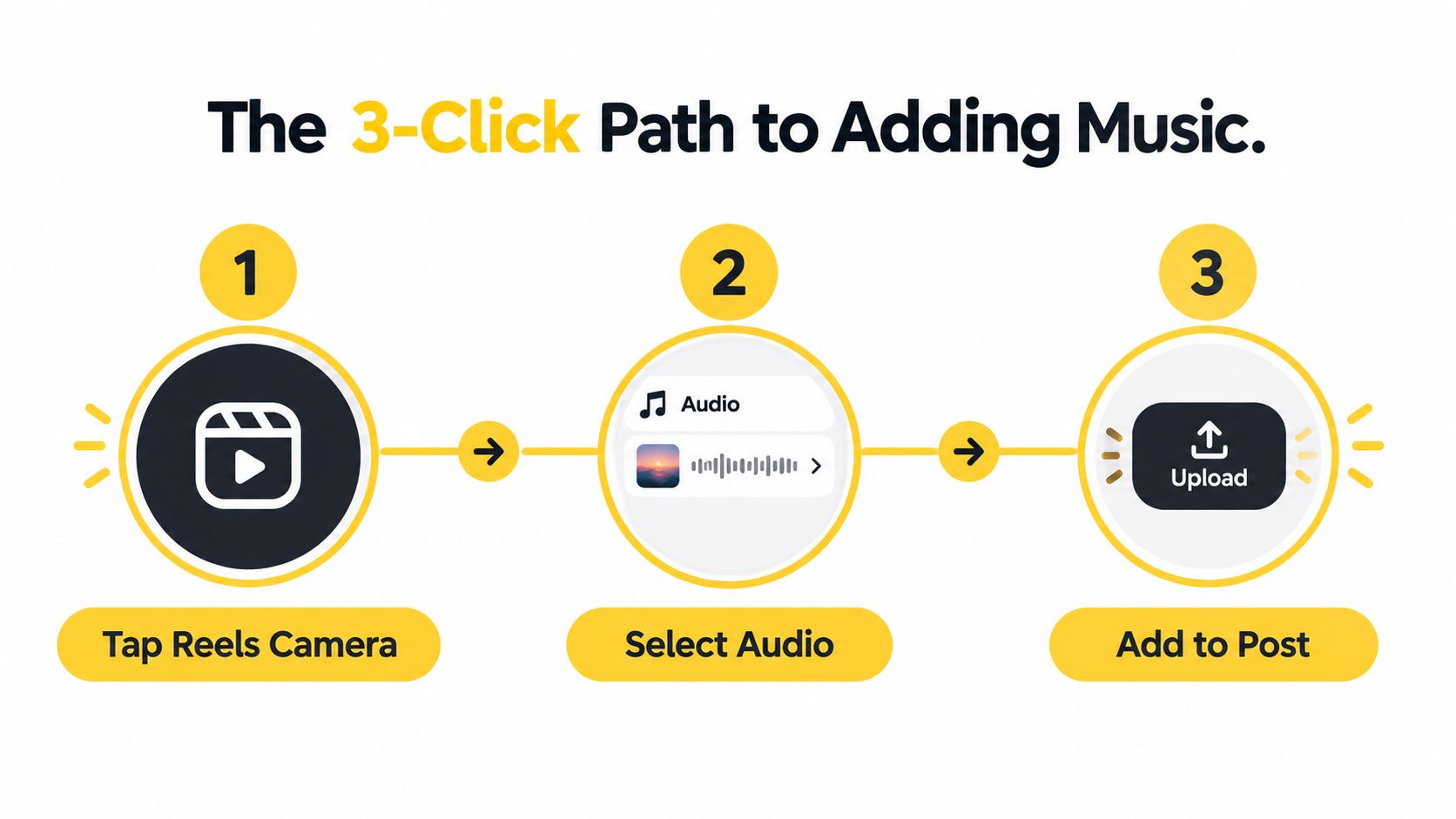
Creators who also work across platforms can use this guide to discover Instagram Reels audio in 2026, but don't assume that a sound available on Instagram will have identical availability or rights on Facebook. Check the track inside Facebook before building the edit around it.
For a more controlled workflow, review this guide to choosing background music. It's useful when you're deciding whether the music should sit behind narration, act as the main creative hook, or be added before uploading a finished video.
Start with the audio
- Open the composer: In the Facebook app, open the Reels camera from the Reels entry point. You can record clips in the app or select existing footage from your phone.
- Choose Audio: Tap Audio, then Add Music. Search by song or artist, preview a selection with Play, and tap the track to apply it. Facebook's documented mobile workflow follows this path (Meta's Reel creation instructions).
- Balance the mix: After recording your clips, return to Audio if you need to add music or a voiceover. Use the volume sliders to keep narration clear while the music supports the pacing, then tap Done.
Practical rule: Music should support the property's mood, not compete with the information a buyer needs.For a listing tour, use the opening clip to establish the strongest visual, then move through the property with deliberate changes. A bright, energetic track can suit a modern city apartment, while a slower, more subdued piece may fit a larger period home. The best choice isn't necessarily the most popular sound. It's the one that leaves enough space for the viewer to understand what they're seeing.
Creators who also work across platforms can use this guide to discover Instagram Reels audio in 2026, but don't assume that a sound available on Instagram will have identical availability or rights on Facebook. Check the track inside Facebook before building the edit around it.
For a more controlled workflow, review this guide to choosing background music. It's useful when you're deciding whether the music should sit behind narration, act as the main creative hook, or be added before uploading a finished video.
Choosing Between the Music Library and Sound Collection
Music source determines how much control you have and how much reuse risk you carry. Facebook's in-app Audio Library is convenient for a Reel created directly on a personal profile or page, while Meta's Sound Collection is more useful when you're preparing a finished edit outside Facebook.
That convenience has limits. A track can be available in one context and unavailable in another, particularly when content is branded, reused, or distributed across different account types. For a property agency, don't treat a song's presence in the app as blanket permission for every campaign use. Confirm that the selected audio fits the account and intended use before you build a repeatable branded format around it.
That option suits teams producing branded listing packages. You can place the music under a voiceover, control transitions precisely, add a consistent intro, and export a complete master before uploading. The trade-off is that you become responsible for maintaining the audio file and using it within the permissions attached to that source.
Meta also notes that public Reels may allow others to reuse original audio or clips when remixing is enabled (Meta's mobile Reels guidance). That matters for agencies protecting a recognizable audio identity. If reuse isn't desirable, review the relevant audience and remix settings before publishing.
For a practical response to copyright-claim concerns, keep your source files, permission records, and exported masters organized. This music copyright claim guide can help you build a repeatable review process before a branded Reel goes live.
Native audio for fast publishing
The in-app route works well when speed matters. You can search for a track, preview it, attach it to the Reel, and adjust the balance with the native controls. This keeps the music selection inside Facebook's publishing environment, which is simpler than importing a commercial song into an editor and hoping it remains available after upload.That convenience has limits. A track can be available in one context and unavailable in another, particularly when content is branded, reused, or distributed across different account types. For a property agency, don't treat a song's presence in the app as blanket permission for every campaign use. Confirm that the selected audio fits the account and intended use before you build a repeatable branded format around it.
Sound Collection for controlled edits
Meta's Sound Collection supports a different workflow. On desktop, creators can search tracks by keyword and filter by genre, mood, length, and vocals, then download a track for use in external editing software. Meta's documented audio specifications also set a technical floor of stereo AAC-LC at 44.1 kHz or 48 kHz with a minimum 128 kbps audio bitrate for Reel audio (Meta's Sound Collection and audio guidance).That option suits teams producing branded listing packages. You can place the music under a voiceover, control transitions precisely, add a consistent intro, and export a complete master before uploading. The trade-off is that you become responsible for maintaining the audio file and using it within the permissions attached to that source.
| Workflow | Best fit | Main advantage | Main caution |
|---|---|---|---|
| Facebook Audio Library | Quick mobile posts | Fast selection and mixing | Availability and reuse can vary |
| Sound Collection | Planned brand edits | More control in external software | You must manage the downloaded asset |
| Original audio | Agent narration or owned music | Distinctive brand identity | Keep evidence of ownership and permissions |
For a practical response to copyright-claim concerns, keep your source files, permission records, and exported masters organized. This music copyright claim guide can help you build a repeatable review process before a branded Reel goes live.
Mobile Versus Desktop Workflow Differences
The Facebook app is a creation studio. Desktop Facebook is primarily an upload and publishing channel. Treating them as identical is why many creators waste time looking for mobile controls that aren't present on a computer.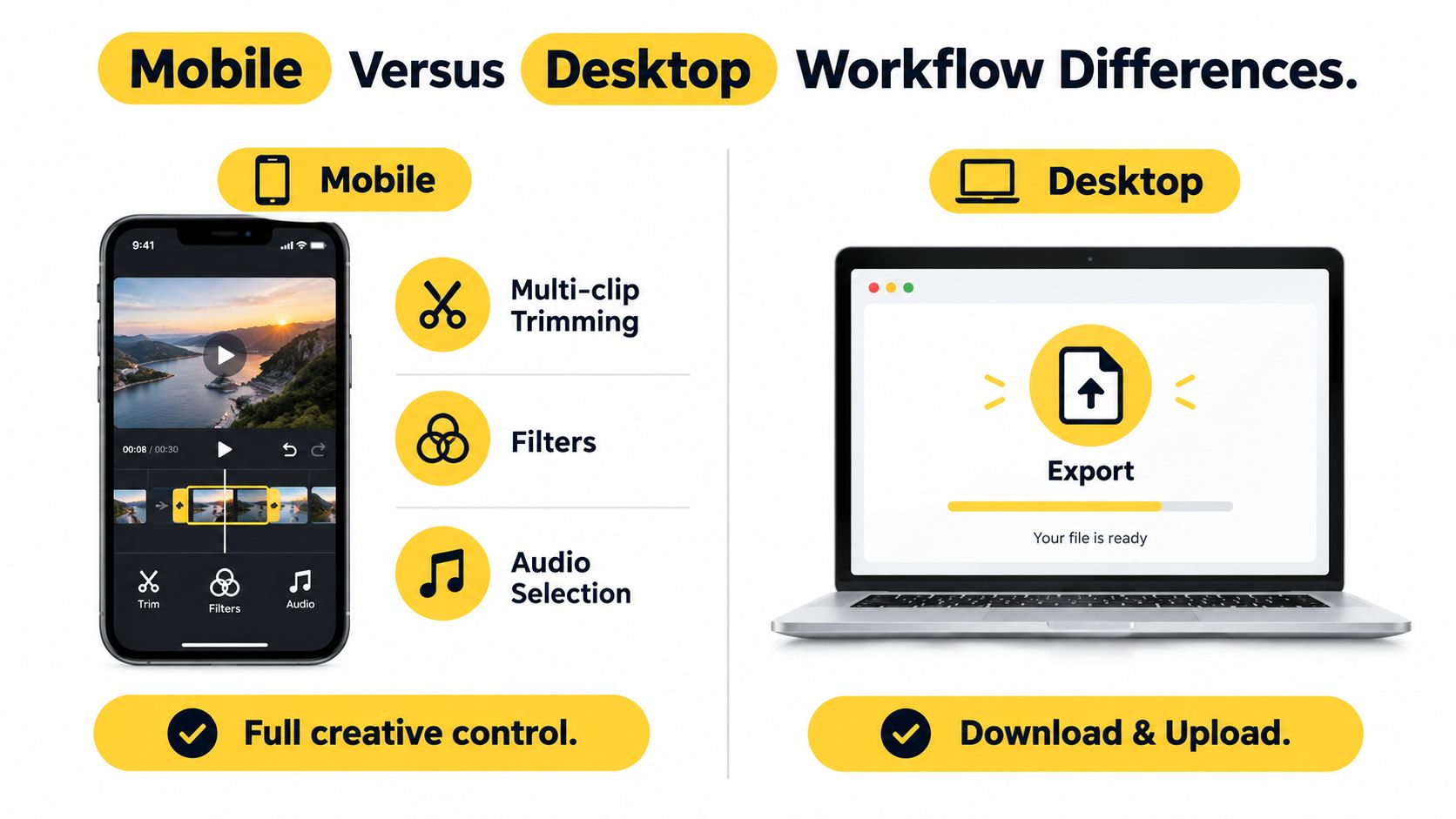
A useful mobile sequence is:
That creates a clear operational split. Use a desktop editor when your team needs precise branding or a property manager must approve the final file. Use the Facebook app when you need native music selection, multi-clip recording, or a quick voiceover.
For a property-photo workflow, this guide to creating a social Reel is relevant when your source material is a folder of still images rather than footage recorded in the Facebook app.
What mobile supports
On iPhone and Android, Meta's help guidance supports multi-clip creation, music selection, and voiceover tools. That makes mobile the better choice when you're filming at the property, combining short room clips, and adjusting music without leaving the app.A useful mobile sequence is:
- Record or import: Capture the front elevation, main living area, kitchen, standout feature, and closing shot.
- Arrange the story: Put the most compelling visual near the start instead of opening with a slow hallway clip.
- Add audio: Select the track, then reduce its volume if narration carries the message.
- Review before posting: Watch with sound and without it, because some viewers browse with audio muted.
What desktop supports
Desktop guidance focuses on uploading a completed video, trimming it, selecting a cover, adding a description and hashtags, choosing an audience, and publishing. Meta's help material doesn't clearly document the same music-editing flow available in the mobile app (Meta's comparison of mobile Reels creation).That creates a clear operational split. Use a desktop editor when your team needs precise branding or a property manager must approve the final file. Use the Facebook app when you need native music selection, multi-clip recording, or a quick voiceover.
Desktop is best treated as the distribution desk, not the creative studio.Teams publishing across multiple networks should also separate editing from scheduling. Resources on how to automate Reel posting across platforms can help with distribution planning, but automation won't solve a weak soundtrack or an unclear property story. Create a clean master first, then adapt the publishing step for each platform.
For a property-photo workflow, this guide to creating a social Reel is relevant when your source material is a folder of still images rather than footage recorded in the Facebook app.
Why Short Video Beats Static Galleries
Static galleries still have a job. Buyers need to inspect layouts, finishes, storage, views, and other details at their own pace. The weakness appears higher in the funnel, where a collection of similar images can blend into the feed before the viewer understands why the property deserves attention.
A Reel gives those same visuals sequence, movement, and sound. The opening frame can establish the property's strongest selling point, the music can set the pace, and captions can clarify details that the viewer might miss while scrolling.
Those figures don't guarantee that a property tour will perform. They do show why the format deserves a place in a real estate distribution plan. Music makes the video feel native to the short-form environment, while the visual sequence gives viewers a reason to continue beyond the first image.
Music also helps create continuity between still images. Subtle motion, timed transitions, captions, and a consistent volume level can make a photo-led tour feel intentional rather than assembled at the last minute. The result should complement the full listing gallery, not replace the detailed information buyers need later.
A Reel gives those same visuals sequence, movement, and sound. The opening frame can establish the property's strongest selling point, the music can set the pace, and captions can clarify details that the viewer might miss while scrolling.
The distribution context
Reels are played more than 200 billion times daily across Facebook and Instagram, and users share about 3.5 billion Reels each day across the two apps combined, according to Meta-reported figures cited by industry coverage (Facebook statistics and Reels data). Facebook Reels have also reached roughly 616.8 million viewers, while Reels generated about 3.3% of all platform impressions in 2025 to 2026 reporting, as cited by the same source.Those figures don't guarantee that a property tour will perform. They do show why the format deserves a place in a real estate distribution plan. Music makes the video feel native to the short-form environment, while the visual sequence gives viewers a reason to continue beyond the first image.
Build a tour, not a slideshow
A weak Reel is a photo gallery with music placed underneath. A stronger one uses each clip for a specific job:- Opening hook: Lead with the feature that makes the listing easy to remember.
- Spatial progression: Move logically from exterior to entrance, living areas, kitchen, bedrooms, and outdoor space.
- Proof points: Use close-ups for finishes, views, appliances, or architectural details.
- Closing action: End with a clear invitation to book a viewing, request details, or contact the agent.
Music also helps create continuity between still images. Subtle motion, timed transitions, captions, and a consistent volume level can make a photo-led tour feel intentional rather than assembled at the last minute. The result should complement the full listing gallery, not replace the detailed information buyers need later.
Scaling Your Reel Strategy With Automation
A single listing is manageable by hand. The workload changes when an agent, brokerage, or marketing team must turn several property photo sets into Reels, each with its own format, approval process, and brand requirements.
Set the creative decisions first: audience, message, soundtrack direction, and call to action. Then automate the repetitive assembly around those choices. This keeps production consistent without treating every property as an identical campaign.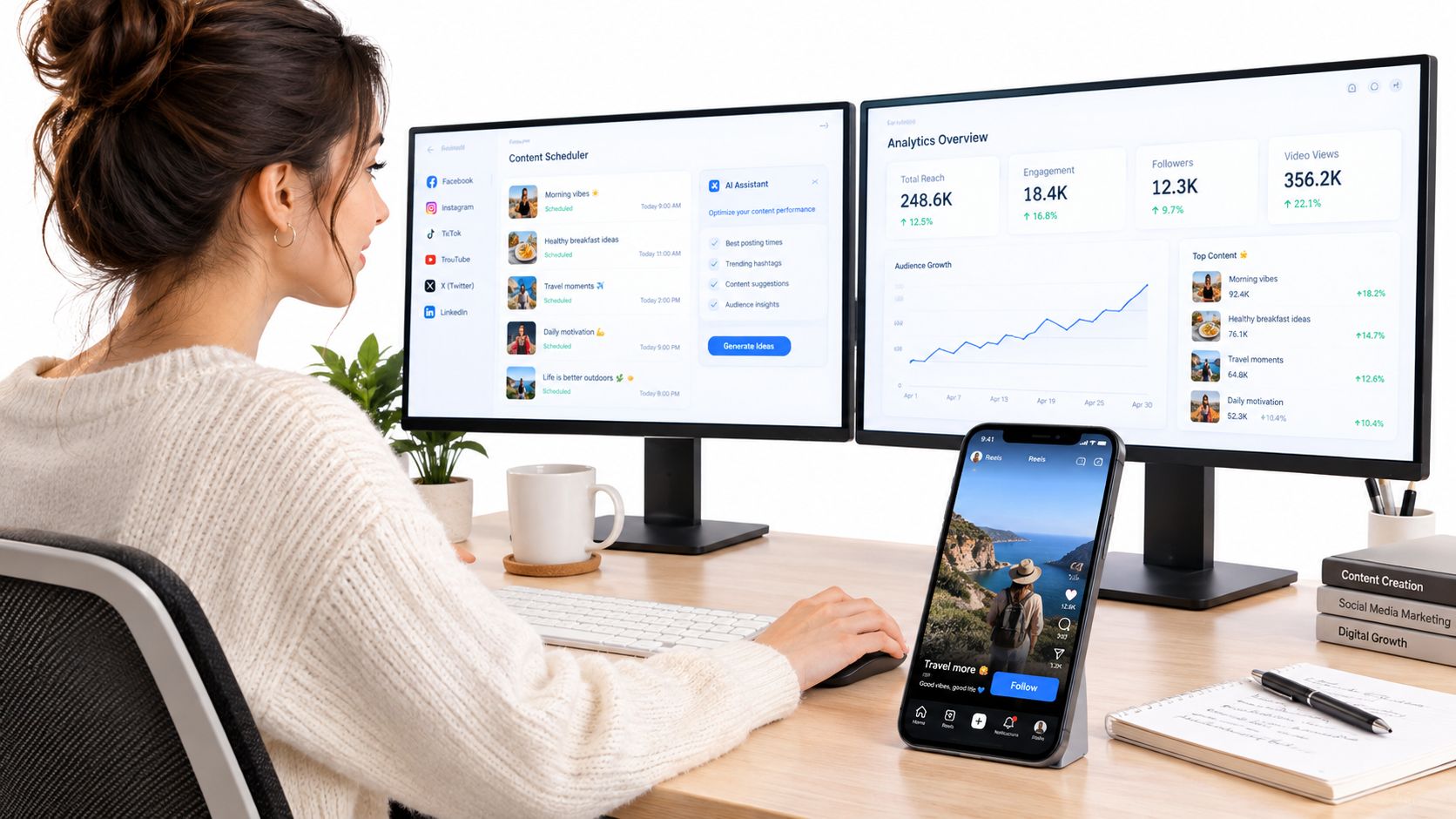
Automation still needs editorial judgment. A track that suits the visual mood may conflict with a luxury brand, an agent's narration, or a campaign aimed at a specific buyer group. Check the opening seconds, caption accuracy, music volume, and final call to action before exporting.
A practical setup separates creation from distribution. Use Facebook's mobile creation studio when speed and in-app music matter. Use desktop for upload and publishing, or use an external tool when the team needs a finished master, reviewable branding, and repeatable output across a portfolio.
VideoTour.ai turns property photo sets into share-ready video tours with motion, captions, music, and branded styles. Upload a listing, review the generated edit, adjust the presentation, and prepare the property Reel without rebuilding the sequence from scratch.
Set the creative decisions first: audience, message, soundtrack direction, and call to action. Then automate the repetitive assembly around those choices. This keeps production consistent without treating every property as an identical campaign.
Batch the production work
Automation earns its place in a real estate workflow when it handles tasks such as:- Assembly: Convert listing photos into a timed sequence without rebuilding every transition.
- Audio synchronization: Match music and captions to the visual pace, then check the result for accuracy.
- Brand consistency: Apply approved fonts, colors, logo treatment, and opening or closing styles across properties.
- Format preparation: Create a Facebook-ready version while keeping a suitable master for other publishing needs.
Automation still needs editorial judgment. A track that suits the visual mood may conflict with a luxury brand, an agent's narration, or a campaign aimed at a specific buyer group. Check the opening seconds, caption accuracy, music volume, and final call to action before exporting.
Keep a human approval step
Use a short quality check:- Visual accuracy: Every room label and caption matches the property.
- Audio clarity: The soundtrack does not overpower spoken information.
- Brand control: Logo, colors, and contact details are correct.
- Rights awareness: The music source fits the intended publishing workflow.
- Platform fit: The exported file displays correctly in the selected Reel placement.
A practical setup separates creation from distribution. Use Facebook's mobile creation studio when speed and in-app music matter. Use desktop for upload and publishing, or use an external tool when the team needs a finished master, reviewable branding, and repeatable output across a portfolio.
VideoTour.ai turns property photo sets into share-ready video tours with motion, captions, music, and branded styles. Upload a listing, review the generated edit, adjust the presentation, and prepare the property Reel without rebuilding the sequence from scratch.