

It's Tuesday at 9:40 a.m. Your photographer just dropped 40 listing photos into a shared folder, the MLS goes live in an hour, and you're staring at your phone wondering how to turn stills into something people will watch. You don't need a camera crew. You need a repeatable answer to how do you make Reels from assets you already have, fast enough to post today and good enough to earn a tour booking.
Summary
Create an AI Video Tours from PhotosTry it For Free

The Reel You Wish You Had Yesterday
Stop thinking of a Reel as a miniature video shoot. Treat it as a retention sequence built from short visual units, shaped by audio and effects, and formatted for discovery on a mobile feed. That's how the format started, and that definition still works for a photo set. Instagram launched Reels globally on August 5, 2020, as a tool for recording and editing 15-second, multi-clip videos with audio and effects, as documented in The Verge's history of vertical video and Instagram Reels. The format has expanded since then, but the core workflow hasn't changed. You assemble clips, you set pacing, you publish vertically.
A slideshow fails for a different reason. It shows photos in file order, holds each one for the same length, and asks nothing at the end. A watchable Reel does the opposite on every count.
Instagram launched Reels globally on August 5, 2020, as a tool for recording and editing 15-second, multi-clip videos with audio and effects, as documented in The Verge's history of vertical video and Instagram Reels. The format has expanded since then, but the core workflow hasn't changed. You assemble clips, you set pacing, you publish vertically.Why Photos Count as Reel Material
A still photo becomes Reel material the moment you give it motion, order, and a job. A slow pan across a kitchen island tells a viewer where to look. A zoom into a fireplace detail creates a cut point without new footage. Captions turn a silent scroll into a readable tour.A slideshow fails for a different reason. It shows photos in file order, holds each one for the same length, and asks nothing at the end. A watchable Reel does the opposite on every count.
- Open with proof: Lead with the strongest room, exterior, or transformation, not the front door.
- Change information often: Cut when attention would decay, not when a timer says to.
- End with one action: Book a tour, view the listing, or send a message. Pick one.
A Reel isn't a gallery with music. It's an argument for the next tap, told in under a minute.Set your target before you edit. A short, complete message beats a long tour that trails off, and that single decision controls your hook, your photo count, and your call to action. Build one vertical, captioned, music-synced cut first. You'll adapt that source for other platforms later without starting over.
Turn a Photo Set into a Vertical Reel in Minutes
You don't need footage for this workflow. You need a clean photo set, a decision about order, and defaults you can trust for everything else. Here's the fastest path I give clients who ask how do you make Reels without an editor.
The screenshot below shows the starting point, a photo upload flow built for listing sets rather than camera rolls.
Delete duplicates, near-identical angles, and any room that doesn't add new information. If two shots say the same thing, keep the brighter one. Your viewer won't reward completeness. They'll reward momentum.
Accept the default track for your first preview. The platform selects music and syncs cuts to it, which gives you a real pacing reference in minutes instead of an hour of track hunting. You can swap audio later with evidence, not guesswork.
The walkthrough below shows how quickly a photo sequence becomes a moving draft once order and style are set.
You now have a vertical draft in a preview window. That's the asset. The next decisions are about making people stay.
The screenshot below shows the starting point, a photo upload flow built for listing sets rather than camera rolls.
Step 1 Upload and Cull Ruthlessly
Upload your full set first, then cut. VideoTour.ai supports up to 60 photos per listing and produces a preview in minutes, with AI auto-syncing motion, captions, and music to your selected sequence. That ceiling is generous. Most listing Reels work better with far fewer images than the photographer delivered.Delete duplicates, near-identical angles, and any room that doesn't add new information. If two shots say the same thing, keep the brighter one. Your viewer won't reward completeness. They'll reward momentum.
Step 2 Choose a Preset and Lock Branding
Pick a preset style that matches the listing's job. Use a cinematic treatment for a luxury exterior sequence, a lifestyle treatment for a rental or hospitality space, and an MLS-safe preset when the same video needs to satisfy listing rules. Set your brand colors, font, and logo placement once so every listing inherits them.Accept the default track for your first preview. The platform selects music and syncs cuts to it, which gives you a real pacing reference in minutes instead of an hour of track hunting. You can swap audio later with evidence, not guesswork.
The walkthrough below shows how quickly a photo sequence becomes a moving draft once order and style are set.
Step 3 Fix Only Three Things in the Preview
Your first preview isn't your final post. It's a diagnostic. Pause on exactly three decisions:- Opening frame: Is the first image your strongest selling point? If not, drag it to the front.
- Image order: Does the sequence move through the property in a way a visitor would walk it?
- Caption accuracy: Do room labels and feature text match what's actually on screen?
You now have a vertical draft in a preview window. That's the asset. The next decisions are about making people stay.
Editing Choices That Change Watch Time
Four levers control whether a viewer finishes your Reel or leaves at second four. Order, motion, captions, and music. Most creators obsess over transitions, which matter least. Work the levers in the order below.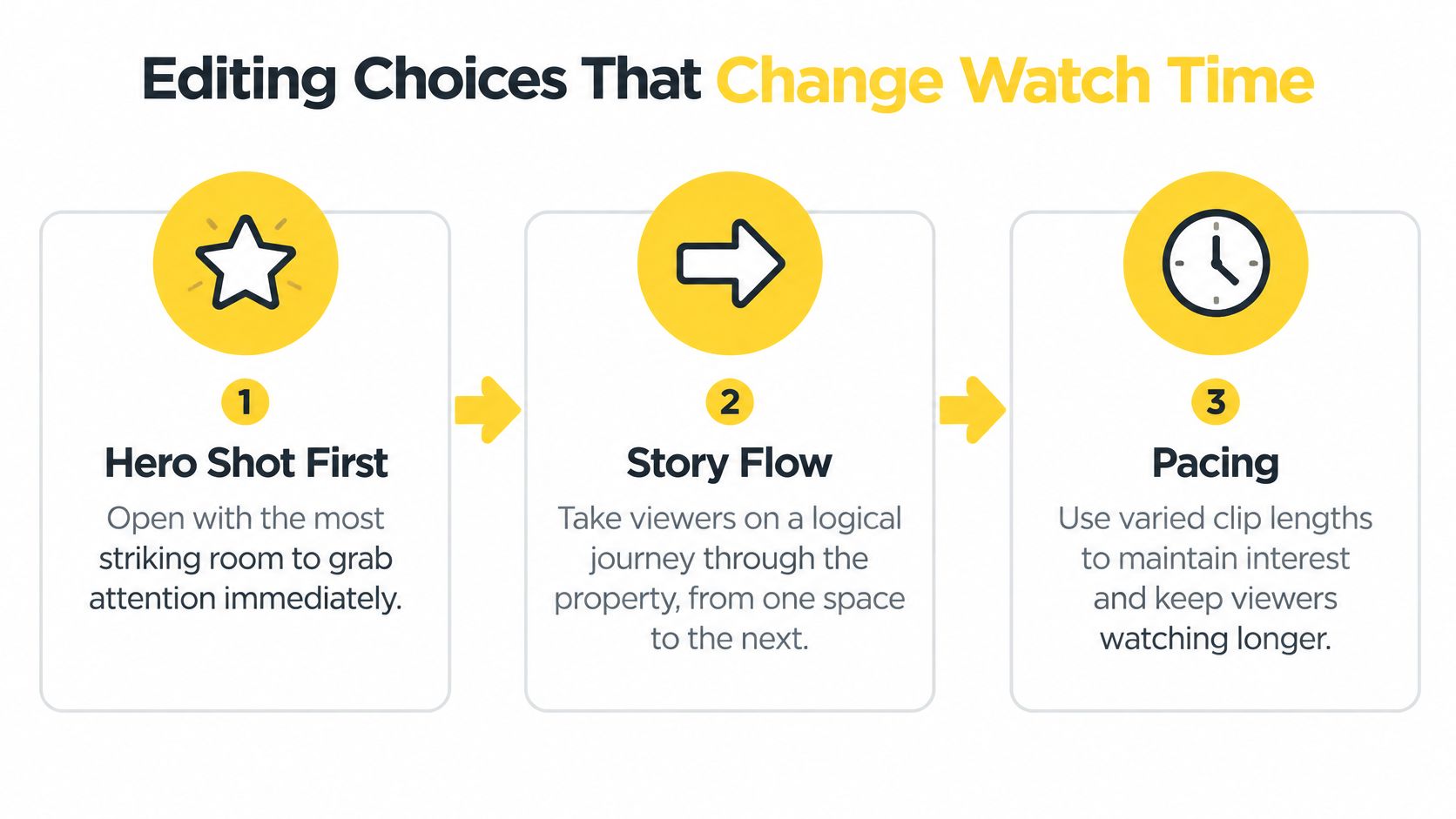
Don't save the best room for the middle as a reward. Nobody earns the middle without surviving the opening. Front-load value, then sustain it.
Write captions like signage, not sentences. "Chef's kitchen, quartz island" beats a paragraph about culinary dreams. Check contrast against bright windows and white walls, where light text disappears.
For housing content, captions also carry risk. Real estate workflows need to account for transcripts, alt text, Fair Housing requirements, FTC disclosures, and Meta's Special Ad Category restrictions, as outlined in Centric's analysis of social media compliance for real estate brands. Stick to factual property features, flag promotional claims for human review, and keep required disclosures visible in every export.
Use licensed audio only. A trending song you can't legally use for a business post is a takedown waiting to happen, and re-uploading costs you whatever momentum the original post earned.
Order Is Your Story
Put your hero shot first. That's the sunlit great room, the pool at dusk, the kitchen island wide enough to seat six. Then move in a logical flow, entry to living spaces to bedrooms to outdoor areas, and close on a memorable detail or your offer frame. Viewers who understand where they are in a home stay longer than viewers who feel teleported between unrelated rooms.Don't save the best room for the middle as a reward. Nobody earns the middle without surviving the opening. Front-load value, then sustain it.
Motion Should Add Information
Use pan and zoom where they reveal something. A slow push-in on a view through floor-to-ceiling glass adds depth. A pan across an open-plan space explains how rooms connect. Spinning, bouncing, or zooming on every photo adds noise and signals amateur editing within seconds.Practical rule: If you can't say what a movement reveals, cut the movement.Restraint also protects perceived quality. Calm motion reads as expensive. Constant motion reads as a template.
Captions Are a Sound-Off Lifeline
Captions aren't decoration. They let viewers follow your message when audio is unavailable and they improve accessibility, provided they're accurately timed, readable, and placed clear of platform buttons, as explained in Tone Production's guidance on captions and watch time. Keep key subjects and text near the center of your vertical frame and away from bottom and side control areas.Write captions like signage, not sentences. "Chef's kitchen, quartz island" beats a paragraph about culinary dreams. Check contrast against bright windows and white walls, where light text disappears.
For housing content, captions also carry risk. Real estate workflows need to account for transcripts, alt text, Fair Housing requirements, FTC disclosures, and Meta's Special Ad Category restrictions, as outlined in Centric's analysis of social media compliance for real estate brands. Stick to factual property features, flag promotional claims for human review, and keep required disclosures visible in every export.
Music Sets Pacing, Not Mood Alone
Choose a track whose beat gives your cuts somewhere to land. When transitions hit musical beats, the same photo sequence feels shorter and more deliberate. When music fights the visuals, viewers sense friction they can't name and leave.Use licensed audio only. A trending song you can't legally use for a business post is a takedown waiting to happen, and re-uploading costs you whatever momentum the original post earned.
Adapting One Reel for Instagram, TikTok, and YouTube Shorts
Cross-posting isn't cross-optimizing. The same file broadcast to three platforms is efficient, but identical publishing isn't identical optimization. Your source sequence stays the same. Your opening frame, caption density, cover image, call to action, and music licensing should change.
The data supports separating the two ideas. Cross-posting of identical content between TikTok and Instagram rose from 27% to 34%, with the Instagram version receiving about 1.35 times the views, while median Reel length held around 25 seconds against roughly 20 seconds for TikTok, according to Viral App's short-form video trends analysis. Same content, different response. Plan for that gap instead of ignoring it.
Start from multi-aspect exports, then make the edits in the table. This rundown of video aspect ratios for social platforms is useful when you're deciding what a square or horizontal crop will do to a wide interior shot. For broader format planning across channels, the tips from Blu Dragonfly LLC on matching content formats to each platform are a solid companion read.
Know when to split instead of shrink. A large property with distinct selling points often works better as two focused Reels, interiors and outdoor living, than one compressed tour that rushes both. Splitting also gives you two hooks to test, which you'll need when you measure.
The data supports separating the two ideas. Cross-posting of identical content between TikTok and Instagram rose from 27% to 34%, with the Instagram version receiving about 1.35 times the views, while median Reel length held around 25 seconds against roughly 20 seconds for TikTok, according to Viral App's short-form video trends analysis. Same content, different response. Plan for that gap instead of ignoring it.
Platform-Specific Edit Adjustments for One Source Reel
| Platform | Ideal Length | Caption Density | Hook Position | CTA Style | Music Notes |
|---|---|---|---|---|---|
| Instagram Reels | Aim near the observed median, longer if retention holds | Higher, support sound-off viewing | Strong first frame plus cover image | Profile or listing link | Confirm business licensing |
| TikTok | Shorter cut of the same sequence | Lighter, let visuals carry pace | Earliest possible payoff | Comment or follow prompt | Check track availability per platform |
| YouTube Shorts | Tolerates a fuller tour sequence | Moderate, title does heavy lifting | Clear promise in opening seconds | Subscribe or full tour link | Verify reuse rights on export |
Know when to split instead of shrink. A large property with distinct selling points often works better as two focused Reels, interiors and outdoor living, than one compressed tour that rushes both. Splitting also gives you two hooks to test, which you'll need when you measure.
Export, QA, and Pre-Publish Checklist
Most reach problems I see aren't creative. They're technical, and they're preventable in five minutes. Run this pass on every Reel before you publish, no exceptions for "quick" posts.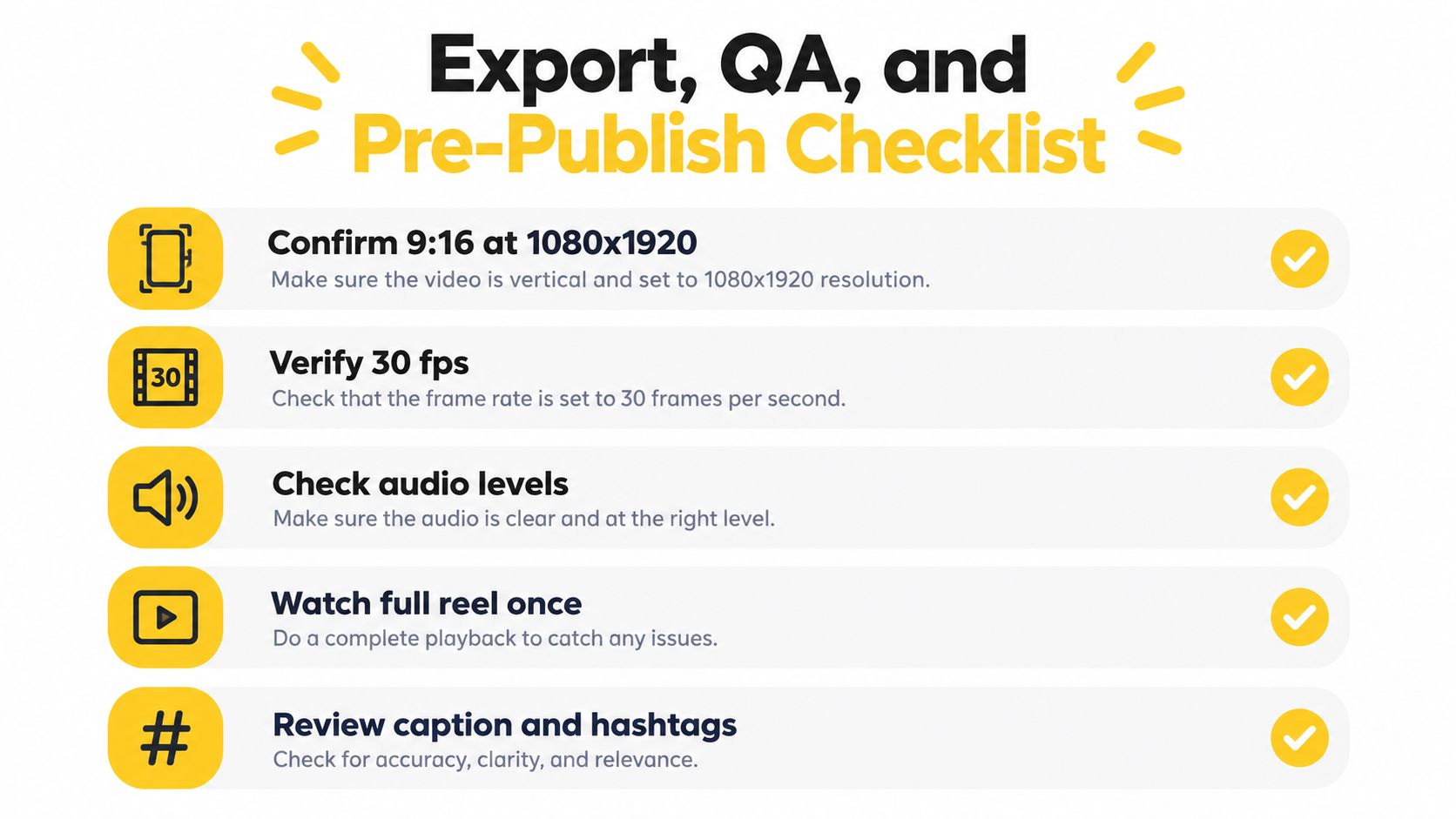
Confirm Your Technical Targets
Build from a 9:16 vertical master at 1080×1920 pixels, using progressive-scan H.264 video in an MP4 container with stereo AAC audio, per Slice Media's Instagram Reels specification guide. Keep frame rate fixed at 30 fps unless fast motion justifies 60 fps, and don't mix frame rates in one edit, since inconsistent cadence causes duplicated or dropped frames. That guide also lists 720 pixels as a minimum resolution, but minimum isn't a target. Export at full vertical resolution.- Safe areas: Keep text, logos, prices, and calls to action away from top and bottom interface regions.
- Caption check: Read every caption aloud. You'll catch timing and wording errors your eyes skip.
- Final frame: Confirm your end card or call to action holds long enough to read.
Watch It Like a Stranger
Preview the exported file on a phone, sound off, full screen. Watch the first three seconds cold and ask whether you'd stop scrolling. Then watch once more with sound on to check audio levels against the cuts.If the Reel only makes sense with sound, it doesn't make sense yet.Choose HD export, confirm watermark settings match your plan, and keep the rendered file where your team can find it for reposting. A Reel you can't locate next week is a Reel you'll remake from scratch.
Measuring Results and Fixing What Does Not Work
Views alone will mislead you. Track three-second views, average watch time, completion rate, rewatches, shares, saves, profile visits, and clicks, separately by platform and by creative version. One reported benchmark placed average engagement at 0.45% for Instagram Reels, compared with 2.60% for TikTok and 0.30% for YouTube Shorts, in Wyzowl's video marketing statistics, which also found 71% of surveyed respondents rated roughly 30 seconds to 2 minutes as most effective for general marketing videos. Judge each platform against its own baseline.
Diagnose before you rebuild. A drop in the opening seconds means your hook or first frame failed, so swap the hero shot. A mid-video drop means pacing sagged, so shorten holds or reorder. Strong watch time with weak clicks means your call to action is unclear or competing with a second ask.
Produce two or three hook variants from the same photo set and compare retention before you standardize a template. That testing loop is what turns occasional posting into a system, and it pairs naturally with a broader real estate marketing videos strategy once your short-form workflow is stable. Fix one variable at a time, or you'll never know what worked.
Upload the listing photos you already have and turn them into a captioned, music-synced vertical Reel you can adapt for Instagram, TikTok, and YouTube Shorts without a second editing session. Visit VideoTour.ai to build your first photo-first Reel from a listing set today and preview it in minutes.
Diagnose before you rebuild. A drop in the opening seconds means your hook or first frame failed, so swap the hero shot. A mid-video drop means pacing sagged, so shorten holds or reorder. Strong watch time with weak clicks means your call to action is unclear or competing with a second ask.
Produce two or three hook variants from the same photo set and compare retention before you standardize a template. That testing loop is what turns occasional posting into a system, and it pairs naturally with a broader real estate marketing videos strategy once your short-form workflow is stable. Fix one variable at a time, or you'll never know what worked.
Upload the listing photos you already have and turn them into a captioned, music-synced vertical Reel you can adapt for Instagram, TikTok, and YouTube Shorts without a second editing session. Visit VideoTour.ai to build your first photo-first Reel from a listing set today and preview it in minutes.