

Your listing photos have arrived, the seller wants to see the launch campaign, and your broker is asking for a reel. You've got the raw material, but turning it into something publishable still means choosing images, writing captions, checking facts, and wrestling with exports while the rest of your day keeps moving.
That's the challenge with real estate marketing videos. You don't need another attractive file. You need a repeatable campaign that helps buyers discover the home, understand it, and decide whether to book a showing, without making the property look better than it is.
That's the challenge with real estate marketing videos. You don't need another attractive file. You need a repeatable campaign that helps buyers discover the home, understand it, and decide whether to book a showing, without making the property look better than it is.
Summary
Create an AI Video Tours from PhotosTry it For Free

Why Every Listing Now Lives or Dies on Video
The morning usually starts with a folder of listing photographs and competing requests. Your social manager wants a dramatic opening. The seller wants every room included. Your assistant needs something suitable for the listing page, and nobody agrees on which version should come first.
The problem isn't a shortage of creative ideas. It's the absence of a production standard.
Treat video as a last-minute accessory and every listing becomes a custom editing project. Someone chooses music before deciding what the buyer needs to know. Someone else adds a long logo animation. By publication time, you've spent your attention on transitions instead of the property's selling proposition.
A useful listing video answers a specific question. A discovery clip makes the buyer want to investigate. An overview establishes whether the home fits. A follow-up helps an interested prospect resolve an unanswered concern.
Build your production brief around:
The problem isn't a shortage of creative ideas. It's the absence of a production standard.
Treat video as a last-minute accessory and every listing becomes a custom editing project. Someone chooses music before deciding what the buyer needs to know. Someone else adds a long logo animation. By publication time, you've spent your attention on transitions instead of the property's selling proposition.
Give the video a job before you edit
The heading's warning shouldn't be mistaken for a guarantee that video determines whether a home sells. Price, condition, location, and accurate listing information still matter. My recommendation is narrower: stop leaving the buyer's first moving-image introduction to chance.A useful listing video answers a specific question. A discovery clip makes the buyer want to investigate. An overview establishes whether the home fits. A follow-up helps an interested prospect resolve an unanswered concern.
Production rule: Decide what the viewer should understand and do next before choosing the soundtrack.A static gallery remains valuable, but it asks buyers to assemble the property story themselves. Your video should guide that interpretation, not reproduce the gallery with effects.
Build your production brief around:
- Audience: Identify whether you're addressing casual browsers, active buyers, or prospects who've already visited.
- Message: Choose the property feature or layout advantage that deserves attention.
- Next action: Send viewers toward the information or conversation appropriate to their interest.
The Four Video Types Every Agent Should Know
Property tours, social reels, agent brand clips, and aerial or animated pieces solve different problems. Buying a tool that produces one doesn't mean you've covered the others.
Start with property tours if your immediate problem is helping buyers evaluate listings. Add social reels to introduce those listings to new audiences. Use brand clips to explain how you work, and commission aerial or spatial material only when it clarifies something buyers can't understand from the primary images.
A property tour should explain the home, not merely display its finishes. Buyers need to understand how the living areas connect, where private spaces sit, and what deserves closer inspection.
A reel has a narrower assignment. Lead with a meaningful feature, then direct viewers toward fuller information. Don't squeeze every room into a discovery clip just because you have the photographs.
For paid creative planning, Wojo Media's YouTube ads guide for e-commerce brands is an adjacent resource to consider. Apply an advertising lens to the message and call to action, but don't mistake product-ad creative for a property qualification strategy.
These formats can overlap. An actual drone pass might clarify a tour's setting; a brief agent appearance might introduce an open house. Evaluate each addition by asking whether it helps the viewer's current decision.
Start with property tours if your immediate problem is helping buyers evaluate listings. Add social reels to introduce those listings to new audiences. Use brand clips to explain how you work, and commission aerial or spatial material only when it clarifies something buyers can't understand from the primary images.
Matching Video Type to Purpose
| Video Type | Buyer Stage | Ideal Length | Primary Platform | Production Effort |
|---|---|---|---|---|
| Property tour | Evaluation and qualification | Long enough to explain layout without repetition | Listing page and YouTube | Photo-led editing or an on-site walkthrough |
| Social reel | Discovery | Brief, with a focused message | Instagram Reels, TikTok, and YouTube Shorts | A selective cut from existing assets |
| Agent brand clip | Agent selection and relationship building | Enough to answer a specific client question | Agent website and social profiles | Script, on-camera delivery, or an approved avatar |
| Drone or spatial animation piece | Location and spatial evaluation | Only as long as the context requires | Embedded within a property presentation | Additional capture or carefully reviewed animation |
A reel has a narrower assignment. Lead with a meaningful feature, then direct viewers toward fuller information. Don't squeeze every room into a discovery clip just because you have the photographs.
Keep the agent out of the property's way
Brand clips belong where buyers or sellers are evaluating you. Explain your preparation process, communication style, or approach to pricing rather than attaching a lengthy introduction to every listing.For paid creative planning, Wojo Media's YouTube ads guide for e-commerce brands is an adjacent resource to consider. Apply an advertising lens to the message and call to action, but don't mistake product-ad creative for a property qualification strategy.
These formats can overlap. An actual drone pass might clarify a tour's setting; a brief agent appearance might introduce an open house. Evaluate each addition by asking whether it helps the viewer's current decision.
The Demand Versus Supply Gap in Listing Videos
The opportunity is real, but it's easy to oversell it. Buyer interest in online video doesn't establish that cinematic editing causes better offers or faster transactions.
The reported figures show 37% of buyers used online video sites during their search, while 12% of sellers said their agent marketed the property with video; 51% found their purchased home online, compared with 29% through an agent, and buyers rated photographs very useful at 83%, compared with 41% for virtual tours, according to this real estate video marketing statistics compilation.
The visual below summarizes the opportunity, although its wording is broader than the underlying measure of online video-site use.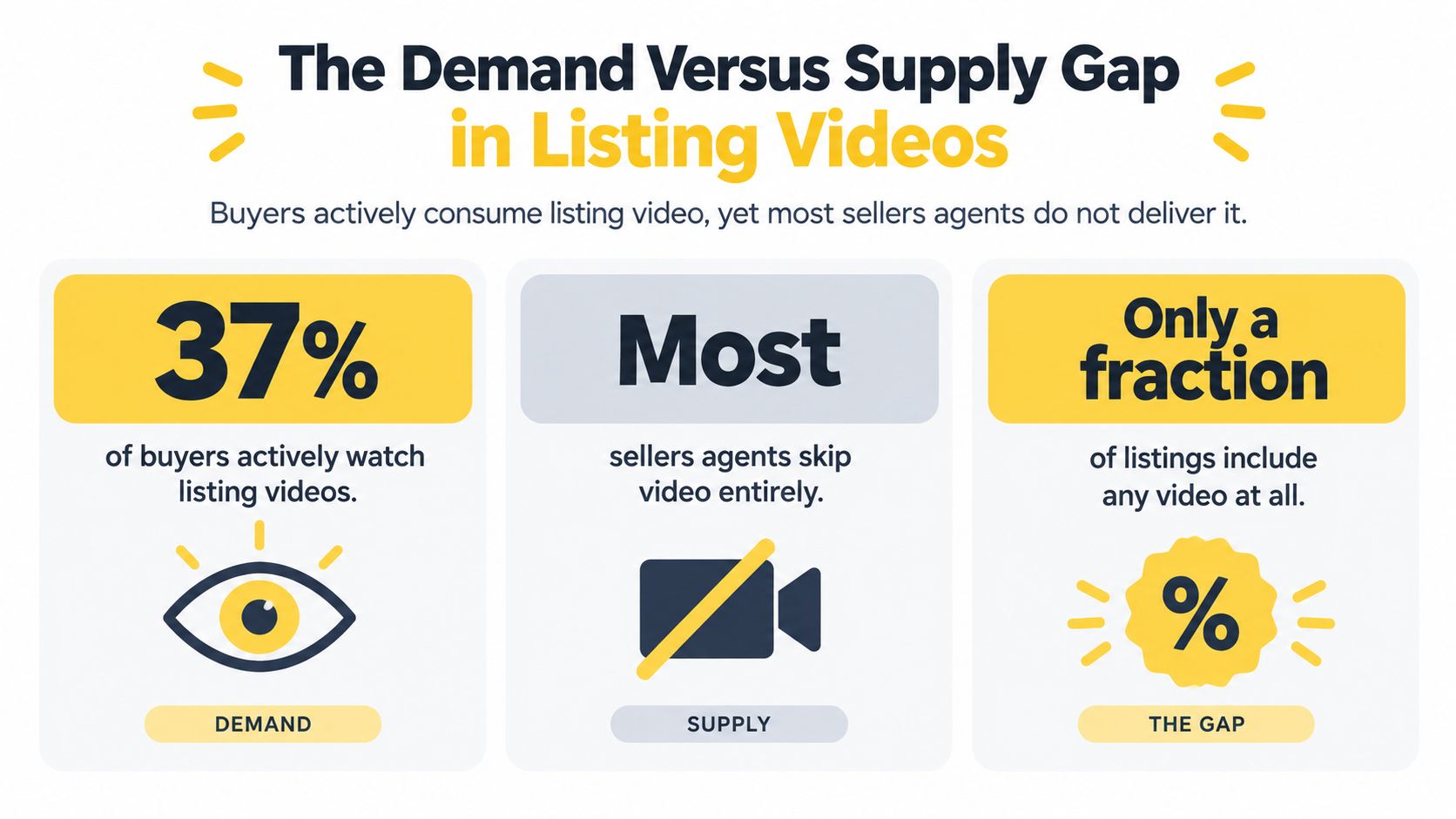
My recommendation is to budget for reliable coverage, not occasional spectacle. A brokerage should be able to explain which listings receive video, what the standard deliverables include, and who checks them before publication.
A seller deserves a practical explanation: you're creating another route into the listing and helping buyers interpret it. You're not replacing accurate information with entertainment, and you're not claiming that a video can compensate for an unsuitable asking price.
The reported figures show 37% of buyers used online video sites during their search, while 12% of sellers said their agent marketed the property with video; 51% found their purchased home online, compared with 29% through an agent, and buyers rated photographs very useful at 83%, compared with 41% for virtual tours, according to this real estate video marketing statistics compilation.
The visual below summarizes the opportunity, although its wording is broader than the underlying measure of online video-site use.
What the gap actually justifies
These measures describe different behaviors and groups. They aren't a direct comparison of video viewers against video-enabled listings, and they don't prove an inquiry uplift. They do justify testing a more consistent video offering alongside the assets buyers already value.My recommendation is to budget for reliable coverage, not occasional spectacle. A brokerage should be able to explain which listings receive video, what the standard deliverables include, and who checks them before publication.
- Protect the photography budget: Don't fund motion effects by weakening the source images.
- Retain supporting information: Keep floor plans, measurements, and detailed descriptions available beside the video.
- Fund repeatability: Prioritize an editing process your team can sustain across ordinary listings.
A seller deserves a practical explanation: you're creating another route into the listing and helping buyers interpret it. You're not replacing accurate information with entertainment, and you're not claiming that a video can compensate for an unsuitable asking price.
A Repeatable Photo to Video Workflow for Listings
Begin with the approved photo set and the current listing details, not the animation menu. Keep the originals in a separate folder so reviewers can compare the finished video against the actual source material.
Use this workflow as a production checklist, with publication dependent on approval rather than an arbitrary deadline.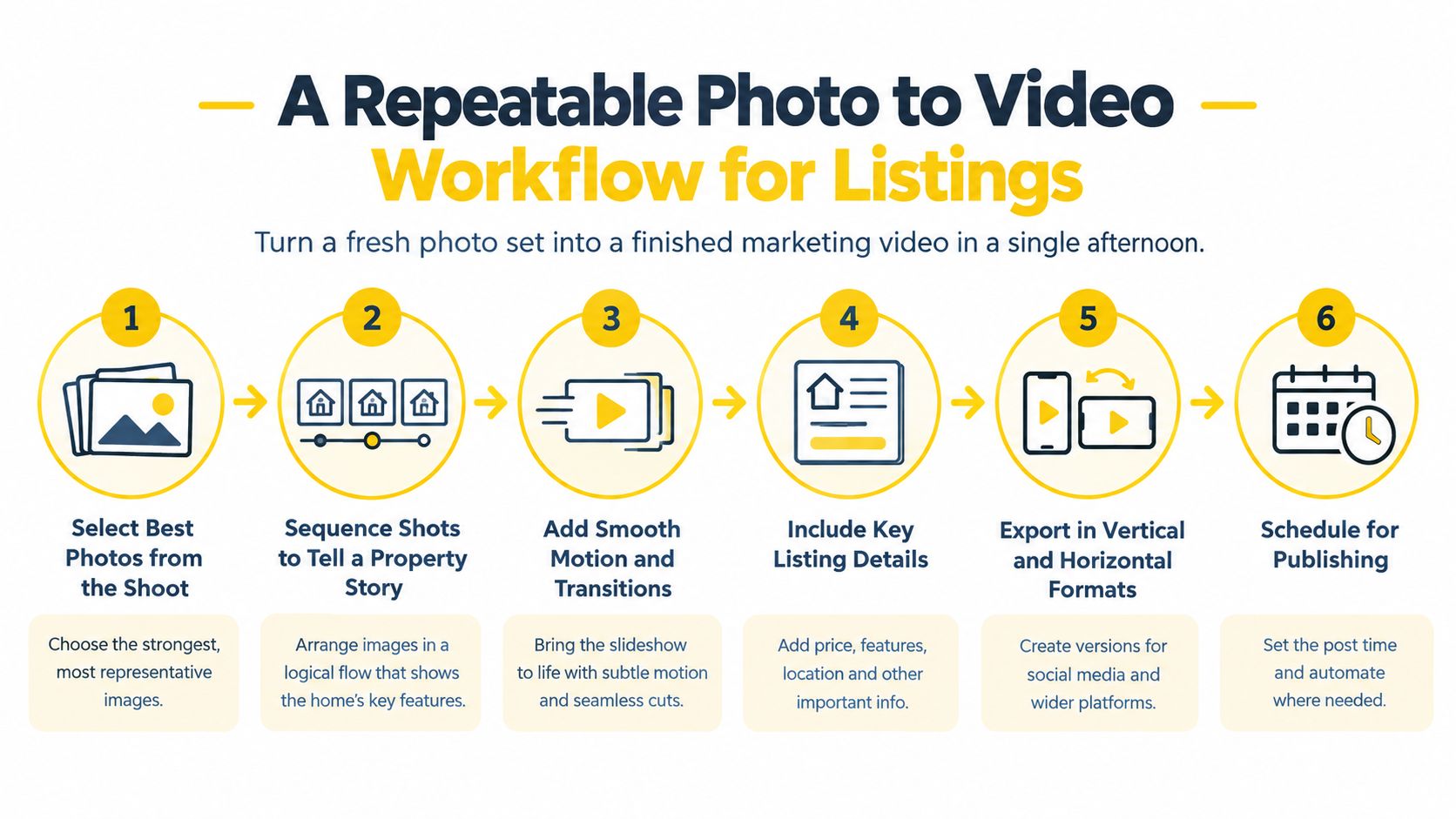
Then arrange the images into a coherent route. Group connected living spaces, move into private rooms, and finish with useful exterior or amenity context. If the photographs don't establish how rooms connect, don't manufacture a continuous walkthrough.
Review each intended layout independently. A crop that works in a horizontal version can hide a doorway or cut off a caption in a portrait version. Request reusable exports and revision terms before committing to a production service, rather than discovering version charges after approval.
For a visual reference alongside your own workflow, watch this video.
Before delivery, check the actual MLS requirements governing your listing. Prepare an unbranded version when required, and verify restrictions on contact information, logos, external links, and altered imagery.
An MLS-safe preset is a starting point, not permission to skip review. Save the approved master, export files, caption copy, and reviewer sign-off together so an assistant can publish without guessing which version is final.
Use this workflow as a production checklist, with publication dependent on approval rather than an arbitrary deadline.
Build a clear property sequence
Choose the strongest honest opening image. That might be an exterior that explains the setting or a primary room that communicates the home's central appeal. Don't open with a logo just because the template puts it there.Then arrange the images into a coherent route. Group connected living spaces, move into private rooms, and finish with useful exterior or amenity context. If the photographs don't establish how rooms connect, don't manufacture a continuous walkthrough.
- Select deliberately: Remove duplicate angles and images that add no new information.
- Use restrained motion: Pan or zoom to direct attention, not to invent movement through unseen space.
- Write objective captions: Pull property details from approved records rather than asking an AI scriptwriter to infer them.
- Choose supporting audio: Use music you're authorized to publish, and keep it below any spoken explanation.
Review the exports separately
A photo-to-video platform is useful for repeatable listing assembly; a manual editor is appropriate when the property needs custom footage or more deliberate narration. Don't choose an automated effect merely because it's available.Review each intended layout independently. A crop that works in a horizontal version can hide a doorway or cut off a caption in a portrait version. Request reusable exports and revision terms before committing to a production service, rather than discovering version charges after approval.
For a visual reference alongside your own workflow, watch this video.
Before delivery, check the actual MLS requirements governing your listing. Prepare an unbranded version when required, and verify restrictions on contact information, logos, external links, and altered imagery.
An MLS-safe preset is a starting point, not permission to skip review. Save the approved master, export files, caption copy, and reviewer sign-off together so an assistant can publish without guessing which version is final.
Matching Video Length and Format to the Buyer Journey
A buyer scrolling between unrelated posts needs a reason to pause. A buyer deciding whether to visit needs enough detail to rule the property in or out. Giving both viewers the same edit is convenient for the producer, not useful for the audience.
I recommend a modular campaign built around a 20–45-second discovery teaser, a 60–90-second overview, and a 3–10-minute detailed tour, drawing on the format framework and longer-tour guidance in this real estate video strategy compilation.
Different viewing environments call for different presentations, as the image illustrates.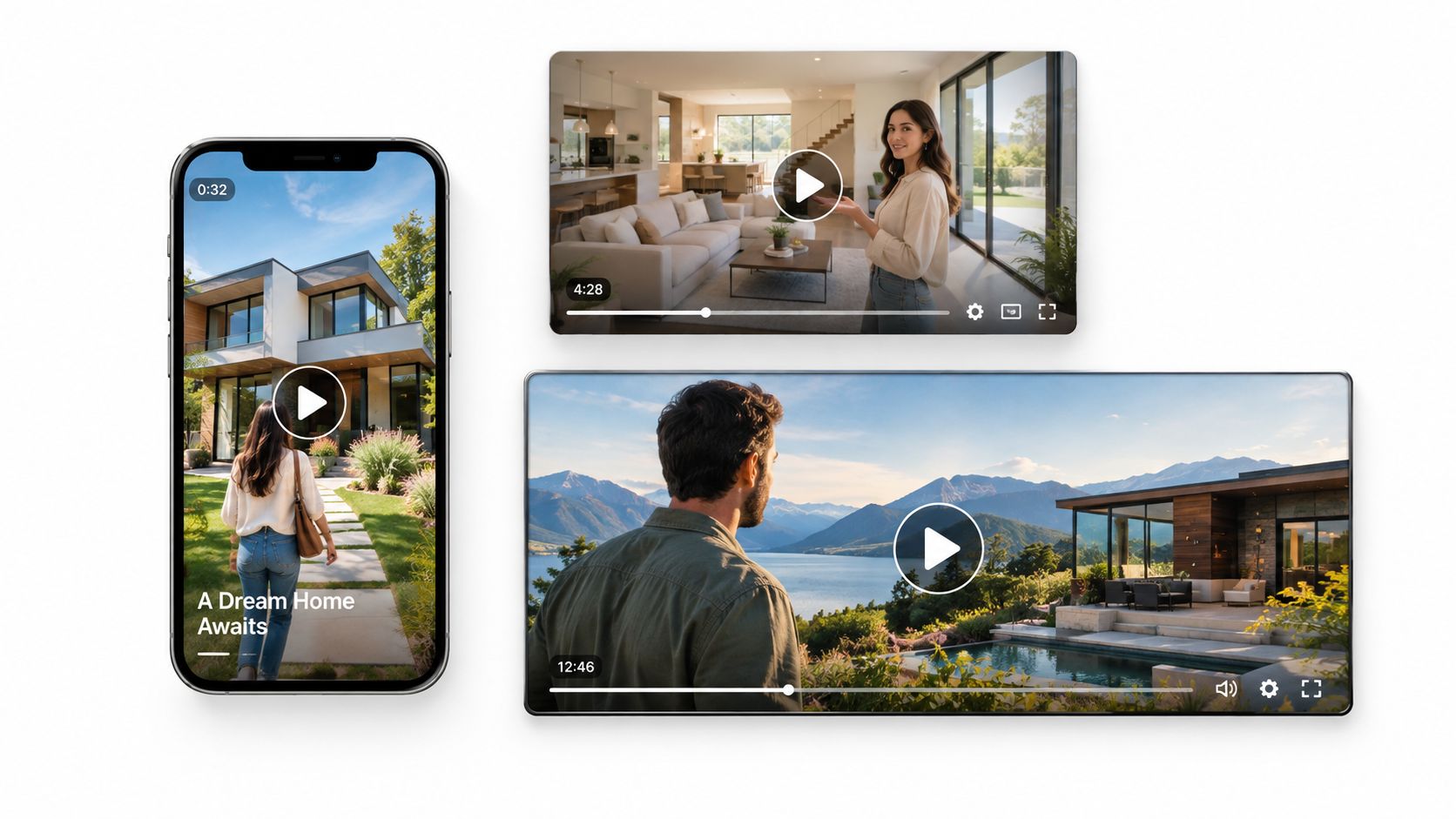 Don't stretch a limited photo set into a long tour. A detailed presentation earns its length through useful narration, spatial explanation, or additional footage. Repeating the same kitchen image with different animations isn't added information.
Consult the video aspect ratio guide when preparing platform-specific layouts. Keep important property features and text visible rather than relying on automatic cropping.
I recommend a modular campaign built around a 20–45-second discovery teaser, a 60–90-second overview, and a 3–10-minute detailed tour, drawing on the format framework and longer-tour guidance in this real estate video strategy compilation.
Match detail to intent
| Campaign Asset | Viewer's Question | What to Include | Appropriate Next Action |
|---|---|---|---|
| Discovery teaser | Is this worth exploring? | A distinctive feature, location context, and a clear opening | View the listing |
| Property overview | Does this meet my needs? | Main rooms, layout explanation, and verified details | Explore the full presentation |
| Detailed tour | Is a showing worthwhile? | Spatial context, practical commentary, and relevant limitations | Ask a question or book a visit |
| Follow-up edit | What do I still need to resolve? | The specific room, feature, or issue discussed | Confirm the next step |
Don't stretch a limited photo set into a long tour. A detailed presentation earns its length through useful narration, spatial explanation, or additional footage. Repeating the same kitchen image with different animations isn't added information.Recut the story, not just the duration
Use the same approved source library, but change the information order. The teaser can lead with the outdoor space; the overview should explain the home's main living arrangement; the detailed tour should address questions a serious prospect would ask.Consult the video aspect ratio guide when preparing platform-specific layouts. Keep important property features and text visible rather than relying on automatic cropping.
A longer tour doesn't have to attract the largest audience. It has to help the right buyer make a better decision.Follow-up content needs even less decoration. If a prospect asks about the relationship between the kitchen and patio, send the relevant sequence with an accurate explanation. Don't restart the entire sales pitch.
Building Trustworthy AI Assisted Property Videos
A seller may ask you to brighten the home, improve the view, or make an ordinary exterior look cinematic. Set the boundary before editing: presentation can become clearer; the property cannot become different.
AI-assisted property videos raise disclosure, accessibility, and trust concerns involving cloned voices, simulated drone footage, altered scenes, and silent mobile viewing, an under-covered angle identified in this real estate marketing statistics and trust discussion. Treat those risks as production controls, not a disclaimer added after approval.
Use the checklist below to establish a shared review standard.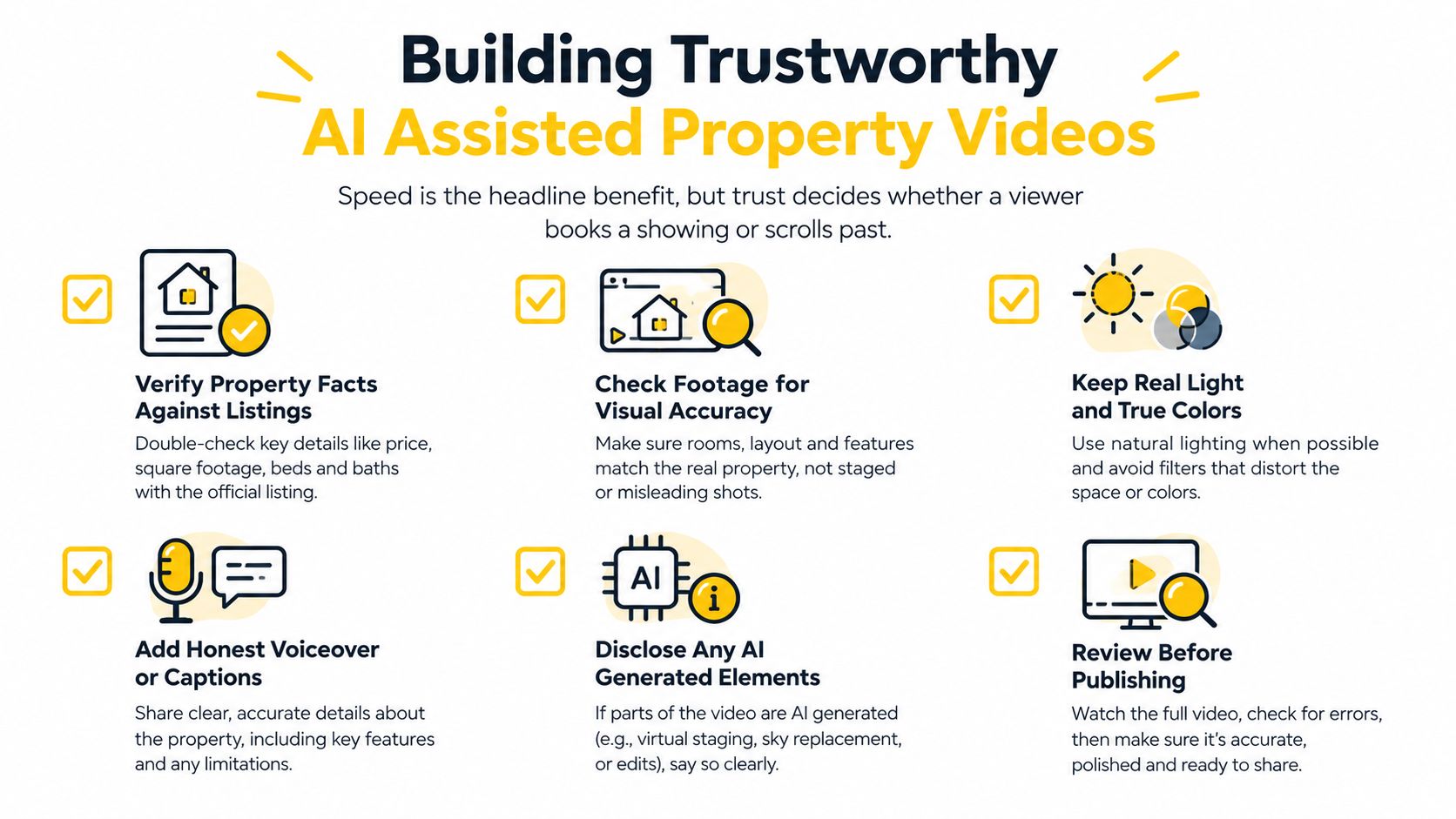
Don't use simulated aerial material to establish boundaries, neighboring conditions, roof condition, or a view that the source images cannot verify. If an illustrative effect creates a materially misleading impression, remove it rather than relying on a label.
The useful trust question isn't whether viewers liked the effects. It's whether prospects understood the property accurately before arriving.
AI-assisted property videos raise disclosure, accessibility, and trust concerns involving cloned voices, simulated drone footage, altered scenes, and silent mobile viewing, an under-covered angle identified in this real estate marketing statistics and trust discussion. Treat those risks as production controls, not a disclaimer added after approval.
Use the checklist below to establish a shared review standard.
Separate evidence from illustration
Actual footage records what the camera captured. An animated photograph presents an existing image with motion. A generated flyover may depict viewpoints that were never photographed. Those aren't interchangeable.Don't use simulated aerial material to establish boundaries, neighboring conditions, roof condition, or a view that the source images cannot verify. If an illustrative effect creates a materially misleading impression, remove it rather than relying on a label.
Trust standard: A disclosure explains an alteration. It doesn't make a false property representation acceptable.Keep the original photographs available, and label material alterations clearly where they appear. Obtain authorization before cloning someone's voice or using their likeness. Ask the broker to resolve uncertain local or MLS requirements before publication rather than treating general advice as a legal determination.
Make the review practical
Your pre-publish checklist should cover:- Property accuracy: Compare captions, narration, and visuals against the approved listing and source images.
- Visual integrity: Check for changed windows, distorted proportions, invented finishes, and altered surroundings.
- Disclosure and consent: Identify generated elements and confirm authorization for voices and likenesses.
- Silent comprehension: Make the essential message understandable without music or narration.
- Readable presentation: Check caption contrast, placement, timing, and legibility on a phone.
- Language quality: Have a competent reviewer check translated versions, especially property terminology.
- Human approval: Assign a named reviewer who can stop publication.
The useful trust question isn't whether viewers liked the effects. It's whether prospects understood the property accurately before arriving.
Distribution and Measurement Across MLS and Social
Uploading a video isn't a distribution plan. Assign each version a destination, an audience, and a next action before launch.
Use the format strategy already established rather than assuming every channel needs the same short edit. Your MLS presentation serves buyers examining a specific listing; social discovery content introduces it; email follow-up supports an existing conversation.
Use the guide to promoting real estate videos to develop a listing-level publishing checklist. Assign ownership for uploads, description updates, replies, and removal or revision when the property's status changes.
A stale price caption is a distribution failure even if the original edit was accurate. Publication includes maintaining the asset, not just launching it.
Track these signals distinctly:
Use campaign-tagged links that distinguish channel and creative version. If you use shortened links, test the destination and preserve the tracking parameters. Carry those labels into your inquiry form or CRM where possible, and ask prospects what helped them decide to book.
Don't credit every showing to the last click. A buyer may discover the listing socially, watch the detailed tour later, and contact you through another route. Report confirmed attribution separately from buyer-reported influence.
Use the format strategy already established rather than assuming every channel needs the same short edit. Your MLS presentation serves buyers examining a specific listing; social discovery content introduces it; email follow-up supports an existing conversation.
Give every destination a purpose
| Destination | Recommended Role | Publishing Check |
|---|---|---|
| MLS video field | Property evaluation | Confirm local rules and accepted delivery method |
| YouTube | Searchable detailed presentation | Use a descriptive title and current listing information |
| Instagram, TikTok, and Facebook | Discovery and conversation | Match the edit to the placement and supply a useful next step |
| Google Business Profile | Local business communication | Verify that the content and placement are appropriate |
| Email follow-up | Resolve a prospect's question | Send the relevant presentation with personal context |
A stale price caption is a distribution failure even if the original edit was accurate. Publication includes maintaining the asset, not just launching it.
Measure actions you can explain to a seller
Views describe exposure, not buyer qualification. They're useful for diagnosing whether people encounter the clip, but they shouldn't be your headline result.Track these signals distinctly:
- Qualified inquiries: Record contacts whose needs plausibly match the property, using a consistent qualification definition.
- Saves and direct replies: Treat them as interest signals, then investigate whether they progress.
- Tour bookings: Connect appointments to the relevant campaign or conversation when evidence supports it.
- Listing-to-showing conversion: Divide attributable showing bookings by a consistently defined pool of listing visitors.
Use campaign-tagged links that distinguish channel and creative version. If you use shortened links, test the destination and preserve the tracking parameters. Carry those labels into your inquiry form or CRM where possible, and ask prospects what helped them decide to book.
Don't credit every showing to the last click. A buyer may discover the listing socially, watch the detailed tour later, and contact you through another route. Report confirmed attribution separately from buyer-reported influence.
A Monday Morning Plan for Your Next Listing
Open the next listing folder with a decision sheet, not a template gallery. Write down the intended audience, the property's strongest defensible feature, and the action you want the viewer to take.
Then give the team a short execution plan they can follow without another creative meeting.
By the end of the initial campaign, you should have an approved asset library, a functioning publication checklist, and an honest seller report. That's a workable video program. A folder full of impressive reels with no recorded buyer actions isn't.
VideoTour.ai converts listing photo sets into ready-to-share property videos with automated motion, captions, music, and branding, including options for MLS use and social formats. Visit the platform to build a draft from your next approved photo set, then apply your brokerage's accuracy and compliance review before publishing.
Then give the team a short execution plan they can follow without another creative meeting.
Make approval part of the schedule
- Monday morning: Sort the approved photographs, choose the opening image, and confirm which property details belong in captions.
- That afternoon: Assemble the master presentation, prepare the discovery cut, and assign the exports to their intended destinations.
- Before publication: Route the package through the trust and MLS review already defined.
- During launch week: Publish the campaign, answer inquiries, and use relevant excerpts in individual follow-up.
- At the seller update: Report qualified inquiries and listing-to-showing conversion using the measurement definitions established earlier.
The useful campaign isn't the one your seller calls cinematic. It's the one you can defend as accurate, purposeful, and accountable.Don't rebuild the entire workflow because a teaser receives disappointing reach. First identify the problem: weak opening, unclear destination, incomplete information, or an audience mismatch. Change the relevant part instead of adding more effects.
By the end of the initial campaign, you should have an approved asset library, a functioning publication checklist, and an honest seller report. That's a workable video program. A folder full of impressive reels with no recorded buyer actions isn't.
VideoTour.ai converts listing photo sets into ready-to-share property videos with automated motion, captions, music, and branding, including options for MLS use and social formats. Visit the platform to build a draft from your next approved photo set, then apply your brokerage's accuracy and compliance review before publishing.