

A solo agent has a new listing, a seller call in an hour, and a gallery of static photos that still needs to become a campaign. The choices now span AI video, virtual staging, photo cleanup, listing copy, and deal management, but the tools don't charge in the same way. One sells monthly video allowances, another uses image credits, and a CRM may meter AI tasks after an included quota runs out. MLS rules can differ too, especially when AI changes the way a property looks.
AI tools for real estate are moving into routine business use, though adoption is uneven. In its 2025 Technology Survey, the National Association of REALTORS® found that 41% of respondents used AI or generative AI, and 75% of those AI users applied it to writing listing descriptions. The survey also found that 81% of REALTORS® adopted new technology primarily to improve efficiency and productivity, a clear reason to look for tools that remove repetitive marketing work. NAR's 2025 Technology Survey points to real interest, but adoption alone doesn't show whether a tool fits your workflow.
This roundup compares ten tools by job: video, staging, photo prep, marketing, and operations. Each gets a practical look at what works, where the limits sit, and who should pay. If you're weighing broader AI growth strategies for realtors, start by choosing a workflow problem, not a platform that claims to do everything.
AI tools for real estate are moving into routine business use, though adoption is uneven. In its 2025 Technology Survey, the National Association of REALTORS® found that 41% of respondents used AI or generative AI, and 75% of those AI users applied it to writing listing descriptions. The survey also found that 81% of REALTORS® adopted new technology primarily to improve efficiency and productivity, a clear reason to look for tools that remove repetitive marketing work. NAR's 2025 Technology Survey points to real interest, but adoption alone doesn't show whether a tool fits your workflow.
This roundup compares ten tools by job: video, staging, photo prep, marketing, and operations. Each gets a practical look at what works, where the limits sit, and who should pay. If you're weighing broader AI growth strategies for realtors, start by choosing a workflow problem, not a platform that claims to do everything.
Summary
Create an AI Video Tours from PhotosTry it For Free

1. VideoTour.ai
A listing is ready for marketing, but a shoot and editing session would delay the video. VideoTour.ai turns up to 60 existing property photos into a ready-to-share tour, adding camera motion, captions, music, and branding. In the browser editor, you can adjust the script, photo order, timing, and aspect ratio before downloading. The same photo set can serve an MLS-oriented video and social formats such as vertical Reels or square posts. Options include voiceover, AI avatars, 3D text, transitions, and AI drone videos. VideoTour.ai is trusted by 10,000+ real estate professionals, though adoption alone says nothing about how a particular listing will perform.
The trade-off is that motion comes from the photos, not original walkthrough footage. If a home's appeal depends on how rooms connect or on a specific sightline, a filmed tour may show it more clearly.
The same photo set can serve an MLS-oriented video and social formats such as vertical Reels or square posts. Options include voiceover, AI avatars, 3D text, transitions, and AI drone videos. VideoTour.ai is trusted by 10,000+ real estate professionals, though adoption alone says nothing about how a particular listing will perform.Best fit: Agents who have strong listing photos and want consistent video without adding a filming or editing step.The first video is free; paid monthly plans provide video allowances, with optional AI credits for enhanced animations and logo intros. Agency and Enterprise plans include additional seats. Check which features use AI credits before settling on a repeatable template.
The trade-off is that motion comes from the photos, not original walkthrough footage. If a home's appeal depends on how rooms connect or on a specific sightline, a filmed tour may show it more clearly.
2. BetterSpace
BetterSpace combines two jobs that often happen in sequence: preparing an empty-room image with virtual staging, then turning listing photos into a video. That can save handoffs when an agent wants a furnished visual and a short listing video from the same workspace. For video, BetterSpace adds motion, music, voiceover, and captions. It exports horizontal, vertical, and square versions, and includes branding options. Social publishing and scheduling, listing sync, and AI integrations are available on paid plans. The free plan includes two videos per month and up to 10 staged photos, which makes it practical to test both parts of the workflow before paying.
BetterSpace suits agents or photographers who want staging and photo-based video together, especially if they also schedule social content. It won't replace a camera operator for room-to-room footage, drone shots, or a custom cinematic treatment. If the listing's story depends on real movement through the property, treat this as a marketing-production shortcut, not a substitute for filming.
For video, BetterSpace adds motion, music, voiceover, and captions. It exports horizontal, vertical, and square versions, and includes branding options. Social publishing and scheduling, listing sync, and AI integrations are available on paid plans. The free plan includes two videos per month and up to 10 staged photos, which makes it practical to test both parts of the workflow before paying.Check the credits before scaling: A generous-looking workflow can still become costly if staging and video actions draw from separate allowances.Paid plans start at $29 per month, but credits shape how much work each subscription covers. Estimate how many photos you stage and videos you publish in an ordinary month, then compare that workload with the plan's allowances. A low monthly price is less useful if routine output repeatedly pushes you into extra-credit purchases.
BetterSpace suits agents or photographers who want staging and photo-based video together, especially if they also schedule social content. It won't replace a camera operator for room-to-room footage, drone shots, or a custom cinematic treatment. If the listing's story depends on real movement through the property, treat this as a marketing-production shortcut, not a substitute for filming.
3. Diane
Diane brings listing video creation and social publishing into one workflow. Its browser extension imports listing photos and property details from portals, which the platform uses to make short videos.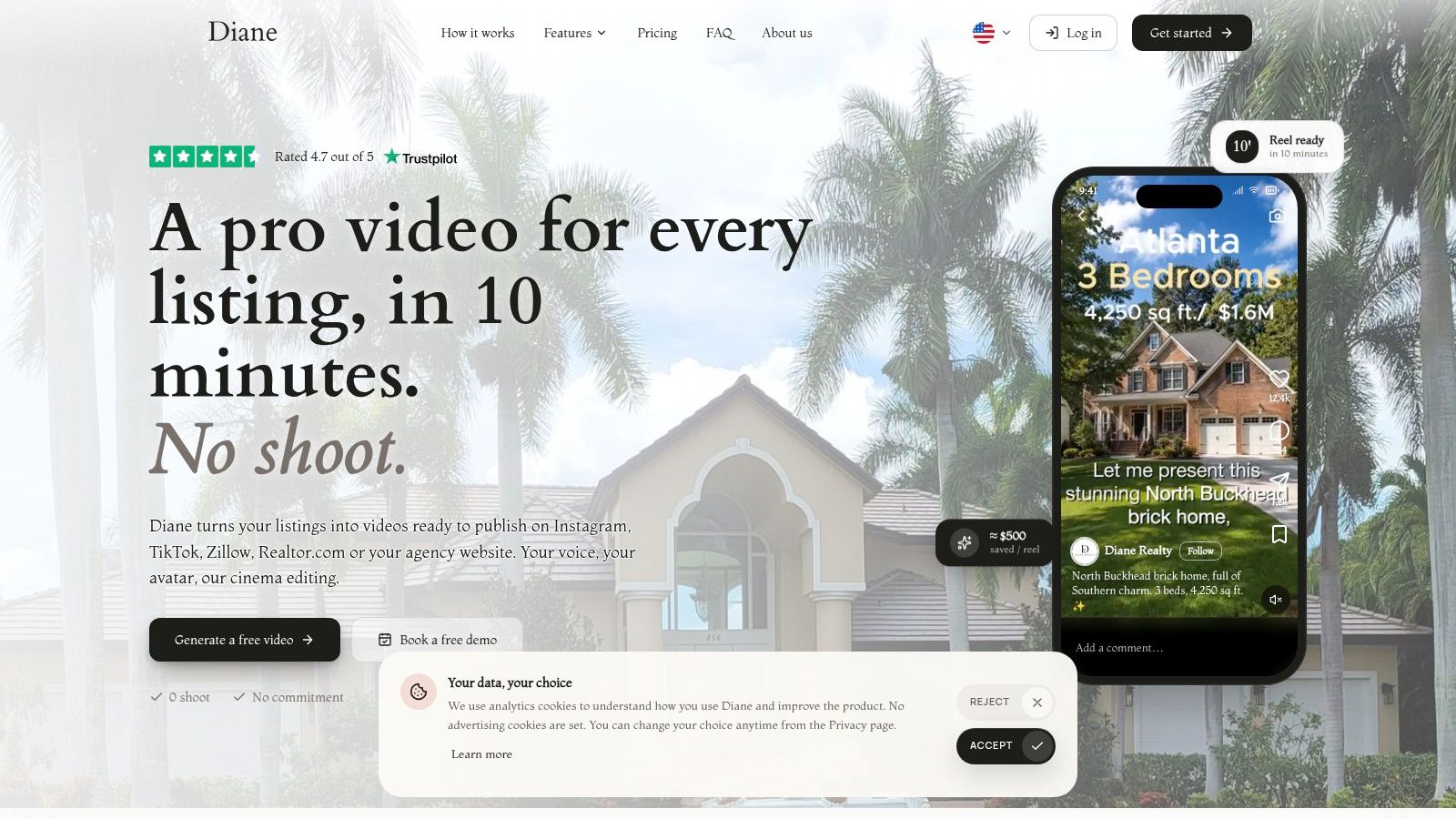 The platform also offers AI avatars, voice cloning, multilingual narration, photo preparation, and virtual staging. Agents can publish or schedule content across Instagram, TikTok, LinkedIn, and YouTube. That combination may suit teams producing listing videos regularly, though the avatar format may not fit every agent's style.
Diane's real-estate focus and distribution tools make it an option for agencies with a steady flow of listings. Compare its current plan details, including any free-trial or per-project options, before committing. For occasional video, a trial or project-based option can limit the risk of paying for a recurring plan you rarely use.
The platform also offers AI avatars, voice cloning, multilingual narration, photo preparation, and virtual staging. Agents can publish or schedule content across Instagram, TikTok, LinkedIn, and YouTube. That combination may suit teams producing listing videos regularly, though the avatar format may not fit every agent's style.Decide whether an avatar fits your brand
A cloned voice or avatar can make video production more repeatable. Agents who build trust through their on-camera presence may prefer to speak themselves. Before cloning a voice, get permission from the person whose voice is being reproduced and agree on how the brokerage will handle disclosure.Diane's real-estate focus and distribution tools make it an option for agencies with a steady flow of listings. Compare its current plan details, including any free-trial or per-project options, before committing. For occasional video, a trial or project-based option can limit the risk of paying for a recurring plan you rarely use.
4. Apply Design
Apply Design is for the moment when a room looks wrong in the first AI staging pass and you want to fix it yourself. It stages standard property photos and 360° panoramas, and its drag-and-drop editor lets you move, swap, or restyle furniture. The workflow also includes furniture removal and tools for keeping the staging consistent across multiple views of the same room.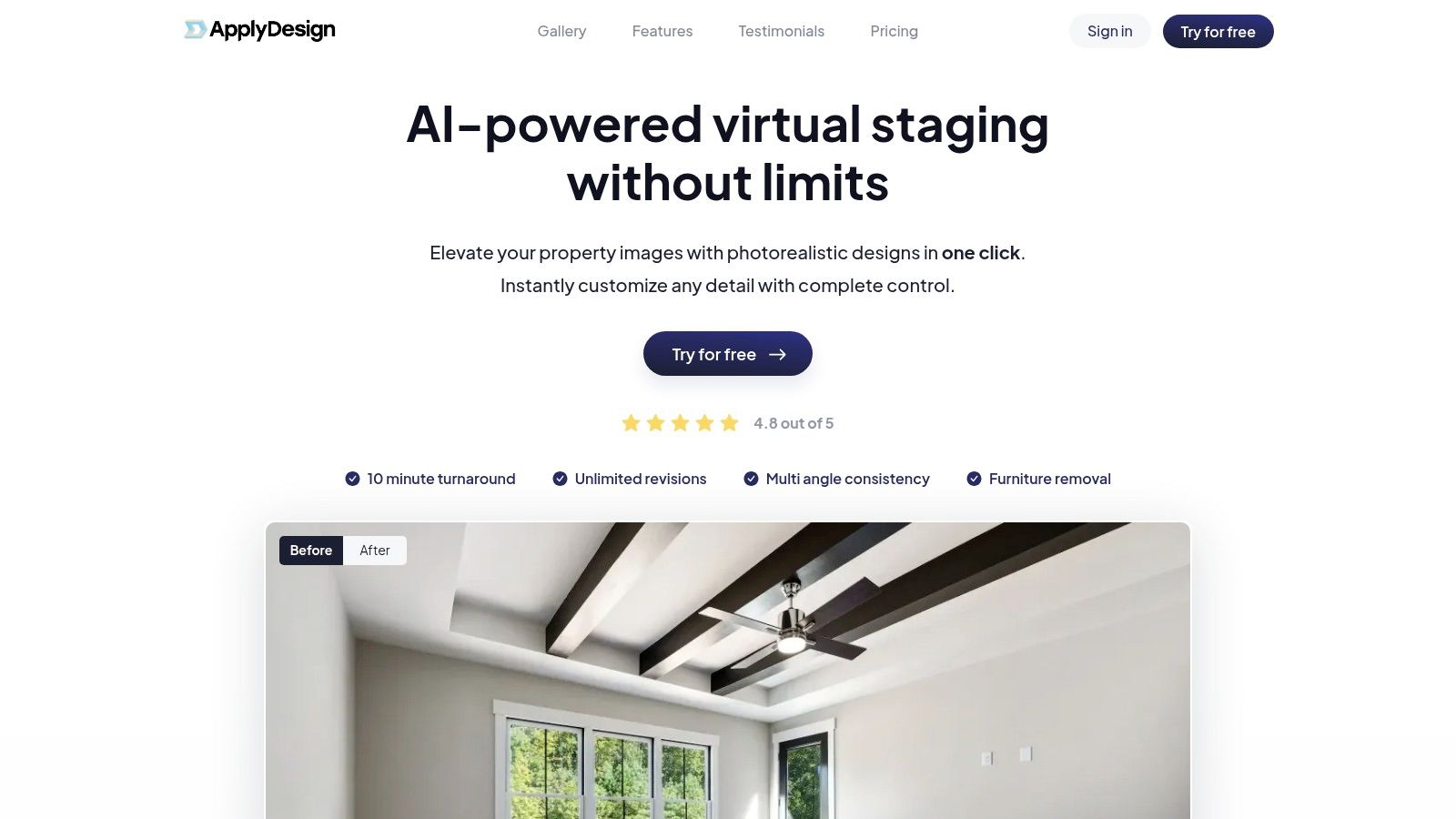 This level of control matters when a room needs a specific layout or when the first generation puts furniture in an awkward spot. You can make manual adjustments without paying for each edit, but a fresh AI generation uses coins. That distinction affects project costs: refining an existing output is different from starting again to test another look.
Try the free image with a real vacant room, then inspect the room boundaries, windows, built-ins, and perspective before using the output in a listing. If you need complete creative control over each result, the editor helps. If you need a quick batch of consistent images every month, compare coin costs with a fixed monthly photo allowance.
This level of control matters when a room needs a specific layout or when the first generation puts furniture in an awkward spot. You can make manual adjustments without paying for each edit, but a fresh AI generation uses coins. That distinction affects project costs: refining an existing output is different from starting again to test another look.Pay per image, not for a monthly habit
Apply Design uses coins rather than requiring a monthly subscription, and the first photo is free to try. Standard 2D staging costs 1.5 coins, while a 360° image costs 2.5 coins. The model suits agents who stage selectively and don't want an ongoing subscription, but repeated generations can consume the balance quickly.Try the free image with a real vacant room, then inspect the room boundaries, windows, built-ins, and perspective before using the output in a listing. If you need complete creative control over each result, the editor helps. If you need a quick batch of consistent images every month, compare coin costs with a fixed monthly photo allowance.
5. Virtual Staging AI
Virtual Staging AI focuses on furnishing empty rooms and removing existing furniture. Upload a room, choose its type and style, then generate an edited image. The provider lists a turnaround of around 10 seconds, but check that the result preserves the room's actual features.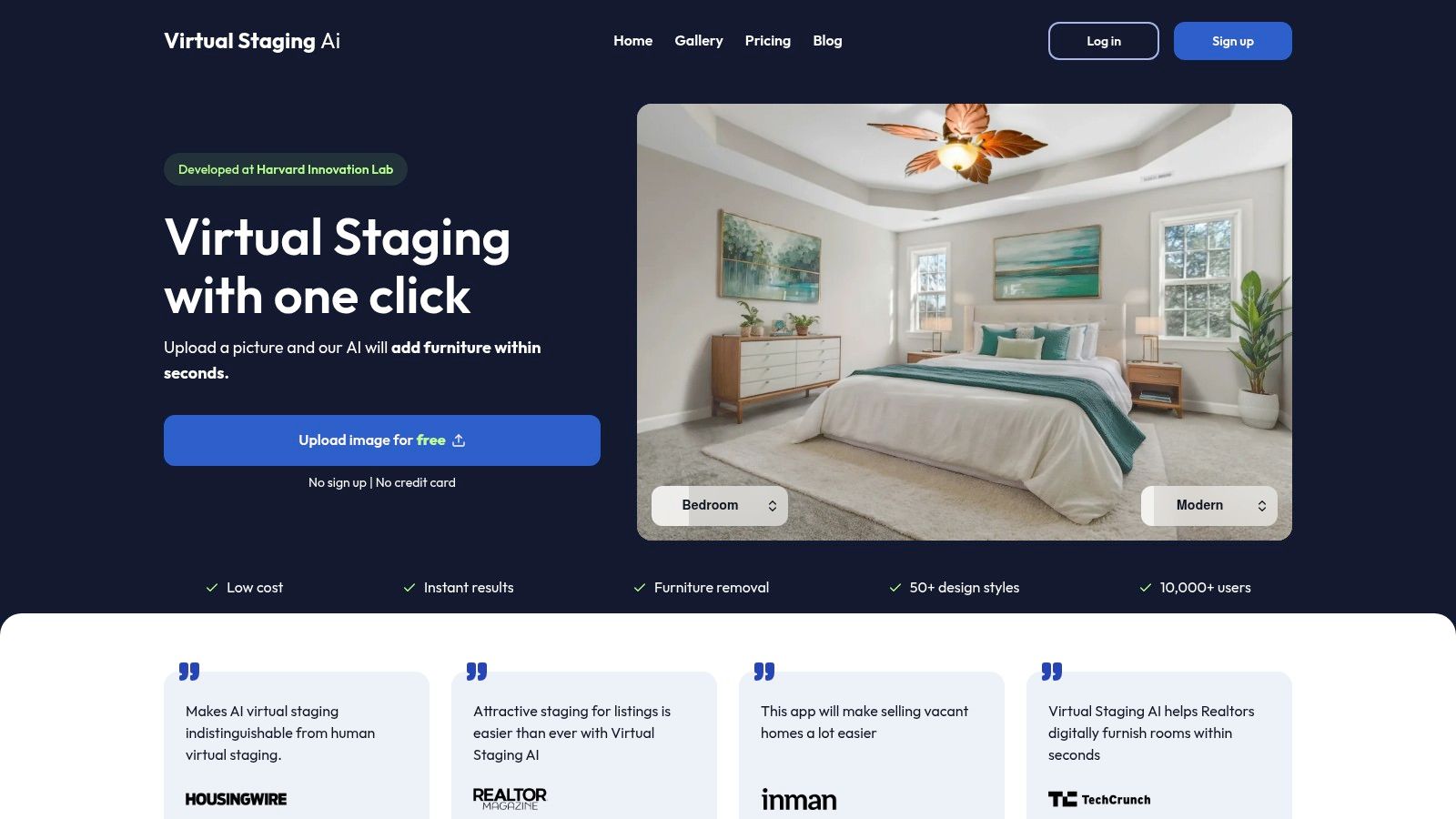 Paid plans start at $16 per month for six photos, with unlimited renders and downloads within that allowance. A free trial is also available, and paid images are watermark-free. The subscription may suit agents who stage regularly; occasional users may leave some of their monthly photo allowance unused.
The Enterprise plan offers API access, but an image-generation API is not a complete multi-user staging application. A developer still needs to build the workflow for permissions, review, storage, and delivery. An ai front yard design can provide another visual concept when an exterior needs attention, but conceptual renderings should stay separate from factual listing photography.
Paid plans start at $16 per month for six photos, with unlimited renders and downloads within that allowance. A free trial is also available, and paid images are watermark-free. The subscription may suit agents who stage regularly; occasional users may leave some of their monthly photo allowance unused.Keep the original: Save the unedited property photo with the staged version. Disclose virtual furniture when applicable MLS or local rules require it.For an overview of what virtual staging means, remember that generated furniture shows one possible use of a room, not a feature included with the property. Use this tool to present vacant rooms, not to disguise an underlying property condition.
The Enterprise plan offers API access, but an image-generation API is not a complete multi-user staging application. A developer still needs to build the workflow for permissions, review, storage, and delivery. An ai front yard design can provide another visual concept when an exterior needs attention, but conceptual renderings should stay separate from factual listing photography.
6. REimagineHome
REimagineHome takes virtual property design beyond furnishing vacant rooms. It can stage empty rooms, redesign furnished ones, remove or swap furniture, and produce landscaping concepts. That breadth helps when a seller needs to visualize a possible update to a room or yard, rather than just see furniture in an empty space.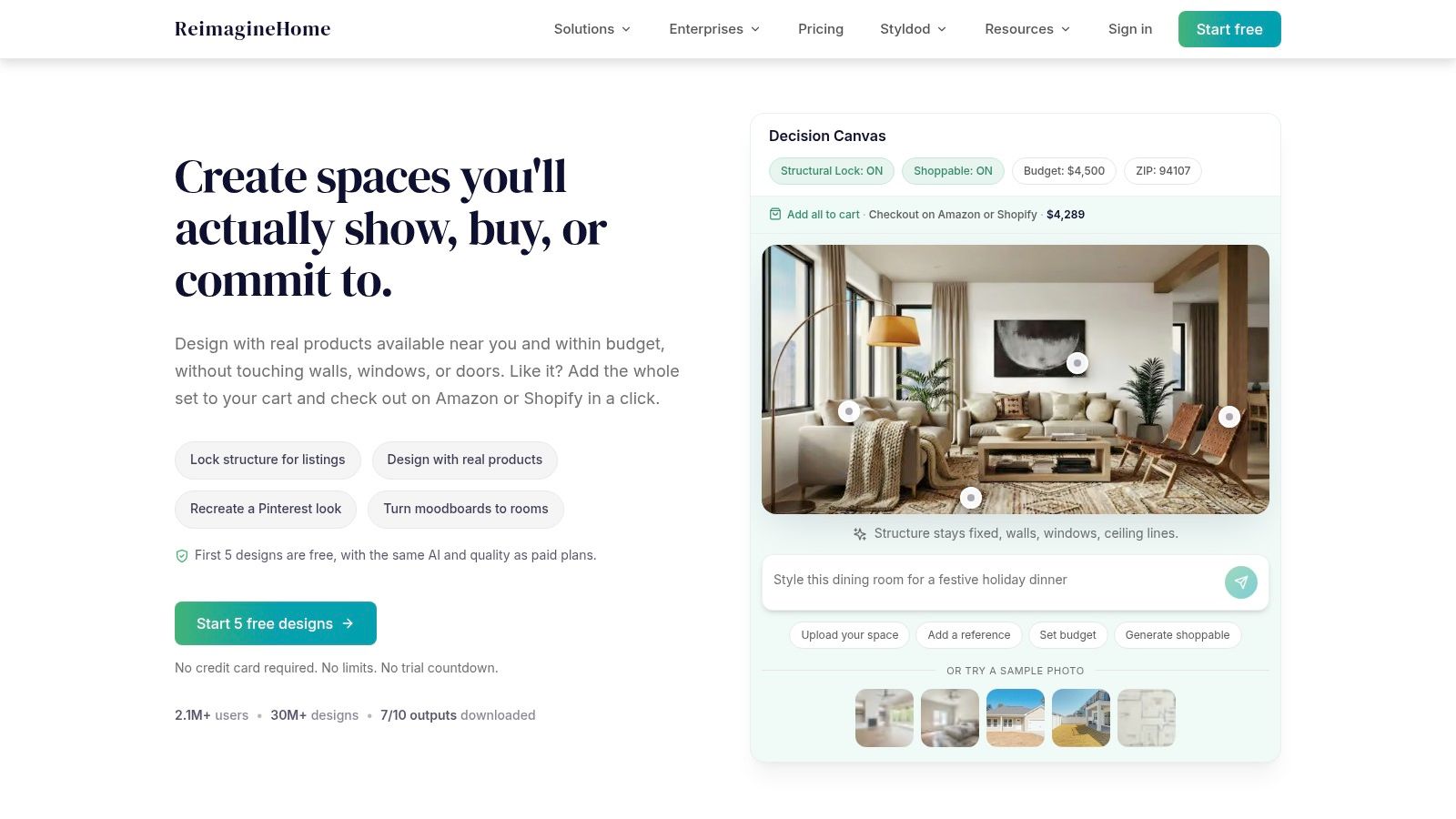 Users can guide the result with style choices or written instructions, which gives more direction than a single preset. New users receive five free credits, and the site says renders typically take seconds under normal conditions. That makes it easy to test a room or exterior concept, but compare the paid plan's credit allowance with your actual generation habits before subscribing.
The FAQ lists paid plans starting at $36 per month. It also says team features aren't yet available and mid-cycle refunds aren't offered, which matters for brokerages and anyone testing the platform as a shared workspace. Review those terms alongside the credit limits, not just the monthly price.
Users can guide the result with style choices or written instructions, which gives more direction than a single preset. New users receive five free credits, and the site says renders typically take seconds under normal conditions. That makes it easy to test a room or exterior concept, but compare the paid plan's credit allowance with your actual generation habits before subscribing.The FAQ lists paid plans starting at $36 per month. It also says team features aren't yet available and mid-cycle refunds aren't offered, which matters for brokerages and anyone testing the platform as a shared workspace. Review those terms alongside the credit limits, not just the monthly price.
Use concepts carefully
This tool is better for showing a possible redesign than for representing the property exactly as photographed. A furnished room or redesigned yard can help a buyer understand potential, but don't let a concept image imply that landscaping, finishes, or fixtures already exist. Keep the original image and label the visualization clearly when required. For a related approach to adjusting listing images, see this guide to the AI real-estate photo editor.7. RoomCreator
RoomCreator gives agents, photographers, and rental hosts a place to prepare listing photos without scheduling a reshoot. Its workflow covers photo enhancement for light, color, and clarity, plus virtual staging and related image refinements. That mix is useful when the images need a consistent polish before they're uploaded to a listing or turned into a video.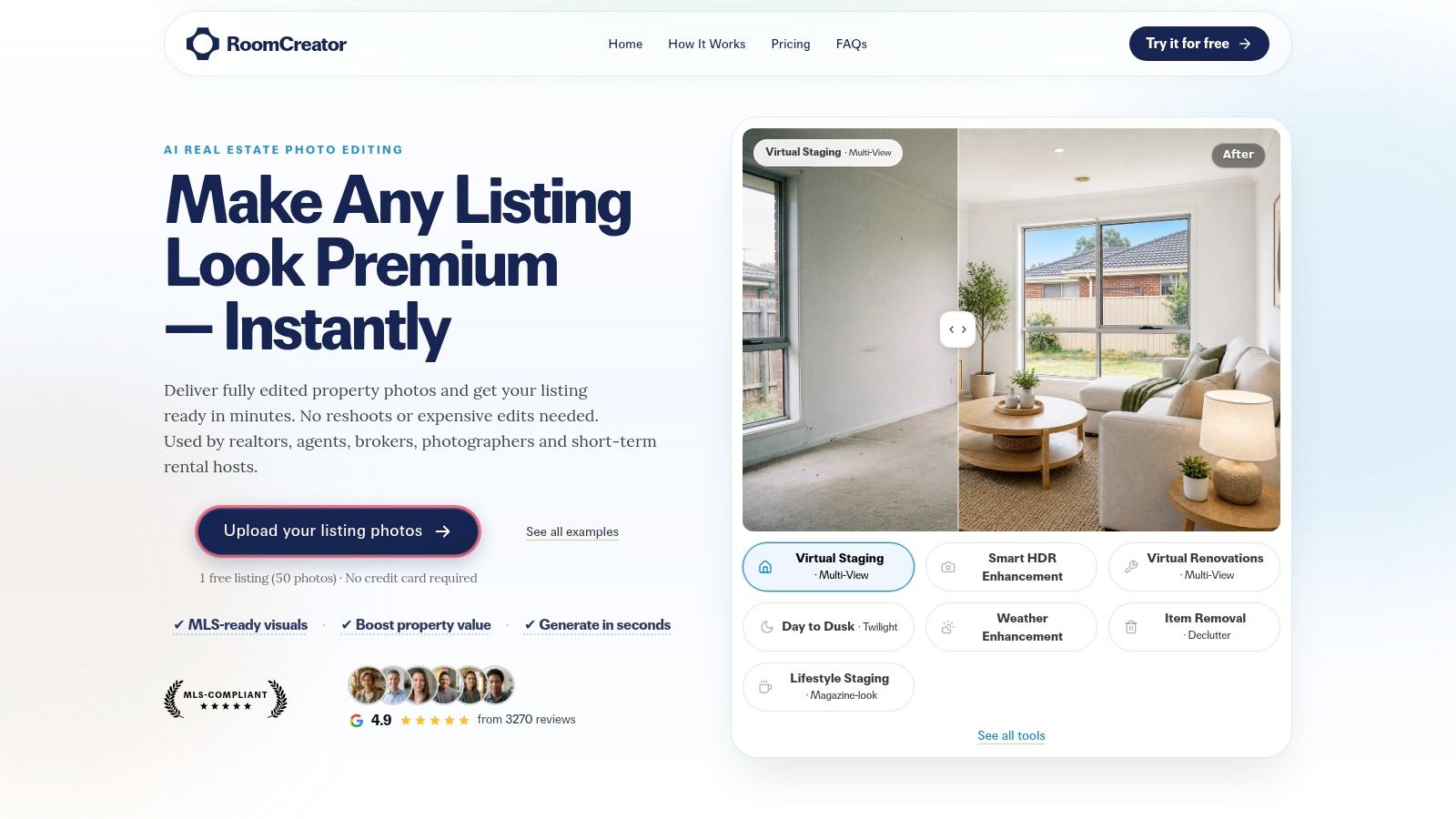 The free plan includes one listing of up to 50 photos, with unlimited edits on that listing. That's a good way to test the full workflow on a real set of images rather than judging the tool from a single sample. Paid plans combine listing allowances with additional credits, and the site lists 24/7 support and cancellation at any time.
The practical question is which actions count against the listing allowance and which use standalone credits. Confirm that before you process a large batch, because the distinction can change how much a subscription covers. Monthly plans make more sense for agents, photographers, or hosts with recurring listing volume than for someone who only needs a one-off cleanup.
RoomCreator is best treated as a photo-prep workflow, not a guarantee that every image will look natural. Inspect straight lines, window views, fixed features, and color balance after enhancement. If an edit changes the apparent condition or layout, replace it with the original or clearly label the altered image according to the rules that apply.
The free plan includes one listing of up to 50 photos, with unlimited edits on that listing. That's a good way to test the full workflow on a real set of images rather than judging the tool from a single sample. Paid plans combine listing allowances with additional credits, and the site lists 24/7 support and cancellation at any time.The practical question is which actions count against the listing allowance and which use standalone credits. Confirm that before you process a large batch, because the distinction can change how much a subscription covers. Monthly plans make more sense for agents, photographers, or hosts with recurring listing volume than for someone who only needs a one-off cleanup.
RoomCreator is best treated as a photo-prep workflow, not a guarantee that every image will look natural. Inspect straight lines, window views, fixed features, and color balance after enhancement. If an edit changes the apparent condition or layout, replace it with the original or clearly label the altered image according to the rules that apply.
8. RealEstateMU.AI
RealEstateMU.AI combines image editing with basic marketing copy. It offers virtual staging, furniture removal, and kitchen or bathroom remodel visuals, along with listing descriptions, market reports, social posts, and video scripts. For an agent preparing a straightforward listing, those tools can help produce a first draft without switching between separate apps.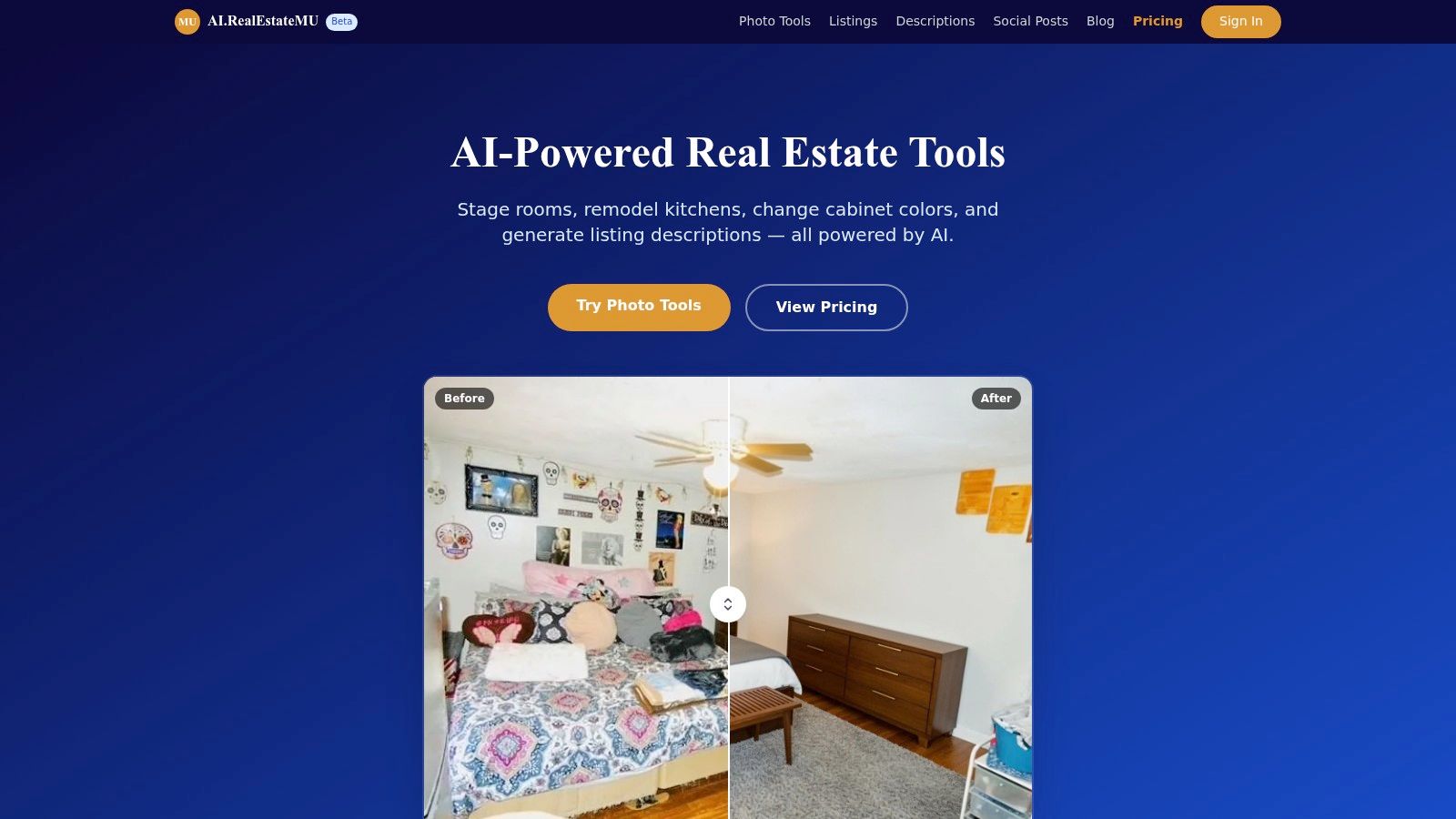 The service has a free tier, a monthly paid plan, and non-subscription credit packs. Check the vendor's site for current pricing and credit limits before subscribing, especially if you expect to process multiple images or use the text tools regularly. A free account can help you judge the output before committing to a recurring plan.
Fair Housing features can support the writing process, but they do not replace a review of the wording or intended audience. Check factual claims in generated descriptions and market reports against reliable listing information. The tool can speed up a first draft; the agent remains responsible for accuracy and fair marketing.
The service has a free tier, a monthly paid plan, and non-subscription credit packs. Check the vendor's site for current pricing and credit limits before subscribing, especially if you expect to process multiple images or use the text tools regularly. A free account can help you judge the output before committing to a recurring plan.Treat beta output as a draft
The site identifies the service as beta and advises users to review results. Edited images deserve close inspection: a generated remodel can change fixtures or built-ins, making the result look more factual than it is. Compare each image with the original and follow the applicable MLS rules for disclosure and image editing.Fair Housing features can support the writing process, but they do not replace a review of the wording or intended audience. Check factual claims in generated descriptions and market reports against reliable listing information. The tool can speed up a first draft; the agent remains responsible for accuracy and fair marketing.
9. Backhouse
Backhouse is built for real estate operations rather than listing media. It brings CRM and transaction management together with an AI assistant, email monitoring, calendar scheduling, and MLS access. That setup may suit agents who need deal activity and client follow-up in one workflow.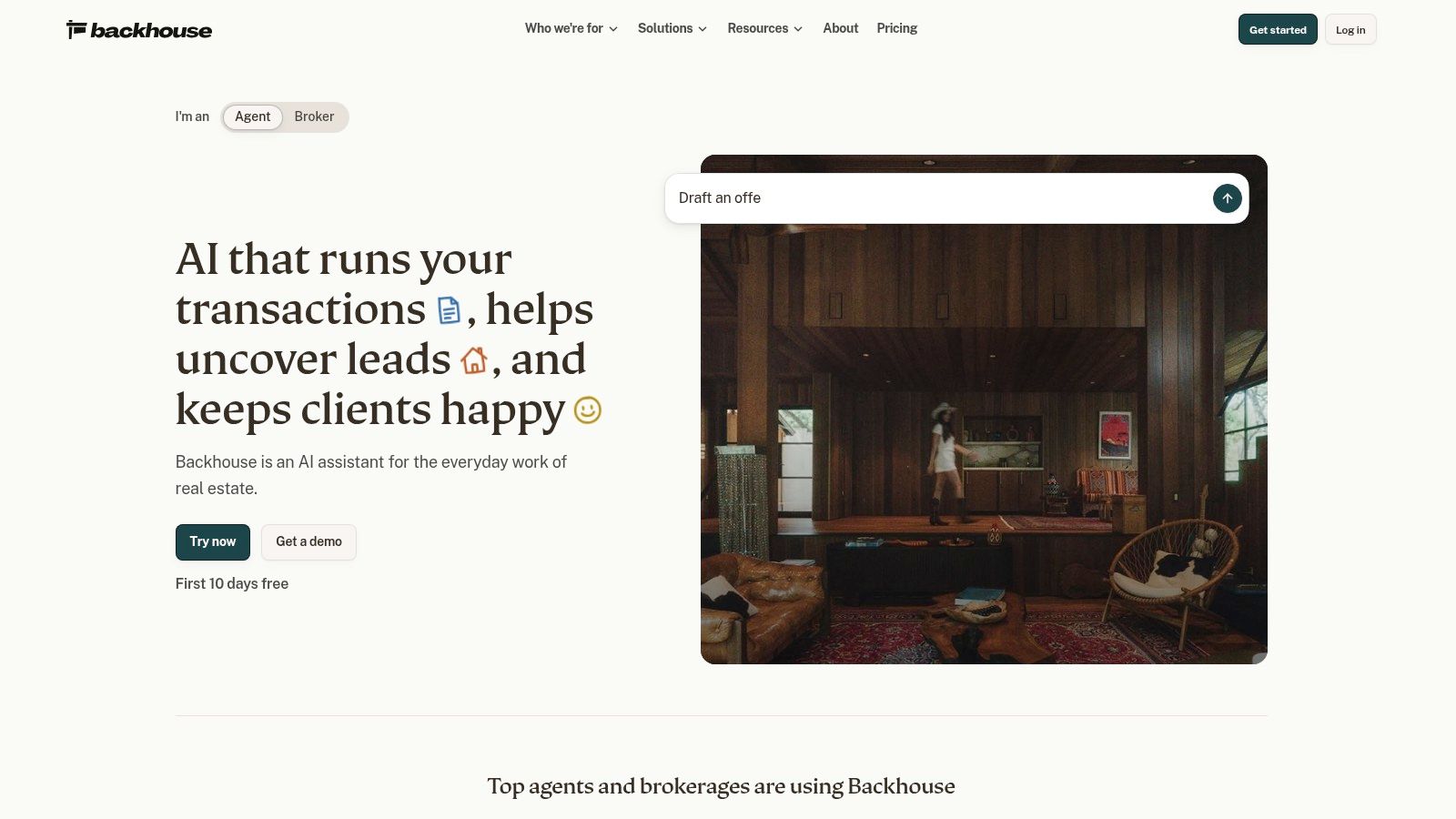 The company lists a free trial and per-seat monthly pricing. The plan includes CRM and transaction features, plus a monthly allowance of AI tasks per seat. Tasks beyond that allowance are metered separately, so teams should track usage instead of assuming the subscription covers every AI action.
The per-seat cost makes more sense when the team will use the broader transaction and relationship-management workflow, rather than only drafting listing captions. Before migrating, identify which current tools Backhouse would replace, such as a separate CRM or transaction checklist. If it duplicates paid systems, compare the combined costs and decide where client and deal records will live.
For agents handling several active transactions, assess whether the platform makes deadlines, follow-ups, and client commitments easier to track. If staff must monitor another inbox or task queue, the added workflow could create work instead of reducing it.
The company lists a free trial and per-seat monthly pricing. The plan includes CRM and transaction features, plus a monthly allowance of AI tasks per seat. Tasks beyond that allowance are metered separately, so teams should track usage instead of assuming the subscription covers every AI action.The per-seat cost makes more sense when the team will use the broader transaction and relationship-management workflow, rather than only drafting listing captions. Before migrating, identify which current tools Backhouse would replace, such as a separate CRM or transaction checklist. If it duplicates paid systems, compare the combined costs and decide where client and deal records will live.
For agents handling several active transactions, assess whether the platform makes deadlines, follow-ups, and client commitments easier to track. If staff must monitor another inbox or task queue, the added workflow could create work instead of reducing it.
10. SuiteCRE
SuiteCRE is built for commercial real estate brokers, with tools for managing contacts, deals, listings, tasks, documents, commissions, email, and calendars. Its commercial focus sets it apart from residential marketing tools. Higher-tier AI features cover broker workflows such as market intelligence, comps, offering memoranda, pro formas, BOVs, lease abstraction, and CAM reconciliation. SuiteCRE's pricing page itemizes its core and AI tiers, message allowances, and overage rates. Compare those terms directly, since AI use can add to the subscription cost. Displayed pricing is for a single broker; team and brokerage pricing requires contacting the company.
Use a current deal file during the trial: locate a document, check how the system handles a comp or draft memo, and review how AI messages are counted. These checks show whether the features suit your daily workflow or whether a basic CRM would cover your needs. For another perspective, compare software for real-estate agents by operational fit, not just the number of listed features.
SuiteCRE's pricing page itemizes its core and AI tiers, message allowances, and overage rates. Compare those terms directly, since AI use can add to the subscription cost. Displayed pricing is for a single broker; team and brokerage pricing requires contacting the company.Match the platform to commercial work
SuiteCRE's fit depends on whether its commercial workflows and data model match your practice. A 14-day trial lets brokers test the CRM, document search, and AI tools against current work before committing.Use a current deal file during the trial: locate a document, check how the system handles a comp or draft memo, and review how AI messages are counted. These checks show whether the features suit your daily workflow or whether a basic CRM would cover your needs. For another perspective, compare software for real-estate agents by operational fit, not just the number of listed features.
AI tools for real estate at a glance
| Category | Starting price | Free option | Best for |
|---|---|---|---|
| VideoTour.ai | $29/month | One free video | Creating listing videos from photos |
| BetterSpace | $29/month | Two videos and up to 10 staged photos per month | Combining listing videos with virtual staging |
| Diane | Not confirmed | Not specified | AI-narrated listing videos and social publishing |
| Apply Design | Pay-as-you-go, coin-based | First photo free | Hands-on staging edits and 360° panoramas |
| Virtual Staging AI | $16/month | Free trial | Regular room staging and furniture removal |
| REimagineHome | $36/month | Five free credits | Interior and exterior design visualizations |
| RoomCreator | Not specified | One listing with up to 50 photos | Preparing listing photos with AI edits and staging |
| RealEstateMU.AI | $39/month for Pro | Five image credits and five text-tool uses | Combining listing images and marketing copy tools |
| Backhouse | $79/seat/month | 10-day free period | CRM and transaction operations for agents |
| SuiteCRE | $89/month for Core | 14-day trial | Commercial real-estate CRM and deal workflows |
Building Your Stack and Testing Before You Pay
Build the stack around the order work happens. Start with photo prep when lighting, color, or clutter needs attention. Add staging only when a room is empty or a clearly labeled design concept would help a buyer understand its potential. Then create video from the approved images and distribute it in the formats your channels need. Put a CRM layer around deal work if follow-up, deadlines, and client records are the part of the business that needs fixing.
The National Association of REALTORS® found that 20% of surveyed REALTORS® used AI daily in 2025, while 46% reported no noticeable effect from AI on their business. That gap is a reason to measure the work a tool changes, rather than counting logins. Track time per listing, how often you revise the output, whether you publish more consistently, and whether the tool fits the handoff to your existing process. NAR's report on AI use and business impact shows why adoption by itself isn't a useful measure of success.
Choose a pricing model that matches your volume. Per-use credits can suit irregular staging jobs, while a monthly photo or video allowance is easier to budget if you publish regularly. Seat-based platforms need a different test: count the people who will use the system, then account for included task quotas and overages. Avoid paying for a broad suite to solve one narrow problem unless you'll use its other workflows.
Start with free tiers where possible, including VideoTour.ai's free first video or Apply Design's first free photo. Put the result beside the original image or your normal production process, and check quality, editing time, export formats, and any quota consumed. If the tool can't produce a usable result on an actual listing, a discount won't make it the right purchase.
Disclosure and verification need to stay in the workflow, especially when AI stages or alters a room. A Cotality survey found that 68% of prospective buyers surveyed said clear notification when AI generates a listing, price, or mortgage recommendation is very important or may be legally required. The same source reported that 64% were concerned AI repeats unverified information from other websites. Cotality's discussion of AI trust and verification supports a simple practice: review factual claims, preserve original images, label synthetic enhancements where required, and check the applicable MLS rules before publishing.
Privacy and fair-housing review belong alongside that check, not in a separate afterthought. The U.S. Government Accountability Office warns that advertising algorithms and chatbots can steer protected classes toward particular listings, while automated valuation models can repeat historical undervaluation patterns. The GAO's review of AI risks is a reminder to keep human judgment on decisions involving access, pricing, and audience targeting. Don't upload personal client or tenant information to a tool unless you understand its data handling and have a legitimate reason to do so.
For a focused marketing stack, VideoTour.ai handles photo-to-video tours, BetterSpace combines video with staging, and Diane brings social distribution into the video workflow. Apply Design offers hands-on staging edits; Virtual Staging AI and REimagineHome suit different staging needs; RoomCreator focuses on photo preparation; and RealEstateMU.AI combines images with copy. Backhouse is the broader operations option, while SuiteCRE is built for commercial brokerage work. Test one tool against one real bottleneck, then add another only when the first one earns its place.
VideoTour.ai turns the listing photos you already have into branded video tours with motion, captions, music, and formats for MLS and social channels. Try the free first video on a current listing, review the result, and visit VideoTour.ai to see whether photo-to-video automation fits your marketing workflow.
The National Association of REALTORS® found that 20% of surveyed REALTORS® used AI daily in 2025, while 46% reported no noticeable effect from AI on their business. That gap is a reason to measure the work a tool changes, rather than counting logins. Track time per listing, how often you revise the output, whether you publish more consistently, and whether the tool fits the handoff to your existing process. NAR's report on AI use and business impact shows why adoption by itself isn't a useful measure of success.
Choose a pricing model that matches your volume. Per-use credits can suit irregular staging jobs, while a monthly photo or video allowance is easier to budget if you publish regularly. Seat-based platforms need a different test: count the people who will use the system, then account for included task quotas and overages. Avoid paying for a broad suite to solve one narrow problem unless you'll use its other workflows.
Start with free tiers where possible, including VideoTour.ai's free first video or Apply Design's first free photo. Put the result beside the original image or your normal production process, and check quality, editing time, export formats, and any quota consumed. If the tool can't produce a usable result on an actual listing, a discount won't make it the right purchase.
Disclosure and verification need to stay in the workflow, especially when AI stages or alters a room. A Cotality survey found that 68% of prospective buyers surveyed said clear notification when AI generates a listing, price, or mortgage recommendation is very important or may be legally required. The same source reported that 64% were concerned AI repeats unverified information from other websites. Cotality's discussion of AI trust and verification supports a simple practice: review factual claims, preserve original images, label synthetic enhancements where required, and check the applicable MLS rules before publishing.
Privacy and fair-housing review belong alongside that check, not in a separate afterthought. The U.S. Government Accountability Office warns that advertising algorithms and chatbots can steer protected classes toward particular listings, while automated valuation models can repeat historical undervaluation patterns. The GAO's review of AI risks is a reminder to keep human judgment on decisions involving access, pricing, and audience targeting. Don't upload personal client or tenant information to a tool unless you understand its data handling and have a legitimate reason to do so.
For a focused marketing stack, VideoTour.ai handles photo-to-video tours, BetterSpace combines video with staging, and Diane brings social distribution into the video workflow. Apply Design offers hands-on staging edits; Virtual Staging AI and REimagineHome suit different staging needs; RoomCreator focuses on photo preparation; and RealEstateMU.AI combines images with copy. Backhouse is the broader operations option, while SuiteCRE is built for commercial brokerage work. Test one tool against one real bottleneck, then add another only when the first one earns its place.
VideoTour.ai turns the listing photos you already have into branded video tours with motion, captions, music, and formats for MLS and social channels. Try the free first video on a current listing, review the result, and visit VideoTour.ai to see whether photo-to-video automation fits your marketing workflow.