

Your team needs more content, faster campaign execution, stronger visibility in search and AI answers, and better personalization. The problem is that you can't add a specialist for every channel, and generic AI access doesn't automatically create a reliable marketing operation. The useful question is not which platform has the longest feature list. It's which tool removes a recurring bottleneck without creating more review, integration, or governance work than it saves.
This guide compares AI tools for marketing by job and workflow stage. Video production, copy and process automation, CRM-connected orchestration, social publishing, email, design, SEO, AI-search visibility, and avatar video all have different requirements. A tool that works well for campaign copy may be a poor fit for property reels, while an SEO platform may help you plan content but won't solve distribution.
For each option, the practical questions are the same: What does it replace or complement? How much setup does it need? How consistent is the output? Can it scale across people and channels? How do credits, seats, integrations, and input quality affect the result? Where does human review remain essential? Choose a focused stack around your existing systems and your most expensive recurring bottleneck.
This guide compares AI tools for marketing by job and workflow stage. Video production, copy and process automation, CRM-connected orchestration, social publishing, email, design, SEO, AI-search visibility, and avatar video all have different requirements. A tool that works well for campaign copy may be a poor fit for property reels, while an SEO platform may help you plan content but won't solve distribution.
For each option, the practical questions are the same: What does it replace or complement? How much setup does it need? How consistent is the output? Can it scale across people and channels? How do credits, seats, integrations, and input quality affect the result? Where does human review remain essential? Choose a focused stack around your existing systems and your most expensive recurring bottleneck.
Summary
Create an AI Video Tours from PhotosTry it For Free

1. VideoTour.ai for AI Video Tours From Photos
Real-estate teams often already have the raw material for video. They have listing photos, property details, logos, and brand guidelines. What they lack is the time or production capacity to turn those assets into a polished tour for the MLS, a vertical reel, and a campaign landing page. VideoTour.ai is built for that specific job.
Upload a set of property photos and the platform automates motion, pacing, captions, music selection, synchronization, and branding. It can create video tours and social-ready reels from the same source material, with vertical, horizontal, and square outputs for different placements. The editor lets a marketer reorder images, adjust timing, edit the script, and refine the layout before delivery. That's a more practical workflow than sending a photo folder to a video editor every time a listing changes.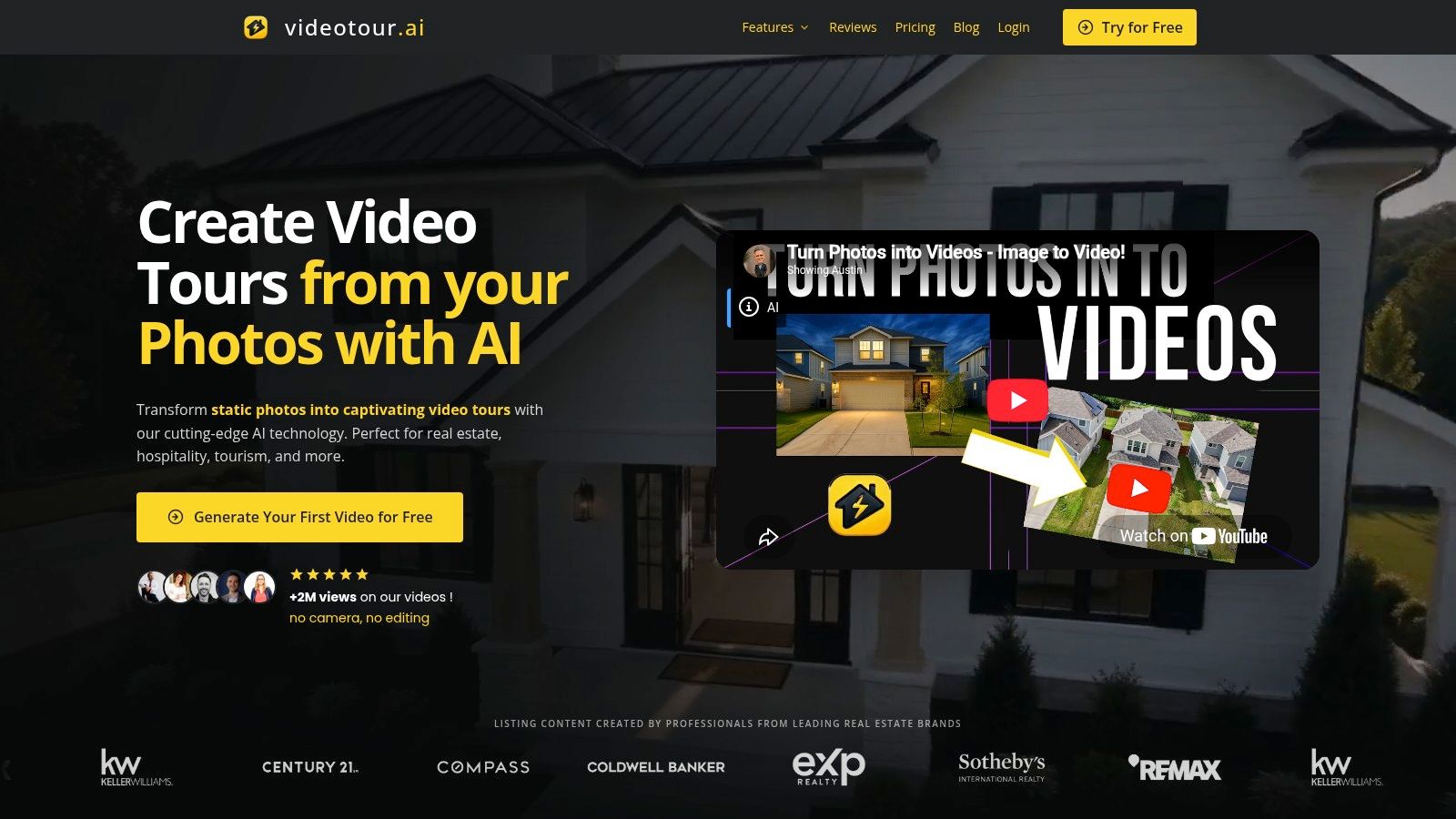
The platform supports voiceovers and voice cloning, music auto-sync, captions, logo intros, cinematic text, and optional AI drone-style motion. Paid plans remove watermarks and provide HD exports, unlimited re-renders and downloads, and team capabilities on selected plans. Premium animations and some enhanced effects use optional AI credits, so agencies should include credit consumption in production planning rather than treating every effect as unlimited.
For a deeper workflow around turning still images into marketing assets, see this guide to making a video from photos. The best buying decision depends on whether your team needs one polished video or a repeatable system for many listings, properties, hotels, rentals, or commercial spaces.
Upload a set of property photos and the platform automates motion, pacing, captions, music selection, synchronization, and branding. It can create video tours and social-ready reels from the same source material, with vertical, horizontal, and square outputs for different placements. The editor lets a marketer reorder images, adjust timing, edit the script, and refine the layout before delivery. That's a more practical workflow than sending a photo folder to a video editor every time a listing changes.
Where it fits
VideoTour.ai complements your listing photography and replaces much of the repetitive assembly work. It doesn't replace professional cinematography when a property needs live footage, complex camera movement, or a carefully directed brand film. Its strength is turning existing photos into consistent, repeatable marketing assets without a camera crew or manual editing timeline.The platform supports voiceovers and voice cloning, music auto-sync, captions, logo intros, cinematic text, and optional AI drone-style motion. Paid plans remove watermarks and provide HD exports, unlimited re-renders and downloads, and team capabilities on selected plans. Premium animations and some enhanced effects use optional AI credits, so agencies should include credit consumption in production planning rather than treating every effect as unlimited.
Practical rule: Better inputs produce better automated video. Use well-composed, varied photos with a clear sequence. AI can add movement and pacing, but it can't create convincing room detail that the source images don't show.
Trade-offs for teams
The free first video and fast previews make testing straightforward. The main limitation is that full, watermark-free HD output and premium animation features require a paid plan or credits. That's reasonable for teams producing recurring listing content, but less attractive if you only need occasional one-off videos.For a deeper workflow around turning still images into marketing assets, see this guide to making a video from photos. The best buying decision depends on whether your team needs one polished video or a repeatable system for many listings, properties, hotels, rentals, or commercial spaces.
2. Jasper for Governed Brand Content
Jasper is strongest when several marketers need to create content that sounds like the same company. It combines copy generation, visual creation, brand voice controls, style guidance, knowledge uploads, and marketing-focused agents in one environment. That makes it more useful for a content team with shared standards than for a solo writer looking for a quick paragraph.
The important feature isn't just that Jasper can draft blogs, ads, emails, and social posts. It's that teams can provide Brand Voice, Style Guide, Visual Guidelines, and company knowledge so the system has more context before generating. That reduces the gap between a technically acceptable draft and one that reflects approved positioning, terminology, and campaign priorities.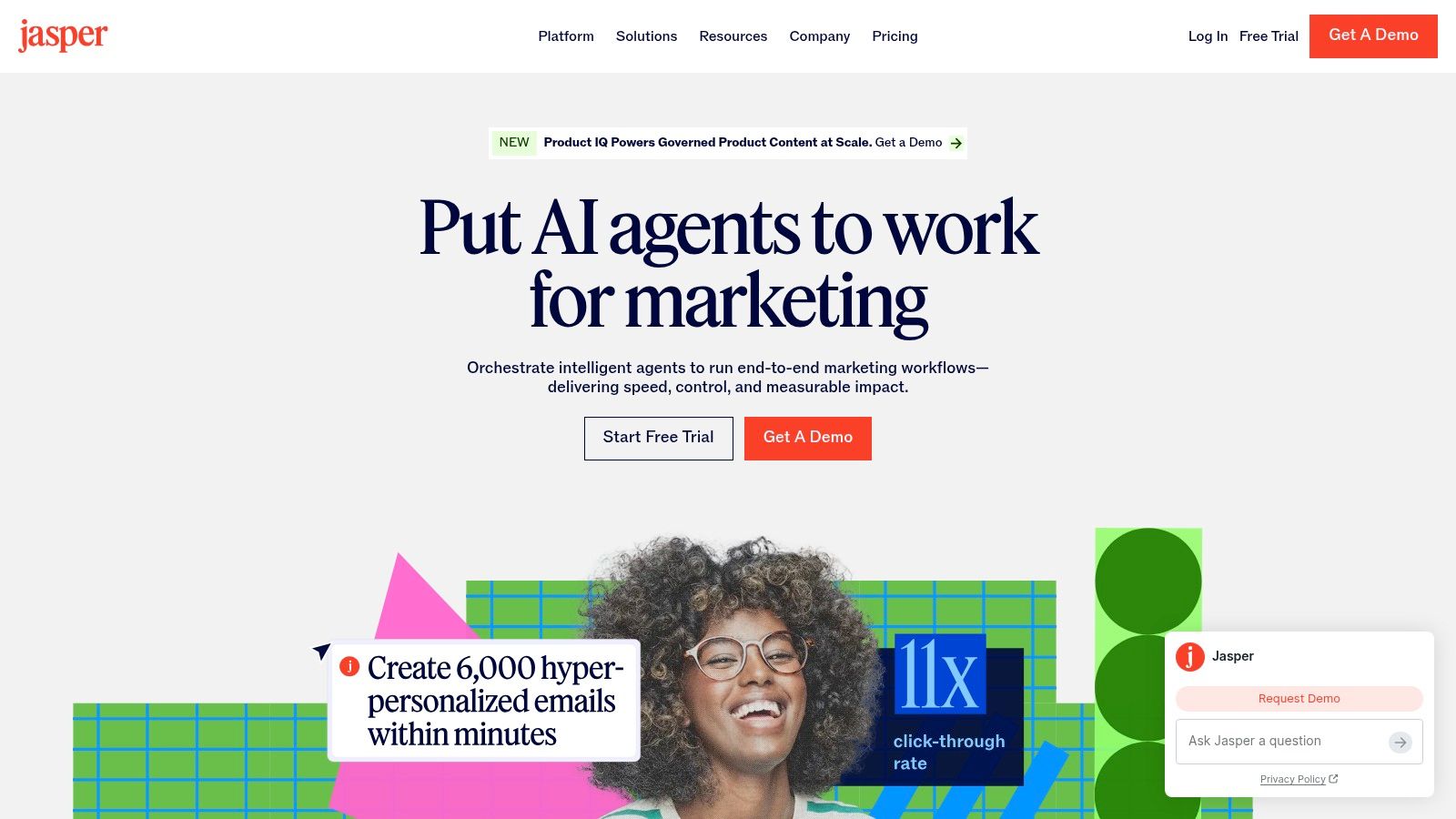
The platform is a better fit for governed content operations than for a small team that only needs occasional copy. Roles, audit capabilities, and enterprise-oriented controls support review and accountability. Advanced agents and GEO features can use credits on Business plans, which means teams should define the workflows they want to run before estimating operational cost.
The best setup starts with a small set of approved source materials and examples. Add the brand voice, messaging hierarchy, customer vocabulary, and prohibited claims before asking teams to automate campaign work. Jasper's value grows when governance is part of the workflow, not when the platform is used as a faster blank page.
The important feature isn't just that Jasper can draft blogs, ads, emails, and social posts. It's that teams can provide Brand Voice, Style Guide, Visual Guidelines, and company knowledge so the system has more context before generating. That reduces the gap between a technically acceptable draft and one that reflects approved positioning, terminology, and campaign priorities.
What it replaces
Jasper can replace scattered prompt documents, repeated brand reminders, and some first-draft work across marketing channels. Its Canvas and Chat experiences support multi-format production, while its no-code Agent Builder and marketing agents are designed for recurring campaign tasks rather than isolated questions.The platform is a better fit for governed content operations than for a small team that only needs occasional copy. Roles, audit capabilities, and enterprise-oriented controls support review and accountability. Advanced agents and GEO features can use credits on Business plans, which means teams should define the workflows they want to run before estimating operational cost.
Where human review matters
Jasper can enforce a style system, but it can't decide whether a claim is legally safe, strategically correct, or appropriate for a particular audience without clear human direction. Reviewers still need to verify facts, offers, product details, regulated language, and the distinction between a helpful draft and publishable content.The best setup starts with a small set of approved source materials and examples. Add the brand voice, messaging hierarchy, customer vocabulary, and prohibited claims before asking teams to automate campaign work. Jasper's value grows when governance is part of the workflow, not when the platform is used as a faster blank page.
3. Copy.ai for Repeatable Go-to-Market Workflows
Copy.ai is less about generating one attractive paragraph and more about turning a marketing process into a sequence of actions. Its Workflow builder supports actions, tables, integrations, and repeatable operations across marketing, sales, and revenue teams. That distinction matters when the bottleneck is not writing, but moving information from one stage to the next.
A team might use it to standardize campaign research, transform product information into channel-specific drafts, organize messaging inputs, or route structured outputs to another system. Access to multiple models, including OpenAI, Anthropic, and Gemini, gives teams flexibility when different tasks require different strengths. Unlimited chat words support exploration, while automated workflow runs and API usage are governed by credits.
Explore Copy.ai when your requirement is operational consistency rather than another standalone writing assistant. The platform complements content tools by handling the steps around content, including structured inputs, routing, and repeatable execution.
A team might use it to standardize campaign research, transform product information into channel-specific drafts, organize messaging inputs, or route structured outputs to another system. Access to multiple models, including OpenAI, Anthropic, and Gemini, gives teams flexibility when different tasks require different strengths. Unlimited chat words support exploration, while automated workflow runs and API usage are governed by credits.
The implementation decision
Copy.ai works best when the process is already understood. Document the input, decision rules, output format, approval step, and destination before building the workflow. If the underlying process changes every week, automation may just encode confusion and make it harder to find where the error started.The strongest automation is usually boring. It takes a recurring process with clear inputs and makes the handoff dependable.The platform can scale beyond marketing into sales and operations, which is a meaningful advantage for organizations that want one process layer across go-to-market teams. It's less compelling for a solo creator who only wants headline ideas or occasional social copy.
Watch the credit model
Credit usage becomes harder to forecast as workflows add more actions, integrations, and API calls. Teams should test a representative run, inspect where credits are consumed, and monitor exceptions before rolling the process out widely. A workflow that looks inexpensive in a simple demonstration may have different economics once it processes real records and requires retries.Explore Copy.ai when your requirement is operational consistency rather than another standalone writing assistant. The platform complements content tools by handling the steps around content, including structured inputs, routing, and repeatable execution.
4. HubSpot AI for CRM-Connected Marketing
HubSpot AI, including Breeze Agents and related content, nurture, prospecting, and AEO capabilities, makes the most sense when HubSpot already holds your customer and campaign context. Its advantage is not isolated generation. It's the connection between AI assistance, CRM records, marketing automation, sales activity, and customer journeys.
The Content Agent and Loop Marketing tools support campaign creation and brand-aware execution. Nurture and prospecting agents can support lifecycle work, while Agent Builder provides a way to shape more specific processes. HubSpot's AEO capabilities focus on monitoring and influencing brand visibility in AI-generated search answers, which extends the visibility conversation beyond traditional rankings.
Standalone use is a different decision. If you don't use HubSpot as your operating system, adopting the broader platform just for AI may introduce unnecessary complexity. Credits, agent usage, and outcome-based pricing can also make forecasting less straightforward.
Before adopting, audit what data the agents can access and which actions they're allowed to take. Keep human approval around customer-facing claims, segmentation logic, sales handoffs, and automated messages. You can also review Breeze Intelligence for an outside comparison of the related capabilities.
The Content Agent and Loop Marketing tools support campaign creation and brand-aware execution. Nurture and prospecting agents can support lifecycle work, while Agent Builder provides a way to shape more specific processes. HubSpot's AEO capabilities focus on monitoring and influencing brand visibility in AI-generated search answers, which extends the visibility conversation beyond traditional rankings.
Best fit and poor fit
For an organization already operating Marketing Hub, CRM-connected AI can reduce context switching. Marketers can work closer to the customer data, lifecycle stage, campaign history, and automation rules that determine what a message should do. That's more valuable than copying records manually into a separate content tool.Standalone use is a different decision. If you don't use HubSpot as your operating system, adopting the broader platform just for AI may introduce unnecessary complexity. Credits, agent usage, and outcome-based pricing can also make forecasting less straightforward.
Before adopting, audit what data the agents can access and which actions they're allowed to take. Keep human approval around customer-facing claims, segmentation logic, sales handoffs, and automated messages. You can also review Breeze Intelligence for an outside comparison of the related capabilities.
5. Hootsuite with Wisdom for Social Publishing
A social calendar becomes difficult to manage when ideas, approvals, publishing, listening, and reporting sit in separate tools. Hootsuite with Wisdom, formerly OwlyWriter AI, keeps those tasks in one workflow, helping teams turn approved concepts into scheduled posts while monitoring conversations and performance.
Wisdom can generate on-brand captions and post ideas, repurpose high-performing posts, and surface trends or topic insights from social conversations. Its main advantage is proximity to execution. Marketers can create variations, send them through review, and schedule them without exporting drafts, copying text between platforms, or losing approval context.
For an outside comparison of Hootsuite's agent-based publishing capabilities, see AI agent social publishing on PostPulse.
Hootsuite is not a replacement for a long-form SEO platform, CRM orchestration, or dedicated multimedia production system. Its value declines when social publishing is not the team's main workflow. Advanced listening and chat features may also affect the plan cost, so compare the functions your team will use instead of selecting the largest package.
Hootsuite's AI platform can shorten the path from an approved idea to a published post while keeping human review in the workflow. The practical test is simple: if your team already lives in Hootsuite's calendar and approval flow, Wisdom removes copy-paste work. If it does not, the AI features will not fix the workflow gap.
Wisdom can generate on-brand captions and post ideas, repurpose high-performing posts, and surface trends or topic insights from social conversations. Its main advantage is proximity to execution. Marketers can create variations, send them through review, and schedule them without exporting drafts, copying text between platforms, or losing approval context.
What it does well
Hootsuite fits teams managing multiple social accounts, approval stages, publishing calendars, and performance reports in the same platform. AI reduces repetitive production work, particularly caption variations, post repurposing, and quick responses to emerging topics.For an outside comparison of Hootsuite's agent-based publishing capabilities, see AI agent social publishing on PostPulse.
Hootsuite is not a replacement for a long-form SEO platform, CRM orchestration, or dedicated multimedia production system. Its value declines when social publishing is not the team's main workflow. Advanced listening and chat features may also affect the plan cost, so compare the functions your team will use instead of selecting the largest package.
The review boundary
Trend-led posts require editorial judgment. Wisdom can identify a conversation or suggest wording, but a marketer must check brand fit, timing, audience context, and possible misinterpretations. Review claims, sensitive topics, links, and channel-specific formatting before publication.Hootsuite's AI platform can shorten the path from an approved idea to a published post while keeping human review in the workflow. The practical test is simple: if your team already lives in Hootsuite's calendar and approval flow, Wisdom removes copy-paste work. If it does not, the AI features will not fix the workflow gap.
6. Mailchimp with Intuit Assist for Email Execution
Mailchimp is the practical option for teams that already use Mailchimp and want AI assistance without introducing a separate writing environment. Its AI features support email copy, subject-line suggestions, content optimization, and multichannel campaign creation. That keeps the work close to the audience lists, templates, automations, and campaign settings that determine whether an email reaches customers.
The strongest use case is low-lift campaign production. A marketer can start with a campaign goal, audience context, and offer, then use Write with AI to develop a draft and subject-line options. Brand guidance and review still matter, but the team doesn't need to move between a generic AI assistant and the email platform for every iteration.
Use the tool to produce options, not unsupported promises. Review audience targeting, discounts, dates, personalization fields, links, compliance requirements, and rendering across devices before sending. A polished subject line can't rescue an inaccurate offer or a broken destination page.
For an SMB team, that review step is often easier to maintain when the AI operates within the existing campaign builder. See Mailchimp for the current platform and feature availability.
The strongest use case is low-lift campaign production. A marketer can start with a campaign goal, audience context, and offer, then use Write with AI to develop a draft and subject-line options. Brand guidance and review still matter, but the team doesn't need to move between a generic AI assistant and the email platform for every iteration.
Choose it for channel proximity
Mailchimp is not the right replacement for a long-form content platform, a serious SEO suite, or a full CRM intelligence layer. It's useful because AI sits beside the email work your team already has to complete. Generative features may vary by plan and region, so verify availability for your account before making them part of a documented process.Use the tool to produce options, not unsupported promises. Review audience targeting, discounts, dates, personalization fields, links, compliance requirements, and rendering across devices before sending. A polished subject line can't rescue an inaccurate offer or a broken destination page.
For an SMB team, that review step is often easier to maintain when the AI operates within the existing campaign builder. See Mailchimp for the current platform and feature availability.
7. Canva Magic Studio for Fast Branded Creative
Canva Magic Studio is designed for the moment when a marketer needs a usable visual asset now, not a production project next week. Magic Write, Magic Design, automatic resizing, background removal, templates, and the Brand Kit help non-designers create social posts, ad variations, thumbnails, one-pagers, and campaign graphics from a single workspace.
The workflow is straightforward. Start with a brief, source image, or existing design, generate a direction, then adapt it to the required format. Brand Kit and Brand Voice controls can reduce the risk of every team member inventing a different visual language. The template library also makes it easier to create a coherent set of assets without starting every layout from an empty canvas.
The trade-off is depth. Advanced motion work and complex video editing remain simpler than what a professional non-linear editor provides. Heavy AI use may also depend on Pro or Business allowances and add-ons, so teams should test their actual content volume and asset requirements.
Visit Canva Magic Studio when your creative bottleneck is fast, repeatable design rather than advanced production editing.
The workflow is straightforward. Start with a brief, source image, or existing design, generate a direction, then adapt it to the required format. Brand Kit and Brand Voice controls can reduce the risk of every team member inventing a different visual language. The template library also makes it easier to create a coherent set of assets without starting every layout from an empty canvas.
Where it beats a professional editor
Canva wins on speed, accessibility, and variation. It's especially effective when the team needs many correctly sized assets for social and paid campaigns, with consistent colors, fonts, logos, and reusable layouts. It complements tools such as Jasper or Copy.ai by giving generated messaging a practical visual destination.The trade-off is depth. Advanced motion work and complex video editing remain simpler than what a professional non-linear editor provides. Heavy AI use may also depend on Pro or Business allowances and add-ons, so teams should test their actual content volume and asset requirements.
Keep the brand system stronger than the prompt
Upload approved logos, colors, fonts, imagery, and examples before asking people to generate campaign assets. Review faces, product details, claims, accessibility, and text placement. Canva can help a non-designer produce a strong draft quickly, but a brand owner should still approve assets that represent the company publicly.Visit Canva Magic Studio when your creative bottleneck is fast, repeatable design rather than advanced production editing.
8. Semrush for SEO and AI-Search Visibility
Semrush is useful for teams that don't want to separate traditional SEO from emerging AI-search monitoring. Its core SEO capabilities include position tracking and site auditing, while its content toolkit supports topic ideation, SEO briefs, AI-assisted writing, and optimization in a brand voice. Its AI Visibility features monitor mentions across AI engines and prompts, including ChatGPT, Gemini, Google AI, and Perplexity.
That combination changes the workflow from “write an article and check rankings later” to a broader visibility process. A marketer can identify search opportunities, brief content, audit technical issues, optimize a page, and inspect how the brand appears in AI-generated answers. The tool doesn't make strategy automatic, but it gives the team more connected evidence for deciding what to create and refresh.
The platform can feel complex because the modules and plans address different jobs. Don't buy it only for AI article generation if you won't use site auditing, competitive research, position tracking, or AI visibility monitoring. The value comes from connecting those activities into a recurring optimization cycle.
Explore Semrush when your team needs one environment for classic SEO and AI-search visibility.
That combination changes the workflow from “write an article and check rankings later” to a broader visibility process. A marketer can identify search opportunities, brief content, audit technical issues, optimize a page, and inspect how the brand appears in AI-generated answers. The tool doesn't make strategy automatic, but it gives the team more connected evidence for deciding what to create and refresh.
Best fit
Semrush works well for in-house SEO teams, agencies, and content operations that will use both the search and content modules routinely. Competitive data can improve briefs by showing the topics, structures, and gaps that deserve attention. AI writing is more useful when it follows that research than when it produces generic text from a blank prompt.The platform can feel complex because the modules and plans address different jobs. Don't buy it only for AI article generation if you won't use site auditing, competitive research, position tracking, or AI visibility monitoring. The value comes from connecting those activities into a recurring optimization cycle.
The quality control requirement
AI visibility tracking can show where a brand appears, but a marketer still needs to improve the underlying evidence. Review factual accuracy, first-hand experience, internal linking, structured information, author expertise, and clarity. Search and AI answers reward useful source material, not content that merely contains more generated wording.Explore Semrush when your team needs one environment for classic SEO and AI-search visibility.
9. Surfer SEO with Surfer AI for Ranking-Focused Content
Surfer SEO fits the optimization stage after a team has chosen a topic and needs a consistent page brief. Its Content Editor compares search results to guide terms, structure, and topical coverage, while Surfer AI can produce long-form drafts shaped around those signals. Content Audit supports refreshes for local guides, neighborhood pages, service content, and evergreen articles.
The workflow is easy to hand off. A writer can open a brief, work toward a defined target, and see which areas still need attention without running every competitor comparison manually. Those recommendations remain directional. Search intent, first-hand knowledge, and business priorities still determine what belongs on the page.
The workflow is easy to hand off. A writer can open a brief, work toward a defined target, and see which areas still need attention without running every competitor comparison manually. Those recommendations remain directional. Search intent, first-hand knowledge, and business priorities still determine what belongs on the page.
Where it saves time
Surfer reduces repetitive SERP review and gives writers a shared on-page framework. Optional AI article credits and plan limits also make generation costs visible, so teams can decide which pages deserve automated drafting and which need a human-led brief. If you are comparing broader SEO platforms, the Semrush vs SE Ranking comparison explains differences in research depth and pricing.Human editing isn't a final polish step. It supplies local knowledge, customer language, legal caution, and point of view that ranking-oriented drafts often lack.Property content exposes those limits quickly. A draft can cover expected topics while getting neighborhood details, amenities, regulations, or claims wrong. Use Surfer SEO for research and optimization, then require a subject-matter review before publication. The real-estate video SEO guide shows how a photo-based tour from section 1 can carry the same target keywords as the page being optimized, so treat the video and article as one search asset rather than separate projects.
10. Synthesia for Avatar-Led Marketing Video
Synthesia addresses a different video problem from VideoTour.ai. Instead of turning property photos into tours, it creates presenter-led videos with AI avatars, synthetic voices, screen recordings, and presentation-to-video workflows. That makes it useful for agent introductions, hospitality messages, product explainers, internal campaign enablement, and localized marketing where filming new talent for every version would slow production.
The platform offers stock and synthetic avatars, personal or custom avatar options, multilingual voiceovers, dubbing, translation, and screen or PowerPoint-to-video conversion. A marketer can prepare a script, select a presenter and language, generate the video, and revise the message without scheduling a live shoot.
Credit-based generation and licensing require careful review for commercial use. Premium avatars may cost more, and the rights attached to personal or custom avatars should be clear before a campaign goes live. Treat the avatar as a branded production element, not as a disposable template.
For a practical explanation of creating this type of content, see how to make an AI avatar. Visit Synthesia when presenter-led communication is the bottleneck, not photo animation.
The platform offers stock and synthetic avatars, personal or custom avatar options, multilingual voiceovers, dubbing, translation, and screen or PowerPoint-to-video conversion. A marketer can prepare a script, select a presenter and language, generate the video, and revise the message without scheduling a live shoot.
Where it belongs in the stack
Synthesia complements photo-based property tours when a campaign needs a human-style introduction or explanation. It can also support international campaigns, but teams should test voice pronunciation, avatar realism, cultural fit, and pacing before publishing. A synthetic presenter that feels unnatural can weaken trust even when the script is accurate.Credit-based generation and licensing require careful review for commercial use. Premium avatars may cost more, and the rights attached to personal or custom avatars should be clear before a campaign goes live. Treat the avatar as a branded production element, not as a disposable template.
For a practical explanation of creating this type of content, see how to make an AI avatar. Visit Synthesia when presenter-led communication is the bottleneck, not photo animation.
Top 10 AI Marketing Tools, Features & Use Cases
| Product | Core Features (✨) | Target Audience (👥) | Quality / UX (★) | Value / Pricing (💰) |
|---|---|---|---|---|
| VideoTour.ai, AI Video Tour Generator 🏆 | ✨ Photo→video tours; MLS‑safe presets; auto motion, captions, music, voice/cloning; 3D text & AI drone effects | 👥 Real estate agents, teams, agencies | ★★★★☆ fast renders, in‑browser editor, previews | 💰 Free first video; paid plans remove watermark, monthly allowances; optional AI credits (rollover) |
| Jasper | ✨ Brand voice enforcement; Canvas & Chat; Agent builder; multimodal knowledge | 👥 Marketing teams & content ops | ★★★★☆ governance & scale | 💰 Team/enterprise pricing; credits for some advanced Agents |
| Copy.ai | ✨ Workflow builder; multi‑model LLM access; automation for GTM | 👥 Growth/marketing + sales teams | ★★★★☆ strong for repeatable processes | 💰 Seats + credits for automated runs/API |
| HubSpot AI (Breeze/AEO) | ✨ CRM‑connected agents; AEO for AI search; campaign agents | 👥 CRM-centric marketing & sales orgs | ★★★★☆ native CRM integration | 💰 Best value with Marketing Hub; credits/agent pricing |
| Hootsuite with Wisdom | ✨ Caption ideation; trend insights; publishing + analytics | 👥 Social media teams & managers | ★★★☆☆ integrated social UX | 💰 Tiered pricing; add‑ons for advanced listening/chat |
| Mailchimp (Intuit Assist) | ✨ AI email copy, subject lines, campaign optimizer | 👥 SMB marketers & small teams | ★★★☆☆ easy to adopt in email workflows | 💰 AI features on qualifying tiers; regional rollouts |
| Canva Magic Studio | ✨ Magic Write, Magic Design, Brand Kit, templates | 👥 Non‑designers, social creators, small agencies | ★★★★☆ very fast design workflows | 💰 Pro/Business for heavy AI/motion usage |
| Semrush | ✨ AI visibility monitoring; Content Toolkit; core SEO suite | 👥 SEO & content teams seeking AI search insights | ★★★★☆ comprehensive SEO + AI tracking | 💰 Modular pricing; best value with multiple modules |
| Surfer SEO + Surfer AI | ✨ SERP‑based editor; AI‑assisted long‑form; content audits | 👥 SEO/content teams focused on rankings | ★★★★☆ prescriptive, ready‑to‑rank guidance | 💰 Plan limits + AI article credits/bundles |
| Synthesia | ✨ Synthetic avatars; 160+ languages; PPT/screen→video | 👥 Marketing, training, international teams | ★★★★☆ scalable presenter videos | 💰 Credits/licensing; premium avatar costs extra |
Build a Focused AI Marketing Stack
The best AI marketing stack starts with the recurring task that costs your team the most time, money, or attention. Don't begin by buying one platform from every category. Start by identifying where work repeatedly stalls, who reviews it, which system owns the source data, and what output standard the channel requires.
If video production is the bottleneck, compare VideoTour.ai and Synthesia based on the asset you need. VideoTour.ai is the natural fit for turning listing or property photos into branded tours and reels. Synthesia is better for presenter-led explanations, agent messages, training-style content, and multilingual avatar video. Some teams may use both, but they solve different production jobs.
For governed content and repeatable workflows, compare Jasper and Copy.ai. Jasper is stronger when brand voice, style controls, knowledge, roles, and consistent multi-channel output matter. Copy.ai is stronger when the problem is a cross-functional process with structured actions, integrations, tables, and automated runs. A team that only needs occasional copy may need neither at an enterprise level.
Use HubSpot AI when CRM-connected orchestration is central to the workflow. It's most valuable when customer records, lifecycle stages, automation, sales activity, and marketing content already live in HubSpot. For channel execution, Hootsuite and Mailchimp make more sense when social publishing or email production is the recurring bottleneck. Their value comes from being close to scheduling, lists, approvals, templates, and campaign delivery.
Choose Canva for rapid visual production, especially when marketers need many branded assets without advanced design software. Choose Semrush or Surfer SEO for search visibility and content optimization. Semrush bridges technical SEO, competitive research, content, and AI-search visibility. Surfer provides more prescriptive guidance for writers and teams that need a clear on-page optimization workflow.
Adoption is already widespread, but that doesn't mean every organization has mature operating systems. Salesforce's 2026 State of Marketing reporting says 87% of marketers reported using generative AI in at least one workflow, compared with 51% in 2024. ZoomInfo's coverage of the State of AI 2025 reported weekly AI use among 63% of marketers, with another 15% experimenting monthly. The practical lesson is that access is no longer the differentiator. Repeatable implementation is.
Yet implementation still breaks down when teams automate before they define the process. The Jasper State of AI Marketing 2025 report identifies ad hoc usage, limited autonomy, weak workflow scaling, and training barriers as continuing problems. Your first project should therefore be narrow and measurable.
Define one workflow with:
Finally, compare total operating cost, not just the subscription price. Include seats, credits, add-ons, API usage, plan limits, training, integrations, approval time, rework, and overlap with tools you already pay for. The longest feature list often creates the least value if your team uses only one or two capabilities. A focused stack that fits your existing systems and removes a real recurring bottleneck will usually outperform a crowded collection of disconnected AI tools.
VideoTour.ai turns property photo sets into branded video tours and social-ready reels with automated motion, captions, music, voiceover, aspect-ratio formatting, and fast browser-based revisions. If visual content is your recurring marketing bottleneck, visit VideoTour.ai to create your first video and test how the workflow fits your team.
If video production is the bottleneck, compare VideoTour.ai and Synthesia based on the asset you need. VideoTour.ai is the natural fit for turning listing or property photos into branded tours and reels. Synthesia is better for presenter-led explanations, agent messages, training-style content, and multilingual avatar video. Some teams may use both, but they solve different production jobs.
For governed content and repeatable workflows, compare Jasper and Copy.ai. Jasper is stronger when brand voice, style controls, knowledge, roles, and consistent multi-channel output matter. Copy.ai is stronger when the problem is a cross-functional process with structured actions, integrations, tables, and automated runs. A team that only needs occasional copy may need neither at an enterprise level.
Use HubSpot AI when CRM-connected orchestration is central to the workflow. It's most valuable when customer records, lifecycle stages, automation, sales activity, and marketing content already live in HubSpot. For channel execution, Hootsuite and Mailchimp make more sense when social publishing or email production is the recurring bottleneck. Their value comes from being close to scheduling, lists, approvals, templates, and campaign delivery.
Choose Canva for rapid visual production, especially when marketers need many branded assets without advanced design software. Choose Semrush or Surfer SEO for search visibility and content optimization. Semrush bridges technical SEO, competitive research, content, and AI-search visibility. Surfer provides more prescriptive guidance for writers and teams that need a clear on-page optimization workflow.
Adoption is already widespread, but that doesn't mean every organization has mature operating systems. Salesforce's 2026 State of Marketing reporting says 87% of marketers reported using generative AI in at least one workflow, compared with 51% in 2024. ZoomInfo's coverage of the State of AI 2025 reported weekly AI use among 63% of marketers, with another 15% experimenting monthly. The practical lesson is that access is no longer the differentiator. Repeatable implementation is.
Yet implementation still breaks down when teams automate before they define the process. The Jasper State of AI Marketing 2025 report identifies ad hoc usage, limited autonomy, weak workflow scaling, and training barriers as continuing problems. Your first project should therefore be narrow and measurable.
Define one workflow with:
- A fixed input: Specify the source photos, product information, customer data, brief, or approved knowledge the tool can use.
- A review checkpoint: Name the person who checks facts, brand fit, permissions, compliance, and customer impact.
- An output standard: Set the required format, dimensions, voice, structure, metadata, and destination.
- An integration requirement: Decide whether the result must reach the CRM, scheduler, email platform, CMS, analytics system, or asset library.
- A success measure: Track the operational result you care about, such as turnaround time, approved output volume, review effort, publishing consistency, or qualified engagement.
Finally, compare total operating cost, not just the subscription price. Include seats, credits, add-ons, API usage, plan limits, training, integrations, approval time, rework, and overlap with tools you already pay for. The longest feature list often creates the least value if your team uses only one or two capabilities. A focused stack that fits your existing systems and removes a real recurring bottleneck will usually outperform a crowded collection of disconnected AI tools.
VideoTour.ai turns property photo sets into branded video tours and social-ready reels with automated motion, captions, music, voiceover, aspect-ratio formatting, and fast browser-based revisions. If visual content is your recurring marketing bottleneck, visit VideoTour.ai to create your first video and test how the workflow fits your team.