

Your listing photos are ready, but the listing still feels flat. Buyers scroll past static galleries, agents lose hours coordinating filming, and a last-minute price or feature change can force another editing round. An AI talking avatar generator can turn those same property photos into an avatar-hosted tour with a script, voiceover, captions, motion, and social-ready formatting, without sending a camera crew to the property.
This guide compares 10 AI talking avatar generator tools for real estate tours, with attention to the details that matter in practice: photo-to-video workflows, voice and avatar control, MLS-safe exports, social reel formats, branding, collaboration, and the cost of revisions. The right tool isn't just the one with the most realistic face. It needs to help you publish accurate, compliant, useful property content quickly.
The category is expanding rapidly. One market estimate projects the global digital avatar market from USD 9.65 billion in 2025 to USD 92.81 billion by 2031, with a 45.83% CAGR, driven partly by conversational AI, real-time rendering, localized video, and enterprise workflows (Ken Research's digital avatar market estimate). For agents, the practical question is simpler: which platform turns a photo set into a credible tour without creating more work than it removes? You can also review AI-generated UGC synthetic avatars for broader context on synthetic presenters.
This guide compares 10 AI talking avatar generator tools for real estate tours, with attention to the details that matter in practice: photo-to-video workflows, voice and avatar control, MLS-safe exports, social reel formats, branding, collaboration, and the cost of revisions. The right tool isn't just the one with the most realistic face. It needs to help you publish accurate, compliant, useful property content quickly.
The category is expanding rapidly. One market estimate projects the global digital avatar market from USD 9.65 billion in 2025 to USD 92.81 billion by 2031, with a 45.83% CAGR, driven partly by conversational AI, real-time rendering, localized video, and enterprise workflows (Ken Research's digital avatar market estimate). For agents, the practical question is simpler: which platform turns a photo set into a credible tour without creating more work than it removes? You can also review AI-generated UGC synthetic avatars for broader context on synthetic presenters.
Summary
Create an AI Video Tours from PhotosTry it For Free

1. Ai Avatar Real Estate Video
A listing agent with a full photo set but no time to film can turn those images into a narrated property tour with Ai Avatar Real Estate Video. Upload up to 60 listing images, choose an avatar template, add an editable script, and produce an agent-style presentation with a generated or cloned voice. The platform combines the presenter with photo movement, captions, music, branding, and multiple aspect ratios. One project can support an MLS upload, a horizontal website video, and social reels.
The workflow suits frequent listing updates. Reorder rooms, revise narration, adjust scene timing, and render the project in a browser. Fonts, colors, logo intros, custom thumbnails, and voiceover options help maintain a consistent brokerage style. Paid plans provide watermark-free HD exports, while optional AI credits cover premium animations and effects. A trial video makes side-by-side testing possible before a brokerage or agency commits budget.
For teams comparing workflows for making listing videos with AI, the photo-to-video approach reduces manual timeline editing. It also makes photo revisions easier when a room image, price, or feature changes before publication.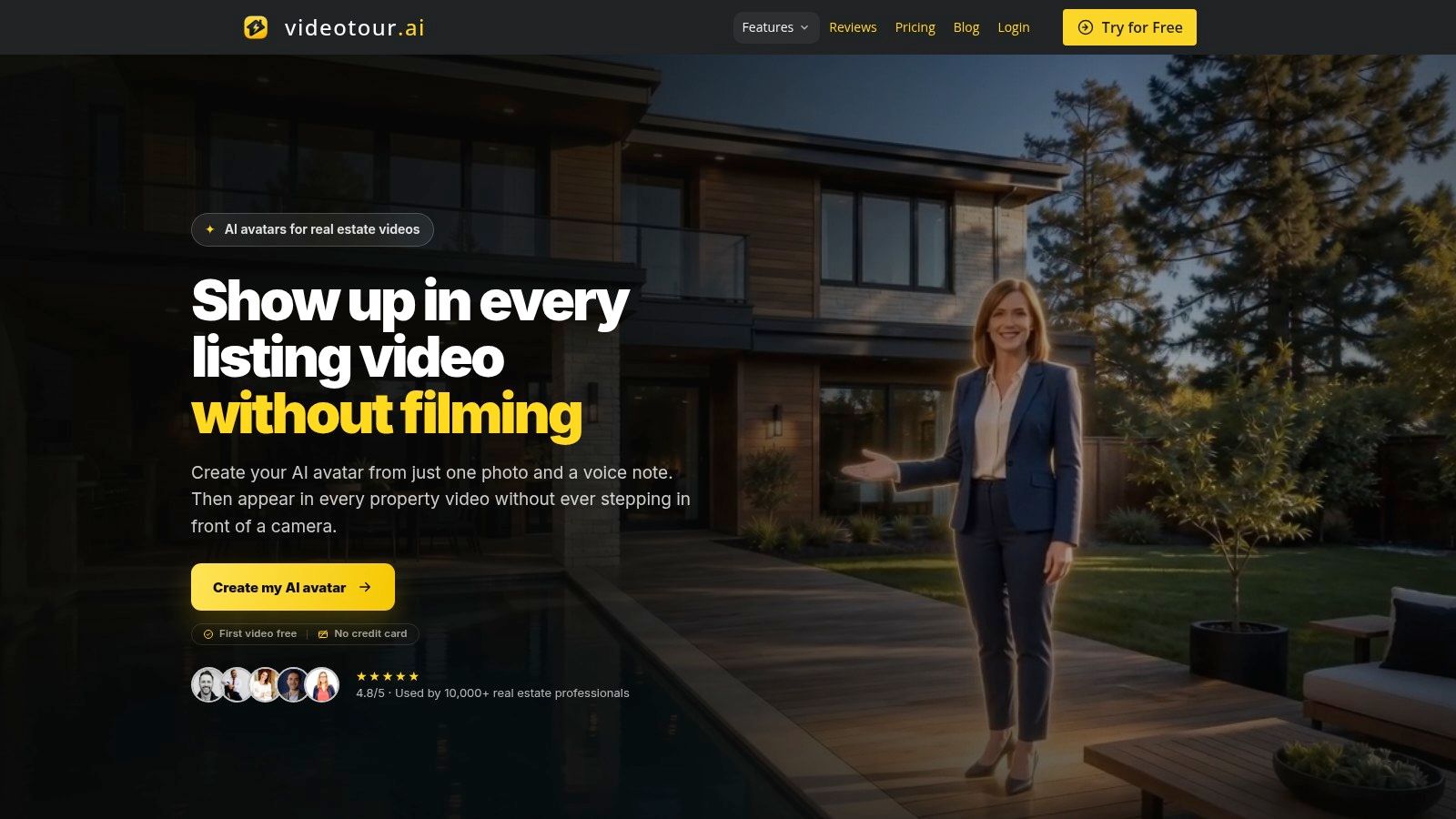
You can add an avatar presenter to a property video when a listing needs an on-screen host, including an avatar created from a photo and voice note. Auto-synced captions, motion, and music support vertical, square, and horizontal versions for common publishing channels.
The workflow suits frequent listing updates. Reorder rooms, revise narration, adjust scene timing, and render the project in a browser. Fonts, colors, logo intros, custom thumbnails, and voiceover options help maintain a consistent brokerage style. Paid plans provide watermark-free HD exports, while optional AI credits cover premium animations and effects. A trial video makes side-by-side testing possible before a brokerage or agency commits budget.
For teams comparing workflows for making listing videos with AI, the photo-to-video approach reduces manual timeline editing. It also makes photo revisions easier when a room image, price, or feature changes before publication.
Why it works for listing teams
A repeatable listing template is the strongest use case. Open with a restrained avatar introduction, move through the exterior, living areas, kitchen, bedrooms, and notable features, then close with a direct contact prompt. Let the avatar provide context while the property images supply visual evidence. Keeping the synthetic presenter off screen for much of the tour gives viewers a clearer view of the home.You can add an avatar presenter to a property video when a listing needs an on-screen host, including an avatar created from a photo and voice note. Auto-synced captions, motion, and music support vertical, square, and horizontal versions for common publishing channels.
Practical rule: Keep the avatar responsible for context and the property footage responsible for evidence. Never let an animated presenter obscure room details, disclosures, or important visual limitations.
Trade-offs for agents
Pros- Fast photo-to-video production: Turn existing listing photos into an avatar-hosted tour without a camera or manual timeline editing.
- Flexible presenter options: Use editable scripts, AI voices, voice cloning, and avatar presentation for agent-style messaging.
- Social and MLS formatting: Create vertical, square, and horizontal outputs without rebuilding the project.
- Brand consistency: Apply reusable colors, fonts, captions, logo treatments, and thumbnails across listings.
- Revision-friendly workflow: Make browser-based changes and re-render without restarting the project.
- Premium effects cost extra: Advanced animations, logo intros, and some enhanced effects may require AI credits or a higher plan.
- Synthetic delivery has limits: An AI voice and avatar may feel less personal than an agent walking through the property live.
- Compliance still needs human review: Verify factual claims, required disclosures, image rights, and MLS rules before publishing.
2. Synthesia
Synthesia suits brokerages that need repeatable, controlled video production rather than an automatic photo-to-tour workflow. Its polished presentation works well for branded market updates, neighborhood explainers, buyer-process videos, and property overviews built from a consistent script and scene layout.
A team can combine stock, personal, or custom avatars with voice options, multilingual production, shared workspaces, and brand controls. For a multilingual listing campaign, create one approved script, review each translation for real estate terminology, and preserve the same colors, captions, and presenter across versions. Before building the template, follow this guide to create an AI avatar.
Synthesia requires more preparation than a photo-first tour platform. Organize the listing images, decide which facts belong in the narration, and set scene layouts before rendering. The extra control helps with MLS compliance because an agent can review property descriptions, disclosures, image rights, and contact details before publication, but it also makes the workflow slower.
A practical listing setup is a 30-second MLS-safe template with five photo scenes, burned-in captions, and a 9:16 export for Instagram Reels. Duplicate that project for Spanish localization, then have the listing agent check room descriptions, measurements, amenities, school references, availability, and translated wording before release.
Use Synthesia as the presentation layer for education and branded listing communications. Pair the avatar with clear room images, brief scene changes, and captions that stay readable on mobile. Keep the presenter responsible for context, while the property footage supplies the visual evidence.
A team can combine stock, personal, or custom avatars with voice options, multilingual production, shared workspaces, and brand controls. For a multilingual listing campaign, create one approved script, review each translation for real estate terminology, and preserve the same colors, captions, and presenter across versions. Before building the template, follow this guide to create an AI avatar.
Synthesia requires more preparation than a photo-first tour platform. Organize the listing images, decide which facts belong in the narration, and set scene layouts before rendering. The extra control helps with MLS compliance because an agent can review property descriptions, disclosures, image rights, and contact details before publication, but it also makes the workflow slower.
A practical listing setup is a 30-second MLS-safe template with five photo scenes, burned-in captions, and a 9:16 export for Instagram Reels. Duplicate that project for Spanish localization, then have the listing agent check room descriptions, measurements, amenities, school references, availability, and translated wording before release.
A polished avatar cannot correct inaccurate property copy. Have the listing agent verify every factual claim before rendering each language version.The free Basic tier lets a team test the editor. Self-serve and enterprise options add stronger collaboration, brand, governance, and integration features, while credit-based usage makes draft and localization planning important. An enterprise brokerage may benefit from that structure. A solo agent turning a large photo set into a quick social reel may find the setup heavier than necessary.
Use Synthesia as the presentation layer for education and branded listing communications. Pair the avatar with clear room images, brief scene changes, and captions that stay readable on mobile. Keep the presenter responsible for context, while the property footage supplies the visual evidence.
3. HeyGen
HeyGen is a strong option for agents who publish frequently on social channels and want a self-serve avatar studio with fast localization. It supports stock and photo avatars, voice cloning, lip-sync translation, and collaboration features that scale beyond a single creator. An agent can use it for a listing announcement, a buyer tip, a short neighborhood introduction, or a translated version of a property hook.
The platform is especially useful when the presenter needs to speak directly to camera while property images appear as supporting visuals. For example, the avatar can open with the location, price positioning, or one standout feature, then the edit can cut to kitchen, exterior, and lifestyle photos. That structure gives the video a human-style entry point without forcing the avatar to narrate every image.
The trade-off is usage complexity. Credit consumption can vary by model and output, and newer avatar options may have regional differences in per-minute cost. That makes a small production test important before a brokerage standardizes on a particular model. Render the same short listing introduction in the avatar styles you're considering, then compare clarity, mouth movement, pacing, and total credit use.
The platform is especially useful when the presenter needs to speak directly to camera while property images appear as supporting visuals. For example, the avatar can open with the location, price positioning, or one standout feature, then the edit can cut to kitchen, exterior, and lifestyle photos. That structure gives the video a human-style entry point without forcing the avatar to narrate every image.
Where HeyGen fits best
HeyGen's broad avatar selection and photo-avatar capabilities make it flexible for personal branding. A brokerage can create a consistent host style, while individual agents can test a digital version of their own presentation. Its multilingual voice and lip-sync features also support campaigns that need separate language versions, although every translated script should receive a local review for real estate terminology and tone.The trade-off is usage complexity. Credit consumption can vary by model and output, and newer avatar options may have regional differences in per-minute cost. That makes a small production test important before a brokerage standardizes on a particular model. Render the same short listing introduction in the avatar styles you're considering, then compare clarity, mouth movement, pacing, and total credit use.
Test the exact format you plan to publish. A tool that looks impressive in a landscape demo may feel cramped when the avatar, room photo, captions, and contact details share a vertical reel.HeyGen works best for social-first agents, content teams, and brokerages that want a flexible presenter studio. It may require more manual assembly than a dedicated photo-to-tour product, but it gives creators room to combine avatar scenes with broader marketing content.
4. D-ID Creative Reality Studio
D-ID Creative Reality Studio takes a photo-led approach to talking-head video and also offers an API for teams that want to automate production. That makes it relevant for agents who want to turn a presenter image into a short introduction, as well as agencies building repeatable content pipelines for multiple listings or clients.
You can work with standard or premium avatars, create personal or custom avatars, translate video while preserving voice and lip movement, and explore interactive video experiences. The browser studio is approachable for individual production, while the API path is more suitable when a marketing team needs to generate many variations from structured listing data.
For a real estate tour, D-ID is best used as the presenter component rather than the complete property-editing environment. Generate a concise opening such as a welcome, location summary, or feature highlight, then place that clip before the listing images in a separate editor. This approach gives the agent a talking host without asking one tool to solve every photo, caption, music, and branding requirement.
The entry price is useful for testing the format, but a low subscription cost doesn't remove the need to check the final publishing rights. MLS rules also vary by organization, so confirm whether the output meets your listing service's requirements for branding, disclosures, music, and altered imagery.
D-ID suits teams that value both a simple studio and a programmable route. It isn't the most turnkey choice for a full photo-to-video listing tour, but it can slot neatly into a workflow where the avatar greeting is generated separately and the property edit remains under the agent's control.
You can work with standard or premium avatars, create personal or custom avatars, translate video while preserving voice and lip movement, and explore interactive video experiences. The browser studio is approachable for individual production, while the API path is more suitable when a marketing team needs to generate many variations from structured listing data.
For a real estate tour, D-ID is best used as the presenter component rather than the complete property-editing environment. Generate a concise opening such as a welcome, location summary, or feature highlight, then place that clip before the listing images in a separate editor. This approach gives the agent a talking host without asking one tool to solve every photo, caption, music, and branding requirement.
Compliance and licensing checks
D-ID makes licensing and watermark details important purchasing considerations. Lower-tier Studio plans can include watermarks, and commercial use, resolution, avatar rights, and export conditions may differ by plan. Review those terms before publishing a paid listing campaign, especially when the avatar resembles a real person or uses a voice that belongs to someone else.The entry price is useful for testing the format, but a low subscription cost doesn't remove the need to check the final publishing rights. MLS rules also vary by organization, so confirm whether the output meets your listing service's requirements for branding, disclosures, music, and altered imagery.
D-ID suits teams that value both a simple studio and a programmable route. It isn't the most turnkey choice for a full photo-to-video listing tour, but it can slot neatly into a workflow where the avatar greeting is generated separately and the property edit remains under the agent's control.
5. Colossyan
Colossyan is designed around workplace learning, which gives it a different strength from social-first avatar tools. Its course, interactive-video, collaboration, and SCORM capabilities can help brokerages create onboarding content, compliance training, fair-housing education, CRM tutorials, and standardized sales-process videos.
That training orientation also translates to structured property content. A brokerage might create a reusable “how to tour this home” format for showing assistants, or a neighborhood guide that uses an avatar to explain the sequence while property visuals appear in supporting scenes. The platform's stock avatars, custom avatar options, voice cloning, and multilingual player help teams maintain consistency across internal and external materials.
Its NEO and NEO2 model structure also means teams should understand how minutes are allocated between models before production begins. The free Starter tier is limited, while advanced exports such as SCORM and additional NEO2 capacity belong to higher plans. Those details matter more for a brokerage learning program than for a single agent testing an avatar introduction.
Use Colossyan when the same production team handles both marketing education and internal enablement. For listing reels alone, a simpler photo-led platform may reduce setup time. For a real estate organization that wants one avatar system for training, onboarding, and structured explainers, Colossyan offers a more specialized operating model.
That training orientation also translates to structured property content. A brokerage might create a reusable “how to tour this home” format for showing assistants, or a neighborhood guide that uses an avatar to explain the sequence while property visuals appear in supporting scenes. The platform's stock avatars, custom avatar options, voice cloning, and multilingual player help teams maintain consistency across internal and external materials.
The useful distinction between listing video and training video
Colossyan is better when the video has an instructional purpose. A pure property tour usually needs visual pacing, image motion, music, captions, and platform-specific layouts. A training or buyer-education video needs chapter logic, clear narration, interactive elements, and repeatable delivery. Colossyan leans toward the second category.Its NEO and NEO2 model structure also means teams should understand how minutes are allocated between models before production begins. The free Starter tier is limited, while advanced exports such as SCORM and additional NEO2 capacity belong to higher plans. Those details matter more for a brokerage learning program than for a single agent testing an avatar introduction.
Use Colossyan when the same production team handles both marketing education and internal enablement. For listing reels alone, a simpler photo-led platform may reduce setup time. For a real estate organization that wants one avatar system for training, onboarding, and structured explainers, Colossyan offers a more specialized operating model.
6. Elai.io
Elai.io gives agents several ways to build a presenter video, including stock avatars, selfie avatars recorded from a phone, and studio-grade custom avatars. That range makes it useful for a marketer deciding how much personal identity to put into a listing campaign. A selfie avatar can feel closer to the agent's real presence, while a stock presenter may suit a team or brokerage brand.
The platform also supports PowerPoint and URL-to-video workflows, captions, auto-translation, brand kits, an API, and voice options with cloning. Those features are valuable for agents who already have a listing presentation, neighborhood guide, or market report and want to convert the material into a narrated video rather than start from a blank timeline.
Elai's transparent minute-based structure is easier to reason about than some credit-heavy systems, but the cost of experimentation still deserves attention. Minutes are deducted on each render, so repeated changes to a script or scene can consume the allowance. Voice cloning and selfie or studio avatar options may also be separate annual add-ons.
Elai is a good middle ground for marketing teams that want more than a stock avatar but don't need a fully custom engineering pipeline. It can support a personal agent identity, a brokerage presenter, and educational content from existing presentation materials. Its main weakness for high-volume listing work is the cost of treating every revision as another minute-based render, so approval discipline matters.
The platform also supports PowerPoint and URL-to-video workflows, captions, auto-translation, brand kits, an API, and voice options with cloning. Those features are valuable for agents who already have a listing presentation, neighborhood guide, or market report and want to convert the material into a narrated video rather than start from a blank timeline.
Elai's transparent minute-based structure is easier to reason about than some credit-heavy systems, but the cost of experimentation still deserves attention. Minutes are deducted on each render, so repeated changes to a script or scene can consume the allowance. Voice cloning and selfie or studio avatar options may also be separate annual add-ons.
A practical Elai workflow
Create the script outside the final render, keeping each room description factual and compact. Prepare the photo order, decide where the avatar appears, and produce a short draft before adding translations or alternate aspect ratios. That reduces wasted renders and helps the agent spot awkward pronunciations of street names, neighborhoods, builders, and property features.Elai is a good middle ground for marketing teams that want more than a stock avatar but don't need a fully custom engineering pipeline. It can support a personal agent identity, a brokerage presenter, and educational content from existing presentation materials. Its main weakness for high-volume listing work is the cost of treating every revision as another minute-based render, so approval discipline matters.
7. DeepBrain AI AI Studios
DeepBrain AI AI Studios combines standard video generation with interactive avatars for real-time conversations. For real estate teams, that means one platform can support a narrated listing reel, a photo-based property tour, and a website avatar that answers common buyer questions. Keep MLS-approved facts and required disclosures in the script, especially when adapting the same video for social formats.
The platform offers stock, personal, and custom avatars, subscription video minutes, generative credit add-ons, and interactive-avatar time based on conversation minutes and selected language-model tiers. These usage categories let a brokerage separate prerecorded listing content from live lead conversations, although they also make budgeting less straightforward.
Teams must forecast generated video minutes, interactive conversation time, credit use, and custom avatar slots. An “unlimited” plan for larger organizations starts around USD 10,000 per year, according to the product plan information. That cost makes the service difficult to justify for a solo agent who only needs occasional listing reels. Review the AI Studios platform directly for current plan terms before building a business case.
Those functions should remain distinct. A conversational avatar must not invent availability, pricing, or property details, and every listing video still needs a human review before publication.
For a small team, the pricing matrix may exceed the workflow's needs. For a larger organization with IT support and a defined lead-routing process, combining batch video with live avatar interaction offers more value than a basic presenter tool.
The platform offers stock, personal, and custom avatars, subscription video minutes, generative credit add-ons, and interactive-avatar time based on conversation minutes and selected language-model tiers. These usage categories let a brokerage separate prerecorded listing content from live lead conversations, although they also make budgeting less straightforward.
Teams must forecast generated video minutes, interactive conversation time, credit use, and custom avatar slots. An “unlimited” plan for larger organizations starts around USD 10,000 per year, according to the product plan information. That cost makes the service difficult to justify for a solo agent who only needs occasional listing reels. Review the AI Studios platform directly for current plan terms before building a business case.
Where it earns its place
DeepBrain fits a brokerage, property portal, or marketing operation that wants prerecorded and interactive experiences from one vendor. A team could turn approved listing photos and room descriptions into a vertical reel, then use a separate avatar experience to answer questions about showing times, amenities, or next steps.Those functions should remain distinct. A conversational avatar must not invent availability, pricing, or property details, and every listing video still needs a human review before publication.
For a small team, the pricing matrix may exceed the workflow's needs. For a larger organization with IT support and a defined lead-routing process, combining batch video with live avatar interaction offers more value than a basic presenter tool.
8. Microsoft Azure AI Speech Text-to-Speech Avatars
Microsoft Azure AI Speech text-to-speech avatars are designed for developers and enterprise teams rather than agents who want a template-first editor. They can support photorealistic photo or video avatars through Azure voices, with Foundry no-code options alongside APIs and SDKs for batch and real-time synthesis.
The enterprise value is control. Teams can manage regional deployment, data residency, security requirements, voice selection, and integration with an existing listing, CRM, or property-data system. A brokerage with a custom portal could generate a presenter video directly from approved listing fields, rather than asking agents to copy information manually into a consumer editor.
That advantage comes with technical overhead. Avatar and text-to-speech services are billed separately, and pricing depends on region and configuration. Developers must also manage rendering, assets, authentication, error handling, storage, and the review process. This isn't the fastest route for a solo agent who needs a reel before an open house.
For voice work, a separate AI voiceover workflow can be easier for marketers who aren't building an Azure pipeline. Choose Azure when enterprise deployment and integration control outweigh convenience. Choose a browser studio when speed and direct agent ownership matter more.
The enterprise value is control. Teams can manage regional deployment, data residency, security requirements, voice selection, and integration with an existing listing, CRM, or property-data system. A brokerage with a custom portal could generate a presenter video directly from approved listing fields, rather than asking agents to copy information manually into a consumer editor.
That advantage comes with technical overhead. Avatar and text-to-speech services are billed separately, and pricing depends on region and configuration. Developers must also manage rendering, assets, authentication, error handling, storage, and the review process. This isn't the fastest route for a solo agent who needs a reel before an open house.
A developer-led listing pipeline
Azure becomes attractive when the estate company already has engineering resources. The team can create a controlled template that pulls only approved facts, places the avatar in a defined scene, and sends the output to a review queue. That can reduce copy inconsistency across a large listing network, but it requires careful rules for disclosures, stale data, and human approval.For voice work, a separate AI voiceover workflow can be easier for marketers who aren't building an Azure pipeline. Choose Azure when enterprise deployment and integration control outweigh convenience. Choose a browser studio when speed and direct agent ownership matter more.
9. VEED AI Presenter and Avatar
VEED's AI presenter and avatar tools sit inside a broader browser video editor. That's the main selling point for real estate marketers who don't want to export an avatar clip to another application before adding captions, image movement, background removal, brand assets, and music.
An agent can combine an avatar opening with a timeline of property photos, add a lower-third with the listing address, create captions, and produce a social version in the same environment. This can reduce app switching for a small marketing team. VEED also offers translation and collaboration features, while its developer-facing Fabric 1.0 and lip-sync APIs use per-second pricing for teams that want to test automated production.
Credit systems and seat-based plans can also become confusing, particularly when annual and monthly options differ. Confirm what the plan includes for exports, collaboration, avatar use, and revisions before moving a brokerage team into production.
The strongest VEED use case is a social content desk that handles listing reels, agent updates, captions, translated clips, and branded edits in one browser workspace. The avatar is one component of a broader production toolkit, not the entire product. That makes VEED more versatile than a narrow presenter generator, but it may offer fewer specialized avatar choices than a pure-play platform.
An agent can combine an avatar opening with a timeline of property photos, add a lower-third with the listing address, create captions, and produce a social version in the same environment. This can reduce app switching for a small marketing team. VEED also offers translation and collaboration features, while its developer-facing Fabric 1.0 and lip-sync APIs use per-second pricing for teams that want to test automated production.
The editor is the differentiator
VEED isn't only an avatar platform, and that can be either an advantage or a limitation. If your work already involves frequent timeline editing, the extra tools are useful. If you want to upload a photo set and receive a finished, MLS-oriented tour with minimal decisions, a dedicated real estate video workflow may feel more efficient.Credit systems and seat-based plans can also become confusing, particularly when annual and monthly options differ. Confirm what the plan includes for exports, collaboration, avatar use, and revisions before moving a brokerage team into production.
The strongest VEED use case is a social content desk that handles listing reels, agent updates, captions, translated clips, and branded edits in one browser workspace. The avatar is one component of a broader production toolkit, not the entire product. That makes VEED more versatile than a narrow presenter generator, but it may offer fewer specialized avatar choices than a pure-play platform.
10. Hedra
Hedra is aimed at creators and developer teams who want model choice and control over audio-driven talking-head video. Its Avatar and Character models can generate long, single-take presenter videos from an image and audio, while the workspace and API bring multiple video and voice models together.
That model catalog is useful when output requirements vary. One listing campaign may need a natural presenter introduction, another may prioritize speed, and a third may need a particular visual style. Instead of committing every project to one generation model, a technical team can compare capability, duration, resolution, and per-second cost before rendering.
The drawback is that it's less template-first than classic studio products. Agents may need to manage the photo, audio, output format, supporting edit, captions, and publishing steps themselves. Some model outputs also cap resolution or duration, so the model catalog must be checked before a long render.
Hedra is a good choice for a technical marketing group that wants a flexible avatar engine rather than a guided real estate editor. It's less suitable for an agent who wants the platform to handle the full photo-to-tour process automatically.
That model catalog is useful when output requirements vary. One listing campaign may need a natural presenter introduction, another may prioritize speed, and a third may need a particular visual style. Instead of committing every project to one generation model, a technical team can compare capability, duration, resolution, and per-second cost before rendering.
Why technical teams may prefer it
Hedra's per-second pricing and model selection make cost and performance trade-offs visible, at least conceptually. A developer can build a pipeline that creates a script, generates audio, sends the audio and avatar image to the selected model, and combines the result with listing media. That is powerful for agencies producing high volumes of variations.The drawback is that it's less template-first than classic studio products. Agents may need to manage the photo, audio, output format, supporting edit, captions, and publishing steps themselves. Some model outputs also cap resolution or duration, so the model catalog must be checked before a long render.
Hedra is a good choice for a technical marketing group that wants a flexible avatar engine rather than a guided real estate editor. It's less suitable for an agent who wants the platform to handle the full photo-to-tour process automatically.
Top 10 AI Talking Avatar Generators Comparison
| Platform | Core features | Quality (UX) ★ | Unique selling points ✨🏆 | Target audience 👥 | Price/value 💰 |
|---|---|---|---|---|---|
| Ai Avatar Real Estate Video (VideoTour.ai) | Photo→HD video tours, AI avatar & voice, auto-sync motion/captions, multi-aspect outputs, branding tools | ★★★★☆, fast renders, browser editor, unlimited revisions | ✨ MLS‑safe presets, AI credit animations, auto music/caption sync 🏆 | 👥 Real estate agents, brokerages, social marketers | 💰 Monthly plans w/ video allowances + optional AI credits; first video free |
| Synthesia | Talking avatars, large stock/custom avatar library, localization, templates, API | ★★★★★, enterprise polish, governance, templates | ✨ Extensive avatar library, localization & enterprise APIs 🏆 | 👥 Enterprises, L&D, comms teams | 💰 Free Basic; credits & Creator/Enterprise tiers |
| HeyGen | Photo/custom avatars, voice cloning, lip-sync translation, 4K on higher plans | ★★★★☆, fast, social-ready outputs | ✨ Strong translation/lip‑sync, large avatar set | 👥 Creators, marketers, localization teams | 💰 Free tier → Business; credit rollovers, region variability |
| D‑ID Creative Reality Studio | Photo-to-talking-heads, API + studio, video translation w/ lip-sync | ★★★★, studio + API flexibility | ✨ Real-time agents & Video Translate, low entry price 🏆 | 👥 Developers, studios, SMBs testing avatars | 💰 Low-cost entry; watermarks on lower tiers |
| Colossyan | Presenter avatars, NEO/NEO2 engines, SCORM & course tools | ★★★★, L&D-focused UI | ✨ Built-in course/interactivity, SCORM export 🏆 | 👥 L&D teams, training orgs | 💰 Starter limited minutes; Pro/Enterprise for full features |
| Elai.io | Stock/selfie/studio avatars, PPT/URL→video, API, 1080p→4K | ★★★★, transparent minute billing, PPT integration | ✨ Selfie avatars, PPT-to-video workflow | 👥 Marketers, educators, studios | 💰 Minute-based pricing; inexpensive top-ups; add-on fees |
| DeepBrain AI – AI Studios | Batch & real-time interactive avatars, subscription minutes, credits | ★★★★, supports live & batch use cases | ✨ Live interactive avatars + batch generation 🏆 | 👥 Enterprises, customer service, training | 💰 Subscriptions + credit add-ons; high-tier 'unlimited' options |
| Microsoft Azure AI Speech (Avatars) | Dev-grade avatar synthesis, 1080p/4K, custom voices, regional controls | ★★★★★, enterprise security & scalability | ✨ Enterprise compliance, regional deployment, SDKs 🏆 | 👥 Dev teams, enterprises, regulated orgs | 💰 Region-specific billing; TTS & avatar billed separately |
| VEED – AI Presenter & Avatar | Full video editor w/ AI presenters, captions, brand kits, APIs | ★★★★, editor + avatar in one app | ✨ Non-linear editor + per-second API for devs | 👥 Video creators, startups, marketing teams | 💰 Free tier; per-second API & seat-based tiers |
| Hedra | Multi-model avatar studio, per-second model catalog, aggregated APIs | ★★★★, model selection for cost/perf trade-offs | ✨ Choose specific models for cost vs quality, dev-first 🏆 | 👥 Developers, high-volume avatar pipelines | 💰 Per-second pricing by model; aimed at technical users |
Putting Avatars to Work in Your Next Listing
Choosing an AI talking avatar generator for real estate isn't mainly a question of which face looks most realistic. The practical decision is whether the platform supports your complete listing workflow, from approved property photos and factual scripts to the final MLS or social export. A realistic avatar with poor lip synchronization, awkward room transitions, or unclear captions can reduce trust rather than improve the tour.
Synchronization deserves particular attention. Independent benchmark-style evaluations report that state-of-the-art talking-avatar systems can reach lip-audio synchronization scores above 8 on SyncNet-style measures while maintaining visual quality below FID 12, and human evaluations tend to favor models that coordinate audio and text for lip-sync, gesture alignment, and semantic coherence (audio-guided talking avatar benchmark overview). You don't need to run those benchmarks yourself, but you should watch the mouth, eyes, gestures, and timing in a real listing script. A face that looks realistic in a still frame can still fail during pronunciation of local names or fast feature lists.
Use a short pilot before choosing a platform for the whole brokerage. Give two vendors the same photo set, the same approved script, and the same agent voice or avatar brief. Review:
Localization requires more than swapping the voice track. Avatar tools increasingly support multilingual production and multi-speaker workflows, but a translated listing can still sound unnatural if the voice, gestures, pacing, clothing, or presentation style don't fit the audience. The best localized version preserves the property facts while adapting the script to how local buyers describe rooms, neighborhoods, access, and amenities.
For most individual agents, start with a photo-first platform that handles motion, captions, music, branding, and aspect ratios without demanding a technical build. For enterprise brokerages, evaluate governance, APIs, permissions, data residency, team seats, and review queues. For social specialists, prioritize fast vertical exports and a presenter that remains readable on mobile. For training-led organizations, Synthesia or Colossyan may be a better investment than a listing-only tool.
The most reliable format is usually short and specific. Let the avatar deliver the hook and the next action, then show the home clearly. Use a script that names only verified features, keep captions concise, place disclosures where viewers can read them, and end with a human contact route. Treat the generated video as a production aid, not as a substitute for agent judgment.
Start with a free trial where available, test two vendors side by side, and publish a small set of avatar-hosted tours before changing your entire content system. Measure practical outcomes qualitatively at first, including whether agents publish more consistently, whether revisions take less effort, and whether viewers understand the property faster. Then standardize the tool that gives your team the best balance of trust, accuracy, editing control, compliance, and production speed.
VideoTour.ai turns up to 60 property photos into branded video tours with automated motion, captions, music, voiceover, social formats, and optional talking AI avatar presenters. Visit VideoTour.ai to create a listing video from your existing photos, test the workflow with your team, and build a faster path from property gallery to MLS and social-ready tour.
Synchronization deserves particular attention. Independent benchmark-style evaluations report that state-of-the-art talking-avatar systems can reach lip-audio synchronization scores above 8 on SyncNet-style measures while maintaining visual quality below FID 12, and human evaluations tend to favor models that coordinate audio and text for lip-sync, gesture alignment, and semantic coherence (audio-guided talking avatar benchmark overview). You don't need to run those benchmarks yourself, but you should watch the mouth, eyes, gestures, and timing in a real listing script. A face that looks realistic in a still frame can still fail during pronunciation of local names or fast feature lists.
Use a short pilot before choosing a platform for the whole brokerage. Give two vendors the same photo set, the same approved script, and the same agent voice or avatar brief. Review:
- Factual accuracy: Does the narration match the listing data and avoid unsupported claims?
- Visual hierarchy: Are room photos, captions, logos, and the avatar readable on a phone?
- Synchronization: Does the mouth match the voice without distracting pauses or exaggerated movement?
- Revision cost: Can the team fix a wrong room order or price without wasting an entire production allowance?
- Export control: Can you produce the aspect ratios and resolutions required by your MLS, website, and social channels?
- Rights and disclosure: Do the avatar, voice, music, images, and branding have appropriate permissions?
Localization requires more than swapping the voice track. Avatar tools increasingly support multilingual production and multi-speaker workflows, but a translated listing can still sound unnatural if the voice, gestures, pacing, clothing, or presentation style don't fit the audience. The best localized version preserves the property facts while adapting the script to how local buyers describe rooms, neighborhoods, access, and amenities.
For most individual agents, start with a photo-first platform that handles motion, captions, music, branding, and aspect ratios without demanding a technical build. For enterprise brokerages, evaluate governance, APIs, permissions, data residency, team seats, and review queues. For social specialists, prioritize fast vertical exports and a presenter that remains readable on mobile. For training-led organizations, Synthesia or Colossyan may be a better investment than a listing-only tool.
The most reliable format is usually short and specific. Let the avatar deliver the hook and the next action, then show the home clearly. Use a script that names only verified features, keep captions concise, place disclosures where viewers can read them, and end with a human contact route. Treat the generated video as a production aid, not as a substitute for agent judgment.
Start with a free trial where available, test two vendors side by side, and publish a small set of avatar-hosted tours before changing your entire content system. Measure practical outcomes qualitatively at first, including whether agents publish more consistently, whether revisions take less effort, and whether viewers understand the property faster. Then standardize the tool that gives your team the best balance of trust, accuracy, editing control, compliance, and production speed.
VideoTour.ai turns up to 60 property photos into branded video tours with automated motion, captions, music, voiceover, social formats, and optional talking AI avatar presenters. Visit VideoTour.ai to create a listing video from your existing photos, test the workflow with your team, and build a faster path from property gallery to MLS and social-ready tour.