
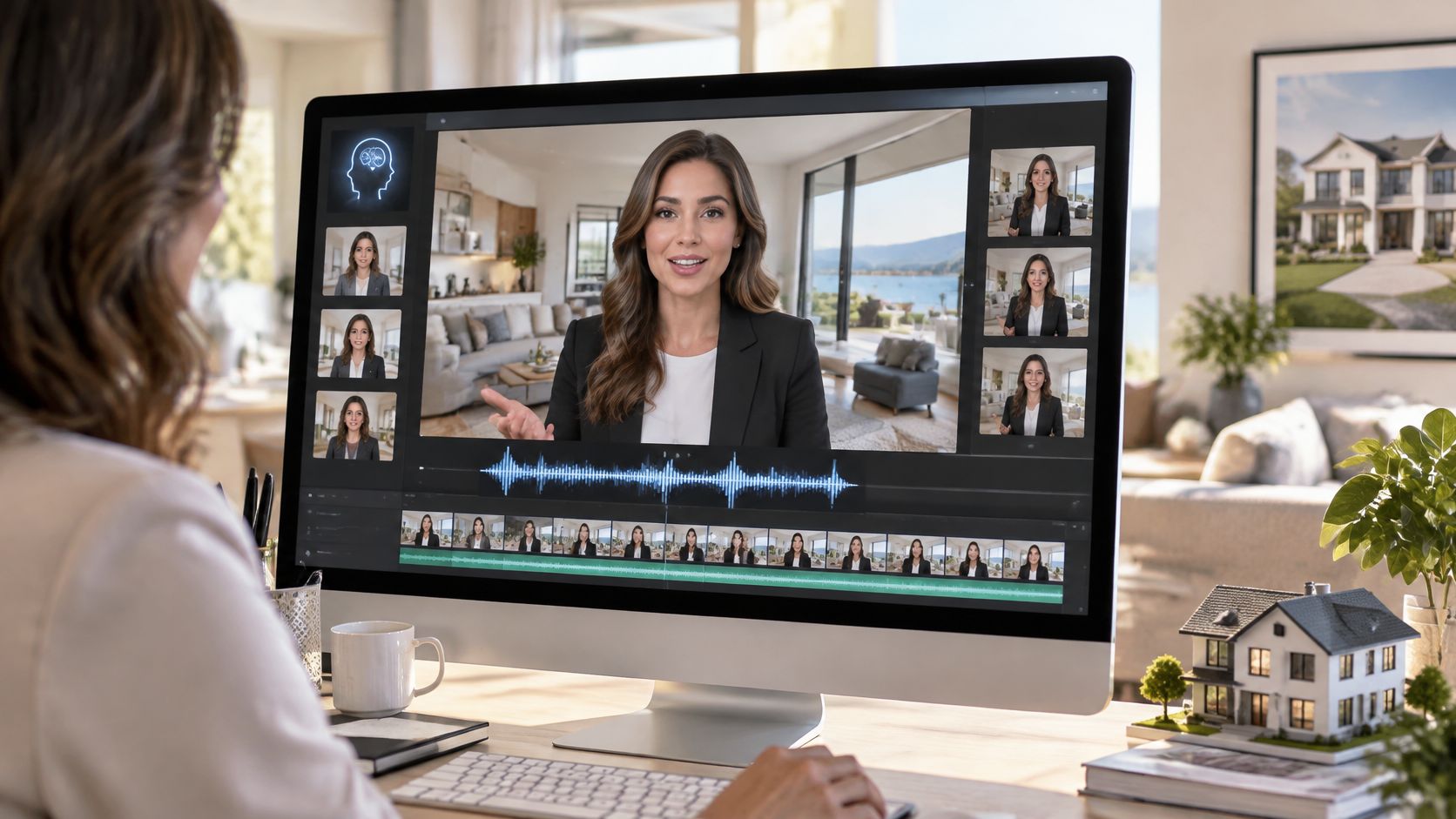
If you can make a presenter say anything without booking a shoot, what decides whether viewers believe the message, watch to the end, and send a good inquiry? Most guides to AI avatar video start with speed. That's the wrong first question. Speed matters only after you've chosen the right face, secured consent, checked lip sync, and told viewers clearly what they're watching.
That order isn't fussy. It's practical. A fast render with a borrowed face, a mismatched mouth, or a hidden disclosure can cost you the trust you were trying to build. Work through the format step by step and the choices get simpler.
That order isn't fussy. It's practical. A fast render with a borrowed face, a mismatched mouth, or a hidden disclosure can cost you the trust you were trying to build. Work through the format step by step and the choices get simpler.
Summary
Create an AI Video Tours from PhotosTry it For Free

What an AI Avatar Video Is and Where It Fits
An AI avatar video is a short clip where a digital presenter, built from a photo or recorded footage, speaks your script with matching lip movements, using a stock or cloned voice. You don't film the person saying each new line. You write the line, and the system builds the performance.
Think of a dubbed film, but run in reverse. In dubbing, a new voice is fitted to an existing face. Here, the face and voice are rebuilt around new text each time. Say an agent wants to introduce three listings this week. She can keep the same presenter, swap the scripts, and produce three introductions without resetting lights, rebooking a room, or hoping her voice sounds the same on Friday as it did on Monday.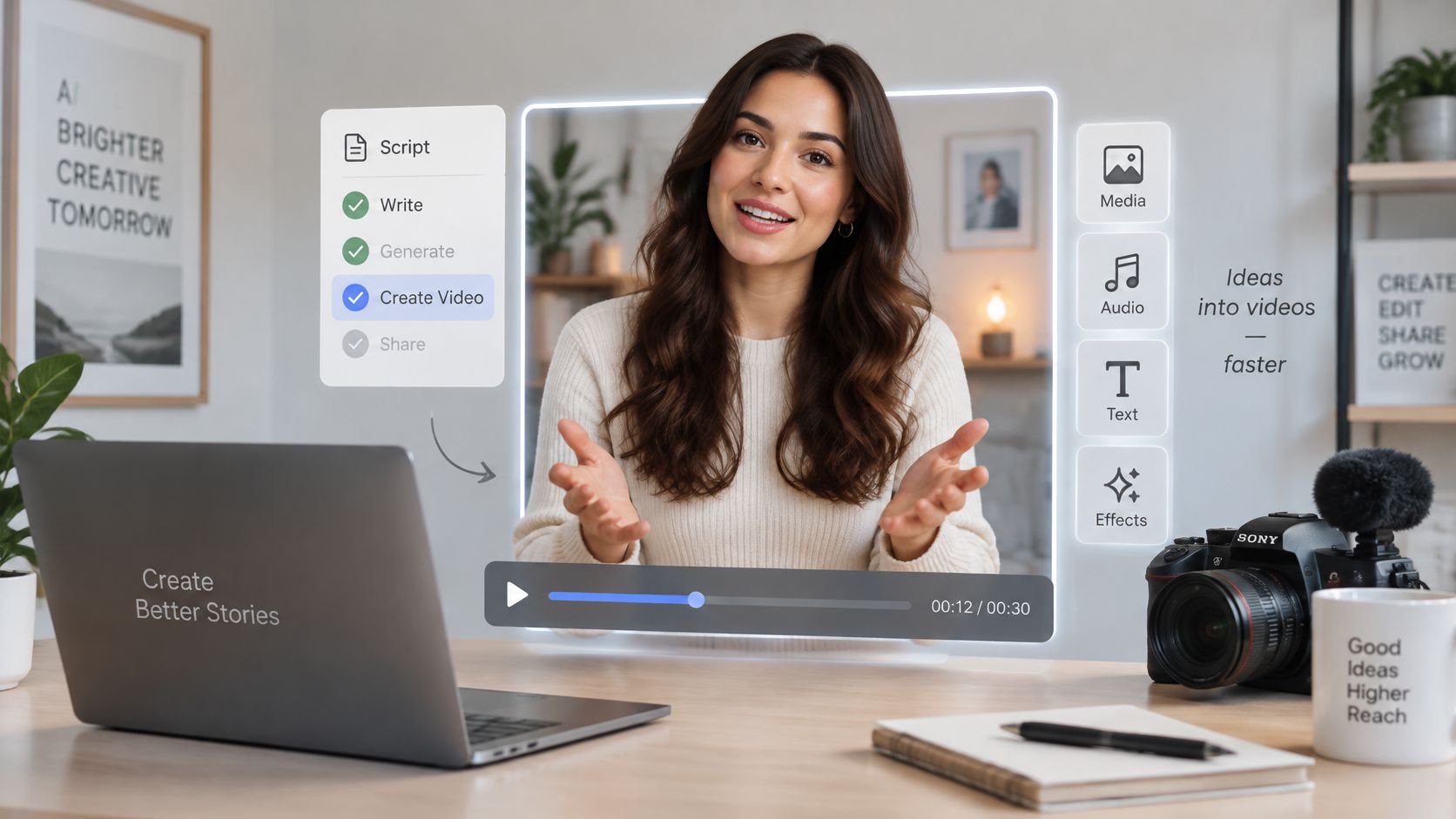
Read the range, not a single headline. For your decision, the useful point is simpler. Businesses are adopting software-generated presenters for marketing, education, and corporate communication because a script change doesn't require a reshoot.
Think of a dubbed film, but run in reverse. In dubbing, a new voice is fitted to an existing face. Here, the face and voice are rebuilt around new text each time. Say an agent wants to introduce three listings this week. She can keep the same presenter, swap the scripts, and produce three introductions without resetting lights, rebooking a room, or hoping her voice sounds the same on Friday as it did on Monday.
Why market figures look inconsistent
You'll see different totals because analysts draw the category differently. One 2025 estimate in the Dataintelo AI-generated video avatar market report valued the global AI-generated video-avatar market at approximately $2.8 billion and projected growth to $14.6 billion by 2033. A broader virtual-human forecast cited there started near $4.26 billion in 2025. That's not necessarily a contradiction. One count covers generated presenter videos, the other adds interactive digital humans, service agents, and gaming characters.Read the range, not a single headline. For your decision, the useful point is simpler. Businesses are adopting software-generated presenters for marketing, education, and corporate communication because a script change doesn't require a reshoot.
Three ways to put a message on screen
Compare the formats on three criteria, what must exist before production, how fast you can make a new version, and when each format builds the most trust.| Format | Needs before production | Turnaround for a new version | Best for |
|---|---|---|---|
| AI avatar video | Consented photo or footage, a script and a voice | Minutes to hours | Agent introductions, FAQs and frequent updates |
| Filmed presenter video | Camera crew, location or studio, and talent | Days to weeks | High-trust brand films and testimonials |
| AI photo tour | Listing photos, no presenter | Minutes | Property walkthroughs and listing promotion |
Decision test: If a person needs to explain something, use an avatar. If the property itself is the message, let the photos carry it.A photo tour shows the kitchen. An avatar explains who the home suits, what the street feels like, and what to do next. A filmed presenter still wins when personal credibility is the whole point, such as a testimonial or a sensitive announcement. Choose based on the job, not novelty.
Choosing an Avatar and Voice Option
Start with permission, not appearance. Creating an avatar or cloning a voice needs the written consent of the person whose image or voice is used, collected before recording starts. We require consent from the person whose voice or image it is. Don't treat a verbal okay in a hallway as enough, because you'll reuse that face and voice on scripts the person hasn't seen yet.
A custom avatar comes from footage of a real person, usually you, an agent, or a brand spokesperson. It's the strongest option when recognition matters, because clients already know that face from calls and meetings. Record front-facing footage in even light, with the camera at eye level and no harsh shadow across one side of the face. Use a quiet room too, since poor source footage gives the system less clean information to rebuild.
If you'll use the same presenter across a series, consistency matters more than novelty. Keep framing, clothing style, and background stable, and look at ways to keep characters consistent in AI videos so episode five doesn't look like a different spokesperson from episode one.
A cloned voice copies a real speaker's tone from a sample. That helps a known presenter sound like herself, but it raises the stakes. A clone can say words the speaker never recorded, so consent, access control, and script approval matter as much as sound quality.
Your own uploaded voice sits between those options. You record the actual lines, so pacing and emphasis stay human. Record short scripts close to the microphone in a soft, quiet room. A closet with clothes often beats a glass office. Background noise doesn't just hurt audio quality. It can also make lip sync harder for the system to align.
Match the combination to the message. A brokerage team may justify a custom avatar and cloned voice for recurring market updates. A single host testing arrival instructions usually doesn't. A stock presenter with AI narration proves whether guests watch and follow the instructions before you invest in a personal setup.
Choosing the face
A stock presenter avatar is the lowest risk starting point. The platform supplies the person, so you can test a script, layout, and call to action today. The trade-off is recognition. Viewers who watch many agent videos may notice the same presenter selling condos, software, and insurance. That repetition weakens the feeling that a specific local expert is speaking.A custom avatar comes from footage of a real person, usually you, an agent, or a brand spokesperson. It's the strongest option when recognition matters, because clients already know that face from calls and meetings. Record front-facing footage in even light, with the camera at eye level and no harsh shadow across one side of the face. Use a quiet room too, since poor source footage gives the system less clean information to rebuild.
If you'll use the same presenter across a series, consistency matters more than novelty. Keep framing, clothing style, and background stable, and look at ways to keep characters consistent in AI videos so episode five doesn't look like a different spokesperson from episode one.
Choosing the voice
An AI voiceover turns text into speech. It suits neutral narration, updates, and translated versions, and it needs no personal voice sample. It can sound flat on lines that need warmth, urgency, or apology, so test emotional sentences before you commit.A cloned voice copies a real speaker's tone from a sample. That helps a known presenter sound like herself, but it raises the stakes. A clone can say words the speaker never recorded, so consent, access control, and script approval matter as much as sound quality.
Your own uploaded voice sits between those options. You record the actual lines, so pacing and emphasis stay human. Record short scripts close to the microphone in a soft, quiet room. A closet with clothes often beats a glass office. Background noise doesn't just hurt audio quality. It can also make lip sync harder for the system to align.
| Option | What it uses | Consent needed | Best for | Main risk |
|---|---|---|---|---|
| Stock presenter avatar | Built-in presenter from the platform | No personal consent | Quick tests and generic explainers | Looks repetitive to frequent viewers |
| Custom avatar | Recorded footage of a real person | Yes, from that person | Agent or brand spokesperson | Needs clean footage and signed consent |
| AI voiceover | Text-to-speech voice | No personal consent | Neutral narration and updates | Can sound flat on emotional lines |
| Cloned voice | Sample of a real speaker's voice | Yes, from the speaker | Matching a known presenter's tone | Consent, misuse and trust risk |
| Own uploaded voice | Your own recording | Your own consent | Personal tone in short scripts | Background noise affects lip sync |
How an AI Avatar Video Gets Made, Step by Step
The workflow looks simple from outside, but each step prevents a specific problem later. Follow the order and you'll spend less time rerendering.
The six stages below show the path from presenter to published file.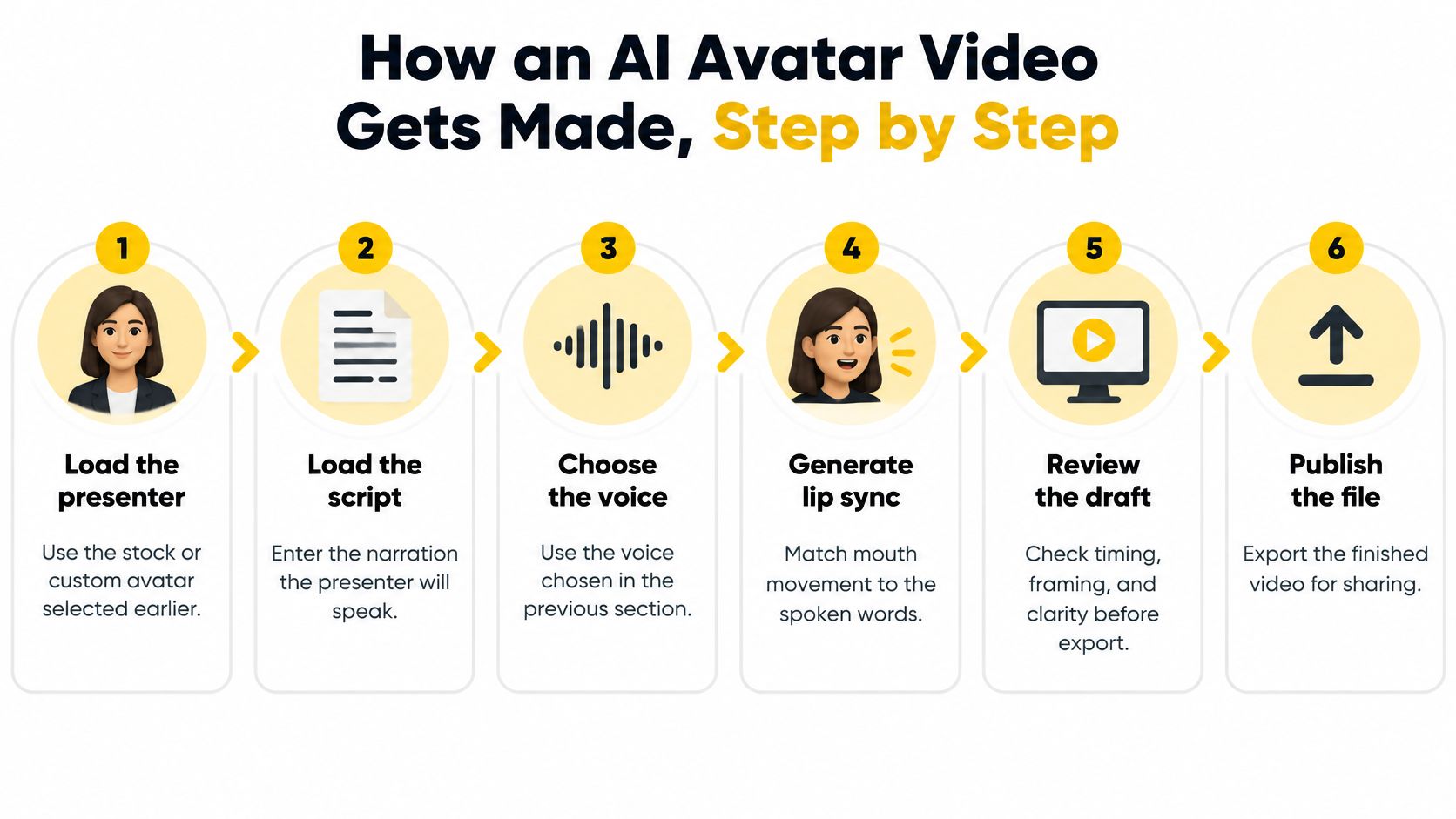
Measure end-to-end time to delivery instead. Track the typical render, the slow cases, failed jobs, and how long a correction takes. On VideoTour.ai, the photo tour pattern is similar. Users add up to 60 photos, choose the industry, music and captions style, then click Generate the video. Your real bottleneck may be script approval, not rendering.
The six stages below show the path from presenter to published file.
- Load the presenter. Use the stock or custom avatar you selected, with consent on file for a real person. Check framing before you write around it.
- Load the voice. Choose AI voiceover, a cloned voice, or your uploaded recording. If a recording has room echo or street noise, clean up noisy video recordings before generation rather than hoping captions hide it.
- Write the script in short beats. Keep each beat to two or three sentences, with one idea per beat. Shorter lines sync more reliably and let you fix one section without rebuilding everything. A real estate video script generator can draft the structure, then you should rewrite it in the presenter's natural wording.
- Pick layout and aspect ratio. Use vertical for Reels and Shorts, and horizontal for websites and listing pages. Decide this before rendering, because captions and headroom change with the frame.
- Add captions, music, and brand elements. Keep music under the voice, not competing with it. Place captions where platform controls won't cover them.
- Preview, then render the final file. Review a lighter preview first, fix script or sync problems, then export the full version with branding.
What actually takes the time
Inside the render, the system synthesizes or aligns the voice, animates the lips, composites the presenter, encodes the video, adds captions, and exports the file. Judging only model speed misleads you. A survey summarized in the MDPI talking-head generation survey reported generating a 256×256 facial video without a background took approximately 1.07 seconds for ATVGnet, compared with 17.05 seconds for DAVS under the cited setup. That spread shows why architecture and resolution matter, not what your current cloud render will take.Measure end-to-end time to delivery instead. Track the typical render, the slow cases, failed jobs, and how long a correction takes. On VideoTour.ai, the photo tour pattern is similar. Users add up to 60 photos, choose the industry, music and captions style, then click Generate the video. Your real bottleneck may be script approval, not rendering.
Lip Sync and Quality Checks Before You Publish
Lip sync is where avatar videos succeed or fail. Viewers forgive a plain background. They notice a mouth that closes late on the word "apartment" or keeps moving after the sound stops. A sharp face can't rescue bad timing.
Researchers therefore judge sync separately from picture sharpness. One method described in the ISPRS Archives speech-driven avatar paper reported on VoxCeleb2 a landmark distance (LMD) of 3.01 and Sync-C accuracy of 9.06. You don't need to run those metrics yourself. You do need their lesson, which is to test synchronization as its own acceptance gate, not as part of a vague "looks realistic" judgment.
Try a sentence like this in your normal script voice: "Pam, five buyers viewed Maple View before Friday." If the lips don't close cleanly on "Pam" and "Maple," viewers will sense something is off even if they can't name it.
The checklist below turns that test into a repeatable pre-publish routine.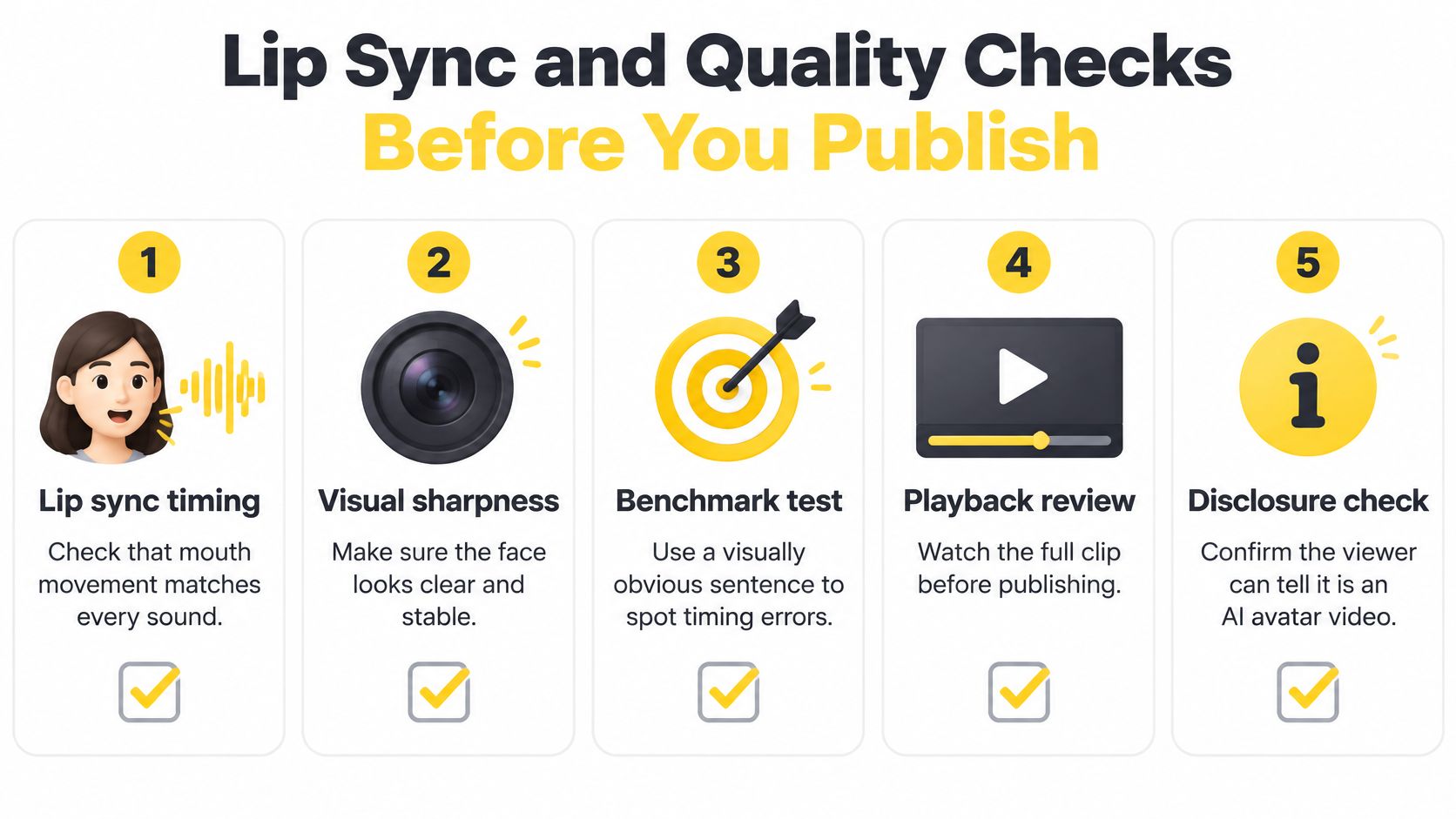
Researchers therefore judge sync separately from picture sharpness. One method described in the ISPRS Archives speech-driven avatar paper reported on VoxCeleb2 a landmark distance (LMD) of 3.01 and Sync-C accuracy of 9.06. You don't need to run those metrics yourself. You do need their lesson, which is to test synchronization as its own acceptance gate, not as part of a vague "looks realistic" judgment.
Build a test script that exposes errors
Don't approve an avatar using one smooth sentence. Write a test line packed with sounds that force visible mouth shapes. Include /p/, /b/, and /m/, where lips must close, plus /f/ and /v/, where teeth meet the lip. Add fast syllable changes, numbers, street names, and any second language you'll publish.Try a sentence like this in your normal script voice: "Pam, five buyers viewed Maple View before Friday." If the lips don't close cleanly on "Pam" and "Maple," viewers will sense something is off even if they can't name it.
The checklist below turns that test into a repeatable pre-publish routine.
A six-point check for every render
- Watch stressed words. Check the mouth at sentence starts and emphasized words, where errors stand out.
- Shrink it to phone size. Watch at the size your audience uses. Don't approve only on a large monitor, then discover captions cover the chin on mobile.
- Listen on headphones. Catch clicks, clipped endings, flat emphasis, and pauses in the wrong place.
- Inspect the edges. Check the first and last two seconds, where transitions, blinks, and mouth closure often fail.
- Check head and eyes. Head motion should stay controlled, and the gaze shouldn't drift without reason. If a scene looks soft or unstable, follow practical steps to improve a scene video quality before you export again.
- Confirm disclosure. Make sure a viewer can tell this is an AI avatar presentation without hunting for fine print.
Fix the cause, not just the render. A noisy sample needs rerecording, a tangled sentence needs shortening, and excessive head motion needs simplifying.Rendering the same broken input again rarely fixes it. Shorten the sentence that breaks sync. Replace a difficult phrase with simpler wording. Record a cleaner voice sample. AI can make mistakes, so review every video before publishing it, even when the previous ten renders were clean.
Use Cases for Agents, Brands and Hosts
Avatar video is no longer only a demo format. The Globe Market Research AI avatar market report cites an Interactive Advertising Bureau study finding 86% of digital-video buyers were already using or planning to use generative AI to create video-advertising content. The same report gives company-reported HeyGen figures of more than 30 million users across 196 countries. Treat platform totals as adoption indicators, not audited market totals. The direction is still clear. Buyers want complete videos faster, including captions, music, branding, and multiple aspect ratios.
Brokerage teams have a different problem. They repeat team announcements, onboarding steps, and process updates to people in different places. An avatar gives every recruit the same wording, and a manager can update one paragraph when a policy changes instead of filming again.
Hotel and resort marketers can welcome guests before arrival and walk them through amenities. A short presenter clip can explain check-in, parking, spa hours, or a renovation without making guests read a long email. Keep the tone warm, but don't let an avatar apologize for a serious service failure. That message needs a real person.
Airbnb and short-term rental hosts often send the same arrival guide hundreds of times. A one to two minute avatar clip can show where to park, how the lock works, and what to do with trash. Guests can replay it at the door, which is when written instructions are hardest to follow.
Coworking and commercial property managers can explain membership levels, meeting room rules, and leasing steps. The presenter guides the viewer, then points to a tour booking link. Marketing agencies can make one approved script in several lengths and aspect ratios while keeping client branding consistent.
The limit is trust. For a serious legal explanation, a financial commitment, a complaint, or a personal testimonial, a filmed human usually carries more weight. Use the avatar to explain, remind, and guide. Let a real person persuade, apologize, and promise.
Where a digital presenter earns its place
Real estate agents can use a 30 to 60 second vertical clip to introduce a listing or summarize a neighborhood. The avatar answers the first questions, who this home fits, what's nearby, and how to book. The photo tour still does the visual work.Brokerage teams have a different problem. They repeat team announcements, onboarding steps, and process updates to people in different places. An avatar gives every recruit the same wording, and a manager can update one paragraph when a policy changes instead of filming again.
Hotel and resort marketers can welcome guests before arrival and walk them through amenities. A short presenter clip can explain check-in, parking, spa hours, or a renovation without making guests read a long email. Keep the tone warm, but don't let an avatar apologize for a serious service failure. That message needs a real person.
Airbnb and short-term rental hosts often send the same arrival guide hundreds of times. A one to two minute avatar clip can show where to park, how the lock works, and what to do with trash. Guests can replay it at the door, which is when written instructions are hardest to follow.
Coworking and commercial property managers can explain membership levels, meeting room rules, and leasing steps. The presenter guides the viewer, then points to a tour booking link. Marketing agencies can make one approved script in several lengths and aspect ratios while keeping client branding consistent.
| Audience | Typical avatar video | Message to include |
|---|---|---|
| Real estate agent | Listing introduction and neighbourhood summary | Key features, area highlights and a booking link |
| Brokerage team | Team announcement or agent onboarding | Team contacts and next steps |
| Hotel or resort marketer | Welcome message and amenity walkthrough | Check-in details and booking link |
| Airbnb or short-term rental host | House rules and arrival guide | Access instructions and local contacts |
| Coworking or commercial property manager | Membership tour or leasing overview | Tour booking and lease contact |
| Marketing agency | Client campaign series | Consistent brand elements and captions |
Disclosure and Consent Rules That Protect Trust
Disclosure is part of the message itself. A label added only at export arrives too late. Viewers need to know whether they are watching an agent, an avatar, or an animated set of listing photos, and that early signal shapes how much they trust the next sentence.
The trust evidence is uncomfortable. In preregistered experiments summarized by HubStudio's AI avatar versus real presenter analysis, involving 2,000 U.S. adults and 160 videos, viewers trusted avatar versions less, with reported trust scores of 0.419 versus 0.499 on the study's scale. Mixing real presenters and avatars made the gap sharper. A viewer who discovers the switch late may question more than the video format.
Timing matters too. Notice works best at first exposure, in a clear and perceivable form, before the viewer has formed an impression. If your videos reach European audiences, review placements now rather than retrofitting a library later. Legal rules in your own market may differ, so check them before publishing.
The trust evidence is uncomfortable. In preregistered experiments summarized by HubStudio's AI avatar versus real presenter analysis, involving 2,000 U.S. adults and 160 videos, viewers trusted avatar versions less, with reported trust scores of 0.419 versus 0.499 on the study's scale. Mixing real presenters and avatars made the gap sharper. A viewer who discovers the switch late may question more than the video format.
Four placements you can test
- Visible first-frame label: Put a clear "AI-generated presenter" label where viewers see it before the message starts.
- Spoken opening disclosure: Have the presenter say it is an AI avatar of the agent in the first few seconds.
- Caption label: Repeat the notice in captions so it survives muted autoplay and screen recording.
- Landing-page notice: Explain on the listing or booking page what was generated, what was photographed, and who approved the script.
Timing matters too. Notice works best at first exposure, in a clear and perceivable form, before the viewer has formed an impression. If your videos reach European audiences, review placements now rather than retrofitting a library later. Legal rules in your own market may differ, so check them before publishing.
A good disclosure answers three questions quickly. Who is speaking, what was generated, and which real person stands behind the message?Then measure it. Compare inquiry quality, completion rate, replies, and complaints across disclosure placements. A label that lowers raw clicks but produces better informed inquiries may be the stronger business choice. Judge honesty by whether viewers understand what they are watching, not only by whether a lawyer can defend the font size.
Start a Small Test Before You Scale
Don't begin by converting your whole library. Pick one job where repetition hurts and trust requirements are manageable, such as a listing introduction, an arrival guide, or a membership overview. Then prove the format against your current approach.
Here's a simple view of where that test starts.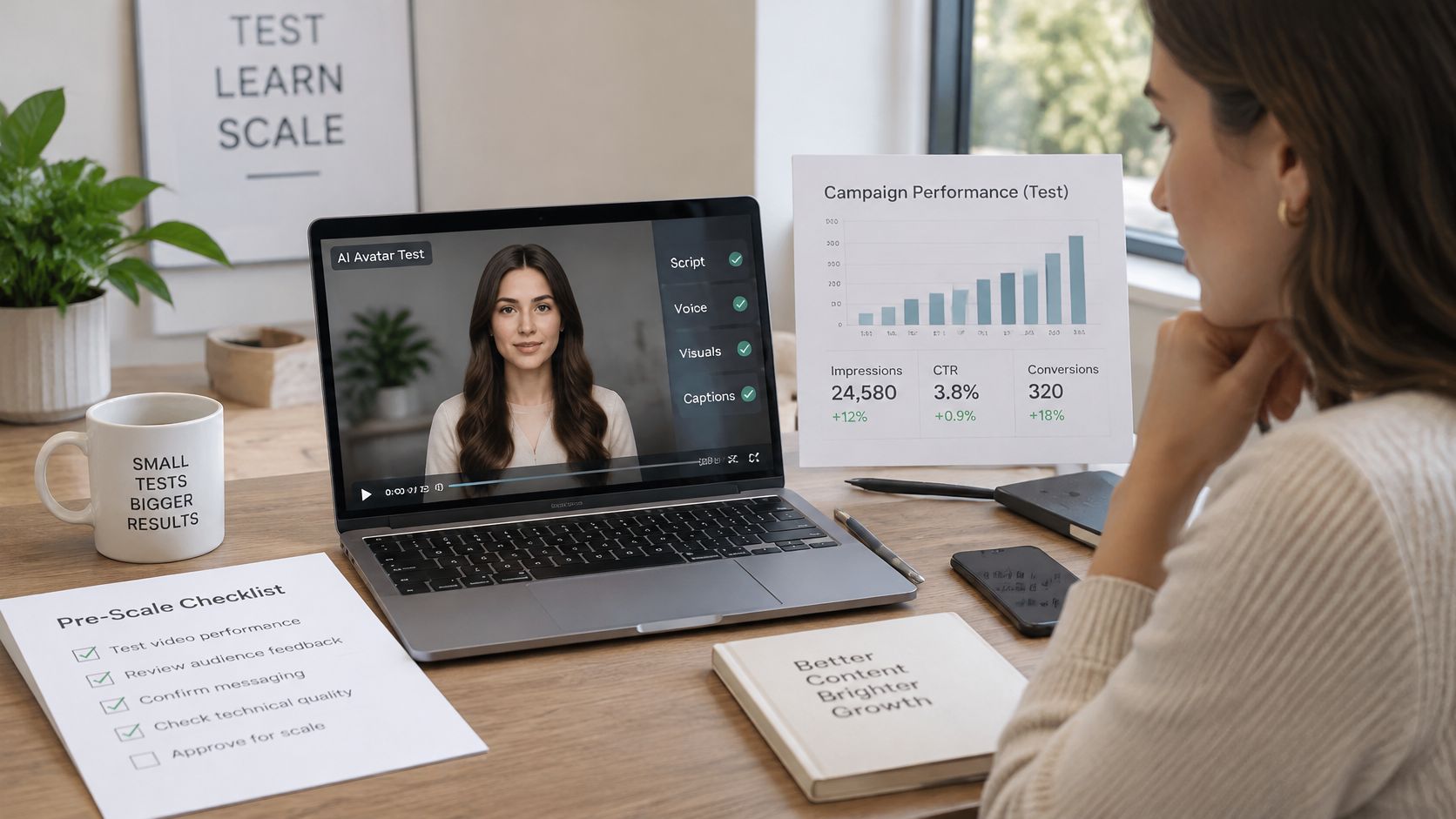
Scale only when the boring parts hold. Consent is documented. Scripts stay short. Lip sync passes. Disclosure is visible. Inquiries are as good as, or better than, the baseline. If those conditions fail, more videos won't fix the problem. They'll multiply it.
Create your first AI avatar video alongside a polished photo tour, with captions, music, voice options, and branding handled in one workflow, then review it carefully before you publish. Start your free first video at VideoTour.ai and test it on one listing before you scale it across your portfolio.
Here's a simple view of where that test starts.
A measured two to four week test
- Record your baseline. Note inquiry count, inquiry quality, and completion rate for your usual video on the chosen listing, property, or campaign.
- Start with a stock presenter. Produce the avatar version with a short script, clear consent boundaries, and visible disclosure. Don't buy complexity before you know viewers respond.
- Check every render. Run the lip sync routine, watch at phone size, and log failed jobs and rerenders. Production friction is part of the result.
- Publish to comparable audiences. Run both versions for a fixed period, such as two to four weeks, and keep the offer and call to action the same.
- Decide on outcomes, not novelty. Compare qualified inquiries, completion, replies, and trust signals. Add a custom avatar or cloned voice only if the simpler version earns it.
Scale only when the boring parts hold. Consent is documented. Scripts stay short. Lip sync passes. Disclosure is visible. Inquiries are as good as, or better than, the baseline. If those conditions fail, more videos won't fix the problem. They'll multiply it.
Create your first AI avatar video alongside a polished photo tour, with captions, music, voice options, and branding handled in one workflow, then review it carefully before you publish. Start your free first video at VideoTour.ai and test it on one listing before you scale it across your portfolio.