
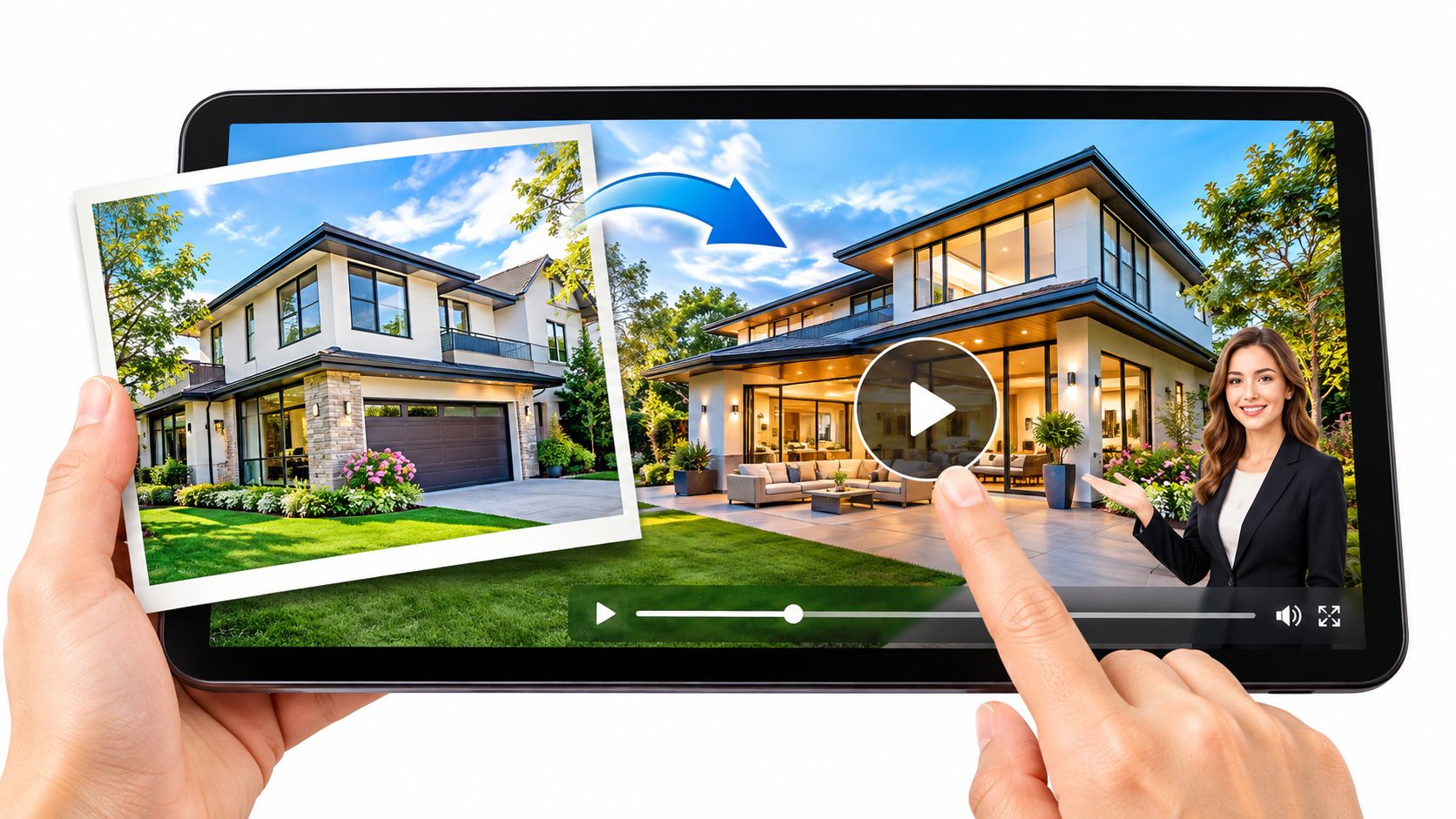
AI video is moving-image content created, changed or assembled by machine-learning systems from inputs such as text, photos, audio or footage. In real estate, it can turn existing listing photos into a video tour with motion, captions, music and narration.
But if a camera never moved through the property, what exactly is the viewer seeing? That's the distinction a real estate marketer needs to understand before choosing a tool. Some AI features help present genuine material; others generate details that were never photographed.
But if a camera never moved through the property, what exactly is the viewer seeing? That's the distinction a real estate marketer needs to understand before choosing a tool. Some AI features help present genuine material; others generate details that were never photographed.
Summary
Create an AI Video Tours from PhotosTry it For Free
AI Video in Plain Terms
AI video is moving-image content that machine-learning systems generate, transform or assemble using supplied material or instructions.Think of a film editor with an assistant who can animate a still image, write captions and read a script aloud. The editor still decides what belongs in the finished story, but the assistant handles parts of production.
The main visual inputs are written instructions, still images and existing clips. Audio can guide narration or timing. The output is a sequence of frames that should keep the subject, lighting and scene consistent as movement unfolds.
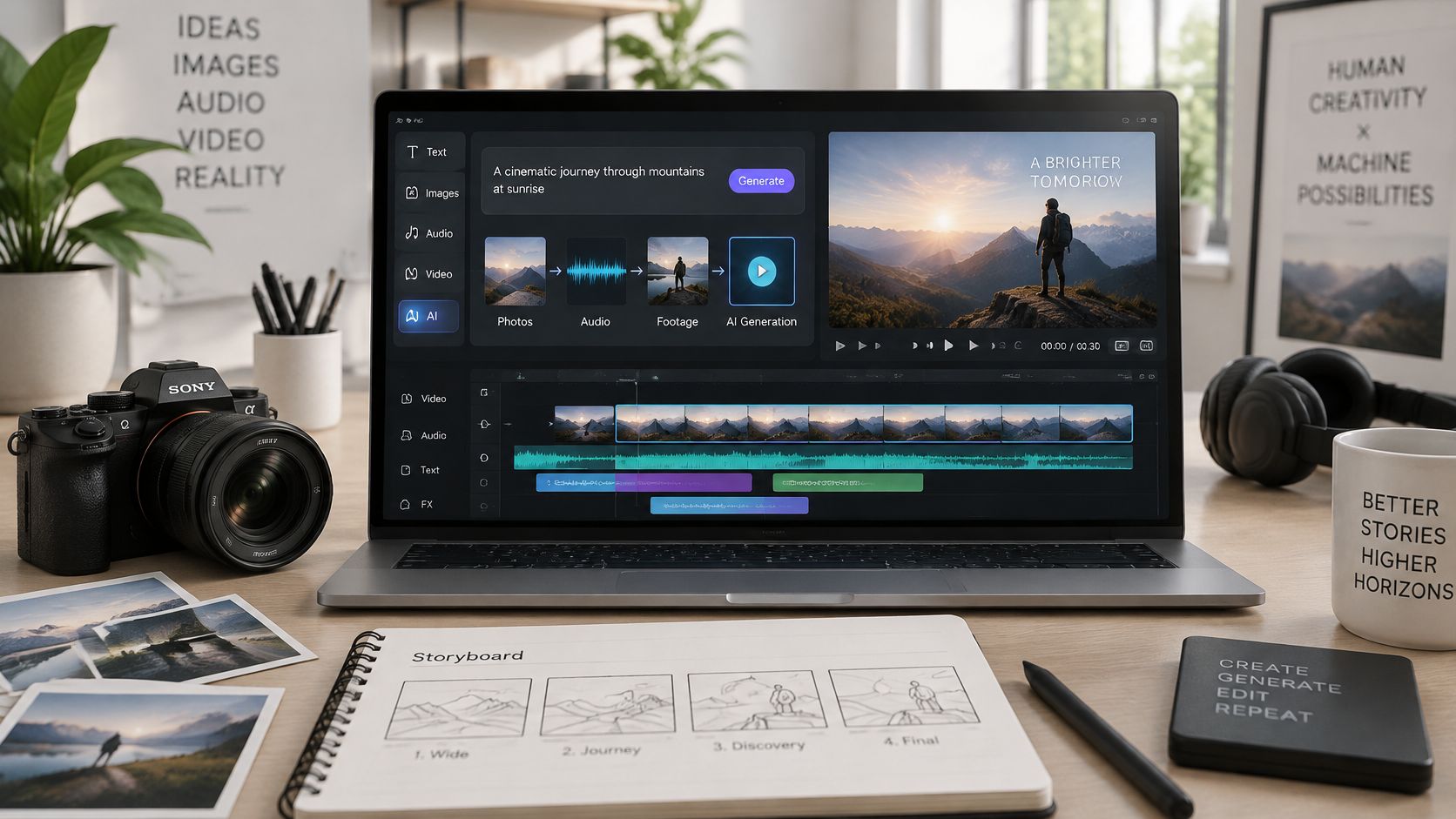 Traditional filming records what happens in front of a camera on location. Photo-based AI video starts with images already captured, which lets a listing team create a tour without arranging another shoot.
The technology grew out of earlier computer-vision and image-generation work, including generative adversarial networks, before developing into text-to-video systems. Today, the term includes fully generated scenes, automated editing, synthetic presenters and voiceovers.
AI assistance isn't always impersonation
A captioned property clip and a fabricated agent interview both involve AI, but they create different trust risks. For that distinction, understanding deepfakes with AI Video Detector offers useful context about synthetic media.A practical answer to what is AI video is broad: if a machine-learning model created, changed or animated the picture, it qualifies. The important next question is which part it changed.
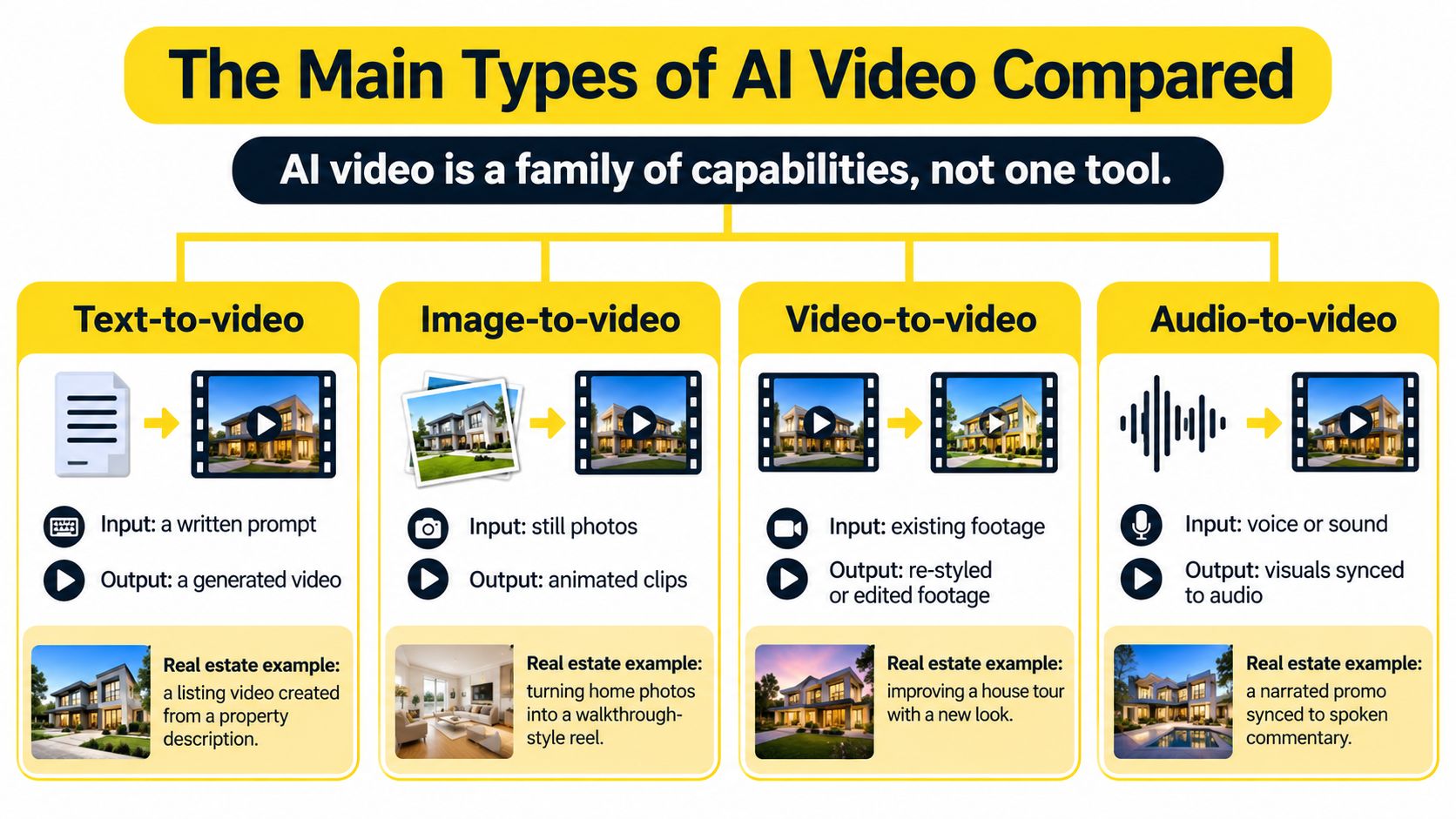
The Main Types of AI Video Compared
| Type | Input | Output | Real estate example |
|---|---|---|---|
| Text-to-video | Written prompt | New clip generated from scratch | Concept teaser for a neighbourhood |
| Image-to-video | Listing photos | Clip with pan, zoom or tilt | Animated kitchen photo for a listing post |
| Automated editing | Photos, music and script | Edited tour in several aspect ratios | Listing tour adapted for social feeds |
| Captioning | Spoken audio or script | On-screen captions matched to visuals | Captions for a muted social feed |
| Voiceover and voice cloning | Script and, for cloning, a voice recording | Narration track | Spoken walkthrough for an open house |
| AI avatar | Script and presenter image | Talking presenter on camera | Agent introduction for a market update |
| Virtual staging or background replacement | Still photo | Altered room or scenery | Staged mockup of an empty room |
The visual comparison groups these capabilities by their starting material.
Two distinctions that prevent confusion
Image-to-video uses your photograph as its visual foundation. Text-to-video generates a scene from instructions. A prompt describing a sunny kitchen doesn't establish what the actual kitchen looks like. Even with a source photo, generated motion needs inspection.An avatar is a visible presenter. A narrator supplies audio and doesn't need to appear on screen. Voice cloning is a separate choice, not a requirement for narration.
For broader terminology before comparing tools, ImagesArt AI's model selection guide provides context on different AI model categories.
This video offers another way to explore AI video creation.
Listing teams will usually need image animation, automated editing, captions and narration rather than unrestricted scene generation. Start by naming the task: animate supplied photos, assemble a tour or present a market update. That's a clearer buying decision than searching for the best AI video tool.
How AI Video Turns Inputs Into Finished Video
A photo-to-video workflow combines creative decisions with technical processing. Not every application uses generative synthesis for every shot; some movements can be controlled effects applied directly to an image.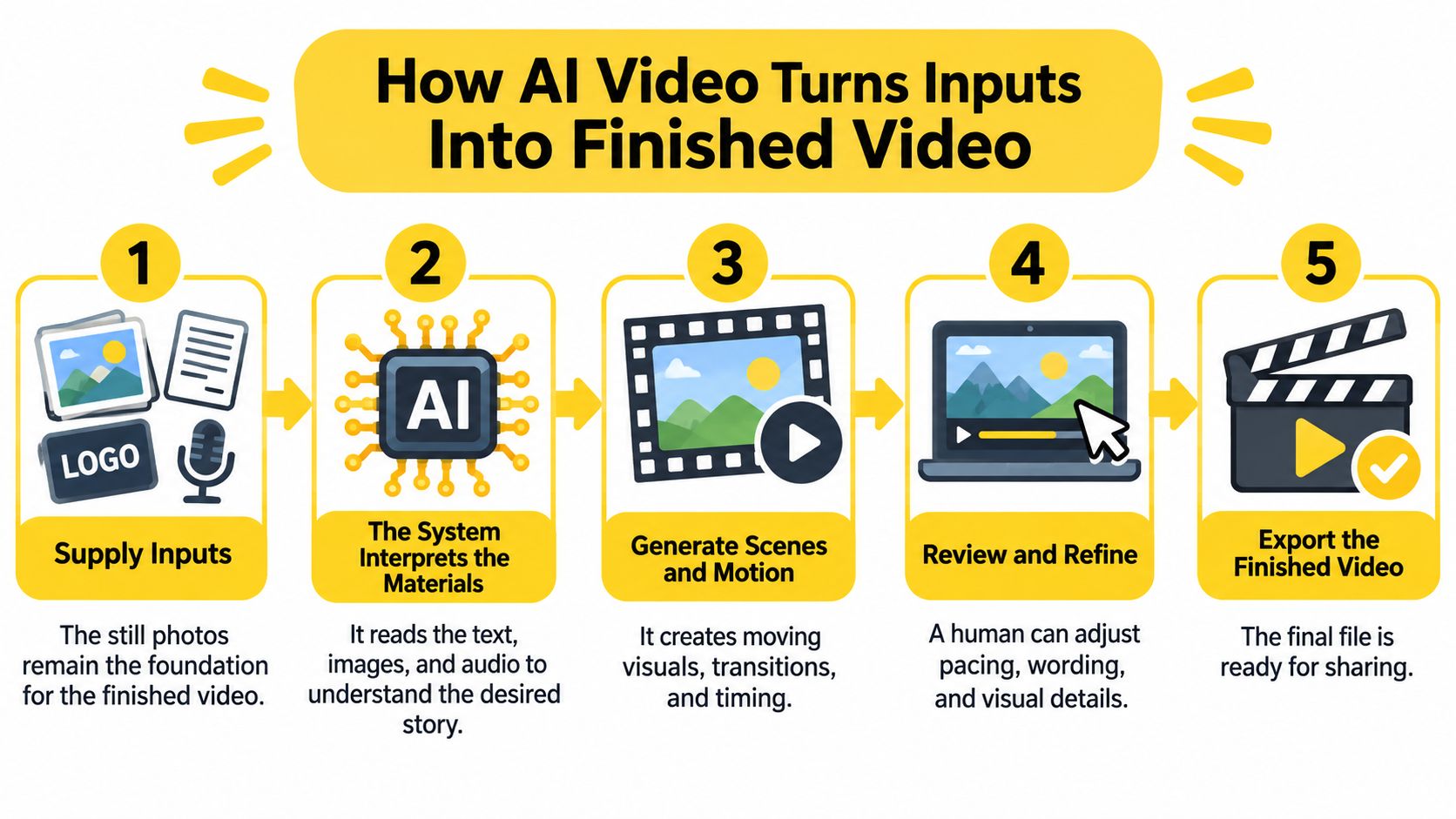 For a property-specific application, the guide to turning listing photos into video tours connects asset preparation with sequencing and editing decisions.
- Supply the inputs. Gather listing photos, an approved script, a logo and any authorised voice recording. Keep the original stills available so you can compare the finished visuals against them.
- Let the system analyse the content. Photo-animation systems may estimate depth and identify prominent regions to guide plausible movement, as described in the generative AI video evaluation survey. That estimate isn't a measured reconstruction of the building.
- Choose restrained motion. A slow push toward an interior focal point can work better than an ambitious sweep. Give wide exterior views gentle movement rather than asking the software to reveal unseen sides of the property.
- Generate intermediate frames where needed. Diffusion systems start with noise and progressively remove it under input guidance, while sequence-modeling architectures help coordinate frames, according to the review of text-to-video generation methods. This is a critical error point: unstable predictions can make edges warp, objects change or textures flicker.
- Add the editorial layers. Match captions to the room being shown and time narration to the relevant image. Keep music below speech so viewers don't have to work to understand the description.
- Render for the destination. Compose horizontal, square and vertical versions rather than blindly cropping a master. YouTube's upload guidance emphasises appropriate resolution, aspect ratio and source frame rate, not bitrate alone.
- Review the encoded result. Watch the downloaded file, then pause suspicious transitions and compare them with the originals. Check mobile caption readability, audio timing, logos and room geometry before approving publication.
For a property-specific application, the guide to turning listing photos into video tours connects asset preparation with sequencing and editing decisions.Where Real Estate Teams Use AI Video
In 2025, 41% of brands reported using AI for video creation, up from 18% in 2024, according to Wistia's State of Video Report, which analysed more than 14 million videos and surveyed over 1,300 professionals. That describes brands broadly, not real estate adoption specifically, but it shows that AI-assisted production is no longer an unusual marketing approach.
Consider a listing with clear exterior, living-area, kitchen and bedroom photographs. An agent arranges them into a coherent tour, adds approved property details, then creates vertical and square compositions for follow-up posts.
The strongest operational fit is for teams repeatedly publishing similar material: busy agents, brokerages standardising branding, short-term rental hosts, hotel marketers and commercial property managers.
Good photographs and a repeatable publishing need make this approach practical. If the selling point requires a genuine aerial perspective, an uninterrupted walk through connected rooms or evidence of current site conditions, arrange on-location capture instead.
Consider a listing with clear exterior, living-area, kitchen and bedroom photographs. An agent arranges them into a coherent tour, adds approved property details, then creates vertical and square compositions for follow-up posts.
A useful listing video gives viewers a clear sequence of spaces, not merely a collection of moving photographs.An agent might also use an avatar to deliver a monthly market update. For an open-house promotion, consented recorded narration can explain features while the corresponding rooms appear.
The strongest operational fit is for teams repeatedly publishing similar material: busy agents, brokerages standardising branding, short-term rental hosts, hotel marketers and commercial property managers.
Good photographs and a repeatable publishing need make this approach practical. If the selling point requires a genuine aerial perspective, an uninterrupted walk through connected rooms or evidence of current site conditions, arrange on-location capture instead.
Benefits and Limits Against Traditional Filming
| Criterion | Traditional filming | AI video from photos |
|---|---|---|
| Turnaround | Requires capture scheduling and editing | Can start once usable photos are ready |
| Upfront cost | Crew, travel and editing expenses | Software subscription or credit charges |
| Camera motion | Real movement captured on site | Simulated movement based on still images |
| Accuracy risk | Captures actual conditions, though framing and editing still matter | Generated details require close inspection |
| Best use | Flagship properties and dramatic architecture | Repeatable listing content and social follow-up |
Where photo-based production helps
- Fewer production dependencies. You can begin without coordinating another visit once the approved assets are ready.
- Reusable branding. Saved fonts, colours and logo treatments reduce repetitive setup across listings.
- Simpler recuts. Change the opening image, shorten a sequence or adapt the composition for a different channel.
- Controllable scope. Reserve on-site production for shots that need it instead of commissioning the same package for every property.
Where it falls short
- Unseen spaces remain unknown. Animation can't verify what's behind a wall or outside the photograph.
- Generated details can mislead. Furniture, windows and architectural edges may change during motion.
- Weak inputs constrain the result. Blurred images, uneven lighting and awkward angles limit what you can responsibly publish.
- Approval still takes work. Someone must assess the final visuals, wording and audio, not just accept the preview.
Film when real movement, spatial relationships or site conditions are essential to the sale. Use photo-based AI video when approved images already tell the property's story and your main need is consistent distribution. For some listings, the right answer is a combination, not a replacement.
When Viewers Need an AI Disclosure
In an experiment involving 7,107 participants, labels increased recognition of AI generation from 77.8% to 90.4%, but didn't fully eliminate persuasion, especially during passive viewing, according to the deepfake-labeling study. The study also found that deepfake videos were judged less trustworthy and reduced willingness to rely on the sender for other information.
An accurate property description therefore doesn't settle the disclosure question. Viewers may also need to know whether the apparent speaker, camera movement or room appearance is synthetic.
An accurate property description therefore doesn't settle the disclosure question. Viewers may also need to know whether the apparent speaker, camera movement or room appearance is synthetic.
What to label and where
- Synthetic voice or avatar presenter. Put a clear notice with the presentation so viewers don't mistake generated delivery for a recording.
- Virtual staging. Place the notice beside the affected room, not solely in a distant description.
- AI-enhanced scenery. Identify material changes to the surroundings and reject alterations that misrepresent the location.
- Simulated drone footage. Explain that the aerial-style view is generated rather than captured.
- General AI assistance. Use a caption or video-card notice when the production method materially affects interpretation.
Disclosure rule: If removing the AI element would change how a viewer judges the property or presenter, disclose it.Review every video before publishing. A label explains the production method; it doesn't excuse an invented feature, inaccurate claim or misleading scene.
Who Owns and Licenses AI-Generated Video
Owning an AI video isn't automatic. In 2025, the U.S. Copyright Office said AI outputs may qualify for protection when humans determine sufficient expressive elements, including creative arrangement or modification, but prompts alone aren't enough and wholly AI-generated outputs don't require special additional protection under current law.
Use a rights checklist that separates permission to use assets from copyright in the finished work.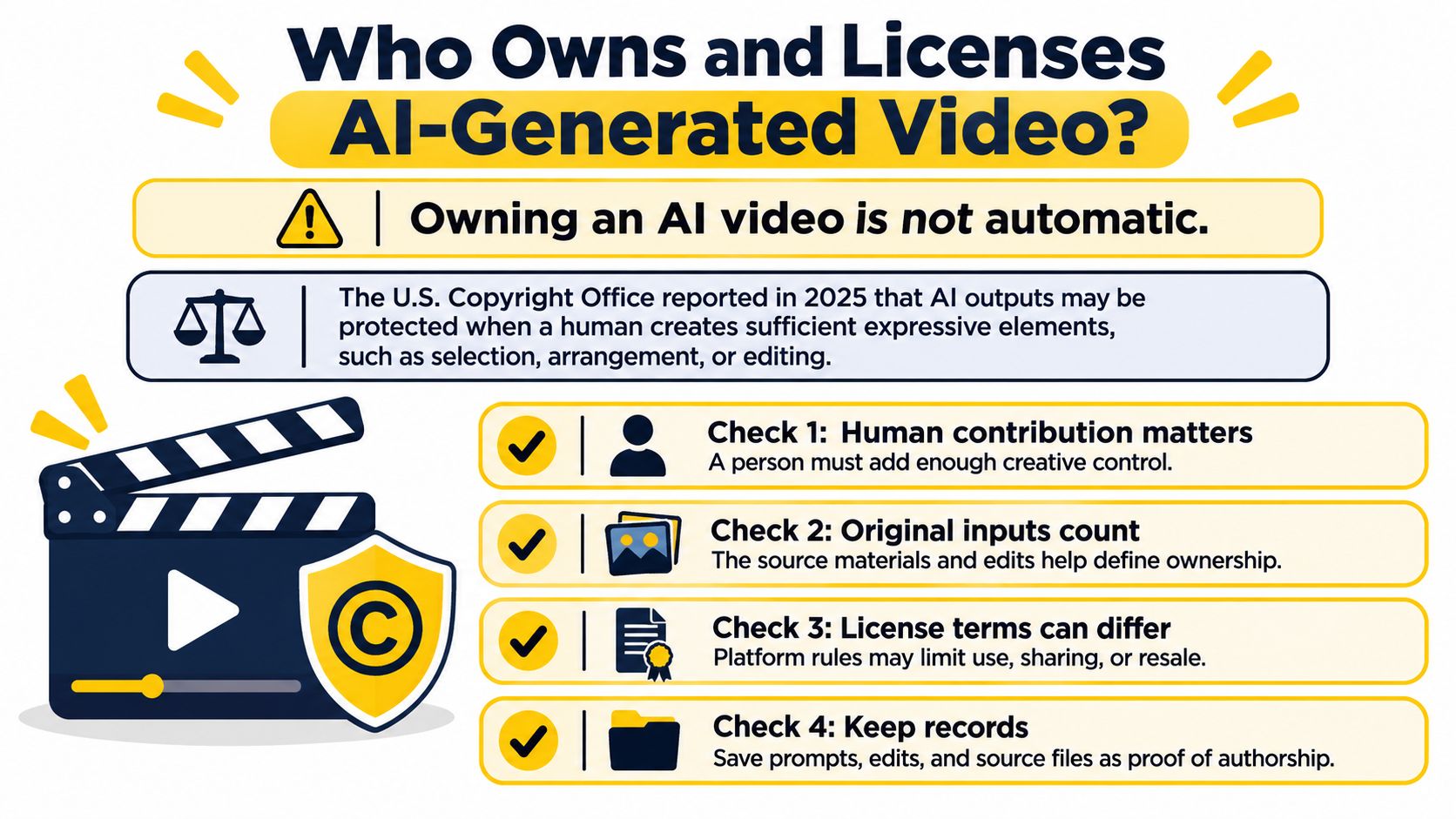 Keep a rights file per listing containing permissions, licences and editing records. Review commercial-use and MLS considerations before distribution, and obtain legal advice for a high-value campaign or disputed asset.
Use a rights checklist that separates permission to use assets from copyright in the finished work.
- Confirm photo permissions. Check ownership or the photographer's licence for editing, animation and marketing use. Having an image in a listing folder doesn't establish those permissions.
- Document music licences. Save the terms covering your intended social, advertising and listing distribution. Don't assume access to a track clears every destination.
- Obtain voice and brand permissions. Get consent for voice cloning and appropriate permission for logos and fonts. Record the authorised uses.
- Retain human editing evidence. Save project files showing your sequencing, cuts, captions and revisions. These help document your creative contribution without guaranteeing protection.
- Don't assume exclusivity. Check tool terms and asset licences before promising exclusive rights to a client. A generated result isn't automatically a unique, protectable asset.
- Check the applicable jurisdiction. Copyright and licensing questions need local assessment, particularly when contributors or distribution cross borders.
Keep a rights file per listing containing permissions, licences and editing records. Review commercial-use and MLS considerations before distribution, and obtain legal advice for a high-value campaign or disputed asset.Run One Safe Test on a Listing
Pick a current listing with clean, well-lit, authorised photographs and make a single image-to-video tour before considering a wider rollout. Choose restrained motion and a sequence that helps viewers understand the property.
Run these checks in order:
Compare the test's views and enquiries with the listing's previous post over an equal observation period. Keep paid promotion and posting conditions comparable, and expand only if the result improves on that baseline without introducing accuracy or compliance problems.
VideoTour.ai turns property photos into ready-to-share tours with editing, motion, captions, music and branding. Visit VideoTour.ai to create a test tour from an approved listing photo set, then review its visuals, permissions and disclosures before sharing it.
Run these checks in order:
- Inspect the visuals. Review transitions for flicker, warped edges and invented furniture or architecture, comparing questionable moments with the source photos.
- Verify permissions. Confirm the rights to each photograph, music track and voice used in the export.
- Place disclosures. Label synthetic presentation and altered rooms wherever the destination's rules require it.
- Save the record. Keep licences, approvals, original assets and the final export in the listing's rights file.
Compare the test's views and enquiries with the listing's previous post over an equal observation period. Keep paid promotion and posting conditions comparable, and expand only if the result improves on that baseline without introducing accuracy or compliance problems.
VideoTour.ai turns property photos into ready-to-share tours with editing, motion, captions, music and branding. Visit VideoTour.ai to create a test tour from an approved listing photo set, then review its visuals, permissions and disclosures before sharing it.